Simple … not for everyone 
Following a hint from @devemux86 I tried to extract a style from Kurviger APK and modify it - I want to see mountain passes, but I do not want to see mountain peaks (too many - and I can not reach them with motorcycle  ).
).
That was easier than I thought before (just remove peaks from mountain_passes layer), so I tried next step: Separate layer and other symbol for mountain peaks.
I did following:
- extract folder “assets” from Kurviger 2.0.13 APK
- rename folder “assets” to “PeaksBlueDot”
- in folder “PeaksBlueDot/kurviger” delete “openmaptiles.xml” (prevent Kurvinger asking for desired style when opening generated style ZIP)
- in folder “PeaksBlueDot/kurviger” rename “default.xml” to “PeaksBlueDot.xml”
Then edit “PeaksBlueDot.xml”:
-
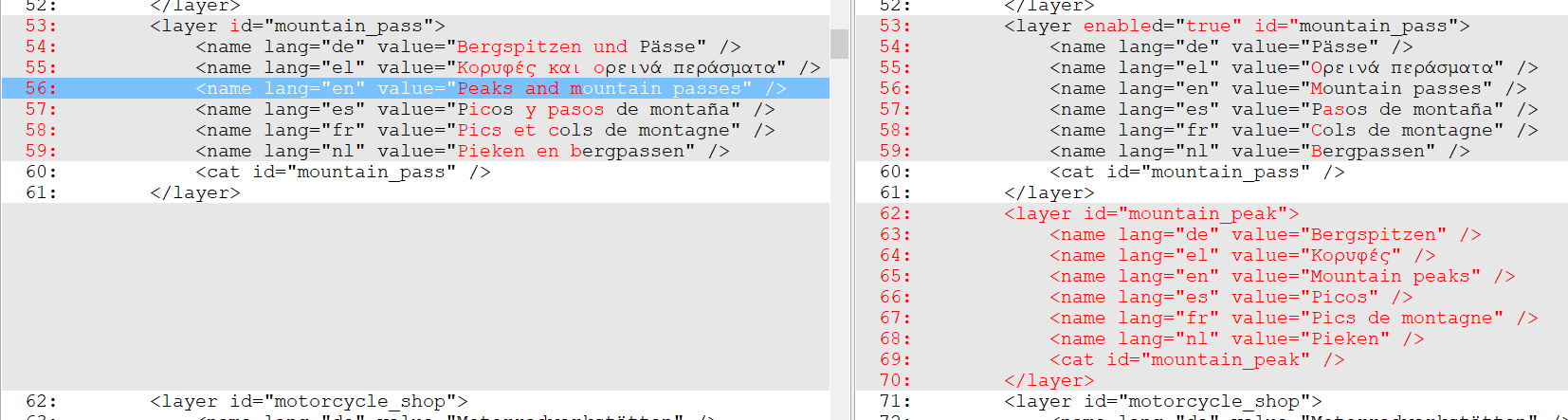
add attribute enabled=“true” to layer with id=“mountain pass” (to enable it after loading style)
-
change name of layer “mountain pass” from “Peaks and mountain passes” to “Mountain passes”, also for other languages
-
add a further layer with id=“mountain_peak” with adapted name for all languages
-
→
-
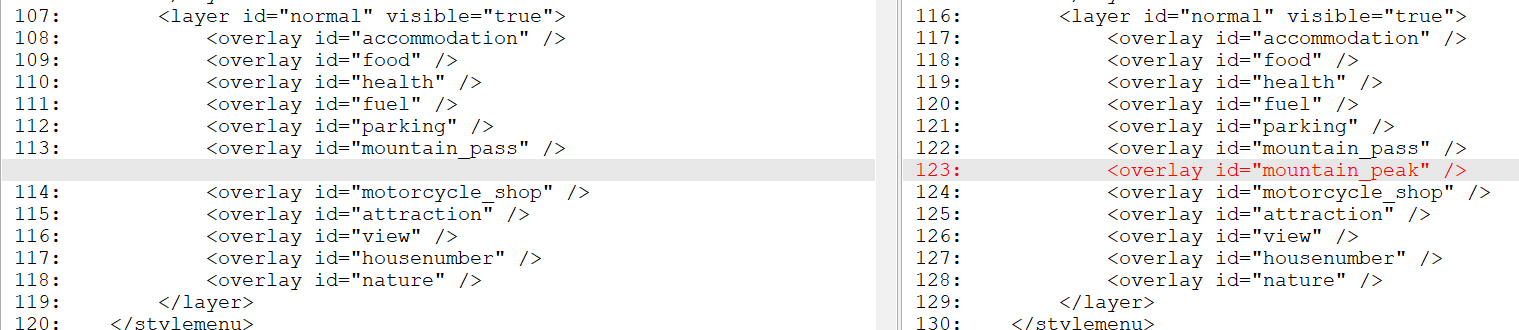
add layer id=“mountain_peak” as overlay to layer id=“normal”
-
add peaks to category “mountain_peak” instead of “mountain_pass”, use symbol “dot_blue_dark.svg” instead of “peak.svg”

Afterwards ZIP the folder “PeaksBlueDot” to “PeaksBlueDot.zip” and copy it to Android device.
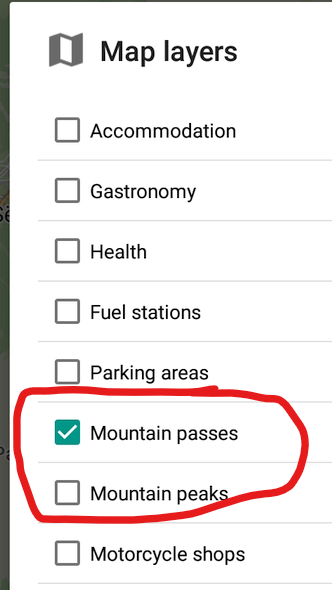
Result: I can open the ZIP as a style in kurviger, layer “Mountain passes” is enabled, new layer “Mountain peaks” is there:
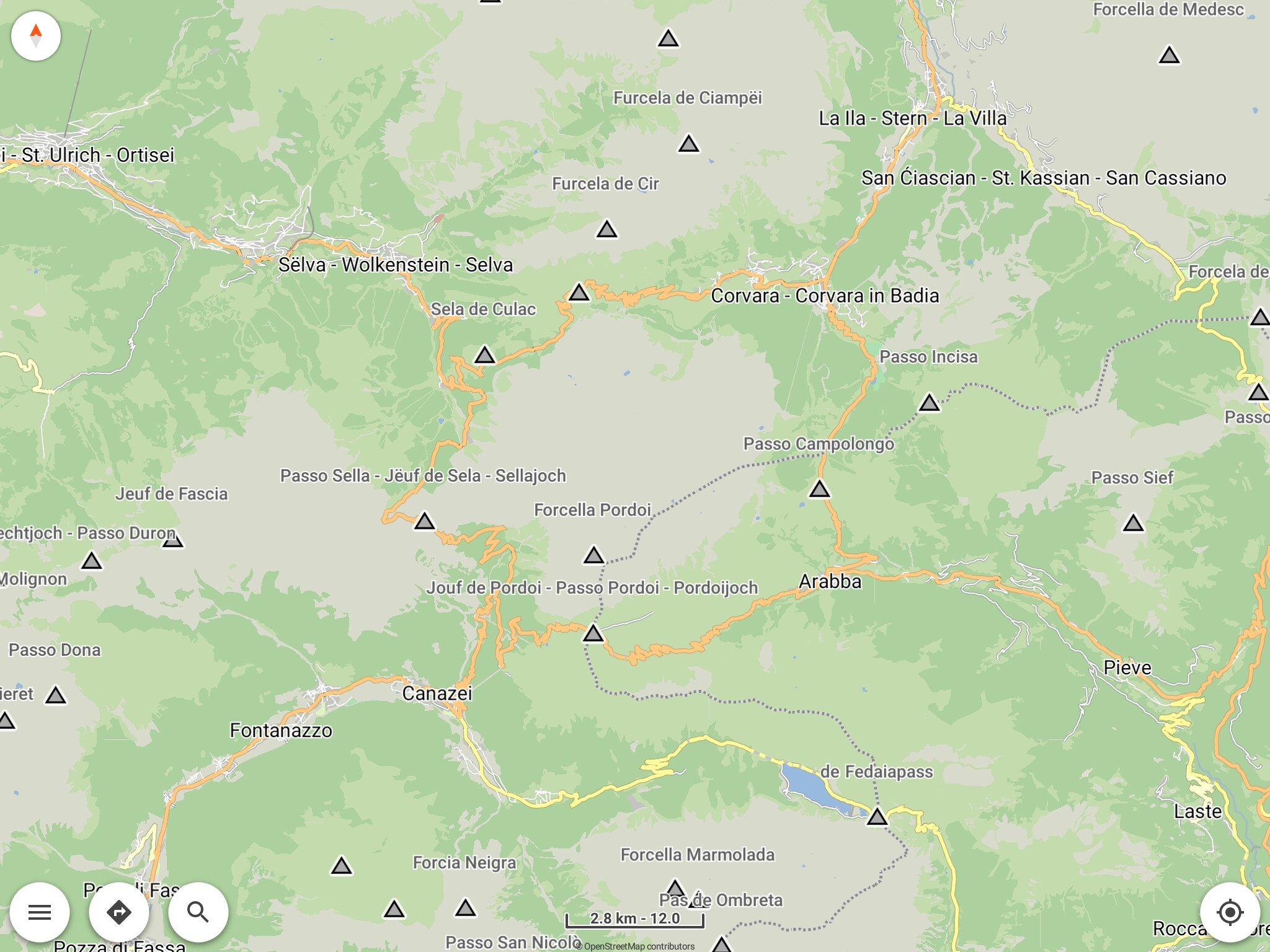
Having a look at Sella round only mountain passes are shown - clear view:
After enabling layer “Mountain peaks” peaks are shown by blue dot - not so clear view:
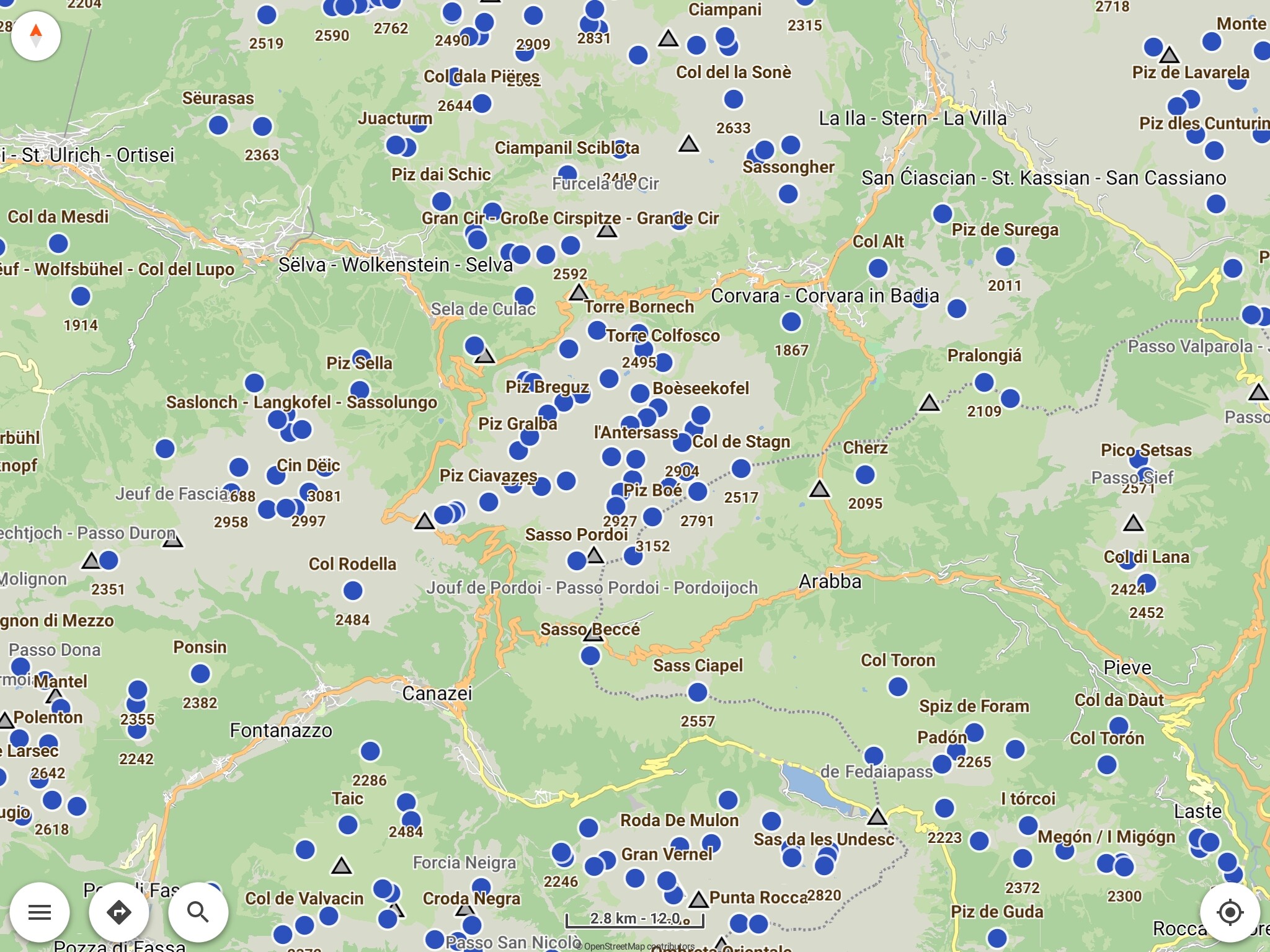
So it works!
But: I tried to add an own icon before, was not succesful: Even if I copied in folder “PeaksBlueDot\symbols” peak.svg to peak1.svg without modifying the svg and changed
in line 1112 <symbol src="assets:symbols/peak.svg/> to <symbol src="assets:symbols/peak1.svg/>
or to <symbol src="file:symbols/peak1.svg/> it did not work.
The Name and height of the peaks I could enable on map, but no icon was shown.
I did not yet understand how I have to add a new file (has the symbol path to start with “assets:”, “file:” or “file:/” ? Or even an other suffix?
Google gave some information (interesting: mapsforge/docs/Rendertheme.md at master · mapsforge/mapsforge · GitHub ), but currently I’m stuck.
Nevertheless there is a (small) success: I could disable the peaks / make them switchable separately and give them an other symbol (but just one which was already there) 
Perhaps someone has an idea - also comments from other users are welcome, let’s save the time of @devemux86 and @boldtrn for more important / more difficult topics
Thanks again to @devemux86 for implementing external map styles and giving hints concerning that topic!
So, as a first result, from my point of view, proposal for the integrated style in the future could be:
- add a separate layer (separately switchable) for mountain peaks
- enable the layer for mountain passes by default
- tbd: different symbol for peaks and passes, which one (blue dot ist not a good solution). In the 1st step separate layers will improve clearness also also with same symbol for both layers.
Attached you find the style ZIP, but be careful: Using it might cause unintended behaviour, test depth is extreme low. Of course feedback is welcome:
PeaksBlueDot.zip (428,4 KB)