If you split a route, which has “avoid current closures” deactivated, after splitting the result route has “avoid current closures” activated.
From my point of view this is wrong - the result route after splitting should keep the setting of the original route.
2 Likes
Hey there 
Just wanted to bump this again 
We’ve just published an improvement on the website for this issue. Please take another look to see if it’s fixed.
1 Like
Yes, it’s working perfectly now. 
Thank you all for your effort!
1 Like
I don’t know if this topic is really appropriate here.
It’s about TomTom closures in Kurviger.
Where can you report incorrect data to TomTom?
The closure in the screenshot has already been lifted. But TomTom has the wrong year.
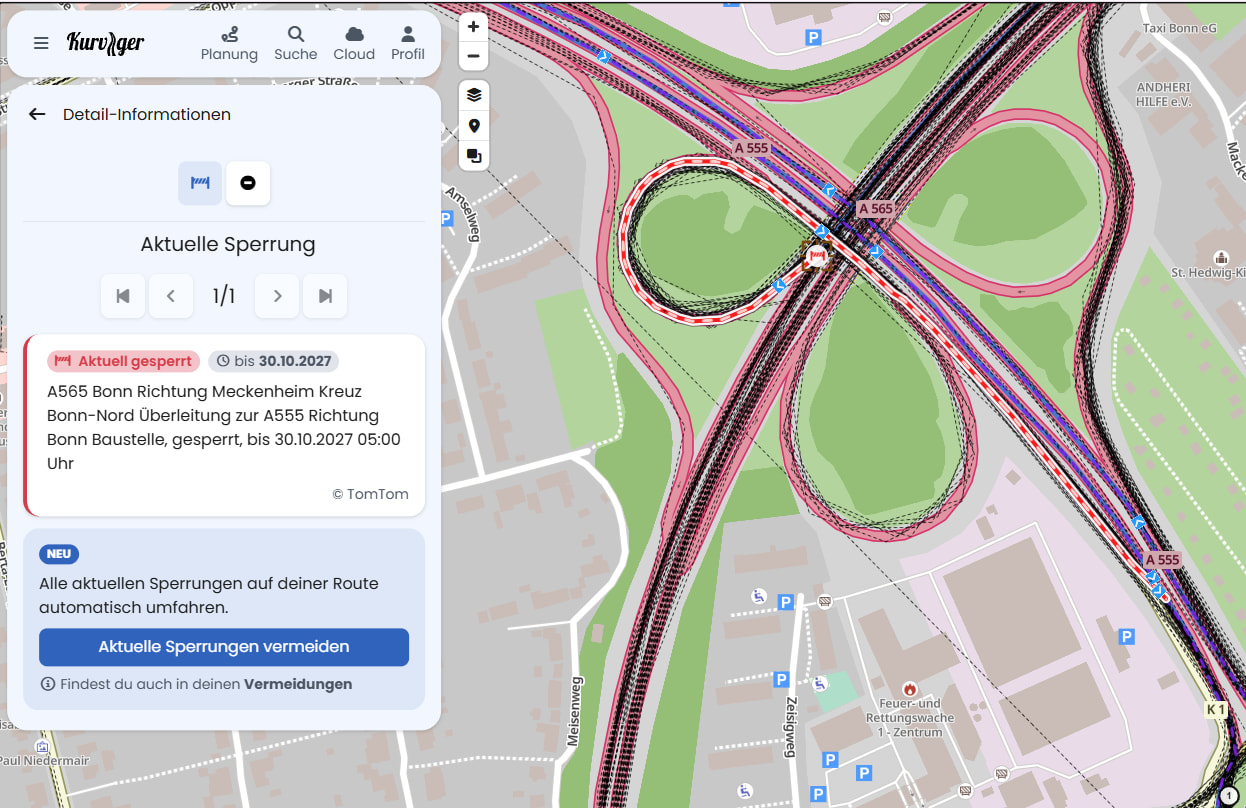
It would be nice to have if Kurviger showed a link to report it or something similar next to the TomTom closures.
3 Likes
Korrektur nach Violas Hinweis:
I think the creator is thinking more along the lines of something like Waze, one to three taps on the display and that’s it.
After 350km and 6 hours, I no longer know exactly where what was.
@kira I like that idea, maybe insert a button with the link next to the text “ TomTom”.
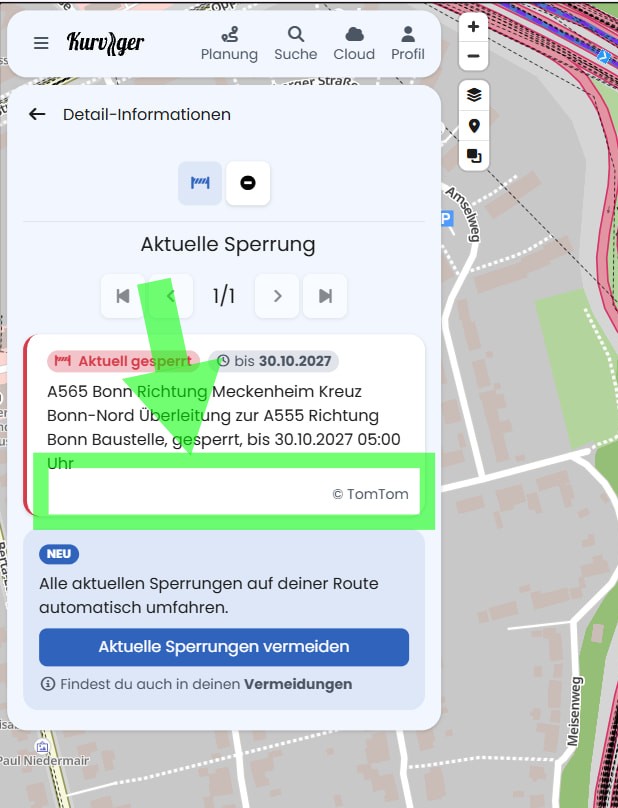
1 Like
Maybe also a button for TomTom among the external services?
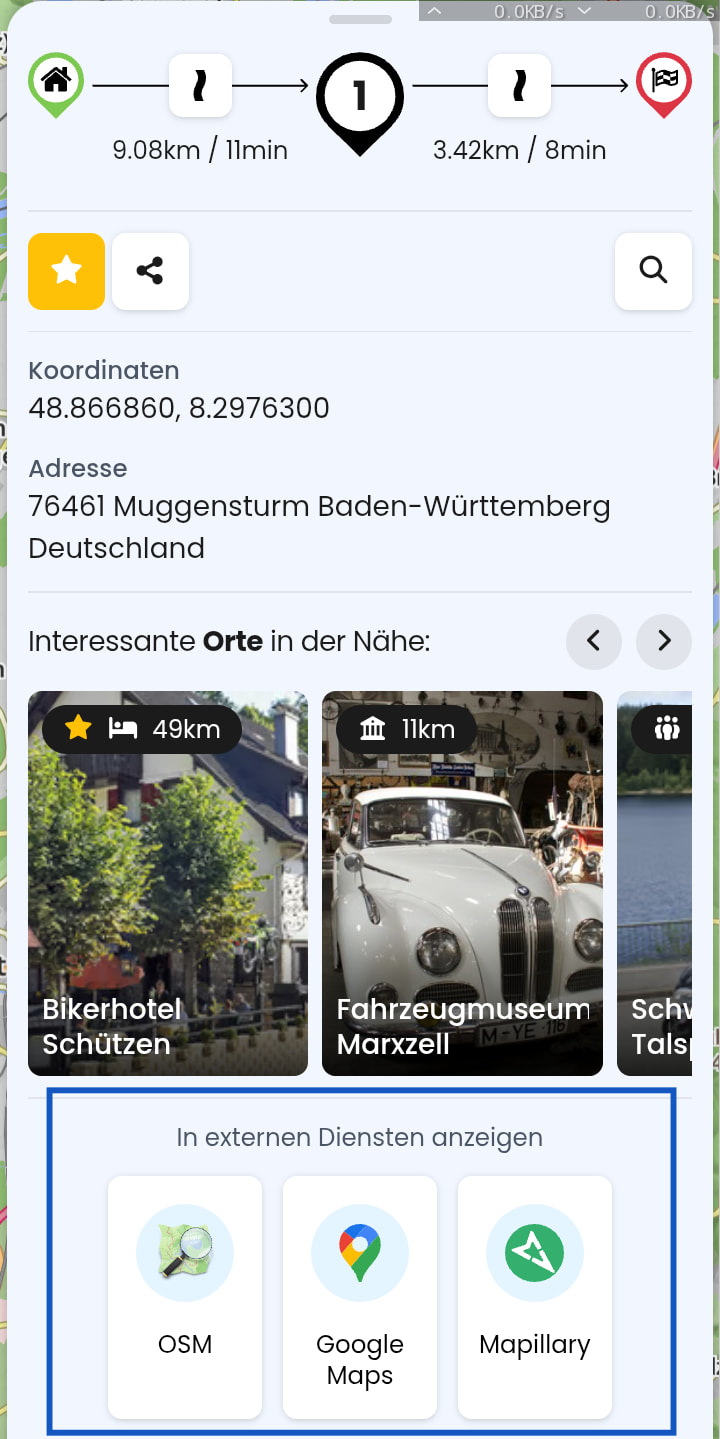
For anyone who can set a search provider in their browser or launcher (I also use the “KISS” launcher - keep it stupid simple): the link would be
https://plan.tomtom.com/en/?p=\<CoordinatesAsCopiedFromKurviger>,\<ZoomLevel_DD.dd>z
A zoom level around 13.00 to 14.00 fits quite well.
Example for 48.866860, 8.2976300
https://plan.tomtom.com/en/?p=48.86686,8.29763,13.15z
I have another idea for another external service; I will create a separate thread for that.
1 Like
Here I am, but I can’t find where or how to report a closure
Yes… TomTom hasn’t designed this very intuitively, and Kurviger’s described workflow is also a bit lacking here. If you encourage people to report things in “external” applications, you should also provide a description.
First of all, it’s this TomTom Feedback Link and not the one above inserted by rumbrummer.
Search for coordinates, then click on the closure icon and a context menu will open on the left.
I would enter it under the addresses section. There is a small field there for the reason.
I couldn’t find any other way. If anyone has a better tip for reporting - please share it.
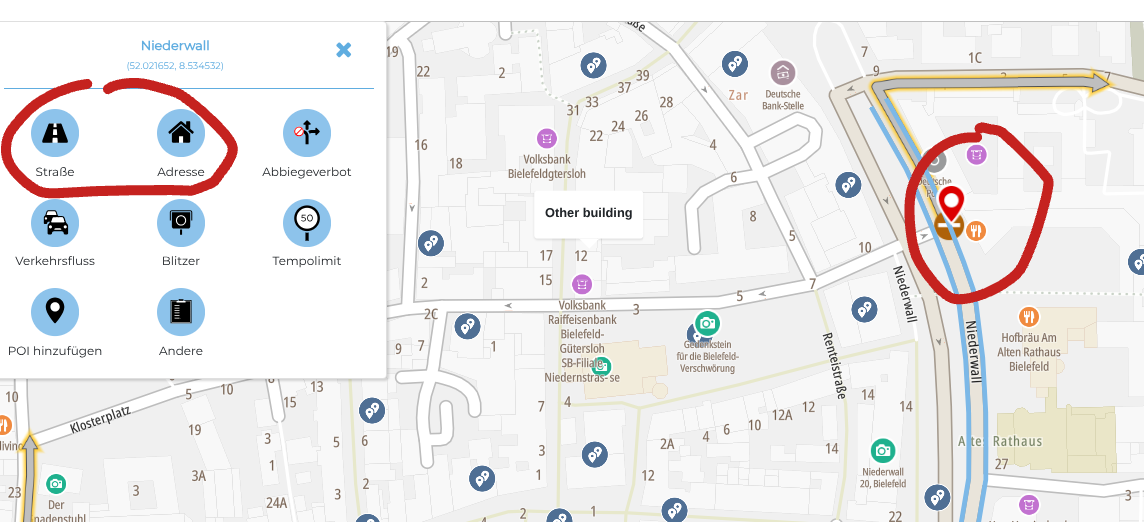
Important: You should be a registered user at TomTom 
1 Like
That is precisely what is missing in the Kurviger app. Anyone facing a road closure could report it right away and might not have to wait until they are back home.
In my case, it’s about a road closure that no longer exists. So I’m not standing in front of it 
That kind of thing is only missing if you live in the area or drive there often. And then you do that at home on the web… or maybe not at all.
I wouldn’t report a missing closure to TomTom via Kurviger either. In my experience, TomTom is fast there anyway.
For me “Verkehrsfluss” seems to have entries for closed roads
I had already suggested a link to TomTom back in June, @boldtrn wanted to take a look at it:
1 Like
We’ll think about it, thanks for the input
This is a fantastic feature and really vital to accurate and beneficial route planning! I’ve tried many navigation apps over the years and when I’ve deviated course due to road closures, they just kept telling me to return to the location of the detour rather than re-routing the navigation. That is so very annoying. I can’t ride at the moment due to a bad break of my foot, but I’m anxious to try it out next year when I can ride again.
Vielen Dank für all Ihre Bemühungen!
2 Likes
planning for next year right now
and the lock can’t be turned off anymore
see June 27
When checking my July data, I now had to realize that something must have changed:
- Now, road closures are generally no longer displayed, but instead a detour is forced regardless of the settings chosen - https://kurv.gr/XCzLa
- Only by setting various ShapingPoints does the closure become visible - https://kurv.gr/baPS5
Doesn’t make any sense to me - or does it?