Kannst du mal bitte ein Bild reinsetzen? Finde das bei mir nicht unter Always on Einstellungen
I don’t have this setting either. In general I do have trouble to reproduce this issue. I was able to reproduce this once, but so far we haven’t found a clear reproduction.
Moin,
this option is quite hidden.
Use “Potrait” (Hochformat) no problem
Use “Landscape” (Querformat) = problem occurs.
But now (nightmodus ?) i can’t reproduce this behavior…
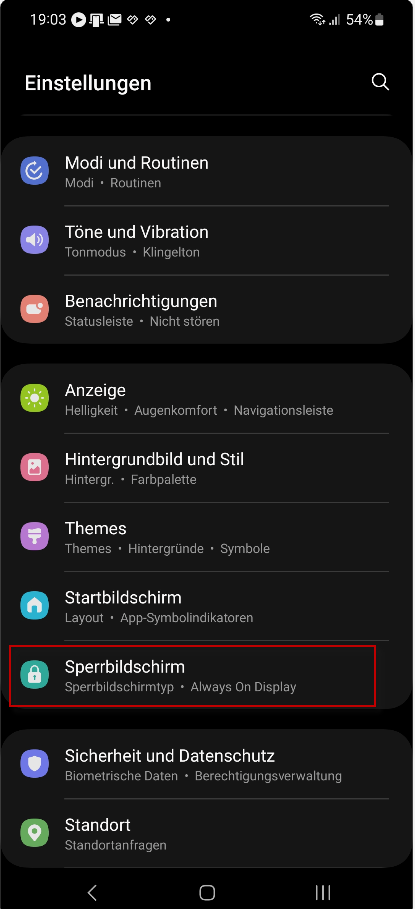
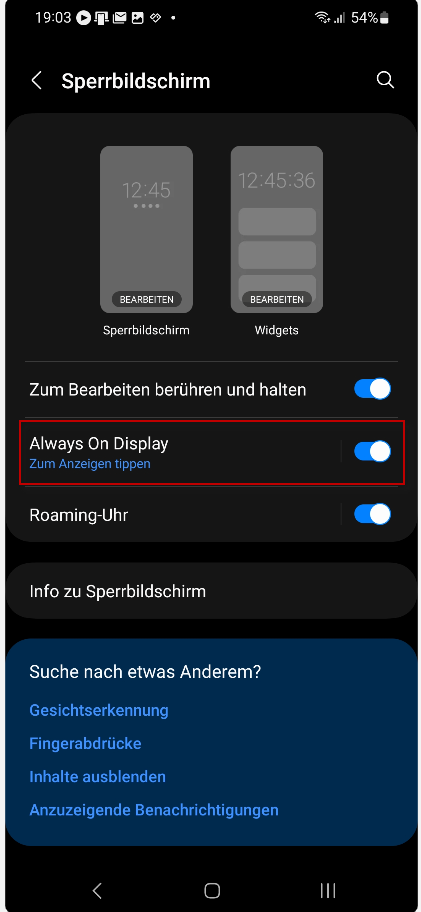
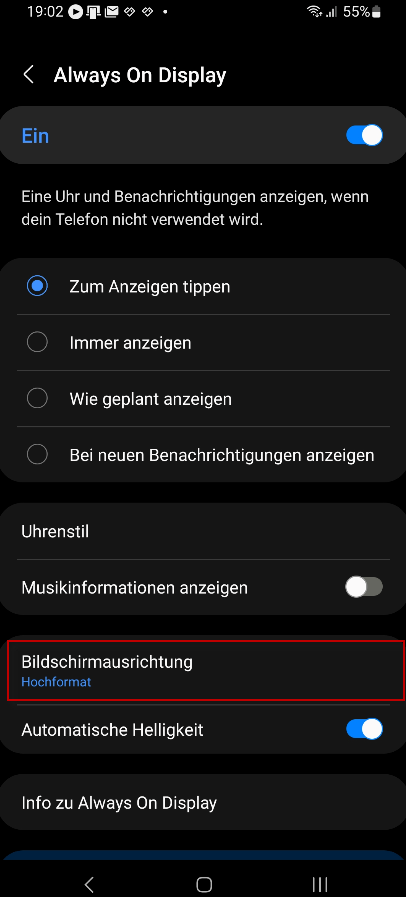
When I try to reproduce it today. It works correct. I have not used “Always On Display” at any point in time.
1 Like
Thanks again for all your feedback. We applied a fix for this issue and released the 3.3.0 to the production track.
1 Like
It’s nice that you restored track recording function.
After today’s ride I have some observations and issues.
Maybe someone already pointed this out but most of the thread is on German which unfortunately I don’t understand.
Number one. The voice instructions. Now app says every instruction 4 times, it is a bit annoying especially when you want to enjoy music while riding 
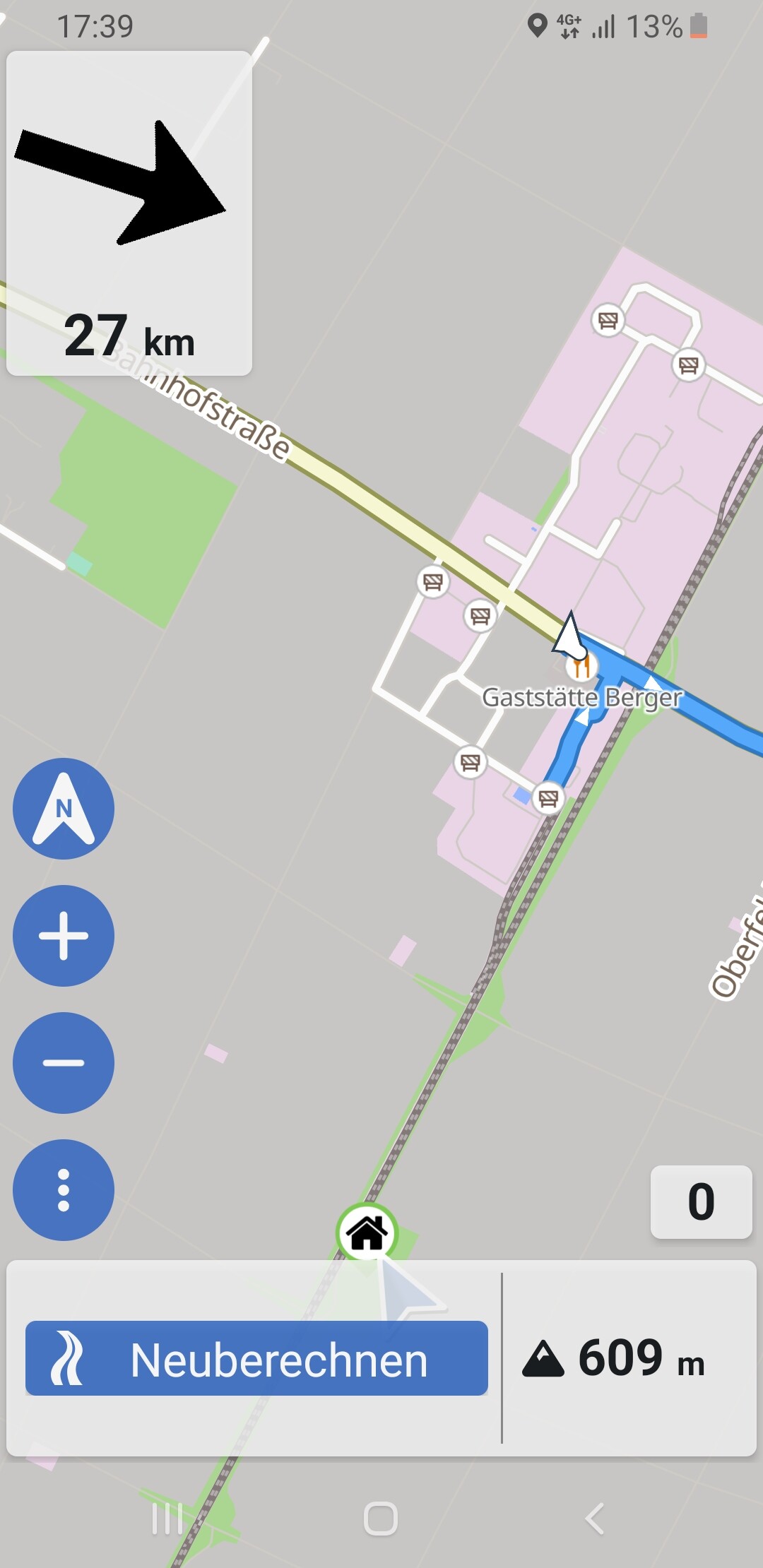
Second one is on screenshot below. Arrow representing my positions is covered był lower, don’t know how to call it “this white rectangle with time and km”.
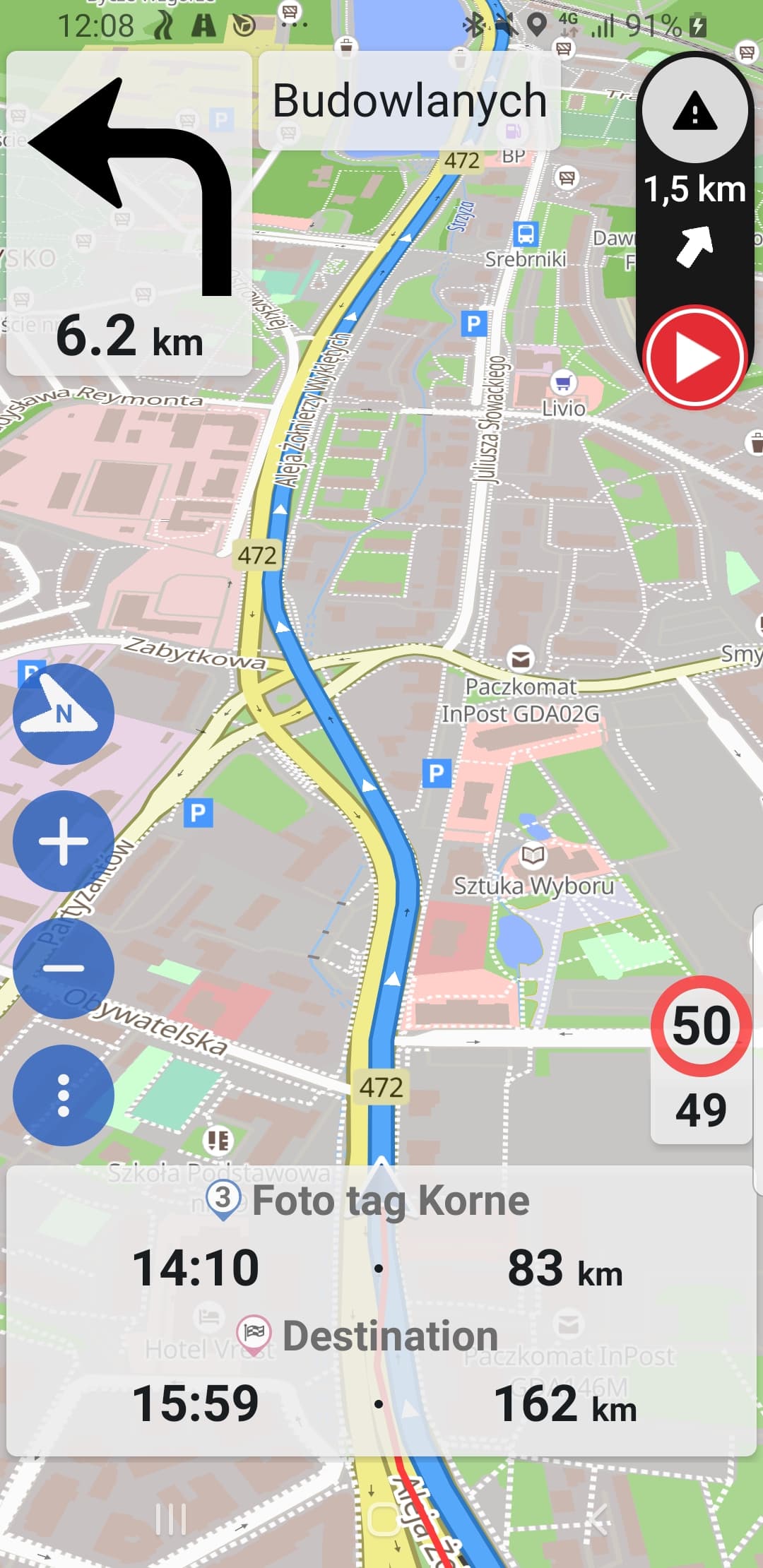
And my app crashed when it was working in the background with Google maps on top. I just wanted Kurviger to save the track to the end while switched in the city to navigate by Google maps.
1 Like
Totally understandable. We had someone reporting the same issue earlier. Unfortunately, we cannot reproduce this issue right now. If you restart the app, it should usually work as usual again?
Thanks, could you post your device so we can check this in more detail?
Did the app really crash or was the app stopped in the background? You need to enable background location and disable battery saving for the app: I can't hear any voice output / turn instructions [Kurviger Knowledgebase]
Can you clarify if you have set the app accordingly?
1 Like
Wow what a fast reply 
Ok, next I’ll try to restart app, will see if it makes a difference.
Device info from app:
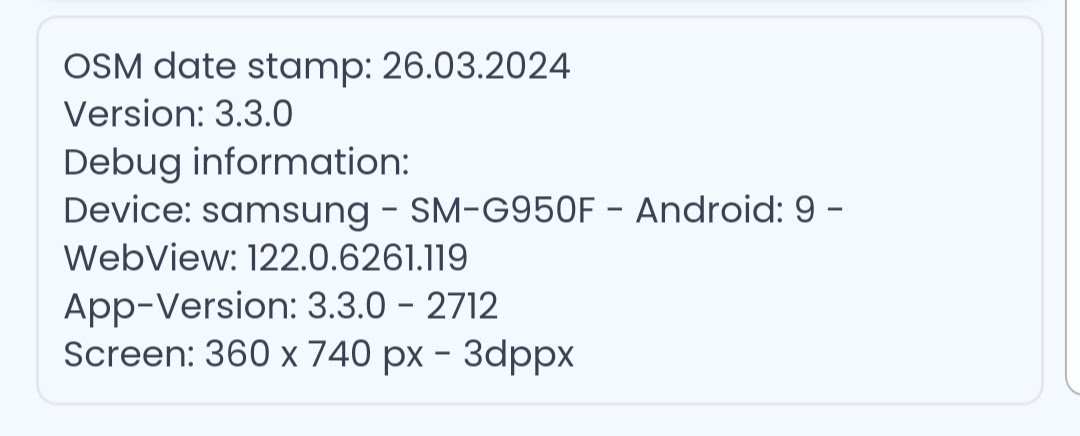
Yes it crashed, I had this popup widow from Android (you know with 2 option. Close, restore o sth.) Sth like below
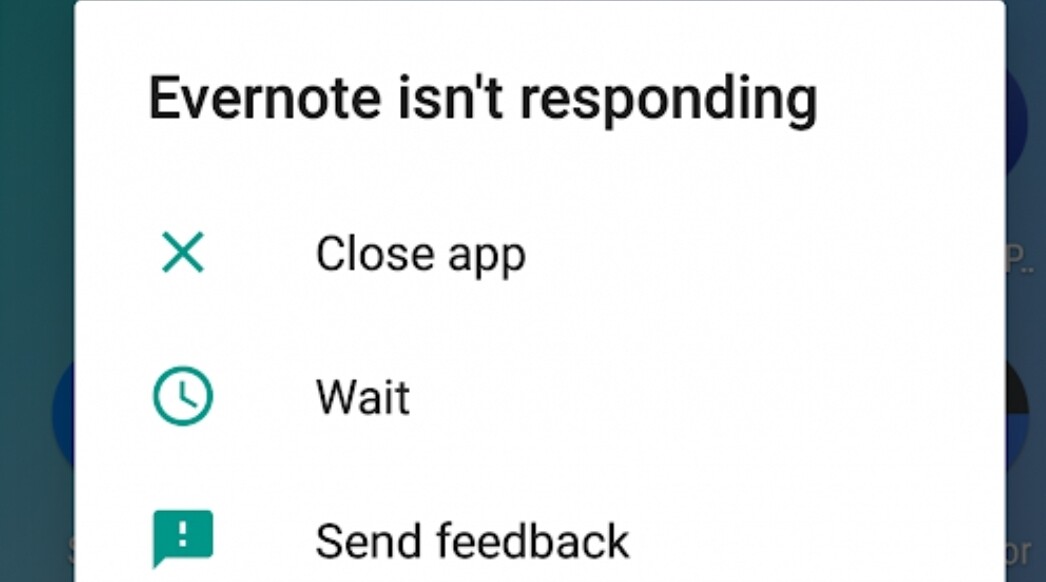
It crashed for sure because last part of track saving is missing
2 Likes
There the App-Version is: 3.3.0 - 2712
In the last days there were made some bug fixes. Then the build number is higher than 2712. Please have a look, if you can update your app. Perhaps then with the higher build number the issue is solved.
1 Like
Yes, the crash and voice issue might have been resolved. The issue with the arrow is probably not resolved. This seems to be an issue with the Samsung S8 (and possibly other devices with very similar screen sizes and densities). As a workaround it might help to use the app in landscape mode. We will be fixing this issue 
1 Like
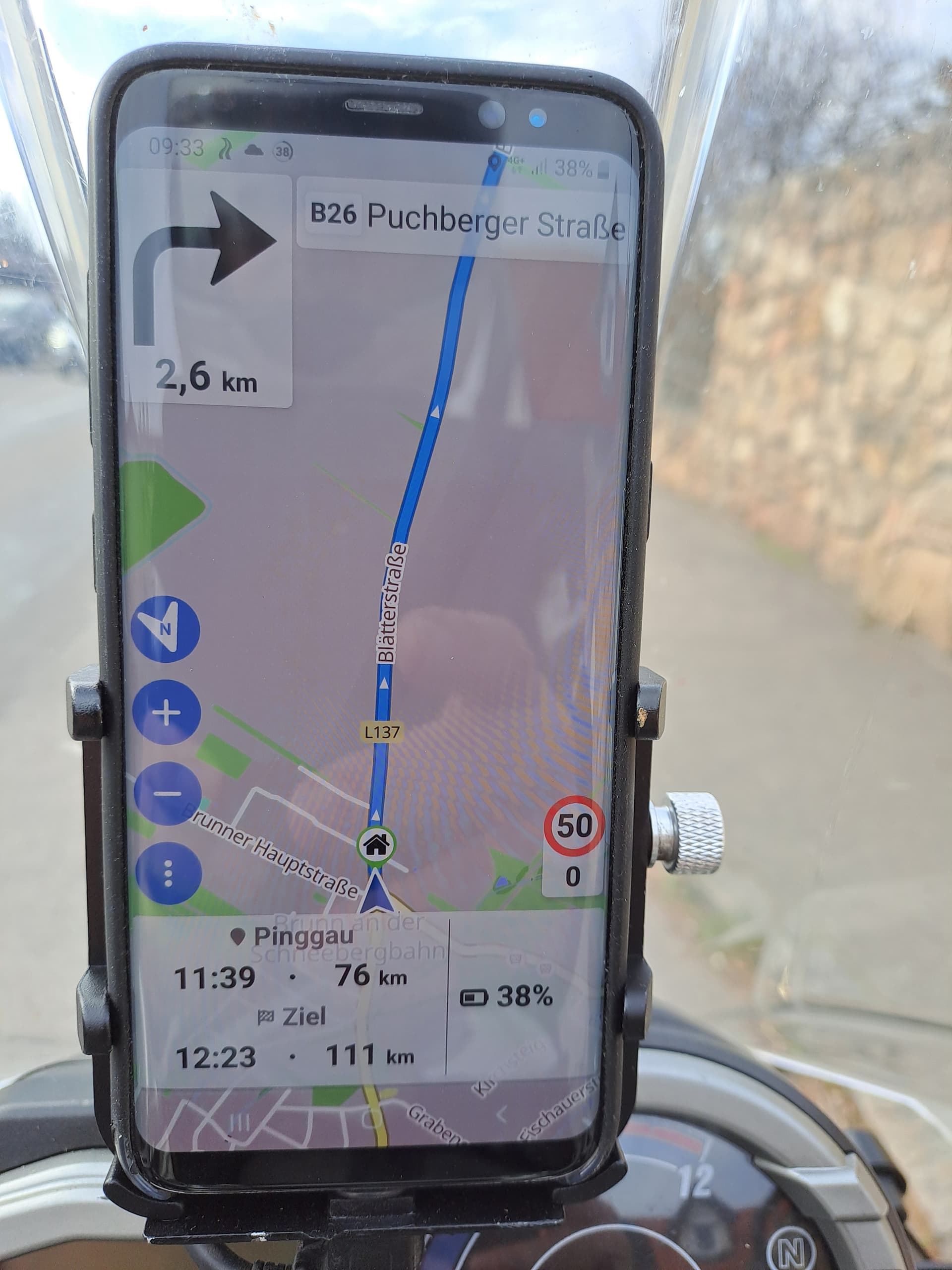
Wenn man die Akkustandanzeige ganz nach rechts rücken würde wäre das weiße Feld nicht so hoch da man den Namen des Ziel zwischen Ankunftszeit und km bis zum Ziel rücken könnte.
Die Akkuanzeige unter 20% rot einzufärben wäre meiner Meinung eine gute Option.
Ansonsten hat sich die App hervorragend entwickelt.
2 Likes
Yes you are right, there was a newer version (beta) to download, will see is it better or not
Mir ist gerade aufgefallen, dass in den aufgezeichneten Touren seltsame Namen entstehen, wenn keine Route geplant wurde, sondern nur im Follow Modus gefahren wurde. Da sieht die Jahreszahl dahinter recht komisch aus.

3 Likes
Kann mir jemand sagen wie der Follow Modus in K3 aktiviert wird?
D.h. die Aufzeichnung ohne Route.
Genauso - ohne Route! Dann Navigation starten, dann wird Knopf “Follow-Modus starten” angezeigt.
1 Like
O.k. Danke !
Die Offline Kartenabschnitte können ausschließlich vom Smartphone heruntergeladen werden. Warum geht das nicht auch vom PC/ Laptop aus?
Es wurden nur 9 von 10 angewählte Bereiche heruntergeladen. Beim erneuten Anwählen des einen fehlenden Bereiches, wurden noch 3 weitere Bereiche dazu heruntergeladen, die ich nicht angewählt habe. Diese 3 liegen nicht direkt neben den zuvor 10 zusammenhängend ausgewählten Bereichen, sondern es sind sind ein bis zwei Bereiche dazwischen.
Ich sehe die farblichen Markierungen der heruntergeladenen Bereiche und die Datenmenge. Weder beim Navigationsstart noch bei Unterbrechung kann ich auswählen, ob ich mit Online oder Offline Karten fahren möchte, es sind nur Online Karten auswählbar. Das ist bei K1 klar ersichtlich und auswählbar.
Bei K1 können vor der Reise ganze Länder einfach vorab vom PC/ Laptop heruntergeladen und auf das SP gespeichert werden. Das war äußerst komfortabel und blockierte nicht das SP. Leider sind die Karten dort mit Ende 2023 veraltet Kurviger Downloads
Geht das denn mit K3 etwa nicht so einfach wie mit K1?
Moin,
Bei K3 wurde das Konzept mit den offline Karten verändert.
Bereiche kannste auswählen, aber keine Länder mehr.
Bei einer geplanten Route kannst du im Offline Karten Dialog auch nur die Daten für die Tour herunterladen.
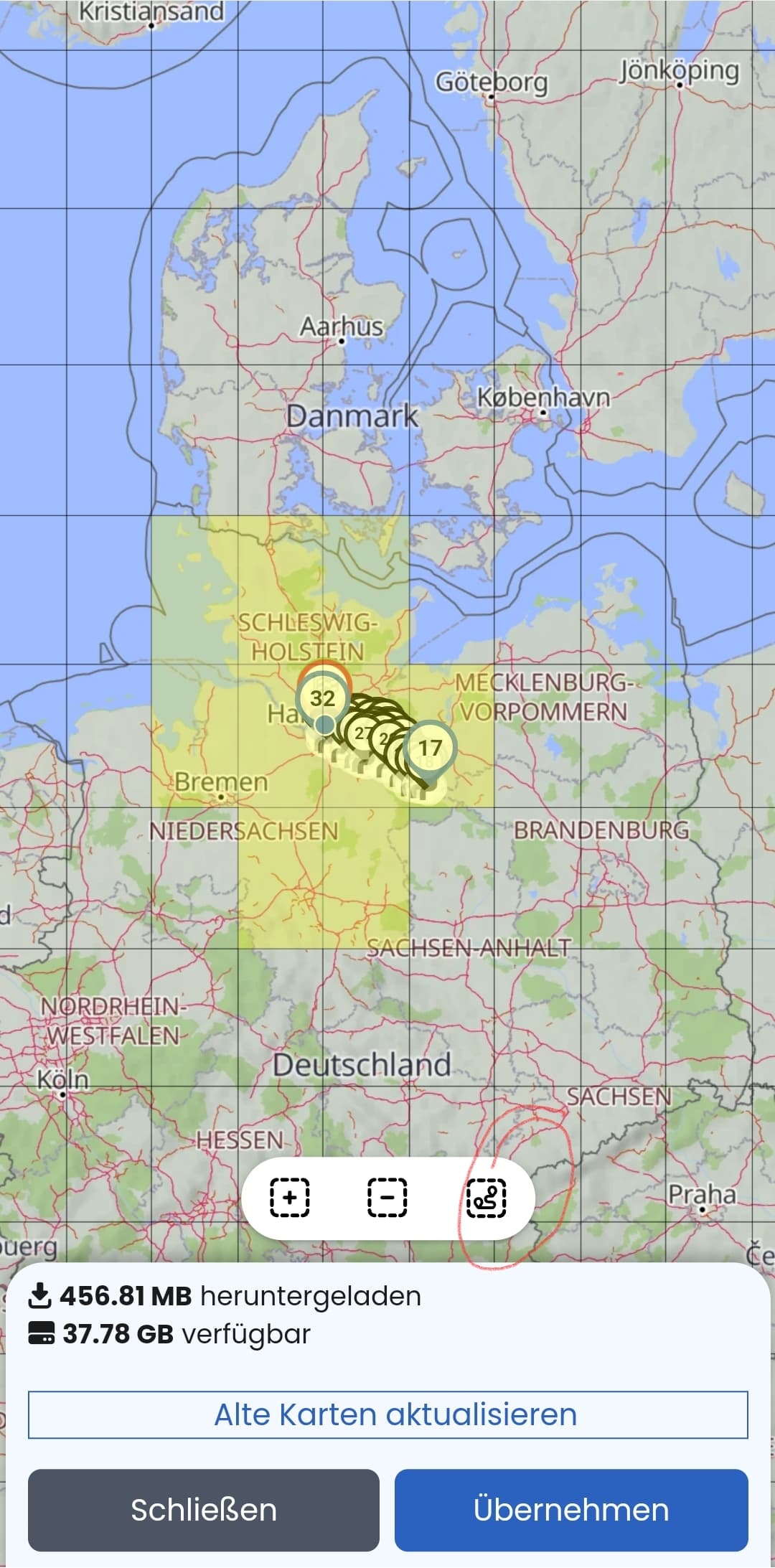
Das ganze ist erstmal Datensparsamer.
Navigation ohne Netz funktioniert, aber Planung/ Routenberechnung benötigt Netz.
Im alten K1 funktionierte die Navigation ohne herunterladen der Karten dafür allerdings kaum.
Was nicht ich Karten Cache war, würde dir dann auch nicht angezeigt.
Ergänzende Infos:
https://docs.kurviger.de/de/app/offline_maps
Bin mir nicht sicher, ob es schon berichtet wurde. Ich hatte heute sowohl beim Followmodus ohne Route, als auch bei einer Routenführung den Pfeil für den aktuellen Standort komplett verdeckt von den Routeninformationen, diesen weissen Querbalken unten am Bildschirm. Hier habe ich de Route verlassen und würde gar nicht erkennen, wo man ist, wenn man es nicht weiss. Ich habe auch am Handy mit den Bildschirmeinstellungen gespielt, aber ohne Verbesserung
Vg juschka