I’m having two major issues with the current release 3.6.6
Every time the app starts, it starts in direction North for the view. Even when I’m having a short break during the ride, the app changes back to north even though I’ve used 3D a minute ago.
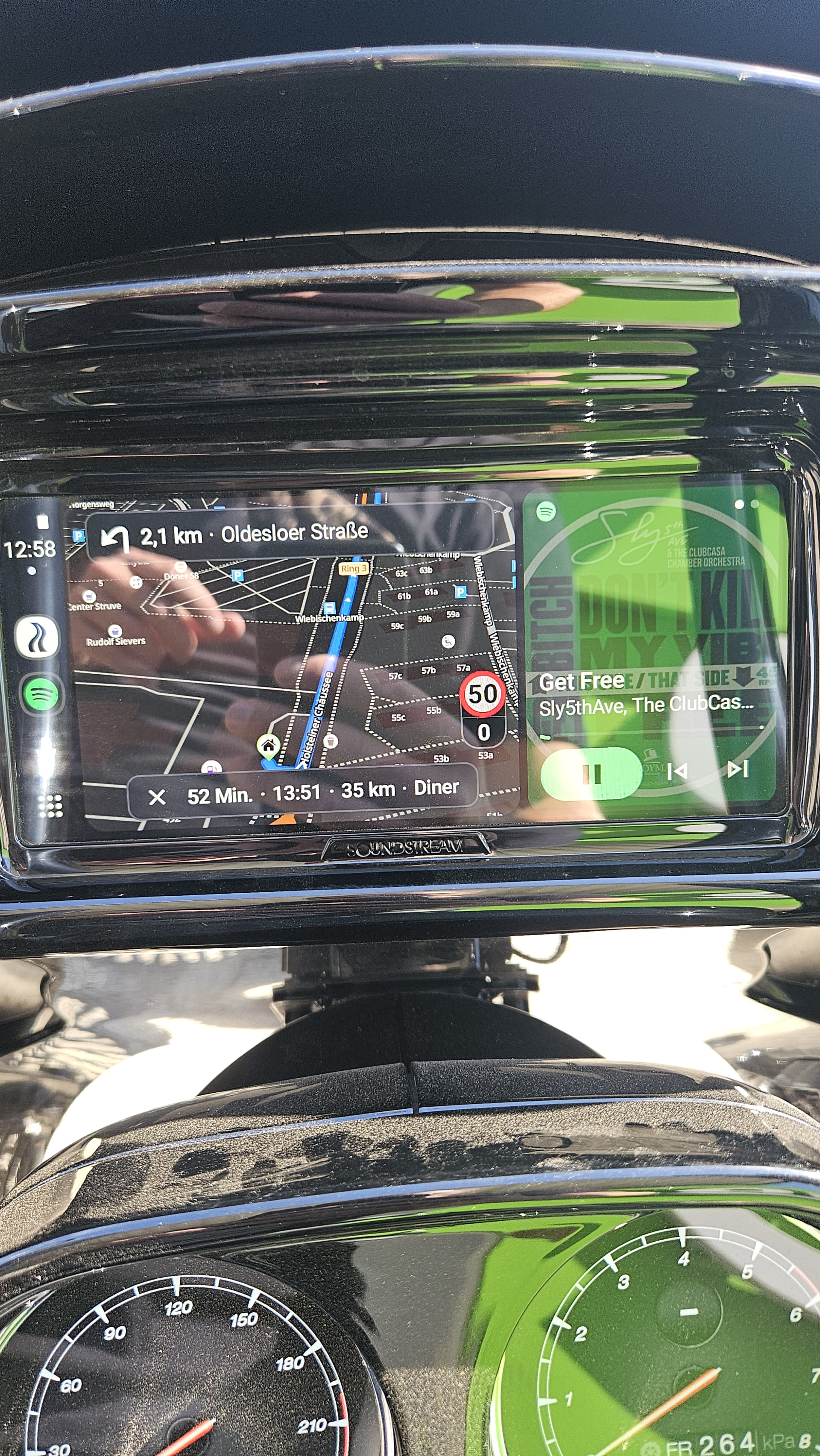
When in 3D mode, my own position is so far down on the screen, that I can’t see it on the screen. It’s covered by an overlay.
Hi @smuutje,
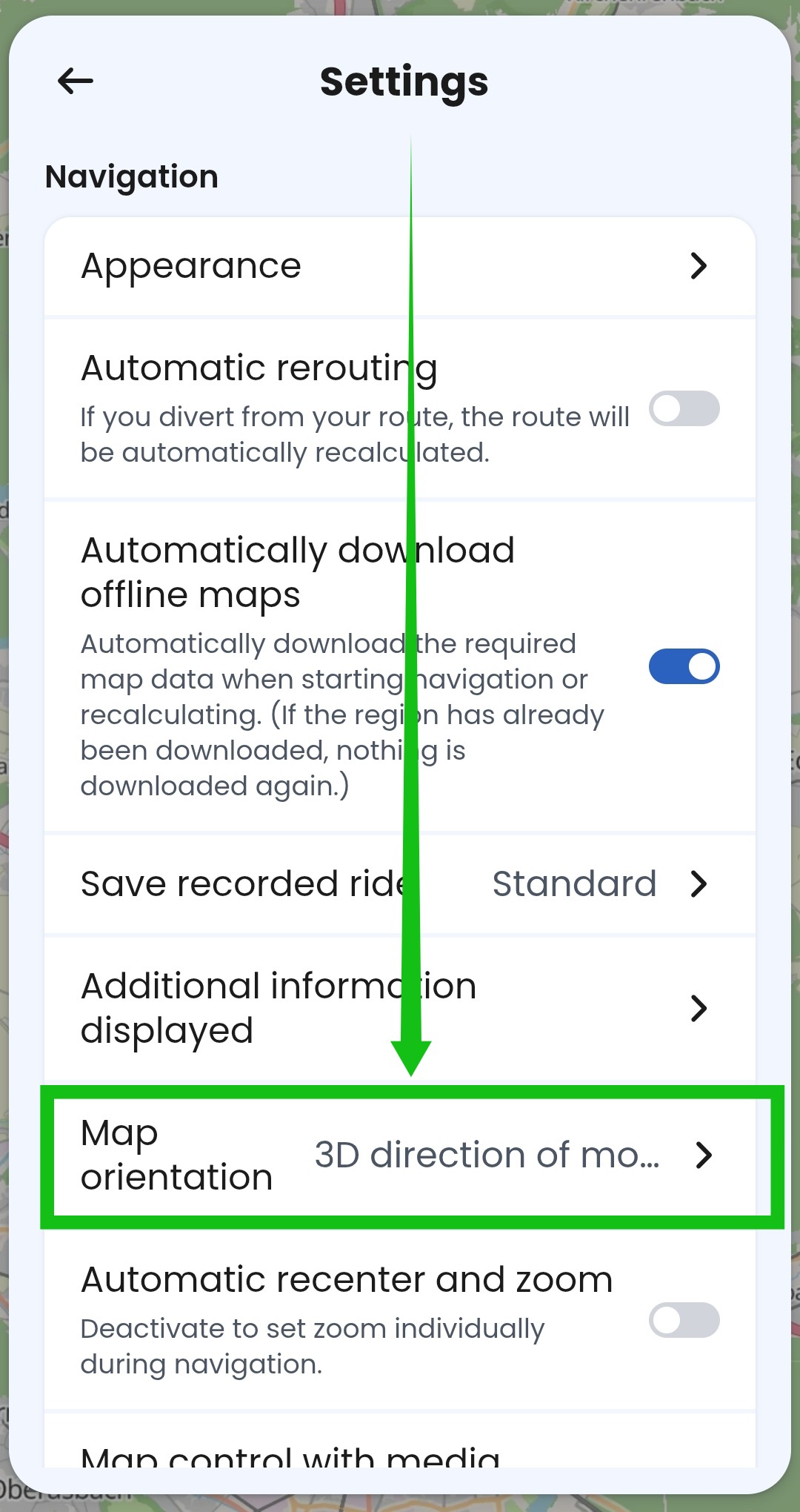
I assume you changed the map orientation (view) settings in the active navigation? That only changes the settings for the specific session (=the ride).
You need to change it in the app settings: Like this.
I don’t yet understand your second issue. Do you have a screenshot for us?
If you mean the position arrow is covered by the boxes that show the ETA/distance of the next via point and destination, it’s possible that you’ve adjusted the zoom in the system settings. What device are you using?
Please look into the northern direction issue as well. It doesn’t matter what I enter. Every time I start the app, or restart the motor (after fueling up, taking a break etc) my orientation is back to north. I hope that’s not too hard to fix as it’s super annoying.
You have to set the orientation in the settings menu on your phone - this is the orientation that the app will revert to each zime you restart the navigation:
Any changes made in navigation menu while navigating are only temporary and will reset to the default as you described in your post. This is not a bug, the App was intentionally designed like this.
Switch in the settings between the options for two or three times to ensure setting 3D is updated on this phone.
Make a little test from your current location and walk 50 meters, stop and restart navigation, walk another 50 meters to force update of the location. Is it fine now for phone only?
Connect your phone to the device. Go to settings, scroll down and tap to copy debug info. This way information about your phone and device is included. Paste here.
Wasn’t the map orientation always pointing north at the start until you reach a certain threshold? Walking was usually not enough to get above the threshold.