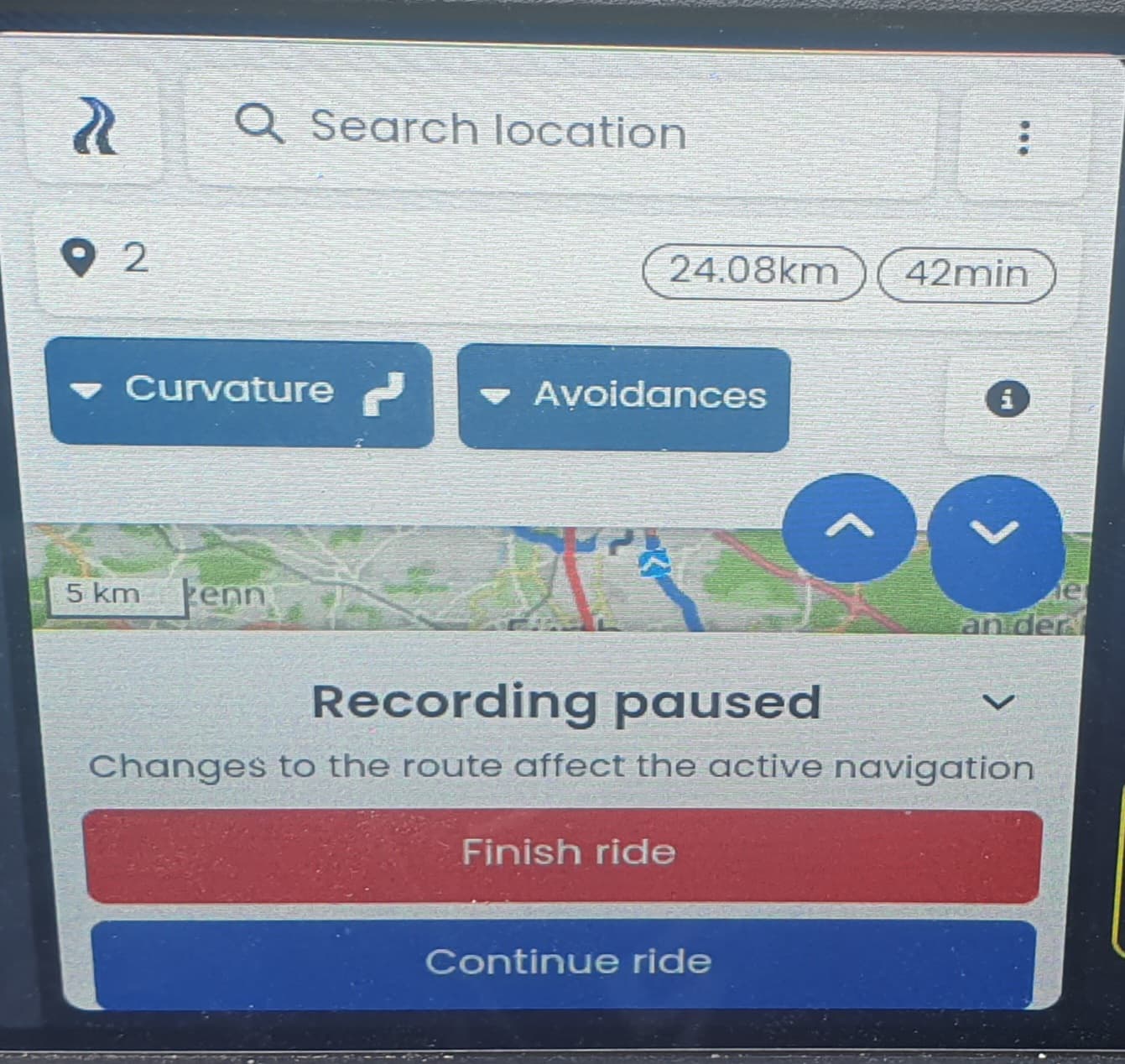
Would it be possible to implement an option in settings to automaticaly continue the ride and skip this dialog (this is an awful version of it in a widget )?
More often than not, when the app was restarted, I would like to continue the ride rather than finish it. In my current setup with Android-Box connected to the Africa Twin display it happens every time I make a short break and switch the ignition off, because the Android-Box has no battery. When I switch the ignition on, the Android-Box boots-up again and Kurviger is started automatically. It takes some time until everything is ready, so it is likely that I am already on the road when töKurviger is up and running. In such case I would like the navigation to continue automatically.
Thanks for starting this discussion. To be honest, your use case might be rather special, most people wouldn’t stop the whole app, just pause the navigation and continue it after the break.
I think for most people starting the app mostly happens after the ride.
So for me, I am usually too lazy to use “finish ride” while still on the motorcycle, I prefer to do this later, so I often just close the app, then in the evening I open the app to save my ride, then the navigation would start automatically, that would not be what I would expect or want.
And you issue might be solved, once we have a proper Android Auto integration anyway ?
Maybe. But since you don’t want to give us a hint when it will be available and I am heading for Norway next month, I need to decide on my setup. I realized that the navigation itself using Android box on the Africa Twin works quite good, even better then some Apps on Android Auto. It is the rest of the app that is causing the problems because of the way how things are displayed and also the unresponsivness of the AT Touchscreen (remember those old resistive touchscreens where you needed to really press physically - it feels similar, just wearing gloves additionally). Once I select the route and get going - the navigation screen is more than ok… (yes, I’d like the navigation arrow a bit to the left and up, but there ar worse things in life than that…)
How about this solution - you keep the dialog but make the “Continue Ride” highlighted button, so when I press “Enter” it continues?
Android Box gets the power from the USB port, which is very convenient. Sure, I could connect it to the battery, but it would be additional cables… Also Africa Twin has a miniature (and expensive) Lithium battery which I already managed to drain once and it also needs some kind of a special charger… so not very keen on repeating the experience.
Sure. Tampering USB connectors would cost me several hours of work. Making a confirmation after every stop is not a lot of work, but it will accumulate. Asking a question on Forum does not cost me that much time and maybe it is not a lot of work for developers adding one checkbox in the settings and an “IF-THEN-ELSE” condition in the right place. I happen to know several people from Africa Twin forum that use this configuration, so it is not me alone that would benefit from it, but for sure, we are still less than 1%…
“My capacity for happiness - you could fit into a matchbox without taking out the matches first.” D.A.
My time there is over - the 2017 AT doesn’t need any more gimmics, perfect bike.
Another quote for a Douglas Adams Fan - especially for users of navigation software:
“I may not have gone where I intended to go, but I think I have ended up where I needed to be.”
Some button / hotkey to start the navigation from the planning view would be good, yes. And I think this would be helpful for other remote controls as well
As the ENTER key seems to be supported by most remote controls, we can add this on our todo list and see if this is possible - the biggest issue is to make sure you don’t start the navigation when you want to do something else with the ENTER key .
What “events” can be detected on the remote keys? Just “normal press” and “long press” or is a “double press” (like “double click” on the mouse) and “simultaneous press” also possible?
My helmet uses double press for some controls, so I do not think it is unsuitable. Maybe “simultaneous press” of two keys could be also considered
if possible to detect (some helmets do this too), however given the different layouts on different controllers, many combinations may be impossible to achieve.
Whatever you decide, the hot-key should probably disabled by default and activated manually somewhere in the options. This way you could avoid any unpredictable side effects for users not interested in this feature.
We are limited to normal key presses and to only a handful of keys (pretty much Enter, or maybe one of the arrow keys and arrow keys aren’t a good fit for this). Combinations and long presses won’t work on all remote controls
 )?
)?