In the settings I have choosen that the relevant maps will be.automatically downloaded. When I look after the tour, no maps are downloaded. Are they deletet after I saved the tour. I have tourer+.
In this case a corridor left and right of your route is downloaded. Purpose is to have in this corridor most detailed maps. When you drive out of that corridor, additional map data is loaded. As I experienced, these are the most current maps with latest OSM changes.
Loading the maps on start is not the same as loading these squares of map data. Therefore it is not shown as downloaded areas. From data, it is less per tour than the squares. This requires more less constantly internet connection.
Loading the squares should (from my point only) be done before you start your tour and when you expect to have no internet at all, or data is expensive (roaming). After about 30 days these are marked as outdated.
Loading at start should be switched off, when you have no internet or data is expensive. I am not sure, if maps are downloaded at start of navigation, though the squares are already downloaded?!
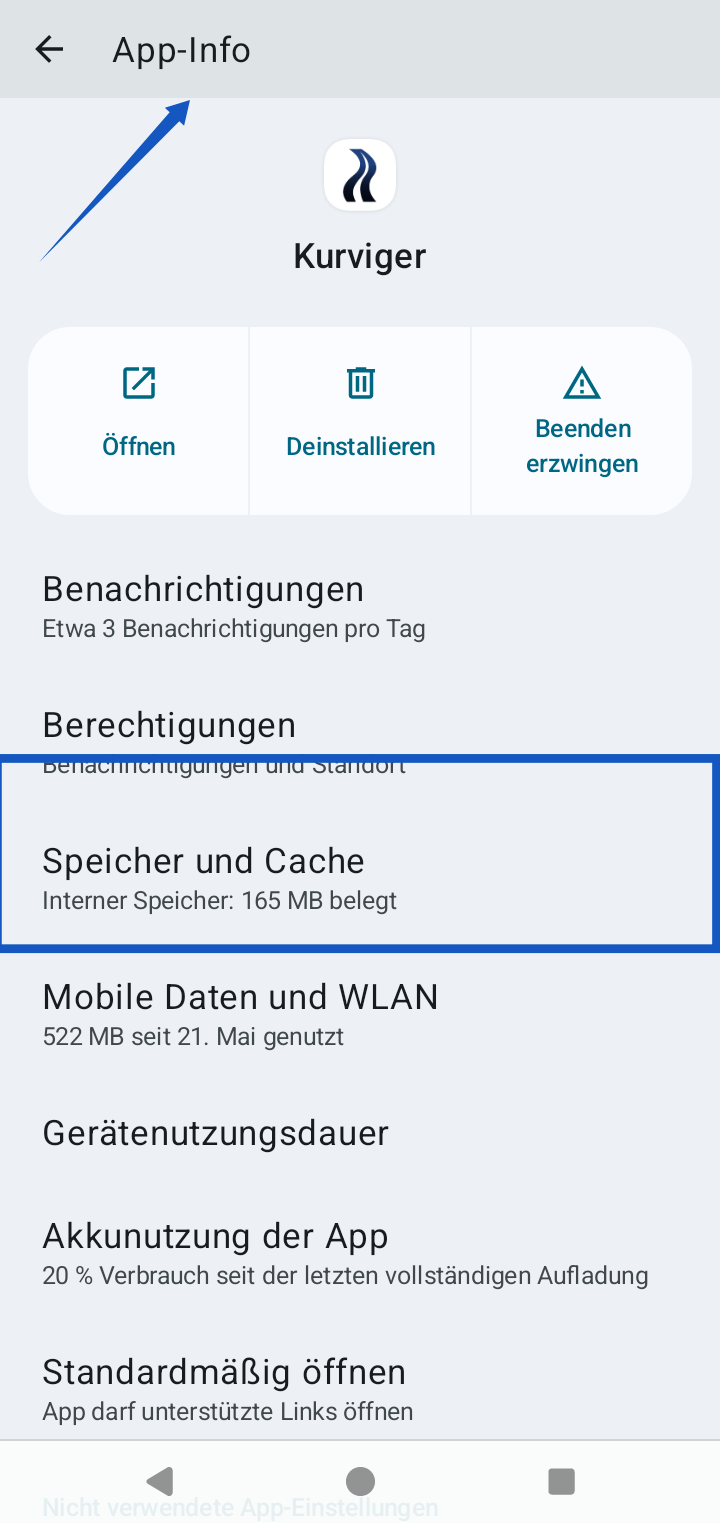
The map data is saved in the internal memory of the app. You can open the settings in your and have a look at the memory.
No automatic deletion.
Play around, check the memory, delete in Kurviger settings the map data, download squares, check memory; clear again - start navigation with a typical route - check memory again.
Thanks for the explanation. Now it’s clear to me how to use this feature.