Hello everyone,
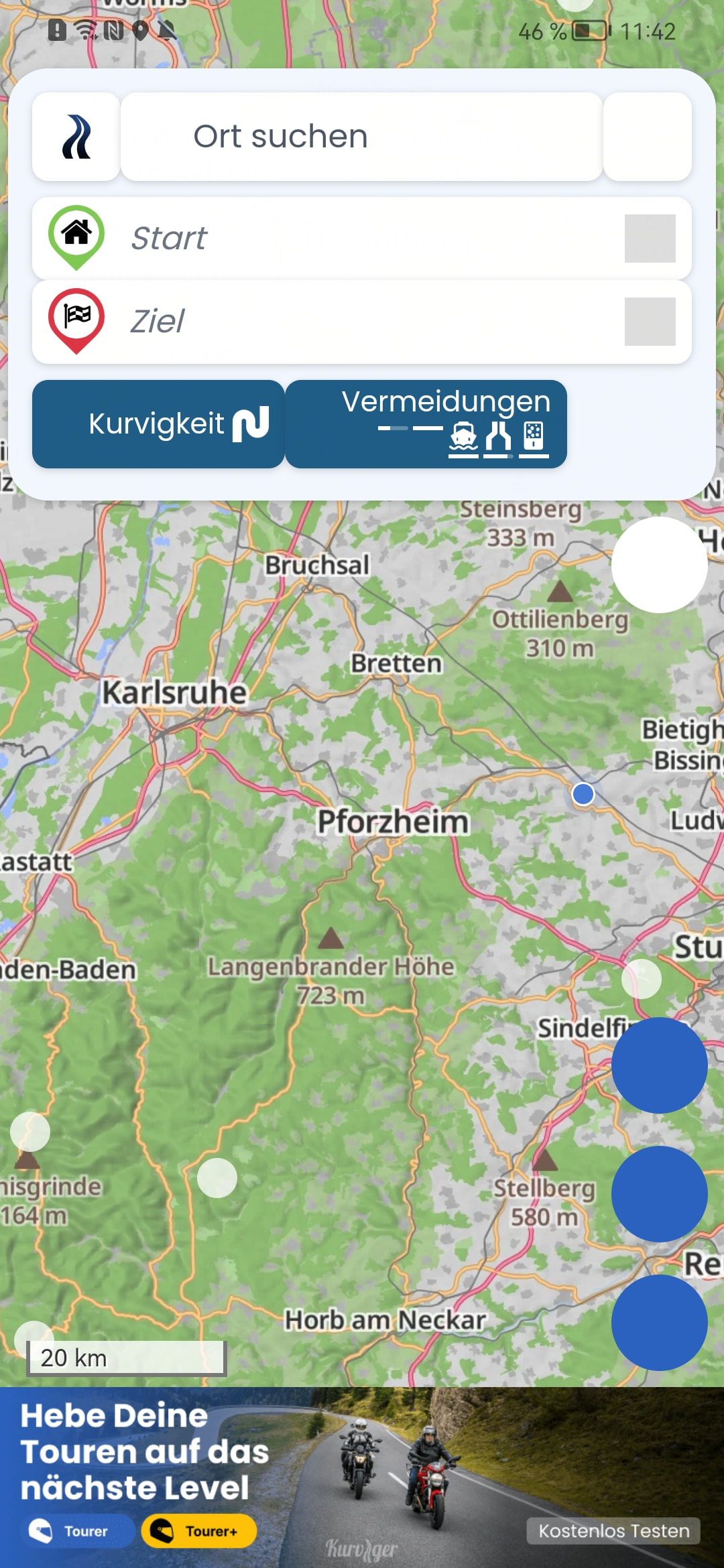
I’m having a problem with the buttons not displaying properly. Does anyone have any idea what could be causing this?
I’m using the latest PlayStore version and the latest Kurviger app.
I don’t currently have Kurviger Pro, as I can’t import routes via gpx either.
Just to clarify, did you try to restart your phone?
If yes, do you use any kind of ad blocker, VPN, firewall or something like that? It feels like some of these icons are blocked by something.
Yes, I restarted my phone and reinstalled the app. No, I use some kind of ad blocker, VPN, firewall, or something like that.
When I open the Kurviger page in Chrome, everything displays correctly.
Is it possible that you have installed something like a night mode plug-in or a night mode setting?
And could you send us your debug information please? (App: Kurviger icon → Settings → scroll to the bottom)
Thank you very much for the tip.
I had WebView version 83.0.4103.106 installed, and after an update, everything is displayed correctly. Importing routes via gpx now works too.