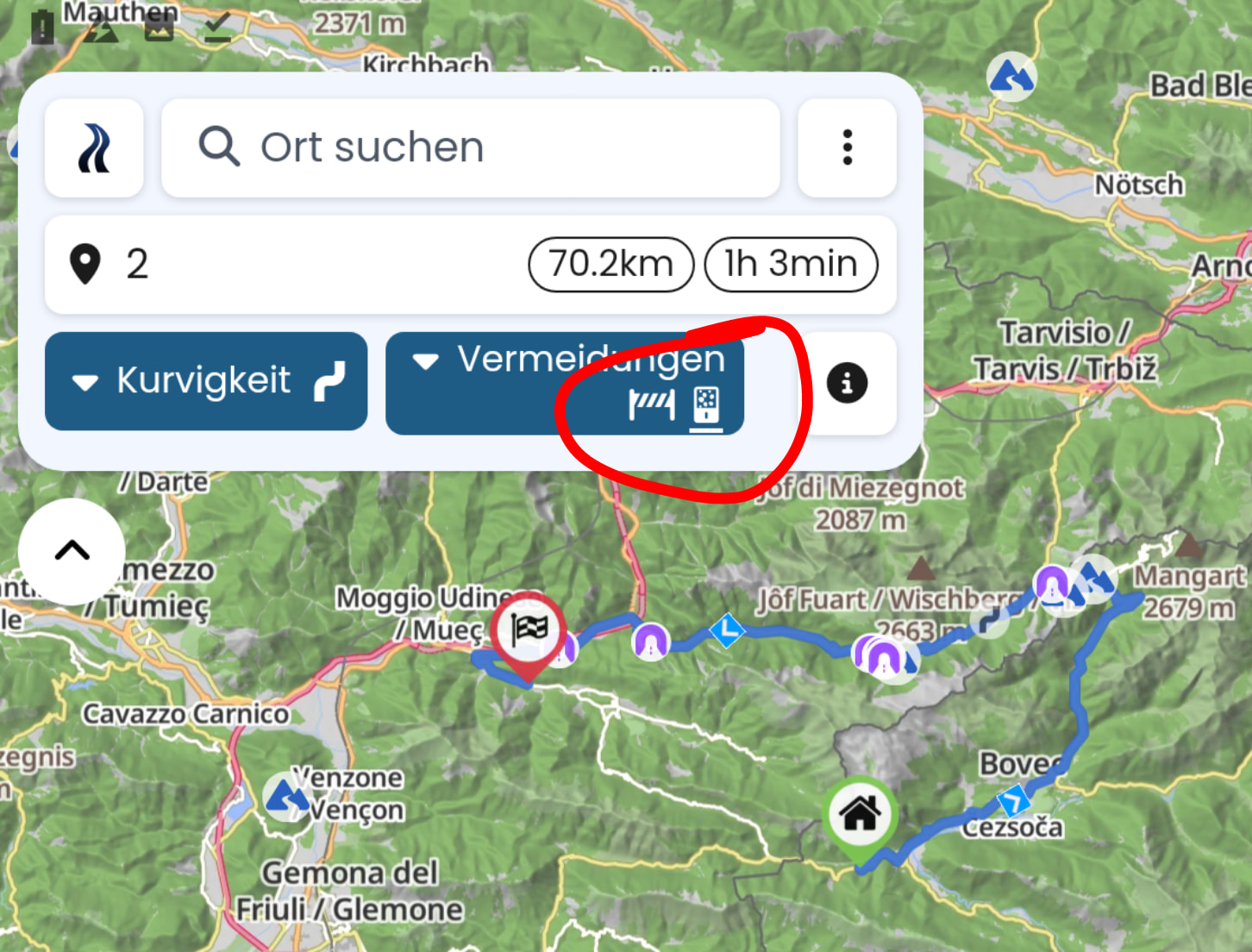
Although I have disabled that option, when sharing a route link and clicking that link again, this option is enabled.
Example:
Hi @rumbrummer,
When I click on your link, for me the avoidance option “current closures” is disabled and Kurviger shows them marked in red on your route as expected.
Can you try and reload the website or delete your local data? Does the problem persist?
@rumbrummer ..
.. just cleared on my phone. There is an issue.
Tested on my phone:
When I copy the link from @rumbrummer and I paste in the adress field of the browser, the TomTom avoidance is correctly not set.
When I paste the url it in my app-starter, Kurviger is assigned and the app opens. In this case the route opens always with activated avoidance.
Just a few weeks, this issue was reported by some professionals, where some routes opened with, others without activated avoidance, without finding a common property. I cannot find it anymore, sorry.
That’s really crazy: It did not work (I checked it 3 times before writing this thread) - now it works.
But I can reproduce not working properly by a kind of “misuse”:
- close Kurviger app and tap on route link above
- avoid current closures is off

- now I tap long on destination, move destination appears, click OK without moving → route calculation starts
- repeat last step as fast as possible (before hint “calculating route” disappears )
- click link above again
- result:
- even if I disable avoidance manually in app, wait until route is calculated and click on route link again, avoidance is activated again
- if I close Kurviger app and click link above again, avoidance is disabled properly again
OSM-Datumsstempel: 28.6.2026
Version: 3.6.6
Device: asus - P027 - Android: 7.0 - WebView: 119.0.6045.193
App-Version: 3.6.6 - 7482
Screen: 1024 x 768 px - 2dppx
Remark: If I remember properly, I trapped into that error 1st time when I moved start and destination of a route before, it was a longer route and due to network or other issue route calculation took longer time.
I also had the issue that hint “calculating route” did not disappear any more, even if calculation had been done after toggling avoidance of current closures.
I can not reproduce this behaviour with my mobile phone - route calculation is to fast.
Now I can reproduce a similar behaviour also on my mobile phone:
- close Kurviger app
- click on link above (avoidance disabled)
- go to browser and click link again → avoidance enabled
OSM-Datumsstempel: 28.6.2026
Version: 3.6.6
Device: Xiaomi - 2201117SY - Android: 13 - WebView: 149.0.7827.91
App-Version: 3.6.6 - 7482
Screen: 393 x 873 px - 2.75dppx
I can reproduce the above behaviour.
OSM-Datumsstempel: 28/06/2026
Version: 3.6.5
Device: samsung - SM-G970F - Android: 12 - WebView: 149.0.7827.91
App-Version: 3.6.5 - 7447
Screen: 360 x 760 px - 3dppx
Thanks for the input. I can reproduce it now too. There seems to be something off. We’ll have a look!