Hi,
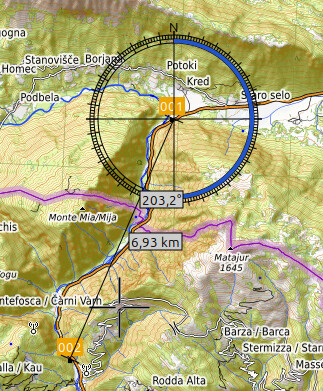
I know from some map tools (i.e. viking) there you can click a point and drag along and it shows the distance between that point and the place where your mouse pointer is, also the direction.
Direction isn’t so helpful, but when I’m planning a multi day trip it would be more easy to plan the next stop according to the distance.
Yes it is a direct distance, nothing to do with the distance to be traveled, but it provide at least an estimate (is it 50 km or 250km?).
Hello @mjsberna
I think that sounds interesting as an additional planning tool (Maps has something similar, too.). However, especially while planning motorbike trips I usually rather have a realistic idea of how long the route would be rather than the beeline? Do you have a real life example how this would help you in planning - more than setting a waypoint and getting a realistic estimation for the route? Is this beeline measurement tool actually helpful then? 
Englisch unten
ähnlich , aber anderst
Rundtourgenerierung die es gibt soweit , so gut
Neue Variante ich hab eine Stecke A nach “Unbekannt” kurviger plant so ja nicht , aber evtl. wäre es ja möglich das so umzusetzen .
Ich gebe also den Startpunkt ein oder wähle den aktuellen Standort , gebe über die Richtungsangabe ( wie bei der Rundtour ) vor und die Zeit ( Dafür müsste noch ein Eingabefeld eingefügt werden als oder zu ) den km die ich Fahren möchte und Kurviger wirft den Zeilpunkt aus den ich dann ja noch wenn 3 Ortschaften weiter ein Hotel oder was auch immer mir besser erscheint verschieben kann.
Hintergrund ich nehme immer öfters die AB um schnell aus der Stadt Raus zu kommen und Plane dann vor Ort schnell eine Rundtour und fahr dann die selbe Autobahn zurück weil ich da dann besser absehen kann wann ich wieder “zuhause bin”
mir dem Tool / Rechenweise könnte ich das auch Quer durchs Land nutzen.
Similar, but different
Round trip generation is already good.
New option: I have a route A to “Unknown.” Kurviger doesn’t currently plan it this way, but perhaps it would be possible to implement it.
So, I enter the starting point or select my current location, specify the direction (as with a round trip), and the time (an input field would need to be added for “as” or “to”). I also enter the distance I want to travel, and Kurviger generates the destination point, which I can then adjust if, for example, a hotel or something else seems more convenient three towns away.
Background: I increasingly use the motorway to get out of the city quickly and then plan a round trip on the spot, returning via the same motorway because it gives me a better idea of when I’ll be “home.”
With this tool/calculation method, I could also use it for cross-country trips.
Hi,
I sometimes have a problem with the scale of the map, so such a tool could be useful just for doing estimates.
When I plant a waypoint the tour is getting recalculated, which takes some time just to learn this was only 50km away from the last, so deleting, setting a new one, but where.
You get my drift?
I don’t know if other users are better at reading the scale and so to estimate the distances better. Also I don’t know what effort this would mean for the programming, just an idea.
I considered maybe it would help to stop the rerouting at every change and have a button “recalculate”, but it wouldn’t help for this case.
I get that. Thanks for the input and explanation. We’ll look into it! 
Das halte ich für einen sehr speziellen Usecase… Also schon interessant, aber hat man für gewöhnlich nicht ein Ziel oder eine Idee was man besuchen möchte, wenn man nicht gerade einfach eine Rundtour fährt?
Nein bei Tourenfahrer die keine feste Unterkunft haben sehr verbreitet , sag ich mal.
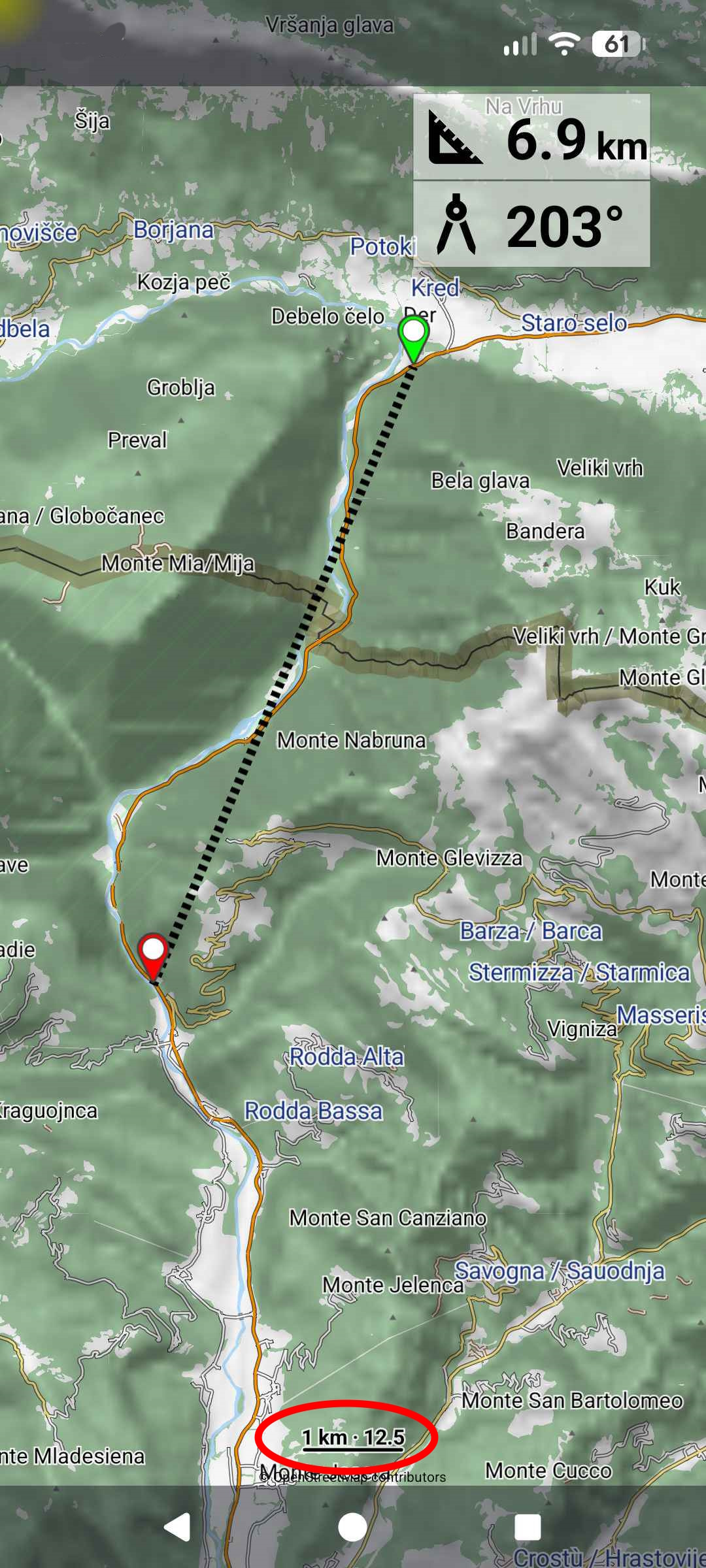
und zaphod_42 macht nichts anderes , so wie ich es mir denke , mit dem “Gummiband” das die Entfernung zeigt will er genau auf das selbe hinaus.
Man ist wo wo man sich nicht auskennt 2 Szenarien
das was ich dann hab. Ich war schneller und sehe ich hab noch 2 Std Tageslicht . Ich hab ne Grobe Richtung wo ich hin will und die Frage ist fahr ich Autobahn um oder wie weit komme ich in den 2 Stunden in die Richtung und was liegt dann da.
Bis jetzt Ziel eingeben und dann sehne wie lang es dauert past nicht , neues Ziel usw.
mit der Funktion könnte man hergehen und sagen
- ich hab n Std und will in die Richtung = Ziel x in soviel km
- oder ich will noch 200km fahren in die Richtung = Ziel y in der Zeit
- oder ich hab x und y Kurviger sagt 2 Std ich hab aber 4 Std also x y eingeben ergebnis wird angezeigt 2 Std , draufklicken 4 Std draus machen und Kurviger berechnet ne passende Strecke
No, it’s very common among touring cyclists who don’t have fixed accommodations, I’d say.
You’re somewhere you don’t know. Two scenarios:
What I then have: I was faster and see I still have 2 hours of daylight. I have a rough idea of where I want to go, and the question is, do I take the highway or how far can I get in that direction in those 2 hours, and what’s there?
Up until now, you’ve entered a destination and then seen how long it will take, but that doesn’t work, so you have to enter a new destination, etc.
With this function, you could say:
- I have n hours and want to go in that direction = destination x in that many kilometers
- or I want to drive another 200km in that direction = destination y in that time
was auch mit dem anderen Vorschlag der eingeblendeten Windrose mit km Ringen gut darstellen lassen könnte.
which could also be well represented with the other suggestion of the displayed compass rose with km rings.
ob die Übersetzung so gut ist
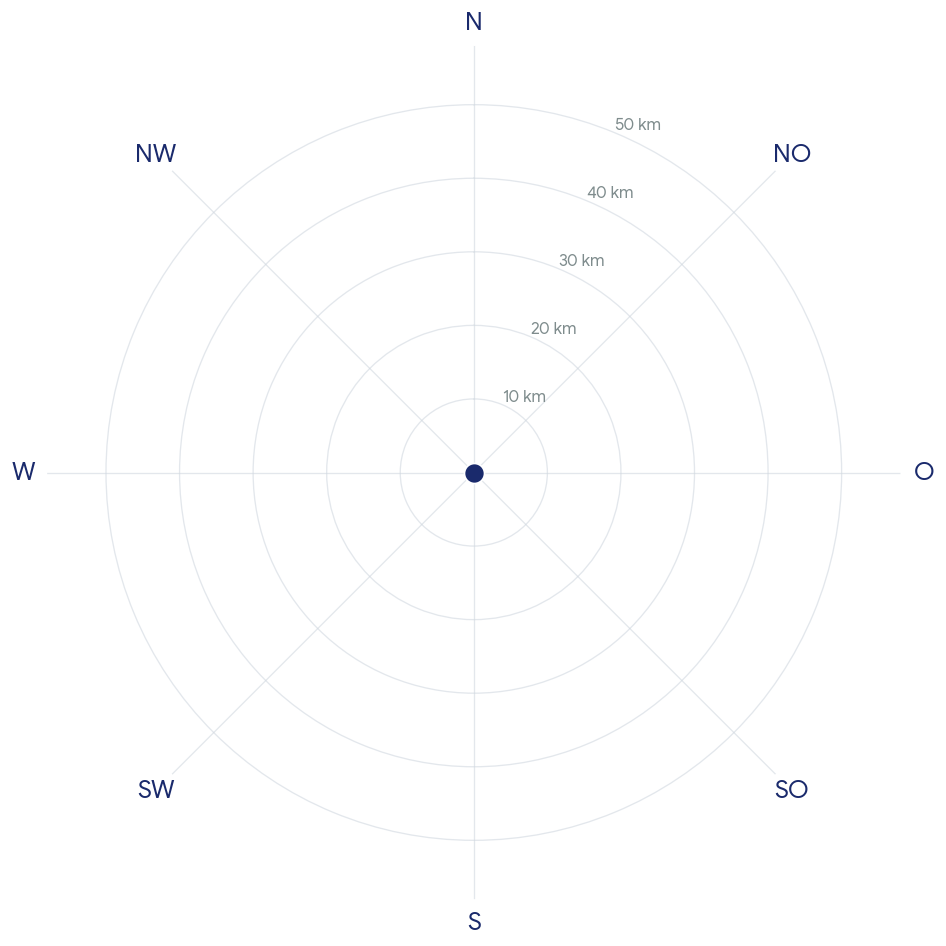
so da noch den Nordpfeil rein dann mit Transparenz und ein / aus Schalter
und schon wäre das Thema geklärt.
oder dann noch je nach Zoomstufe wechseln auf 50 100 150 km usw
DlzG
Yes, this is shown in the lower left corner while planing in the web. But I must confess, I’m very bad at using this.
I do find that strange.
Help is available, but people don’t want to use it. And yet, on the other hand, they want something else.
Wouldn’t it be helpful to at least look into it before rejecting it outright?
I have to agree with zaphod; I use it regularly too, and with a little common sense, estimating the distance is relatively easy.
Is this in kurviger app?
Where can I find it? it would be perfect.
Hi Viola,
I’m not demanding anything, I just asked a question.
And the screenshot from zaphod doesn’t look like kurviger to me, I just now asked for clarification.
I understand the use case @Andy2 ; Especially when you misjudge the time and still have a bit to spare, this can be helpful if you’re looking for a place to stay spontaneously or are camping, etc. However, based on our conversations with riders, we have hardly been aware of this need so far. In practice, setting waypoints and making few adjustments seems to be sufficient in that case. That’s why, at the moment, this use case still seems too niche to me to warrant building an entire feature around it.
@mjsberna It’s absolutely fine that different users perceive tools differently. What works well for one person might not work as well for another. That’s why we greatly appreciate all feedback, as it helps us refine and adapt our tools for everyone’s unique needs!