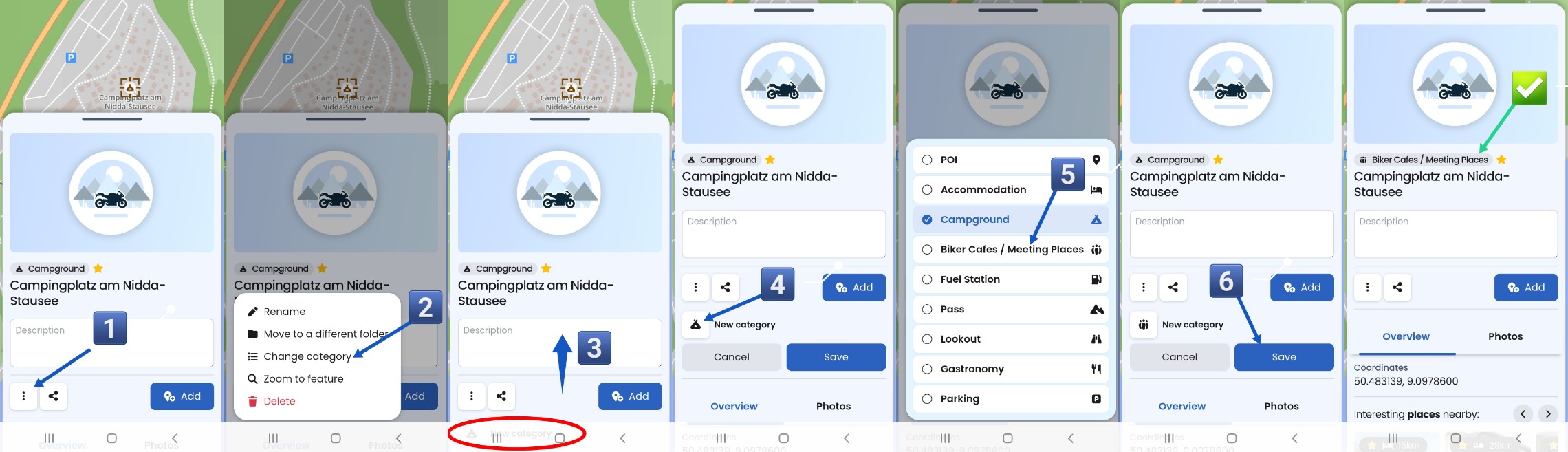
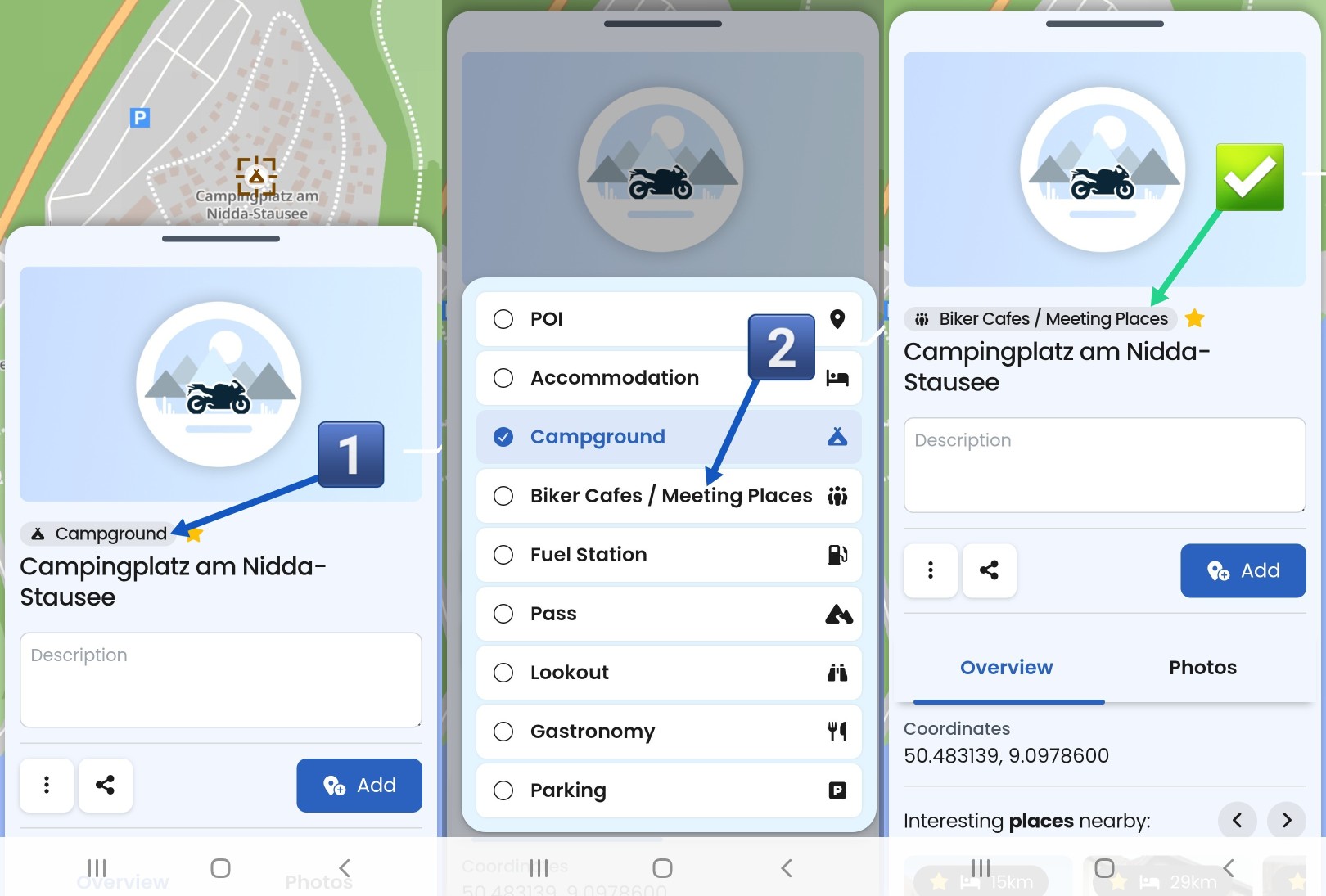
I needed 6 steps to change the category of a single favourite - this makes the operation very time consuming (e.g., you discovered the category “Campground” exists) and want to use it on several favourites:
Tap the “…” menu
Tap “Change category”
Swipe up - the next step is covered by Android buttons (this is probably an unintended behavior)
…for “Kurviger POI” favourites.
This is a known problem, like inability to rename the favourites created from Kurviger-POIs which was mentioned in the thread Cannot rename saved POIs in Favorites - #3 by r33za recently. I hope changing category gets resolved in the same go as well.
BTW, I think “Rename” and “Change category” belong together in the menu, not split by “Move to a different folder” in between them.
Hi @t00thl355
Thanks for your feedback first of all!
1.I can reproduce it, and agree that this is inconsistent. I imagine it was more of an oversight than intentional. I’ll have a look at this.
2. I think I mentioned this in another post: We’re not entirely satisfied with the menus in the cloud yet, and that’s definitely still on our list of things to address. I also think it should probably be easier to change a category though you only have to do this once per favorite. But I get it: if you’re creating multiple favorites and want to assign them all to categories, it’s a tiring process. But I find your suggested approach almost a bit too brief? You should not accidentally change a category, too.
3. This issue is also on the list. We can’t do everything at once, but we’ve already noted this point as feedback. It is still to decide what happens then with the favorite as the idea is that all data of the POI is synced. Regarding the menu order: see above (we’re aware of the issue with the cloud menus).
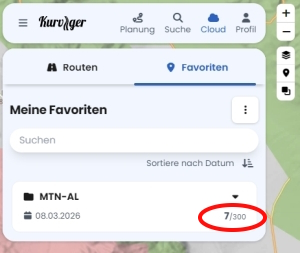
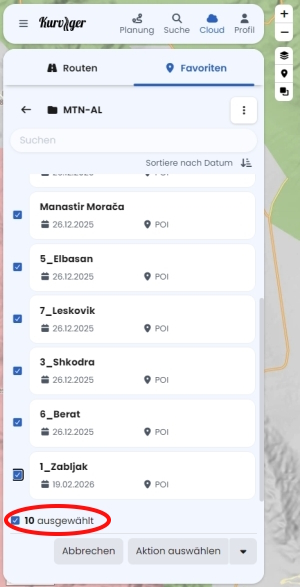
What should be revised here in your opinion? The left one counts the favorites in this folder. On the right, you can see how many items you’ve selected in the multiple-select list.
Although the number seems to be wrong in your case? Are you reporting a bug here? If so: can you reproduce it?
Well, if you do - it is as easy to correct the error and nothing is lost. It’s not like you are deleting the cloud folder with 20 routes that you cannot recover on your own. There you need an extra confirmation. Some things are better as simple as possible.
Also some kind of bulk category change would be also welcome - maybe in combination with multiple selection.
I think so. The cloud is not part of my workflow - I just created a favorite folder to visualize individual stages of a tour. Favorites were added, renamed and deleted. The multi-select list shows that there were (at least) 10 favorites in this folder - but the counter for this folder reads 7.
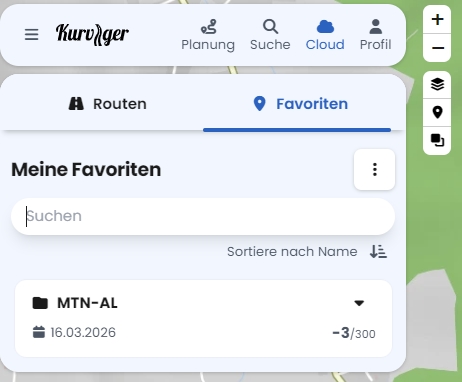
Now I’ve deleted all the favorites from this folder, and the counter has actually gone into the negative.
Sorry - no chance.
I created the favorite folder end of last year. Inserted the folder in overlay. Then added locations, renamed some of them and deleted few favorites. In any sequence. That’s all.
 Category not displayed
 If I open a “self created” favourite from a cloud folder, the category is not displayed
 If I open the same favourite by selecting it on the map, the category is displayed correctly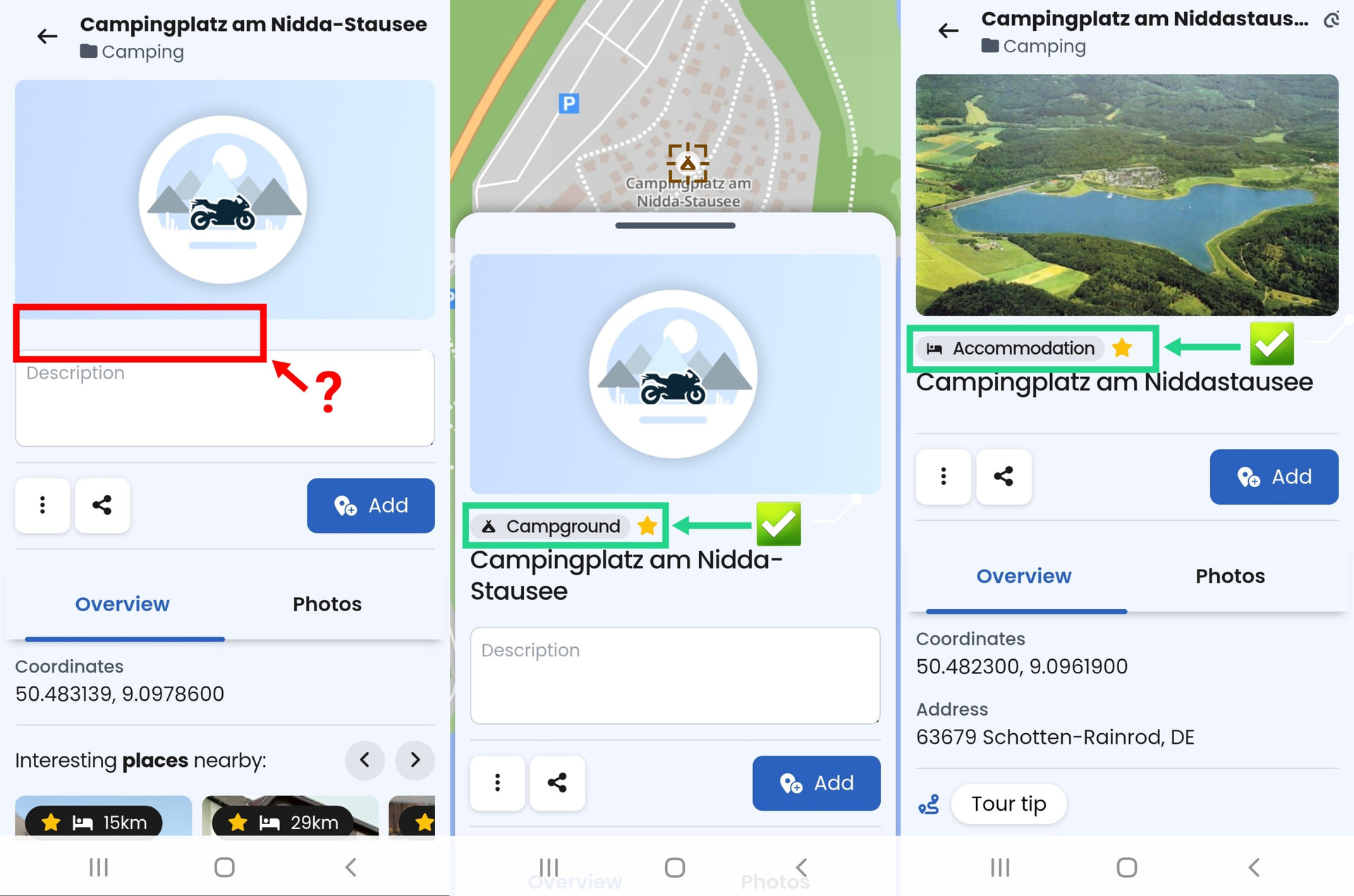
 Changing category too complicated
 Changing category not possible…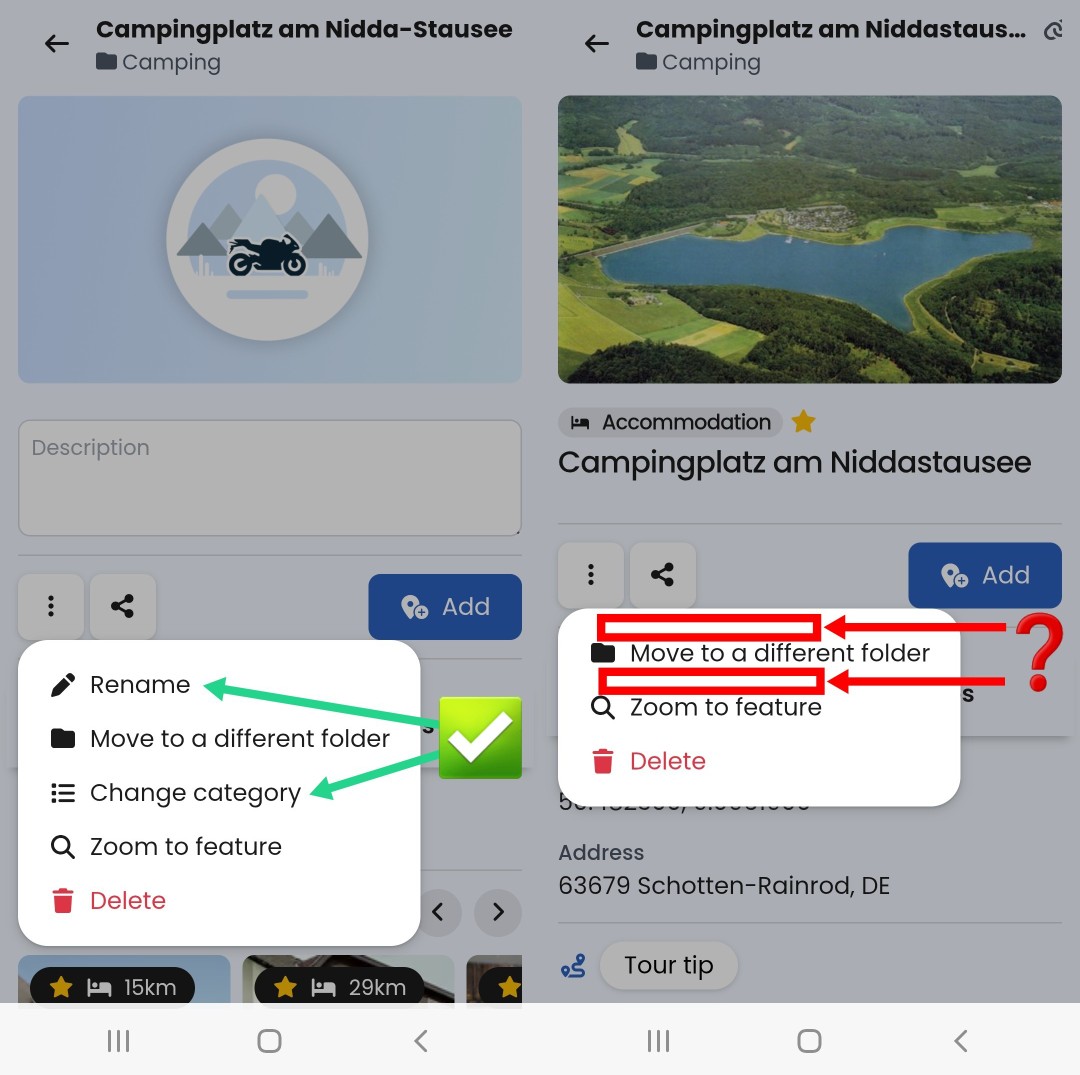


 .
.