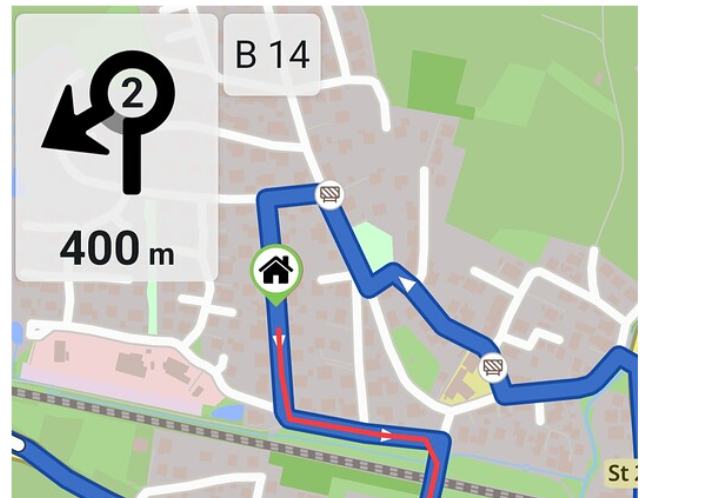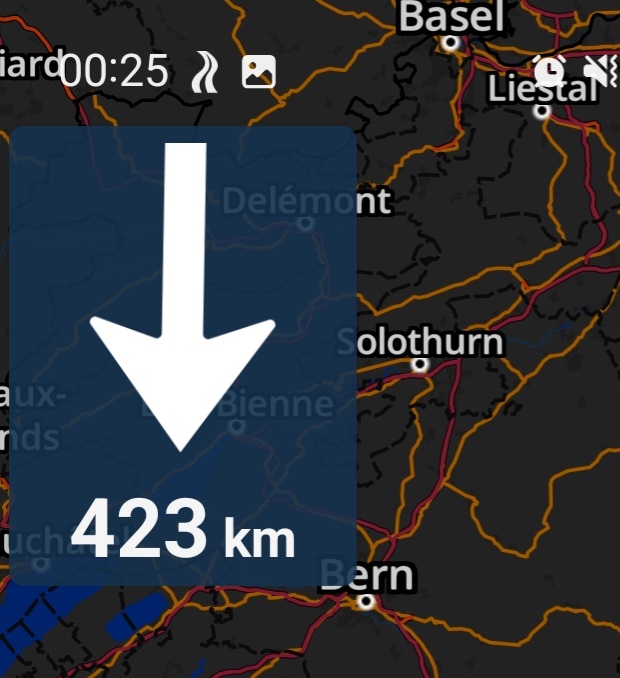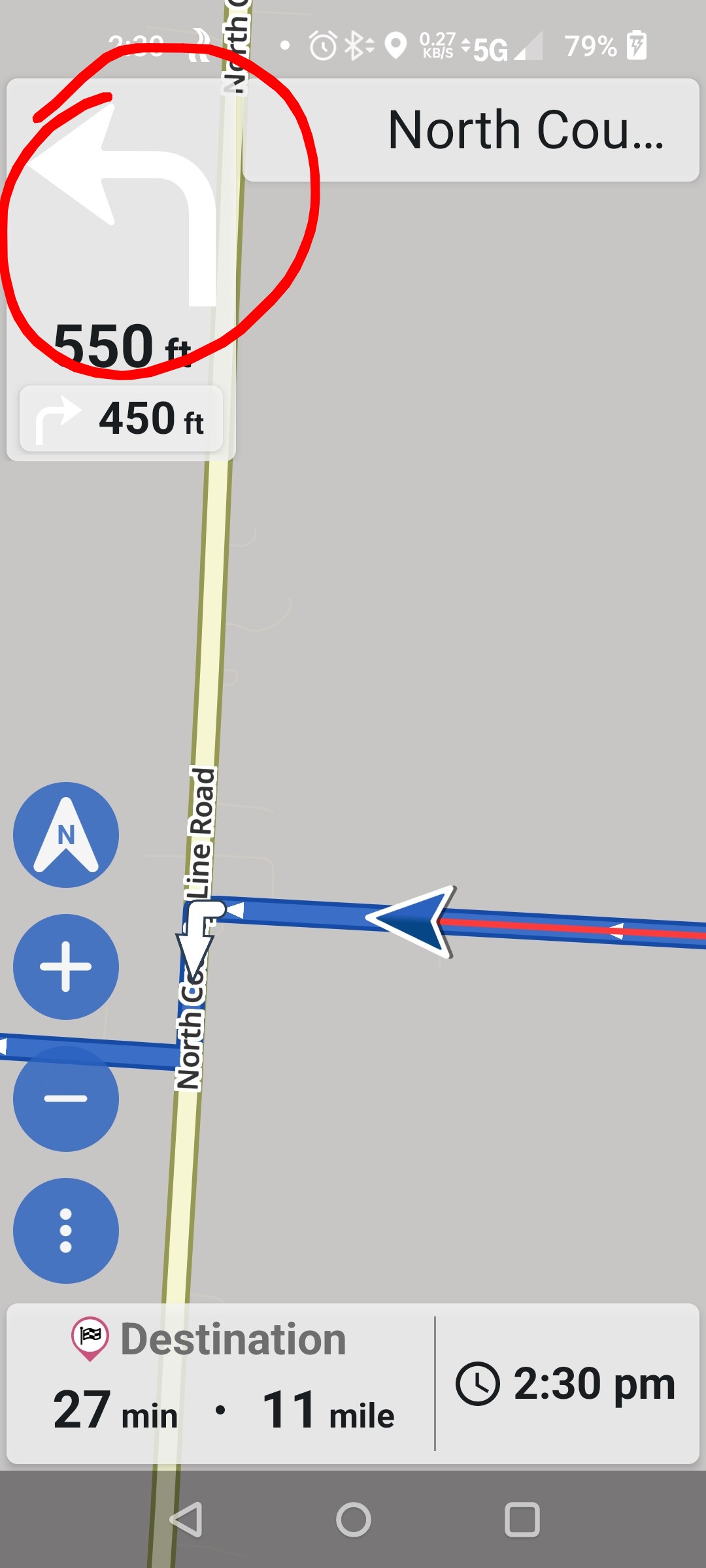
Please see the area marked in red.
The navigation arrow should always be black. White arrows against a light gray background are very hard to see.
BTW, I live in the USA and I’m using the standard maps.
Here’s info on my Android device which uses kurviger.
OSM date stamp: 8/20/2025
Version: 3.5.9
Device: OnePlus - DE2118 - Android: 12 - WebView: 139.0.7258.94
App-Version: 3.5.9 - 5484
Screen: 320 x 712 px - 3.375dppx
Look like the phenomenon I described here:
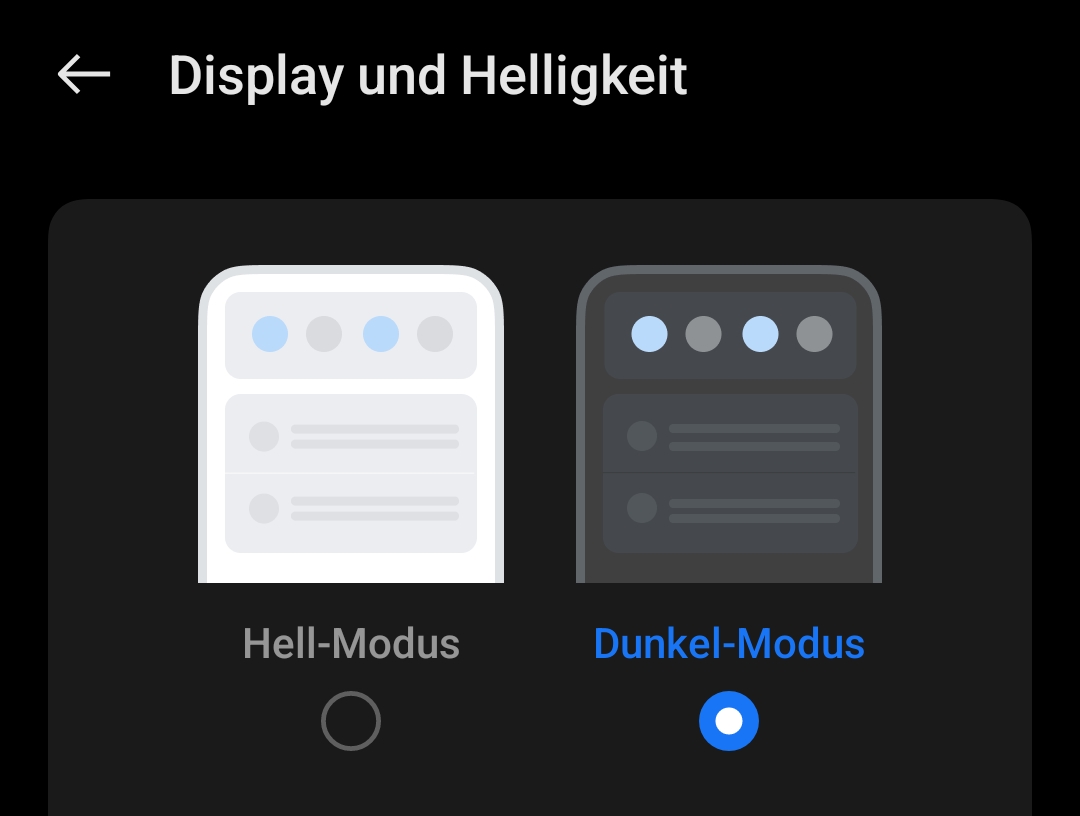
There is a connection with the global dark mode; it does not occur in light mode. Unfortunately, this is only a workaround, not a solution…
Obviously, the change that @boldtrn announced in the other thread did not help. Maybe you two can help him reproduce it or at least localize the problem better. @CJusa is the error always present on your device or just in special situations when the dark mode might be invoked (e.g. in twilight or garage)? Does the error disappear if you switch to light mode?
The funny thing is is that when I first start navigation, it will show a Black Arrow but then later, when I have been navigating for a while, the arrows are white.
And it’s not like I’m switching from dark mode to light mode or from light mode to dark mode when this happens. It just does it for some strange reason.
I will switch my phone into permanent light mode and see if that makes a difference.
I had my phone set to permanent dark mode earlier which is a setting that I like because it’s easier on my eyes.
But even in dark mode though, the arrow should still be black against that pale background. I can’t see a White Arrow providing any advantage for night time navigation.
To clarify, I am NOT referring to the night mode (which becomes active after sunset), but to the globally set dark mode, which displays the user interface - where supported - dark instead of light (in Kurviger this has hardly any effect).
In light mode there are no problems, in dark mode (only the Kurviger app) the status bar, the navigation arrow and the current speed start to invert permanently at some point(?). I have not yet been able to recognise a trigger for this.
Exactly the same here 
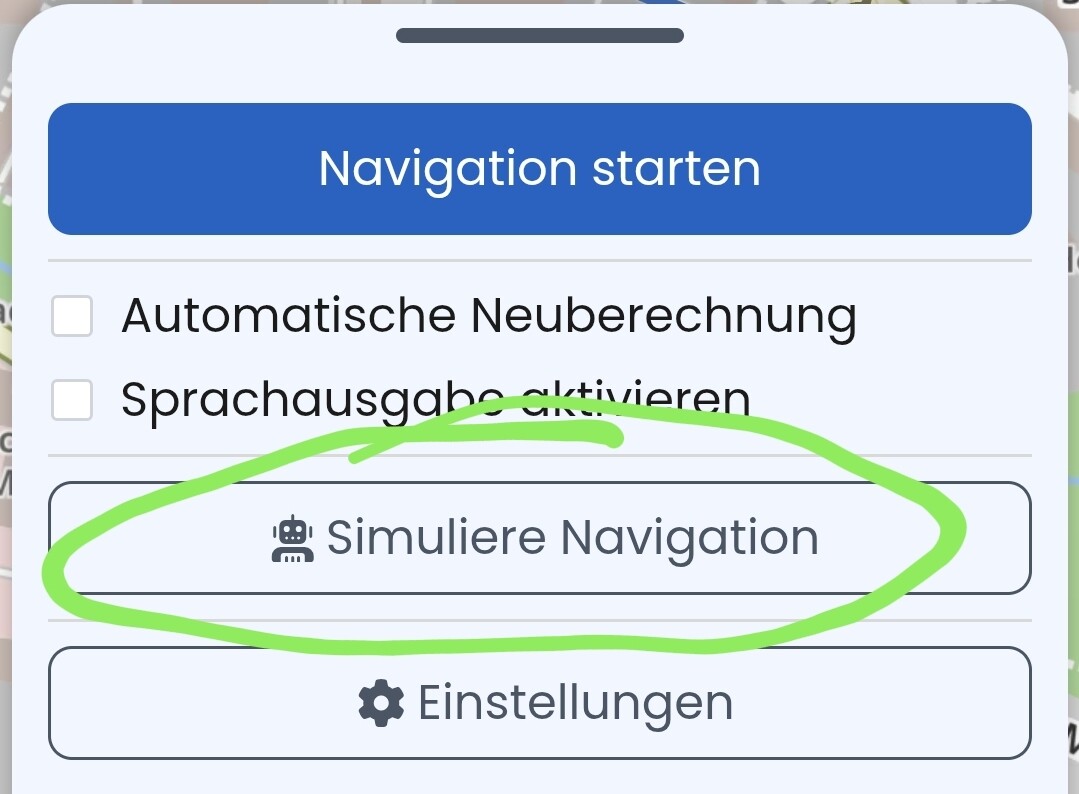
The simulation is extremely slow. However it does show black arrows initially, but I stopped it because it was moving through the route at a snail’s pace, so I’m not sure if it changes to white arrows at some point in time.
Also, it is in simulation mode which means that it may not show the bug like it would if the app is actively navigating.
I will do a real test.
I’m glad to know that I’m not the only one experiencing this.
App works great otherwise.
You don’t have to watch it all the way, just let it run on it’s own and check occasionally - if you notice that the arrow turned white, you can stop it and rewind the screen recording to see when it happened.
Real test is always better, but make sure you don’t get too distracted trying to catch the error.
Same here, despite three hours of extended simulation, including occasional switching between Kurviger and other apps, zooming, panning, and even driving the brightness sensor crazy, I was also unable to reproduce this effect.
Nevertheless, this occurs quite reliably on tour, but it also tends to take some time there.
For me, switching to bright mode is not an option.
Hi Guys,
So I did a real world test with my phone in light mode and I had black arrows all the time during the navigation process.
So it definitely at least for my device anyway seems to have something to do with when you have your device set to dark mode.
And I agree with BlueQ, going to bright mode is not an option for me either! 
Also, while I can see the advantages of the night view with the red map, I do think that maybe also having an option where you can manually toggle Kurviger between day or night would be nice.
Hi Guys,
I did notice another thing that may or may not affect the arrow color and that is kurviger seems to treat the map when in navigation mode almost like a transparency.
For example, if your mobile device uses a dark wallpaper for its homepage, all your icons such as your battery percentage, the clock, and any notifications will be displayed as white icons at the very top of your screen.
When you’re using Kurviger in the daytime, the standard maps are mostly a light shade of gray. Therefore, the icons that you see while using Kurviger is in navigation mode should show in black.
However, if you look at the very first message of this discussion, you will see my screenshot where my notification icons, my clock and battery percentage at the very top of the screen are showing as white.
Anyway I’m playing around with the Kurviger simulation mode at the moment and I changed my home page wallpaper to a white wallpaper. My Android device automatically turned the icons at the very top of the home screen black and kurviger now displays them in Black.
I then changed my home screen wallpaper back to a dark wallpaper, and the icons changed back to white.
Kurviger kept them as black which is the correct color to use since the standard map is a light shade of gray.
In Google maps no matter whether your device is set to permanent dark mode or permanent light mode or you are using a dark wallpaper or not, Google Maps in navigation mode automatically turns the icons to the correct color (either black or white) to make them easier to see against the map background.
If the map background in Google maps is light because it is in day mode, the icons are black. If the map background is dark because Google Maps is in night mode, the icons are displayed as white.
Thanks for confirming - so probably something strange is happening with the DarkMode.
Given that there are only very few reports I can’t believe that this is only dark mode related. I use dark mode on my Android phone and never saw this.
It would be very interesting to see if you and @BlueQ would be using the same setting or app or something. Not sure if you have developer settings enabled in Android? With dev settings you can break quite a few things quite badly.
I believe I do have Dev settings enabled but only to easily transfer files via USB from my phone to my PC.
Developer settings not enabled, Rotation Control Pro might have an impact, as it has been granted extended rights to change system settings, could this have an impact?
I’ll try the next tour with Rotation Control Pro disabled.
Could be worth a try if there are special permissions  . If @CJusa would be also using this app, then I’d say that would make a lot of sense.