Transferring coordinates from Basecamp to Kurviger

Hello,

this topic may have already been solved, but I couldn’t find it.

I have a large collection of POIs in Basecamp and often want to use individual points in a Kurviger route in the web planner.

To do this, I go into Basecamp, copy e.g. the waypoint N47.07983° E11.91969°, then go to the Kurviger search and paste the coordinates there. Kurviger doesn’t know what to do with that; it only works once I change the format to 47.07983, 11.91969. Certainly cumbersome and outdated.
Is there perhaps a practical solution for this?

Thanks

Ewald

I would export the POIs from Basecamp into a GPX file and then import that GPX file into Kurviger as an overlay.
See

It would be an option, but not the one I’m looking for.

Thanks for your suggestion anyway

Ideally, Kurviger would accept the format N47.07983° E11.91969° as input, and perhaps even the admittedly rare 47° 04’ 47.4" N, 11° 55’ 10.9 E as well. Both editing and conversion routines can be created in a flash with Claude. :wink:

You can also just use Excel. Put the Basecamp coordinate in column A and the formula in column B
=LET(txt;A1;lat;MID(txt;2;SEARCH(“°”;txt)-2);lon;MID(txt;SEARCH(“E”;txt)+1;SEARCH(“°”;txt;SEARCH(“E”;txt))-SEARCH(“E”;txt)-1);lat & ", " & lon)


(With Excel LTSC 2021, German version)

Aside from the fact that I don’t have Excel, that would also be a good option, but something like what zaphod_42 suggested would suit me much better.

You can set the coordinate format in Basecamp, as we support many of the Basecamp formats.

That is actually supported by Kurviger :wink:

boldtrn, could you give me a hand and describe how to set up the different formats in Basecamp?

Thanks

If you haven’t done so already, here is a guide:

Basecamp

Menu item: Edit

Options

Measurement

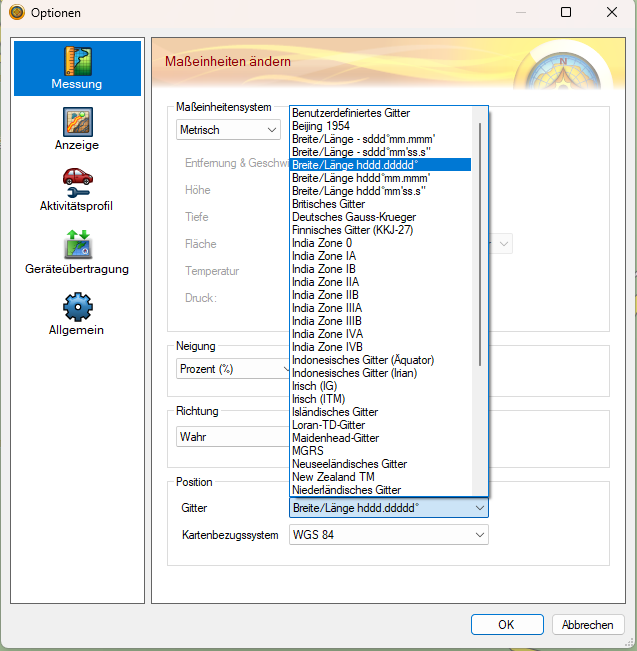
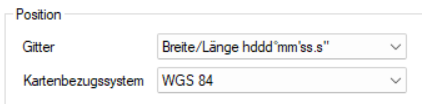
at the very bottom under Position/Grid, you can change the format.

Which one specifically, you’ll have to try out.

I have that setting too, but the format doesn’t fit: N47.17523° E13.01594°

Trying it out is a good tip, but changing both fields means thousands of combinations

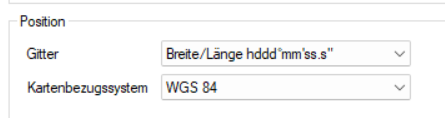
I’ve asked the AI now and it advised me to use this setting:

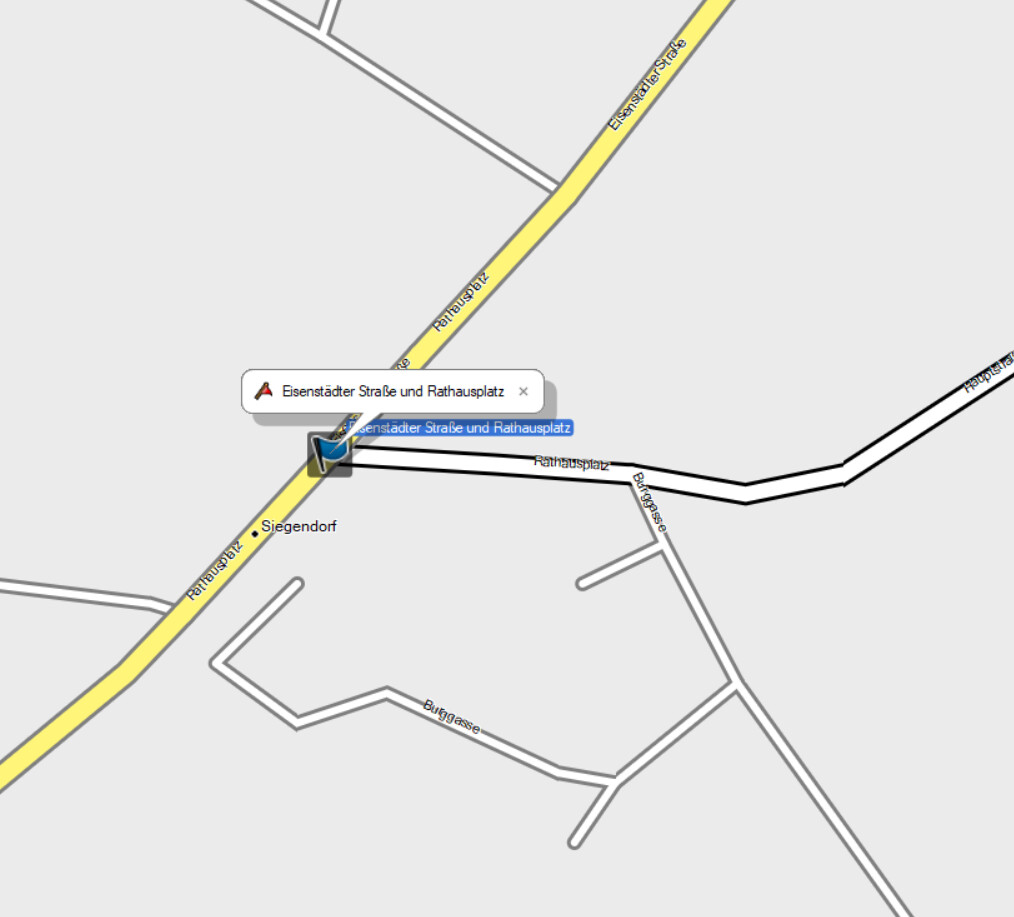
The waypoint then has the coordinates: N47° 46’ 48.8" E16° 32’ 20.0"

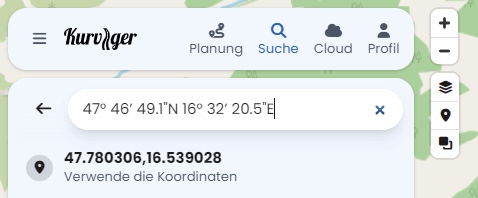
A search in Kurviger in this format doesn’t work, only when I put N and E at the end does Kurviger find the position: 47° 46’ 48.8"N 16° 32’ 20.0"E

According to the AI, this format cannot be set in Basecamp.

Sorry, I clicked a bit too fast there.
I’ve been doing it this way for a while. I use this setting

copy the position into Google Maps, which is open anyway, click the point in Google Maps, and copy the value directly into the Kurviger search.

It’s one or two clicks more, but probably faster than changing the input manually.

In your example, it gives 47.07997939311589, 11.919683668212667

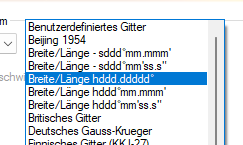
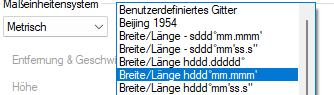
Some of the formats work, here is one of them:

This allows you to use copy/paste directly in Kurviger.

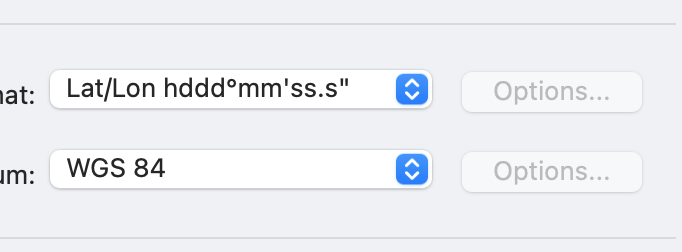
This is my setting:

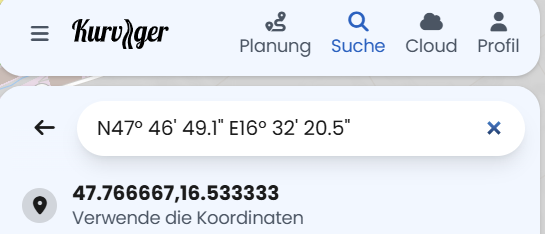
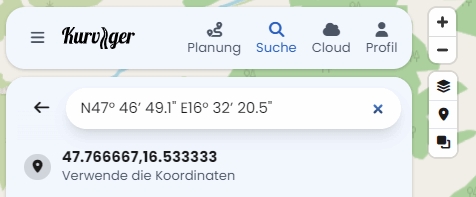
I tried this, but the position found in Kurviger is incorrect:

Basecamp:

N47° 46’ 49.1" E16° 32’ 20.5"

Kurviger:

That really kept me bugging, try using this

Screenshot 2026-09-08 124323

setting, it works for me.

thanks so much, that’s it!

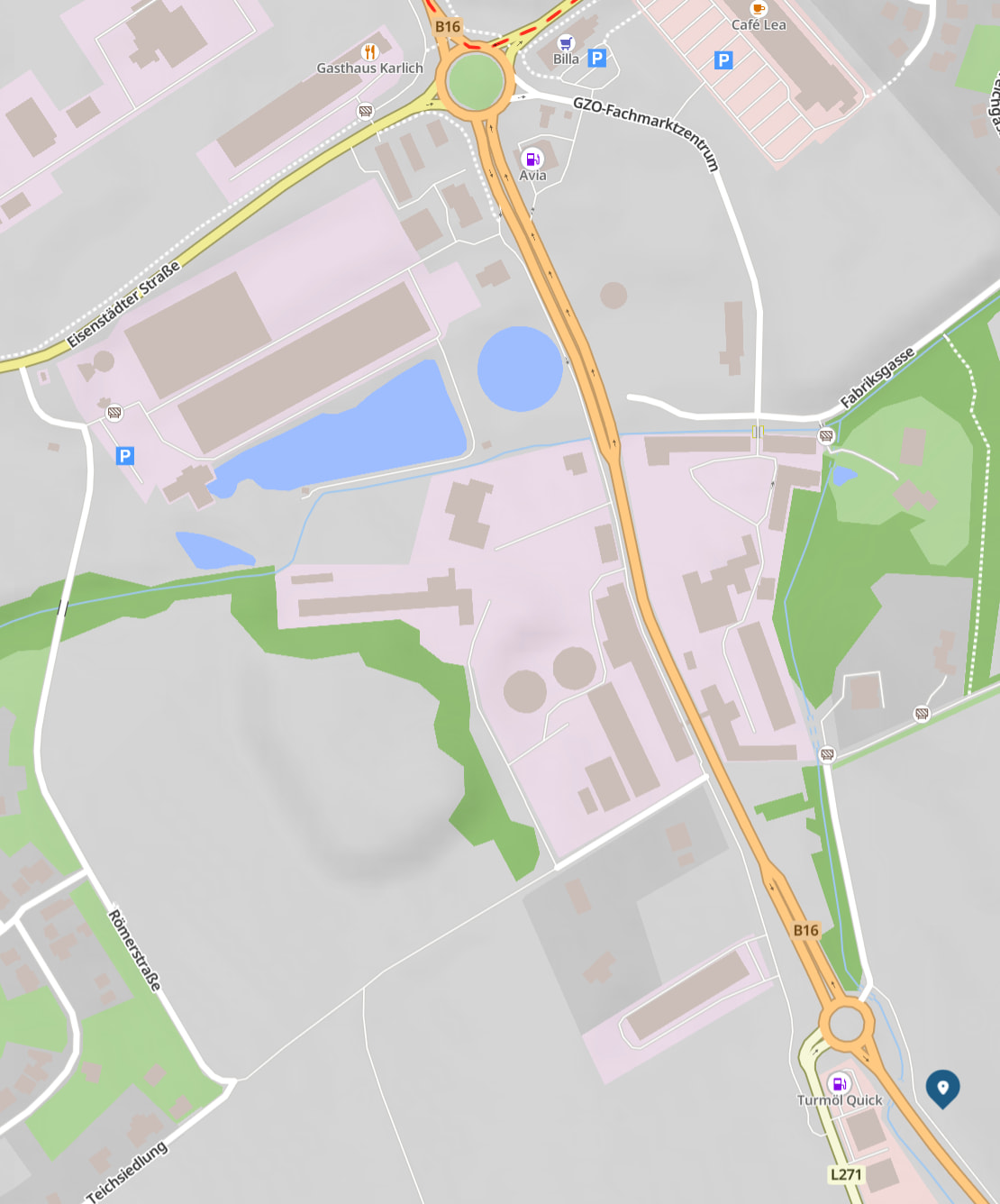
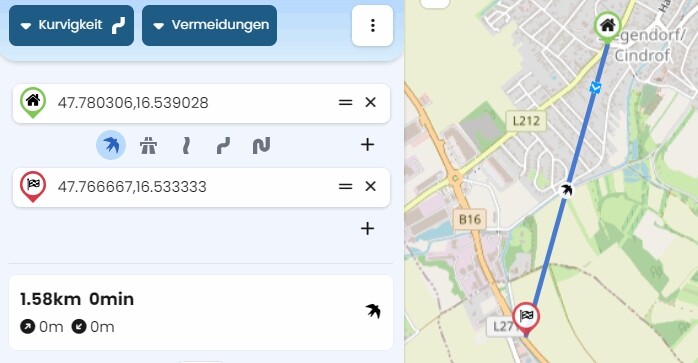
That just leaves the incorrect position in the first format:

The distance between both positions: