When I pull up a saved route it gives me the nice Red / Magenta route I planned and want to ride, however when I load it, it recalculates, and gives me a new blue road, which matches 70% of my originally planned and saved route. I cannot even recreate the route I saved a year ago.
How do I export my Red / Magenta original map?
Thanks for the tips in advance!
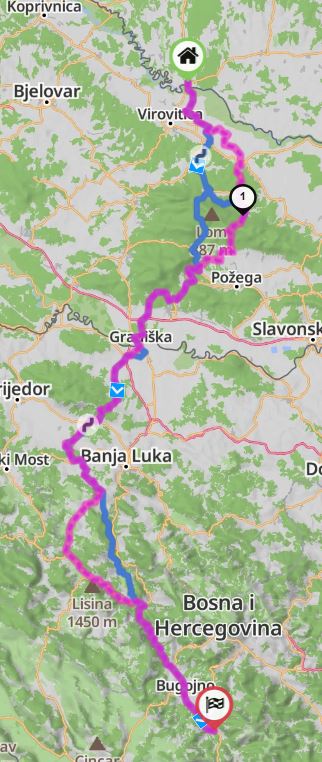
You can save the track as GPX and try importing it. New GPX-import has better matching capability compared to “Load as Route”.
Alternatively, load the track as overlay and add manually a couple of shaping points to to the route to match it.
Thanks for the answer!
That didn’t helped with way points.
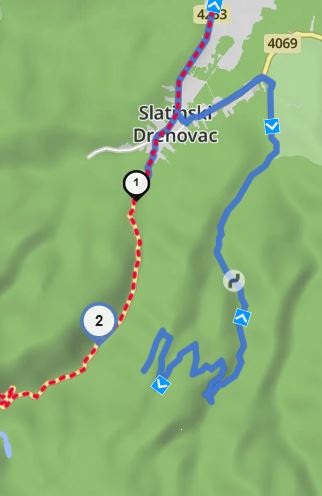
There is a place where a tarmac road is, and kurviger doesn’t let me in recently, however the route that was planned with kurviger a year ago it took me there, I rode that beautiful road, and now it doesn’t let me to plan that road again.
Blue is new, red dots are the old planned, ridden roads, I cannot get out to GPX.
I found my old GPX, and when I load the created route, it says 88% match.
Looks like something is off with the program, doesn’t want to plan again the same road…
Who should I turn to?
n.
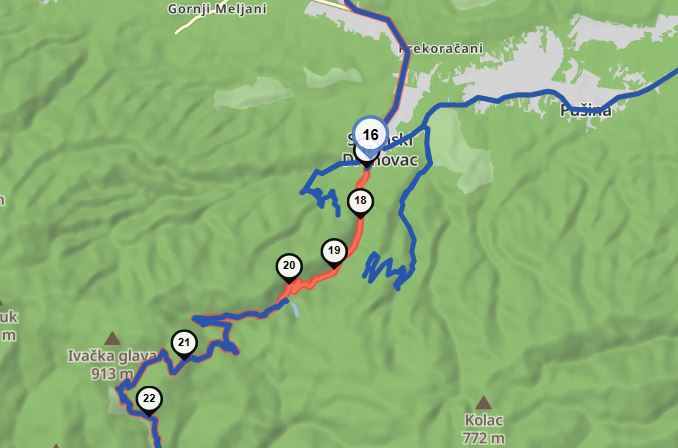
Can you share the link to your route, so we can have a look?
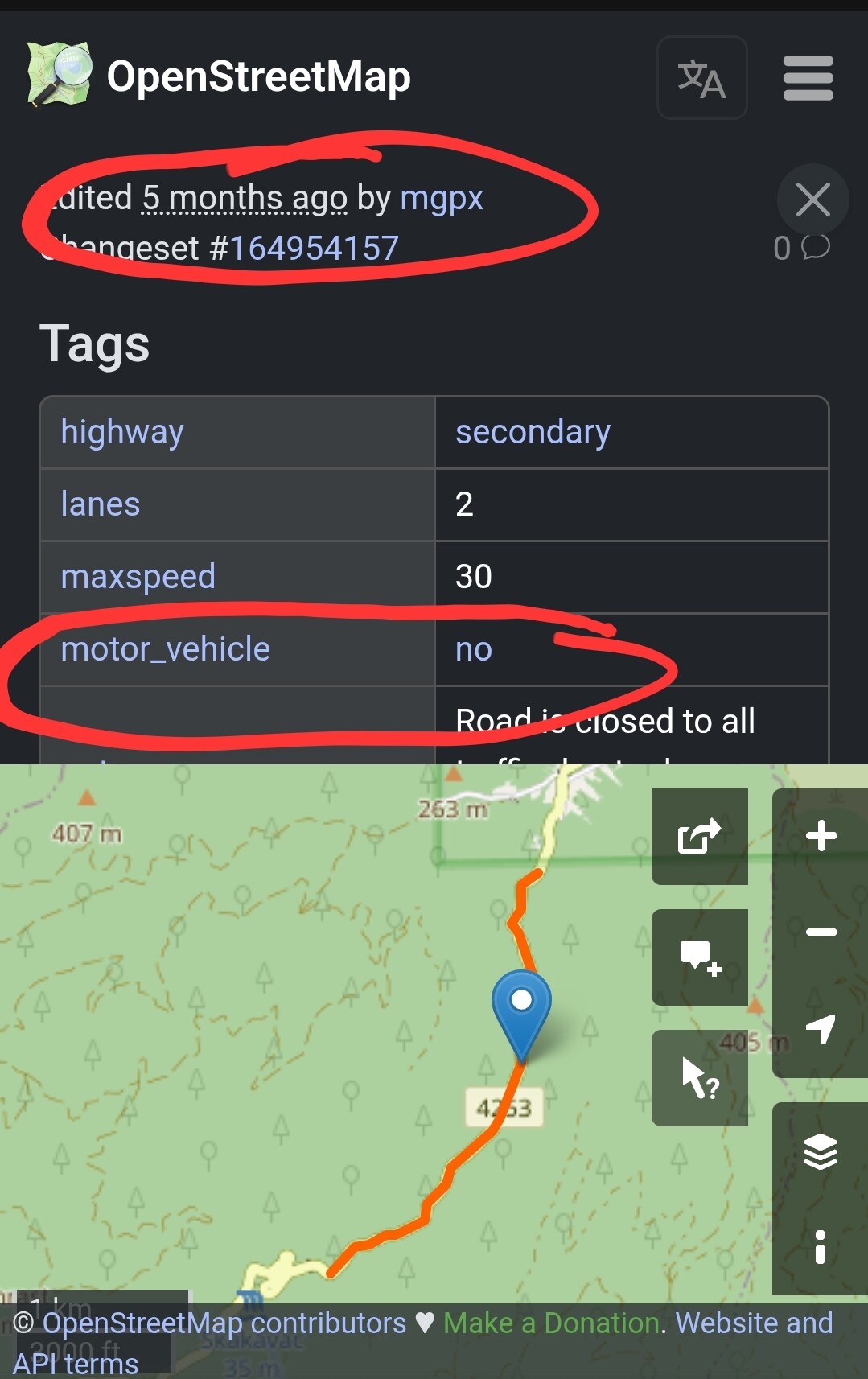
Most likely the road is now closed - we could check the status in open street maps (OSM).
Update:
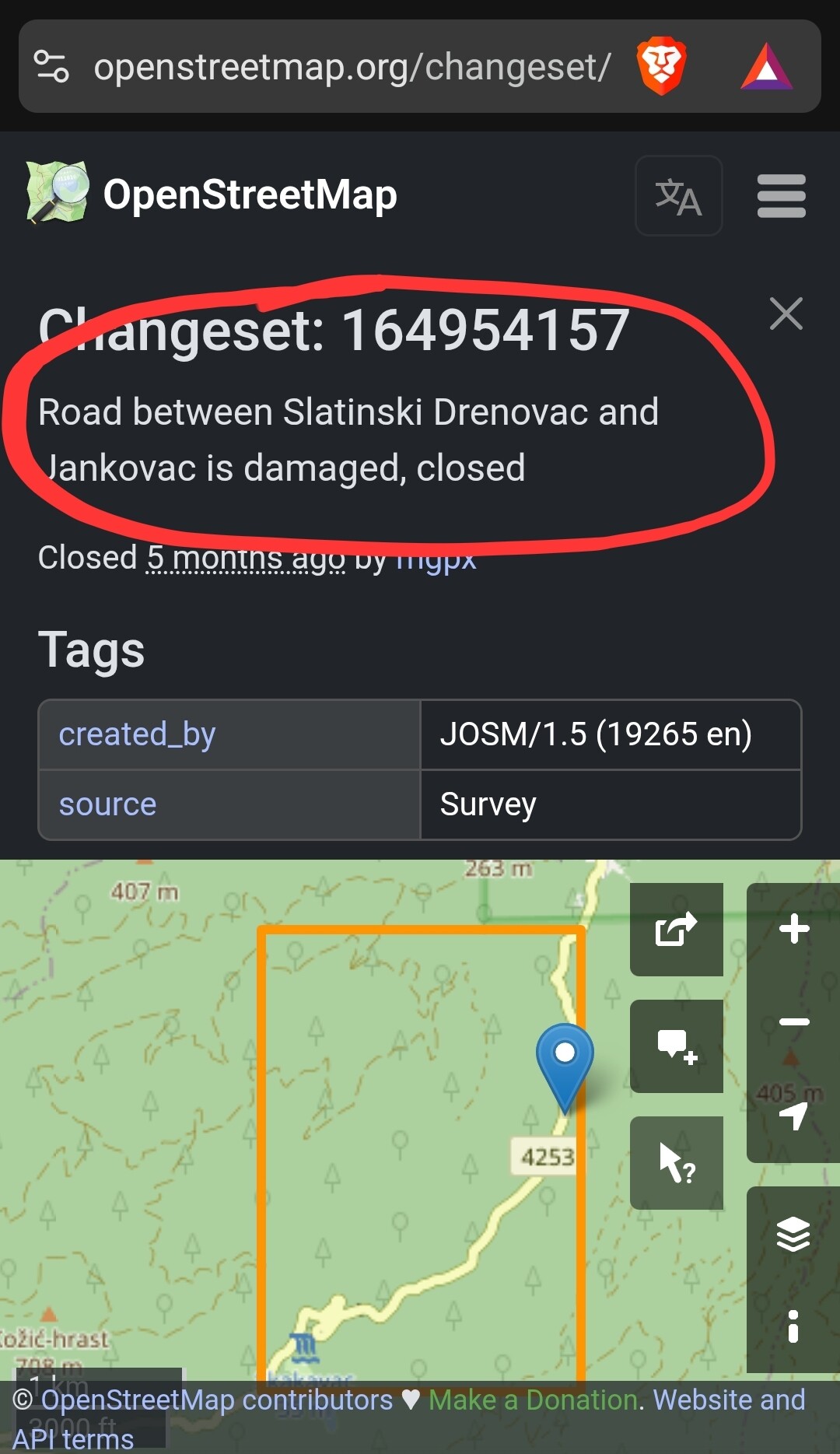
Found it: Changeset: 164954157 | OpenStreetMap
The road was tagged as not accessible for motor vehicles 5 months ago - it is damaged.
Da die Straße Slatinski Drenovac – Jankovac vom 9. August (Samstag) bis 10. August (Sonntag) offiziell für alle Personenkraftwagen gesperrt ist, wird der Transport nach Jankovac mit dem Touristenzug von Slatinski Drenovac aus organisiert.
vom 9. August (Samstag) bis 10. August (Sonntag)
Sollte demnach wieder befahrbar sein.
Graeat, Thank you!
I wouldn’t think of that…(however my wife said it’s probably closed, and I said it cannot be!) I should listen to here more often! 
Anyway, what about the other section, where had and I was able to move the waypoint?
Why it wasn’t keeping that old section untouched?
Why it was recalculated?
Has the algorythm changed?
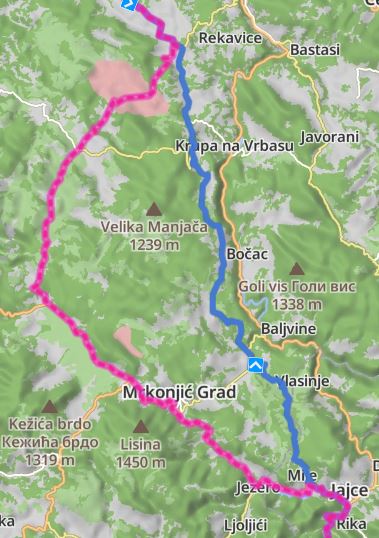
That one is possible:
I cannot tell if the algorithm has changed since, but it is possible that the data in OSM has changed. Feed the same algorithm with different data - you get a different result.
Especially in countries where OSM data is not very detailed (e.g., Balkans), a single speed limit entry may change the result completely. This happens more often than you might expect, especially when you use mountain roads which generally have limited data in OSM.
Hmmm 


Thanks for the answer!
Than is there any possibility to overcome that issue?
I have a year old route, and I “cannot ride it again” - especially I cannot send to my friends - because there is only one option - or I havent found a second one - LOAD, that recalculates immediately, and cannot get to the old route as it is.
Can somehow that incorporated - Loading routes WITHOUT recalculation?
To whom should I suggest?
Because based on this experience I have to export all my maps to GPX, and load it to another system, which looks completely foolish. (And I really like Kurviger as my navigation app)
Any thoughts on that?
Ohhhh…and you can mark the route az ridden, also you can add comments how beautiful the waitress in that bar was, but you won’t find her again, because it recalculated…
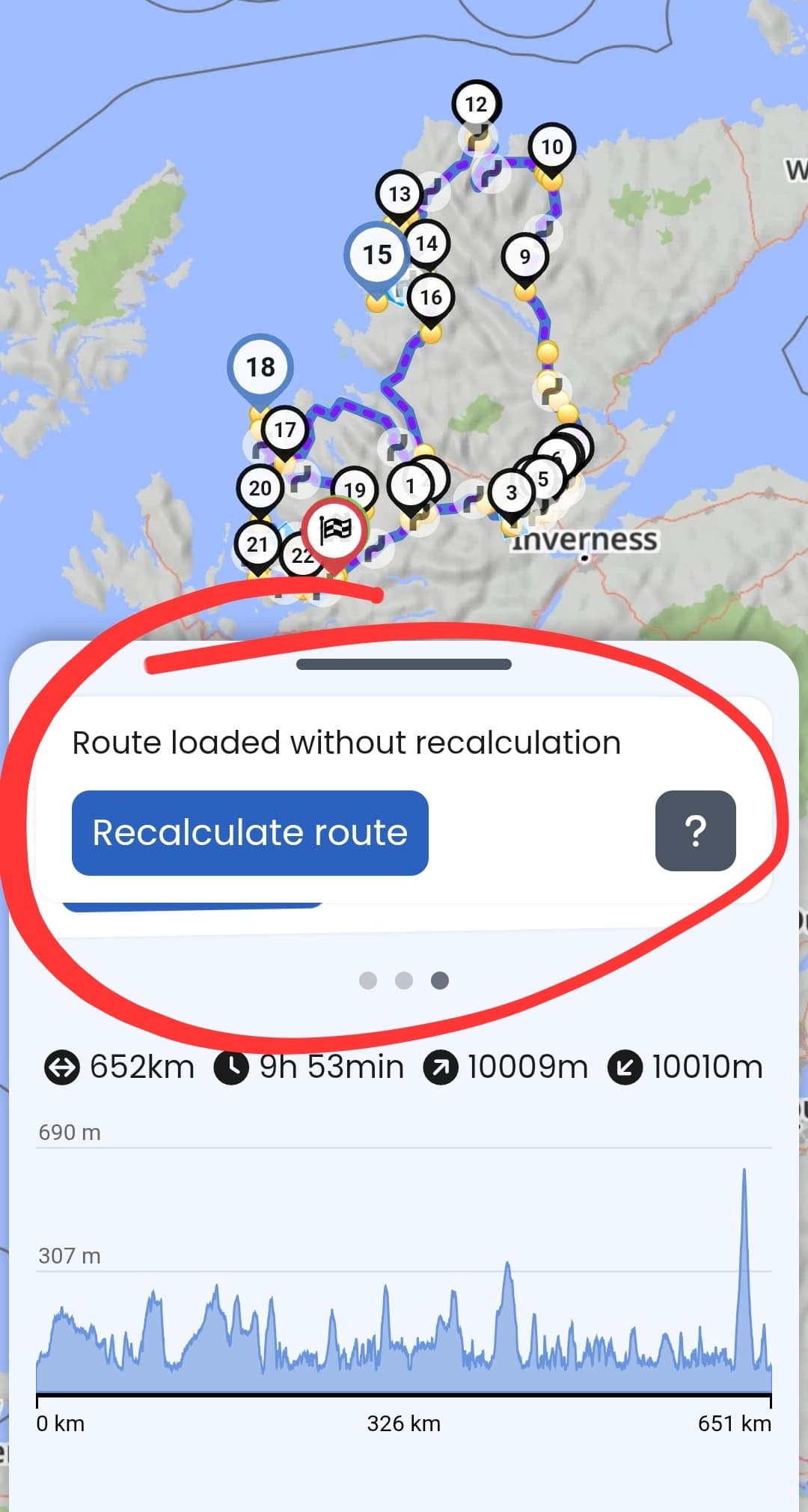
This is the default for all cloud routes for about 6 months. Routes saved before that time require a recalculation. That said, once you change anything about this route it will recalculate. Currently you can only share this route without any changes if you use the .kurviger file. If you use a link, the route will be recalculated (we have this on our list already).
You can use the beeline option (bird icon) to plan a straight line, that way you can connect a road that is marked as closed in the data.
Thank you!
So just to summarize.
Routes saved till early 2025 will be recalculated, and need manual intervetion to get the original route.
Anyway. Keep up the good work!
One hint for “manual intervention” - load the route as overlay first then load the route for editing. This way you can see if there are any differences between original route and the recalculated route.
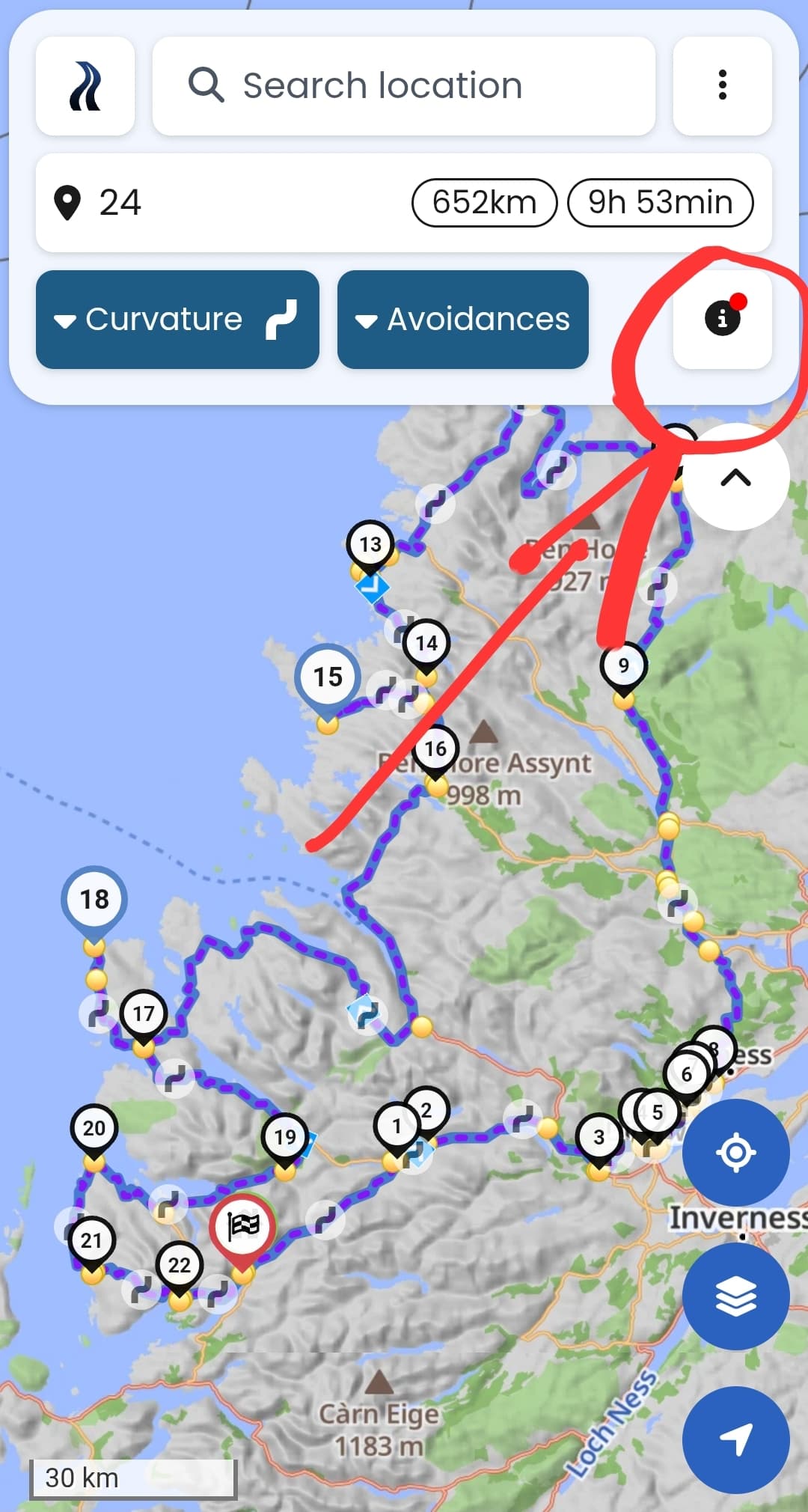
You can see if an older route has not been recalculated under “i” button (you may need to swipe a couple of cards before you find the right information):
I think the entry in OSM probably refering to this road closure:
The road was apparently at least partially repaired and opened, apart from trucks (if I unerstood it correctly):
…which is consistent with announcing the temporary event related closure from 9th to 10th August.
I made a note in OSM, I hope someone will update the data soon.
Thanks for that! I wasn’t aware of this feature.