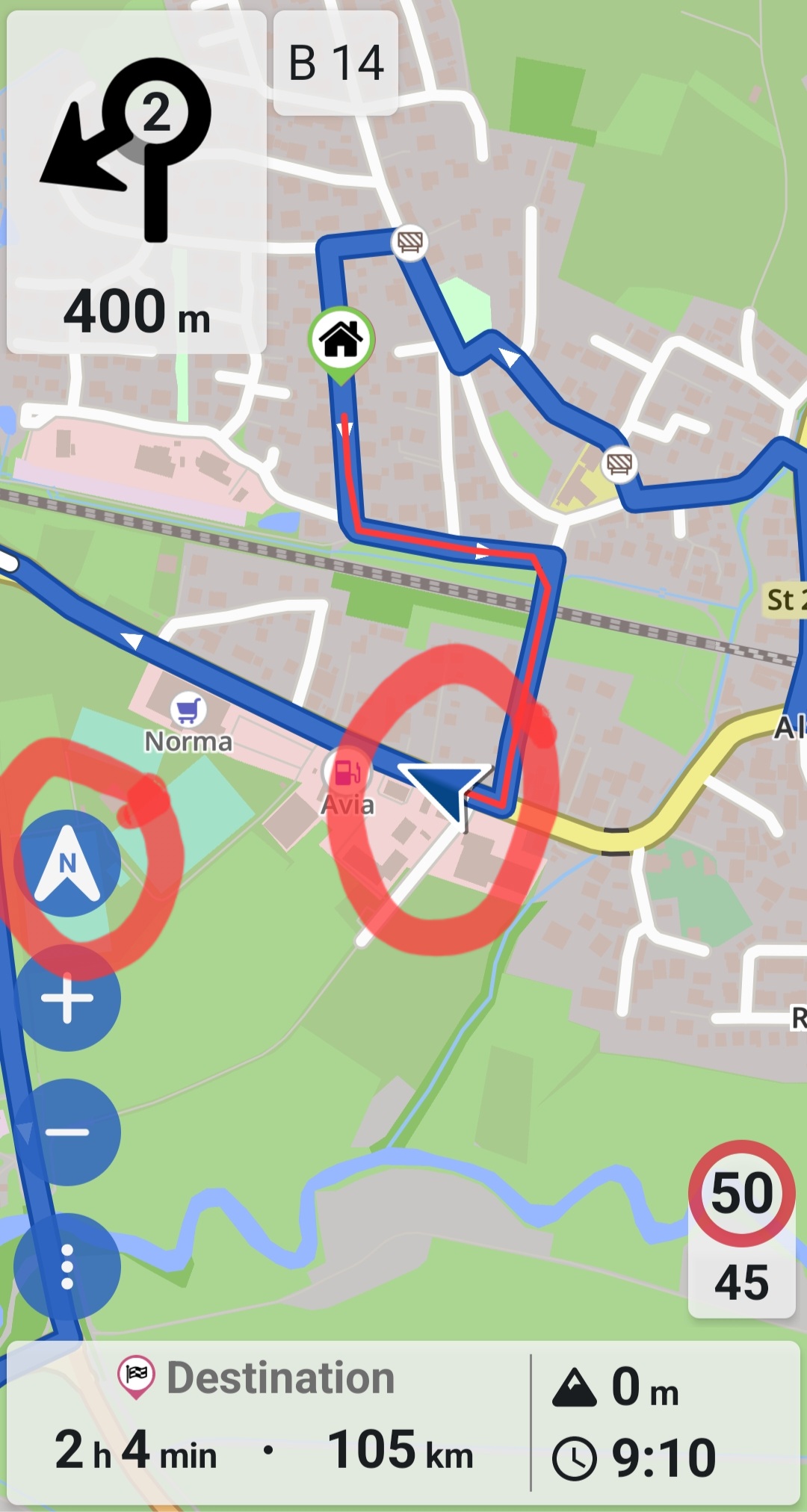
I’m using Kurviger or Kirby as I like to call it on my Android phone and for some reason it’s no longer keeping the map North up.
I’ve checked the settings and I have it set for north up but during navigation, the map spins around. I used Kirby earlier in May of this year for road trip and it kept the map North up but it’s not doing it now.
Hi there! Thanks for your reply. Below is the debug information.
As I mentioned earlier, when I used this app back in late April and early May of this year, it would keep the navigation map always North up. However, now when I make various turns on roads, the vehicle arrow is always showing as traveling upwards on the map whether you are traveling east, west, north or south.
I have gone into my settings and I have set it to North Up but apparently Kurviger ignores this setting when you are in navigation mode.
If it was working properly, North should always stay upwards so if you’re traveling west for example, the navigation arrow (which is your vehicle) would be pointing and moving to the left on the navigation screen. East would show the arrow moving right and South would show the vehicle arrow moving downwards.
At least that’s how it used to work anyway.
OSM date stamp: 8/12/2025
Version: 3.5.9
Device: OnePlus - DE2118 - Android: 12 - WebView: 139.0.7258.94
App-Version: 3.5.9 - 5484
Screen: 320 x 712 px - 3.375dppx
In North-View, the arrow on the compass button is pointing upwards and the navigation arrow is in the middle. Maybe you could post a screenshot to see what it looks like in your case?
Yes that’s how it used to work for me, but it wasn’t doing it recently. I am going to test it again today and see if I can get the app to keep the map north up.