Please improve (iPhone and CarPlay)

Hello,

went on tour yesterday and noticed some bugs and things that should be improved. To be honest, a little disappointed that over winter the usability is still painful in real live circumstances.

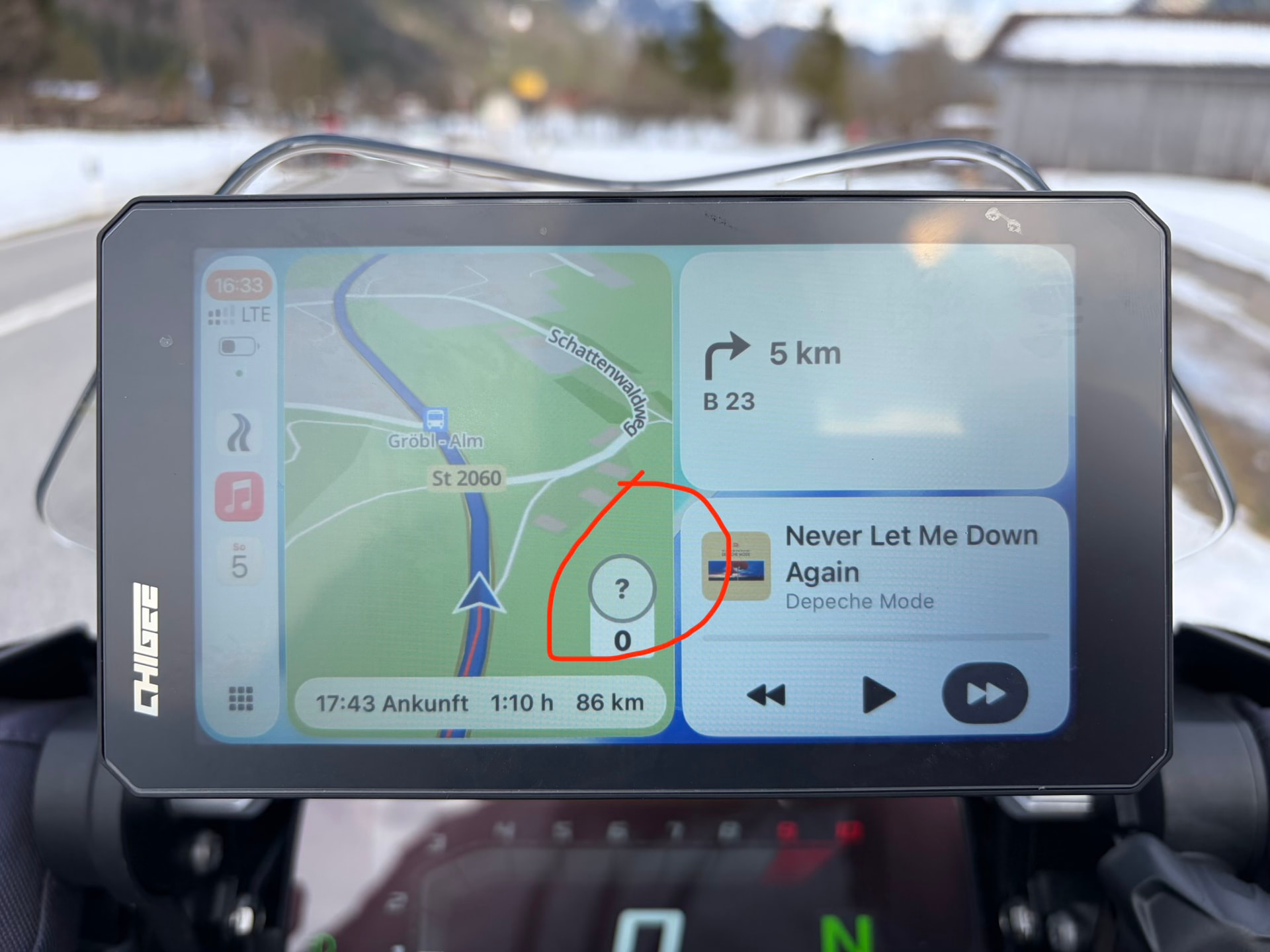
  1. getting the question mark for speed limit in about 15% of time riding and often wrong speed limits (older speed limits (100) now it’s (70) and it displays (100). See screen shot
  2. When using Kurviger in full screen on Carplay, the three dots (for pause e.g.) should be on the left side, since the right hand is on throttle.
  3. Still no drive home/work button on Carplay.
  4. Still no „end“ navigation on CarPlay
  5. Still no select route on CarPlay
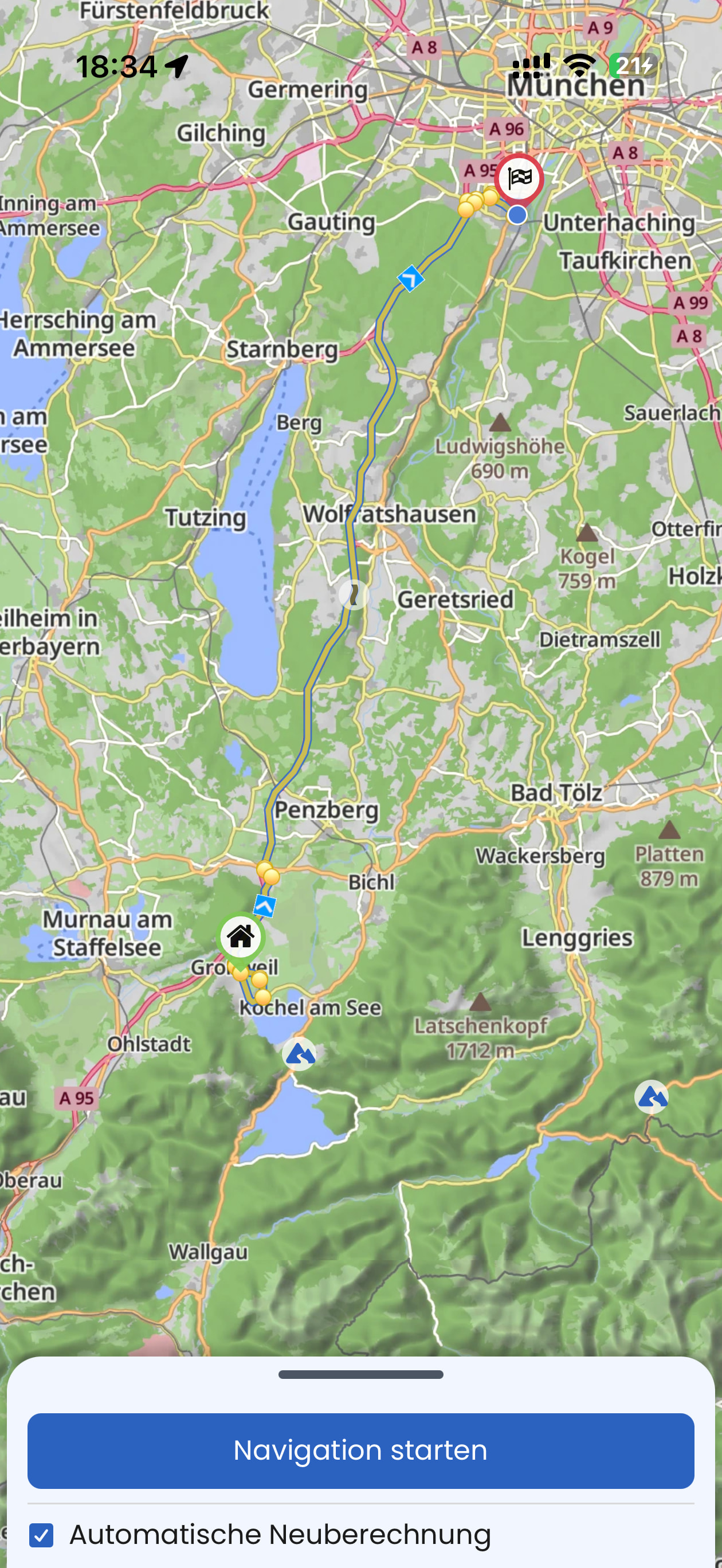
  6. On iPhone I selected drive home and it showed no route on map (see screenshot), at least not in bright sun. At home I figured out why, yellow on yellow streets on map??? Really :roll_eyes:
  7. Stop separating shaping points from way points
  8. Thinner the route line when using CarPlay. When driving fast on tight corners it’s hard to see the next curves. I already mentioned this in the past.

Not sure if I will prolong the abo this month. The app has some good features but lacks on so much which hasn’t been fixed.

Where can I find the roadmap?

best,

Alexander

PS. I hope you appreciate the comments and feedback
Your point 1)

The question mark means that no speed limit is recorded in OpenStreetMap for this section of the route. Kurviger is based on OpenStreetMap (as are many other motorcycle navigation apps; the data in OSM is maintained by the community, and anyone can contribute). This is not a problem specific to Kurviger. If there’s nothing there, nothing can be displayed. I don’t know how other motorcycle apps handle this; perhaps they simply display nothing, which might be less noticeable.

If an incorrect value is displayed, the speed limit has likely been changed and needs to be updated in OSM. The same if no speed limit were entered.

Your point 6)

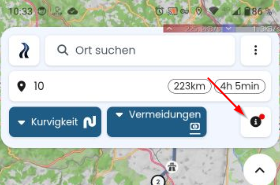
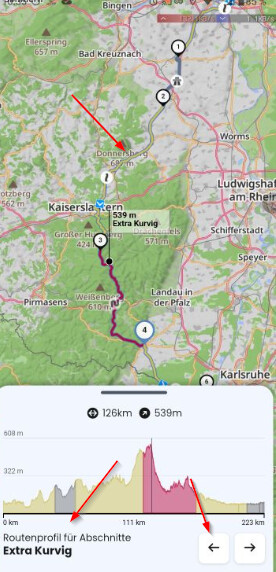
You have chosen to display the route profiles ..

The curvy roads are displayed in this (I must admit - not the best) light brown color. Switch to another view.

Your point 7)

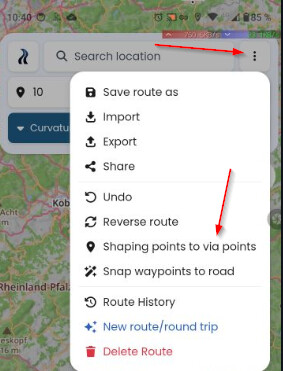
I hope this will not ever happen, as this has so many advantages! Shaping points help you to define the route, while Via-Points mark the important destinations. Shaping points are not announced in Navigation. Shaping points can be skipped automatically.

If you prefer only to have Via-Points you can change all points easily here. This is a toggle to change all points to via or all via to shaping.

There is no road map and no timeline. The developers constantly improve and add additional functions. Sometimes it requires to make changes in the background, what takes also time. But be ensured - they read everything and any feedback is appreciated. The more input, the clearer the picture and priorities.

Not everything is a bug, which has to be fixed. For example the width of the route in Navigation. Sometimes it is only a thing of personal taste.

I tried a lot. To my (personal!) opinion, there is no better app in the sense of flexibility and functionality. Other apps might be easier to learn, but you will miss Kurviger. :slight_smile:

3 Likes

(post deleted by author)

Please no black/white. There is no perfect app for everybody. There are things which you can accept or not accept (adopt). At the end you decide, no need to be angry, it is a piece of software.

What I said is, that the feedback is important, and the devs read everything, but it is also important, that other users give feedback, if they have the same issues. So, yes, please tell. At least at my end, I understood it is important for you.

I wrote “OSM-based” navigation apps - If there is no data, then they display nothing or they guess. As I wrote, I do not know exactly, how they do it. Perhaps others can tell. If your requirement is that everything is nearly perfect, then apps from the big players might fit better for you.

You may do it. I can live with this, and I also map for OpenStreetMap in my free time. The quality of OSM seems at least good enough fro many apps, map on many Websites, Deutsche Post ..

I took this only as a placeholder / example. As I have no CarPlay, I answered nothing from these points.

I agree with you. I mentioned this light color already some time ago. Thanks for this, would also help me! It is better visible on another map style in planning.

Then you will know, it is a way ..

Happy customer.

I gave you also some hints? Sometimes I must work with the things I have and not what comes in the future. There are also things which I consider as far from perfection.

Is this constructive?

3 Likes

Thanks for the feedback. We are constantly adding new features and improving our app. That said, we can’t do everything at once. Toffel has replied to quite a few things already, I will pick a few more.

We are limited to the options that are provided by CarPlay. We can’t move buttons as we like, we can only use certain spots.

You can end the navigation in the “…” menu.

We are getting mostly requests for a thicker route line, so I guess everyone has a different opinion on this. This could also depend on the device used.

I agree, there is always something we could improve, sure.

(post deleted by author)

Now, please don’t go overboard. Suggestions for improvement are important and are taken seriously, but jumping to those conclusions right away is inappropriate. There are hundreds of thousands of users who are very satisfied with Kurviger, and that has nothing to do with colors or line weights.

Kurviger is an ecosystem.

3 Likes

The line is not ALWAYS to thick.

When going rather fast in several tight corners, the App zoomes out because of the speed; therefore the line becomes thicker and the next tight curves cannot be seen properly because the line is to thick and is covering the next and the following corners.

I hope this explains it better. Google and Apple Maps thinner the lines when being fast in tight corners so that you cal better see the next corner following.