Hi
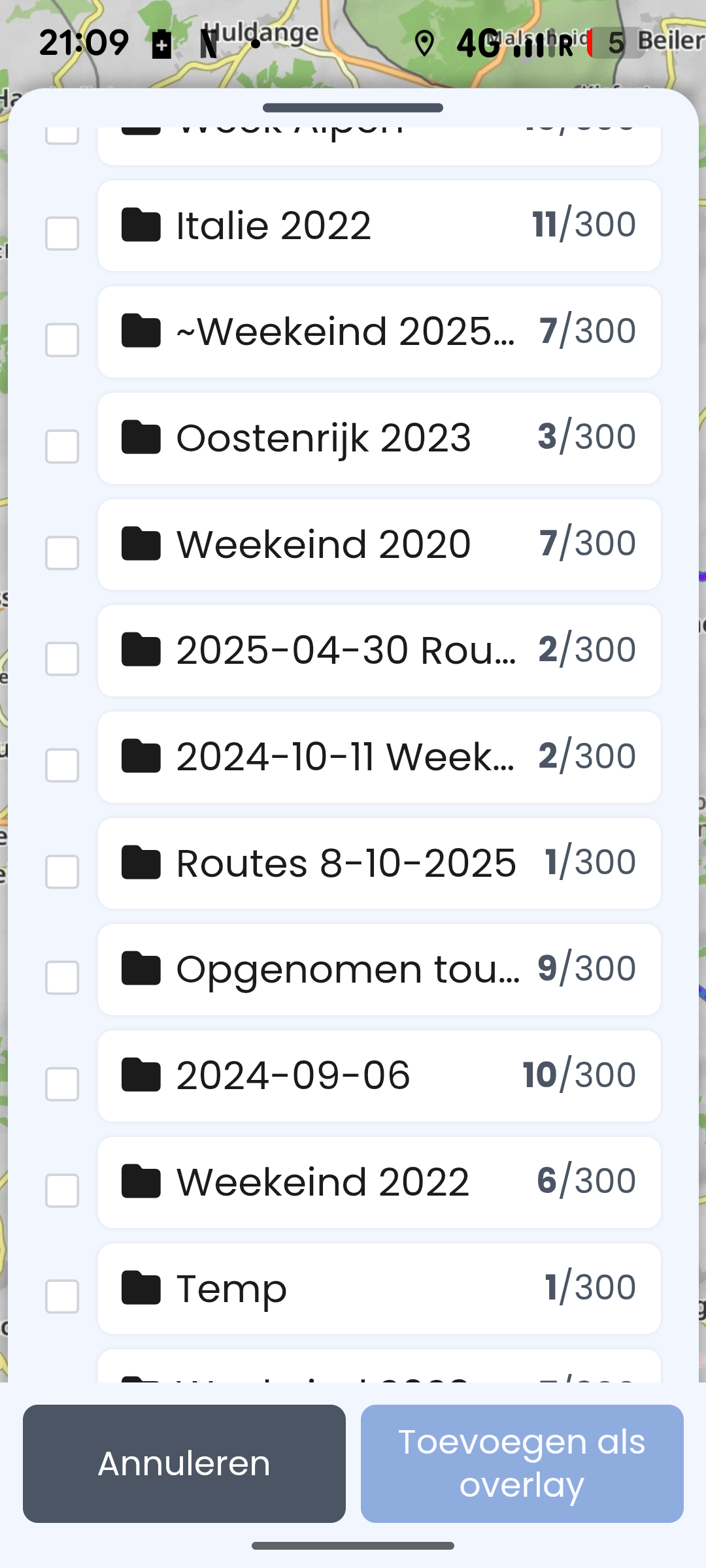
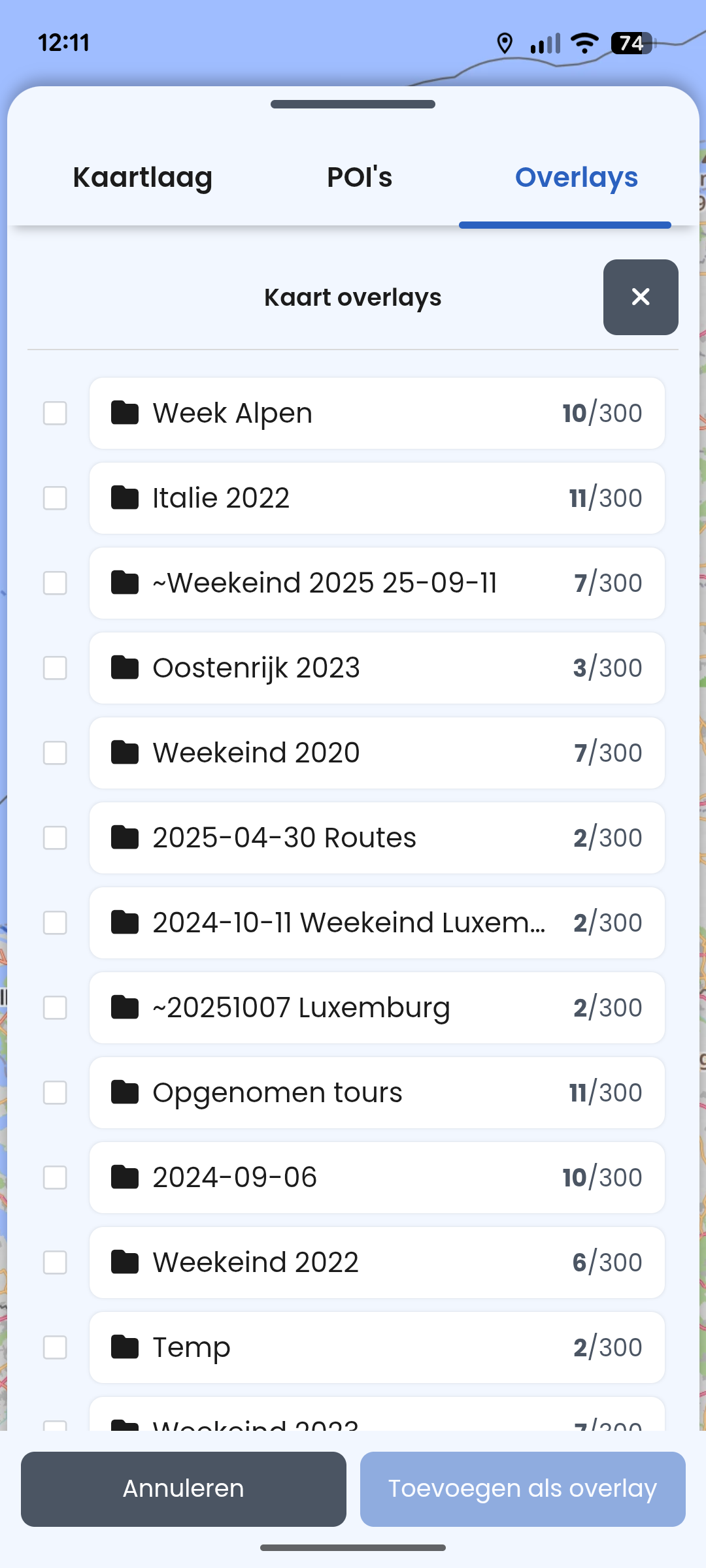
I can’t load the last created cloud folder as an overlay
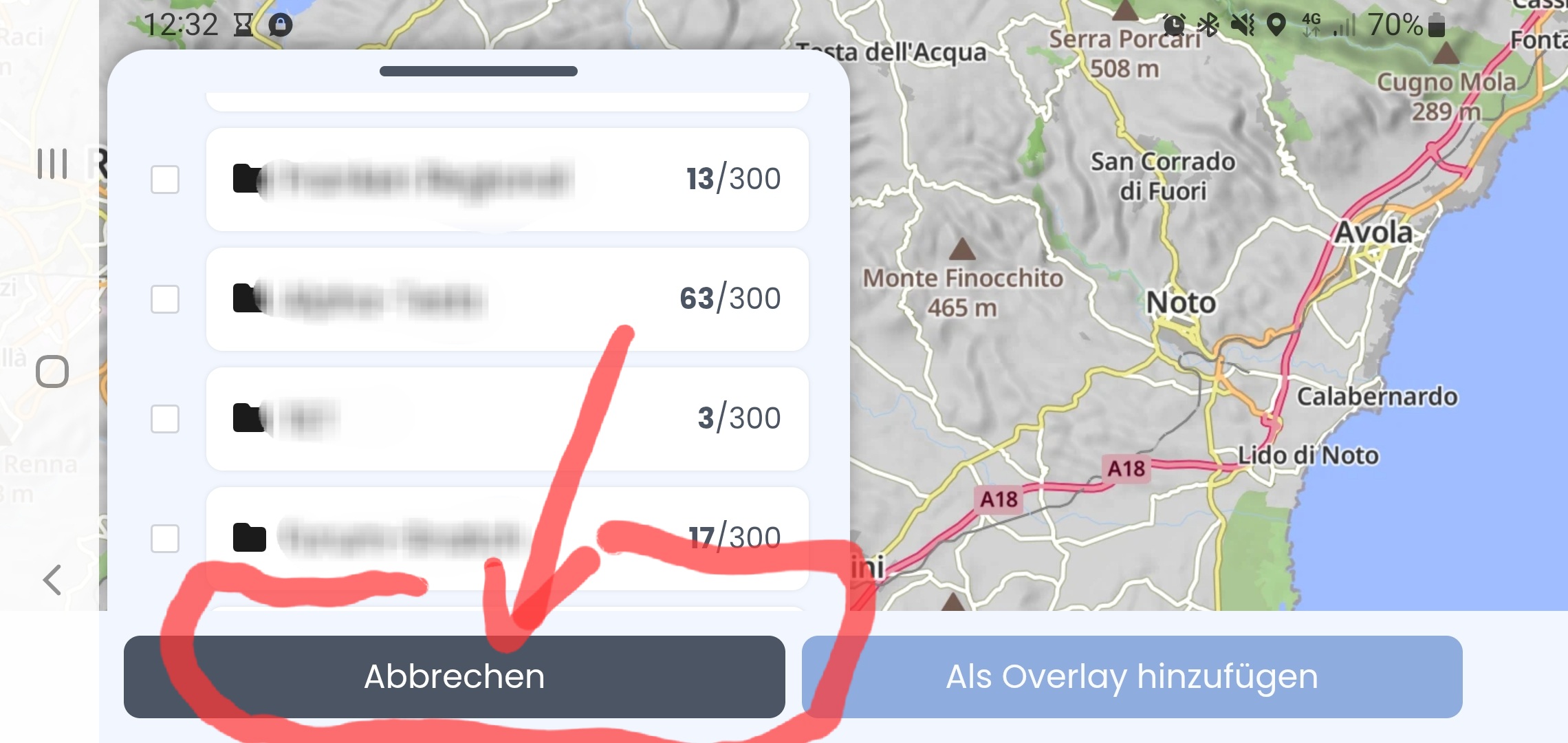
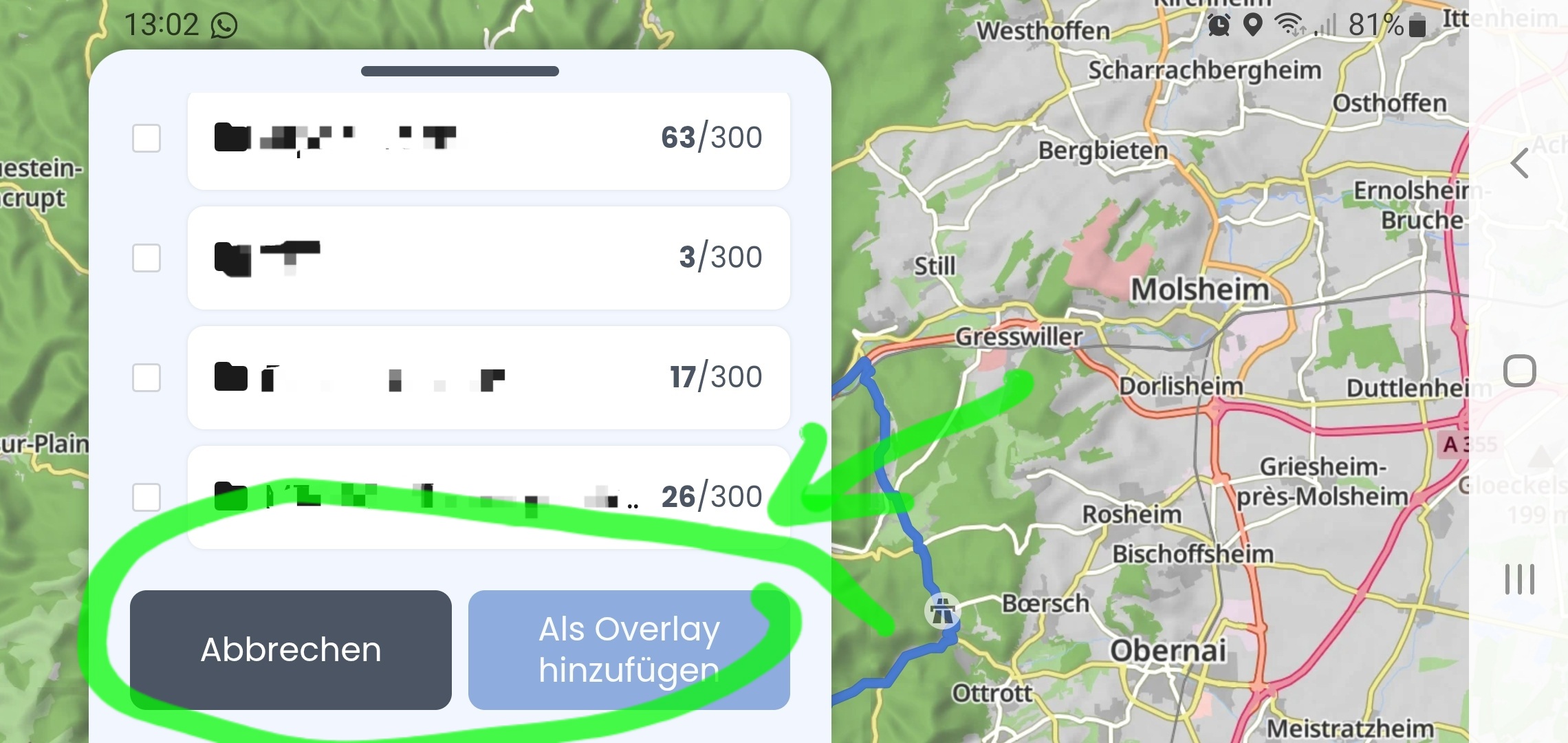
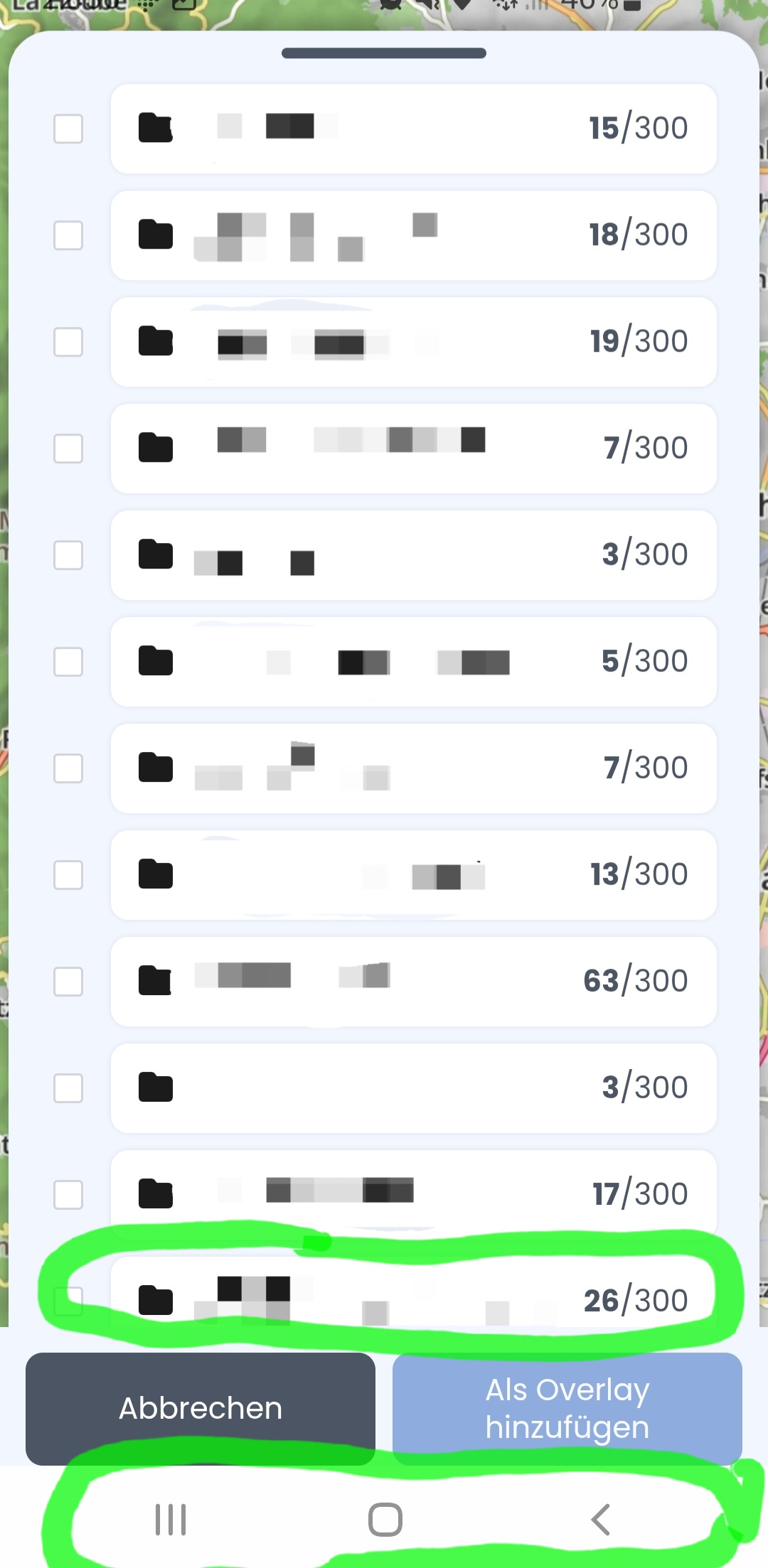
It is covered by the buttons Cancel and add as Overlay
See picture
It looks like you’ve increased the font size in your smartphone settings, which is why everything in the app is no longer optimally sized. I could reproduce the view and problem from your screenshot.
Although the app is optimized for “default” font size, scrolling should still work properly (to the last item in the list) with a larger one. We’ll have a look at it. But in the meantime you can definitely use the workaround as @Hampic suggested 
Thanks,
I wasn’t aware of that.
But you are right.
Thanks for the help
Thanks
That also works
Merkwürdig… ich kann es nicht nachstellen. Weder im Hoch- noch im Querformat. Ist das auch nach Neustart der App so? Was passiert wenn ein weiterer Ordner angelegt wird (welche Anzahl Ordner habt ihr zurzeit)? Soll so jedenfalls nicht sein.
Strange… I can’t reproduce it. Neither in portrait nor landscape format. Is this also the case after restarting the app? What happens when another folder is created (how many folders do you currently have)? It’s not supposed to be like this.
In my case, it depends (I restarted the app before the experiment):
if I open the overlays menu first and then rotate the screen to landscape mode - then it looks like - the buutons are outside the window (non-scrollable) and the last entry is covered.
If I open the overlays menu while the device is already in landscape mode then it looks like this - buttons are in the window and scroll with the list - everything is visible:
Similar situation with buttons happen when I open the overlay menu in landscape and then rotate in portrait. In this case, all entries are visible but there is some white space between the last entry and the buttons.
On @Castellum device, the problem might be caused by the hidden Android buttons at the bottom of the screen (switch, home, back). I remember we discussed this already in another topic, but cannot remember exactly what it was.
Thank you. I still cannot reproduce the partly visible or hidden folder issue but we’ll have a look at the strange button behavior when switching between landscape and portrait.
I can reproduce the problem described by @Castellum . It is a different issue to screen rotation, so there are two bugs that have to be investigated and corrected.
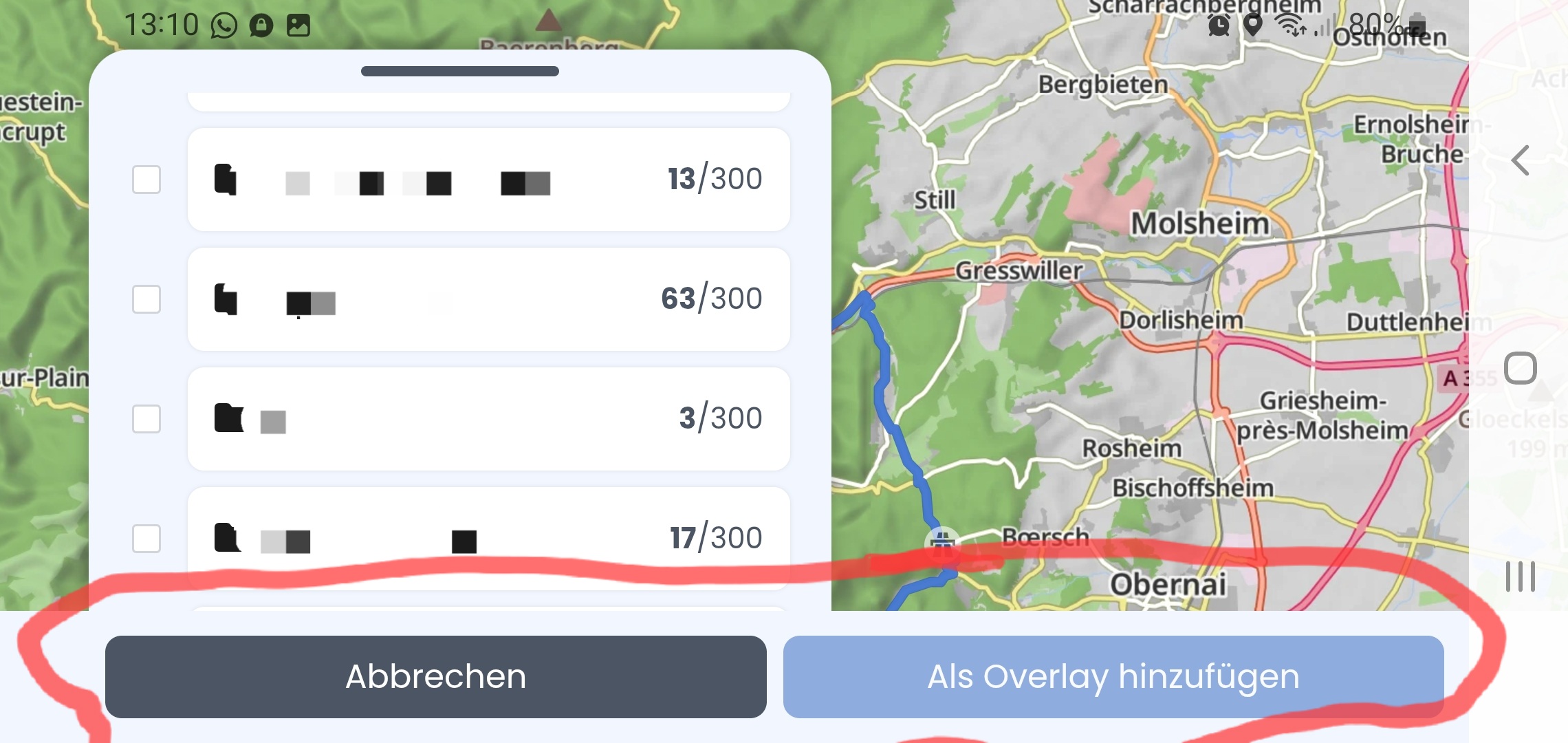
On the left screenshot (green markings) android navigation buttons are displayed and the last entry is almost completely visible and can be selected.
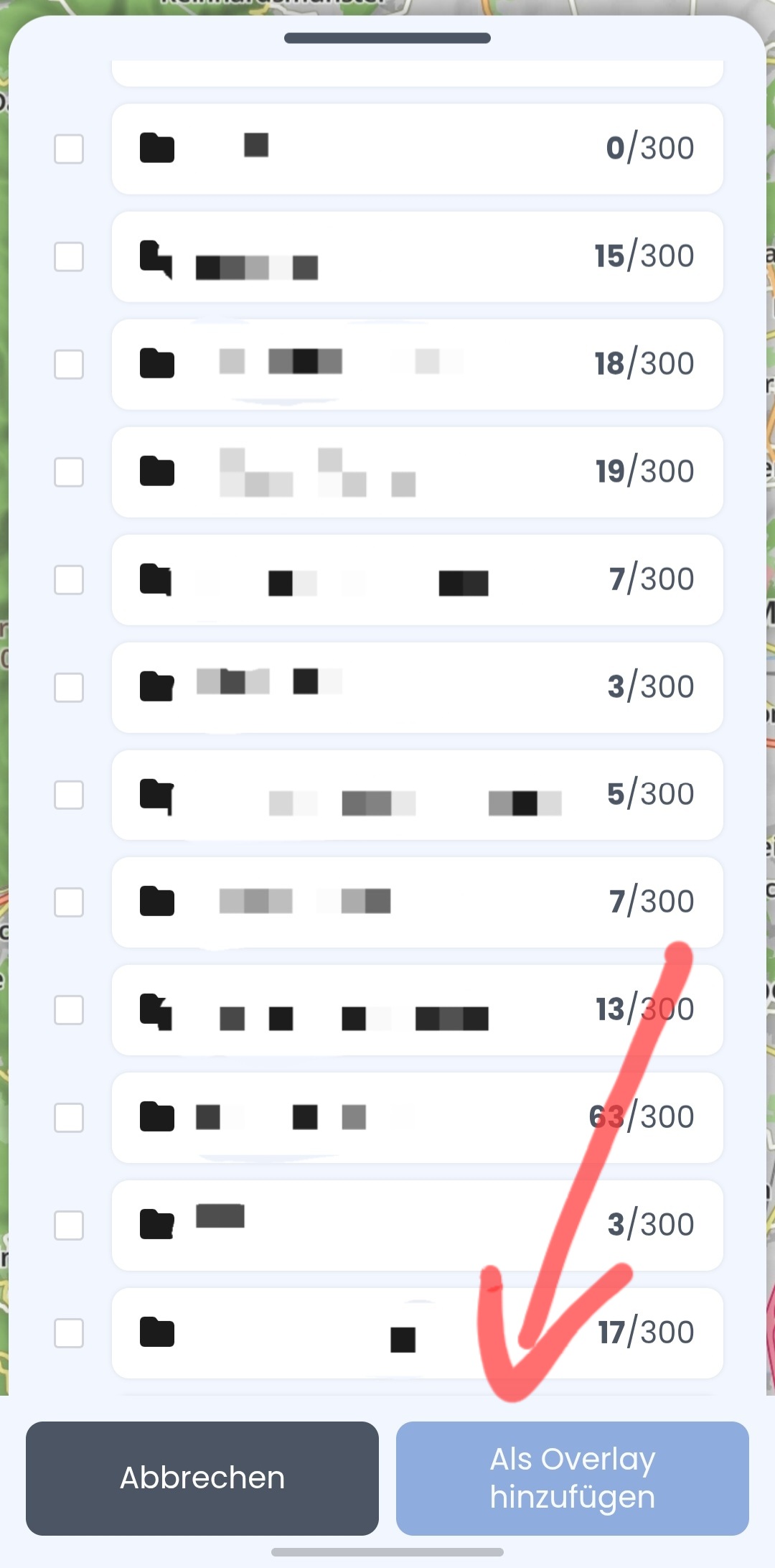
On the right screenshot (red markings) Android navigation buttons are hidden and the last entry is completely covered by Kurviger buttons.
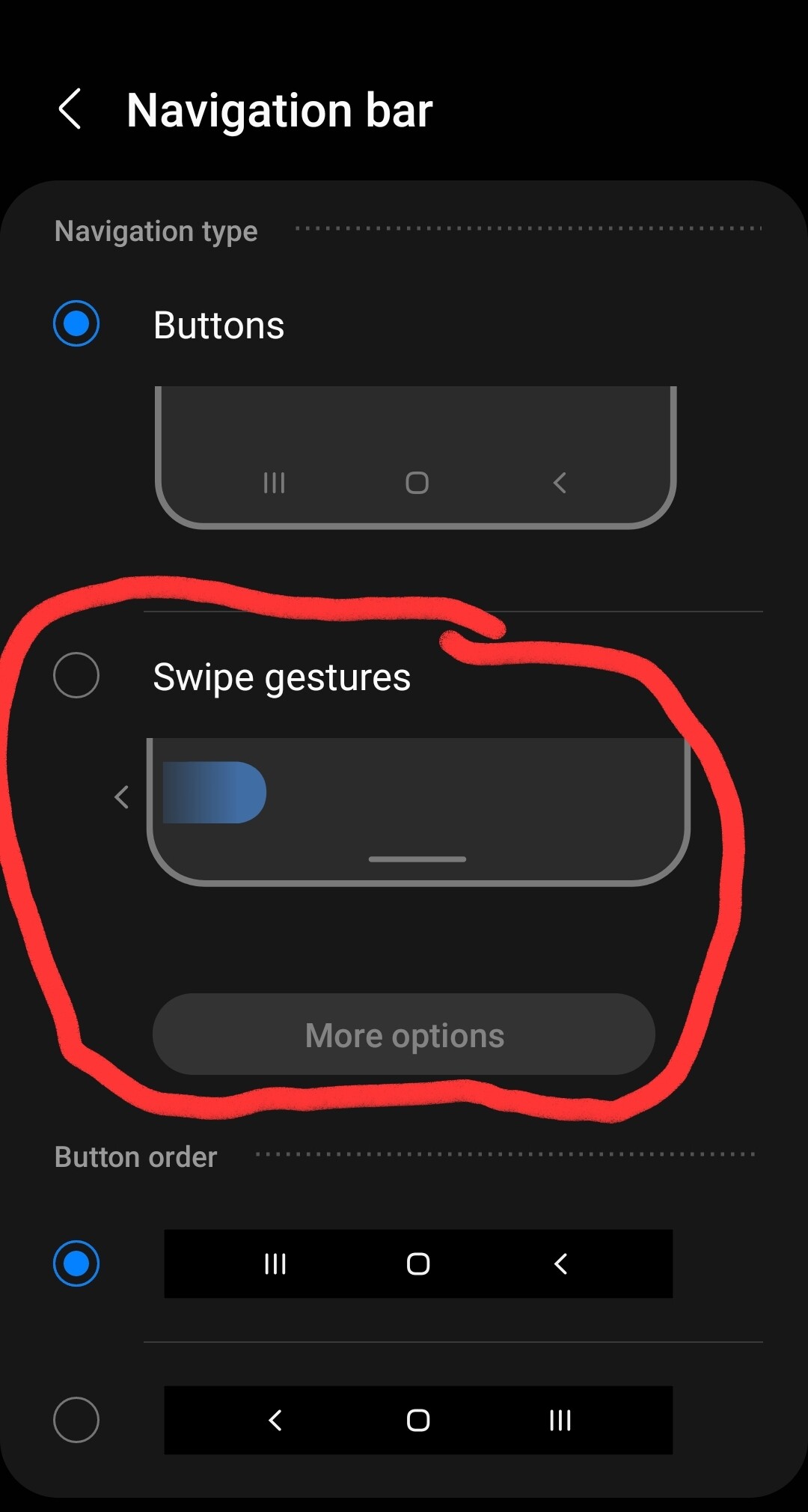
The problem is present if the “Swipe gestures” is selected in the settings:
@boldtrn should be familiar with this issue (maybe in another menu) if I remember correctly.
Thanks for checking
Interesting, we will have a look, thanks for letting us know.
This will be fixed with the next update