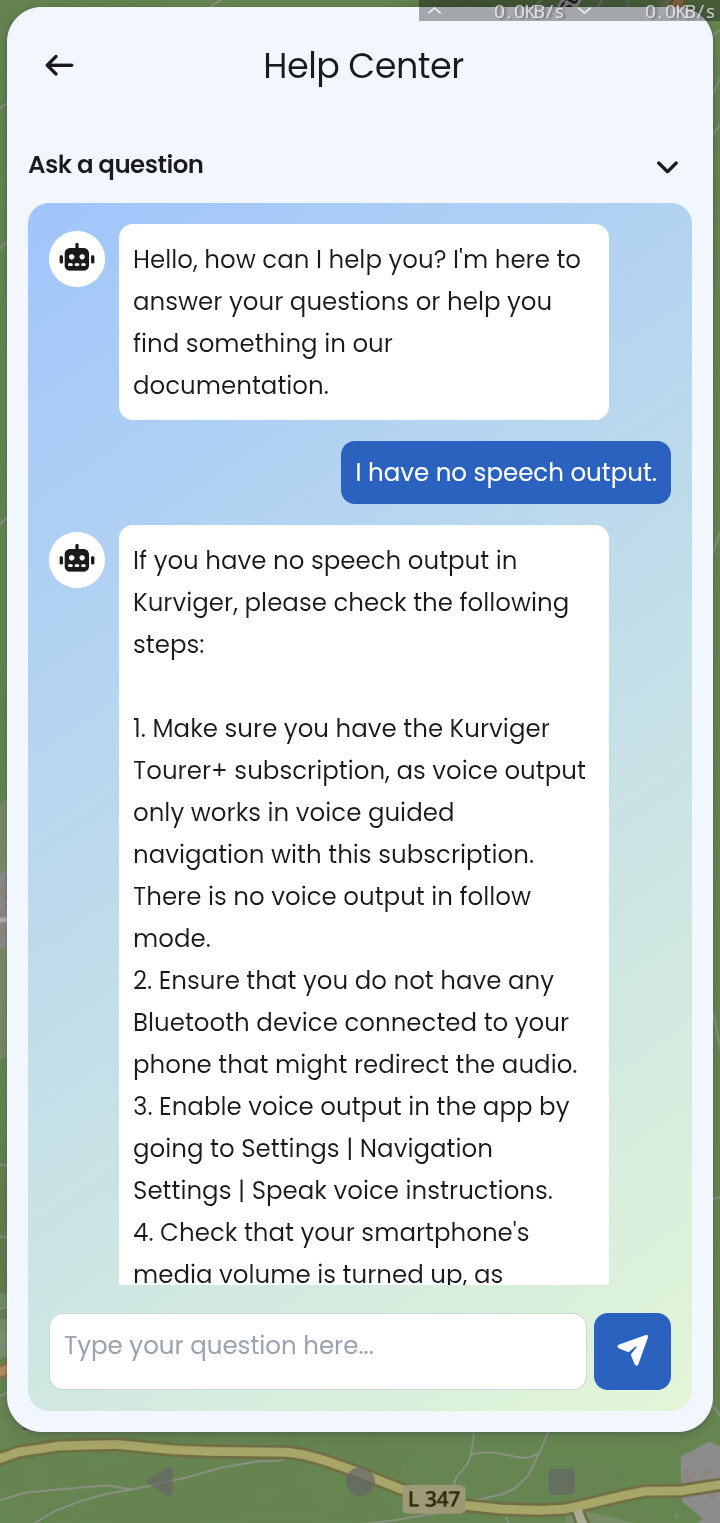
Bonjour,
J ai Tourer+ et je n entends aucune notifications sur le telephone, ni sur l intercom.
Les options vocales sont activées. J ai essayé avec Waze et j entends bien les instructions dans waze.
Bonjour,
J ai Tourer+ et je n entends aucune notifications sur le telephone, ni sur l intercom.
Les options vocales sont activées. J ai essayé avec Waze et j entends bien les instructions dans waze.
Hallo @greg,
Please check which channel you have set in the Kurviger app for the voice output.
If you’re on a channel that you’ve muted, you won’t be able to hear the announcements.
I have verify the output and it is good. The channel is on “music”. I ve tried all the other option output, but the issue still exist.
I ve tried with my intercom cardo, (not sena, sorry), doesn t work, and without intercom with the output of the phone in my car, same issue.
Please check the volume settings in the Sena app. You might also find my post below helpful; you can use a browser to translate it. Can you listen to music on the Sena from your smartphone?
Thanks for taking time with my issue. I have no sena apps. I have a cardo intercom freecom X2.
Thanks for the link of your post. But I think before checking the sound with the intercom, I have to resolve the issue without the intercom. I look for why kurviger have no sound using classicaly like Waze. When I use MAPS or WAZE, I have sound on my phone (and in my intercom). I have read on kurviger website that when we use the free version, there is no sound. I ve tried before kurviger with the free option before subscribe to Tourer+. May be the reason ? I ve tried to uninstall kurviger and reinstall it, but same issue.
Does kurviger use an external app to send sound, maybe an app I have not authorise to send sound ?
Thanks.
EDIT : Does the simulation option display/send sound for testing a roadbook ?
The “sound” you’re referring to is the navigation prompts aka. the voice guidance in the navigation, and the navigation is only available with a Tourer+ subscription.
Yes it does. Can’t you hear any navigation prompts when you start the simulation, as described here?
Please load a route on your map and start the navigation or the simulation and immediately press the smartphone’s upper volume button. You should see media volume being turned up and hear something from Kurviger then.
What device do you use? Have a look at this guide for help too. There you find some helpful tips!
No, I don t hear nothing, but the sound is at his maximum.
Finally !
like described in this post : I can't hear any voice output / turn instructions [Kurviger Knowledgebase]
Speech Recognition & Synthesis MUST BE INSTALLED AND ACTIVATED ! (for those who have the same issue)
Incredible that we have to post the problem on a forum to find this info. Prerequisites must be in tutorial of the app installation.
Thanks KIRA for help appreciate. Hope this post can serve to others.
I guess you stumbled across my post that’s linked there? The best proof from you, that a comparison with Waze or some others is not valid, as these use not the system’s capabilities, but use some other way.
Kurviger just sends “Speak this text”, the rest is done by the phone. This was written here in the forum so often and only a few believe it.
But stepwise analysis is always required, before it gets complicated. Kurviger cannot do support for every user’s phone, which is not under control of the Kurviger team. So it is good way to ask here.
Use for example this testroute in simulation:
First and second waypoint contain very long texts, so you have much time to press buttons on your phone).
–
Use the same testroute in simulation, when you setup your headset. Most headsets can only change volume while there is some sound. The only reason for these long texts - to give you time for handling the headset. And also this, only a few believe.
Thanks for your efforts and the big letters. I will bookmark it. 
Edit
The Kurvy-bot in the help center is always helpful, as Kurvy knows all the Docs. Impressing.