Hi all,
When i downloaded a round tour track with , for example 40 wayponits. I want the start and finish around wp 20. So how to get start and finish around wp 20 and the numbers in the wp starts with 1 after start and ends with 39 before finish?
Thanks Arie
Quite easy:
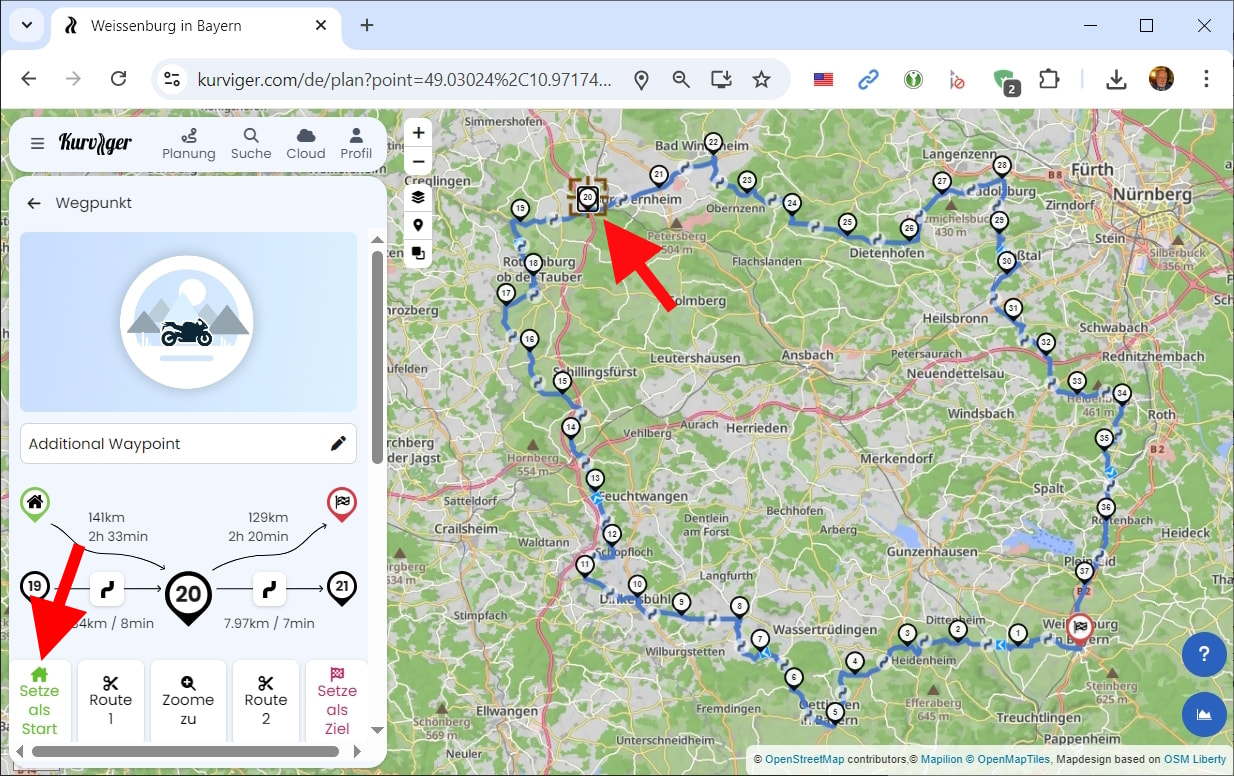
Select WP20 and set it as Start:
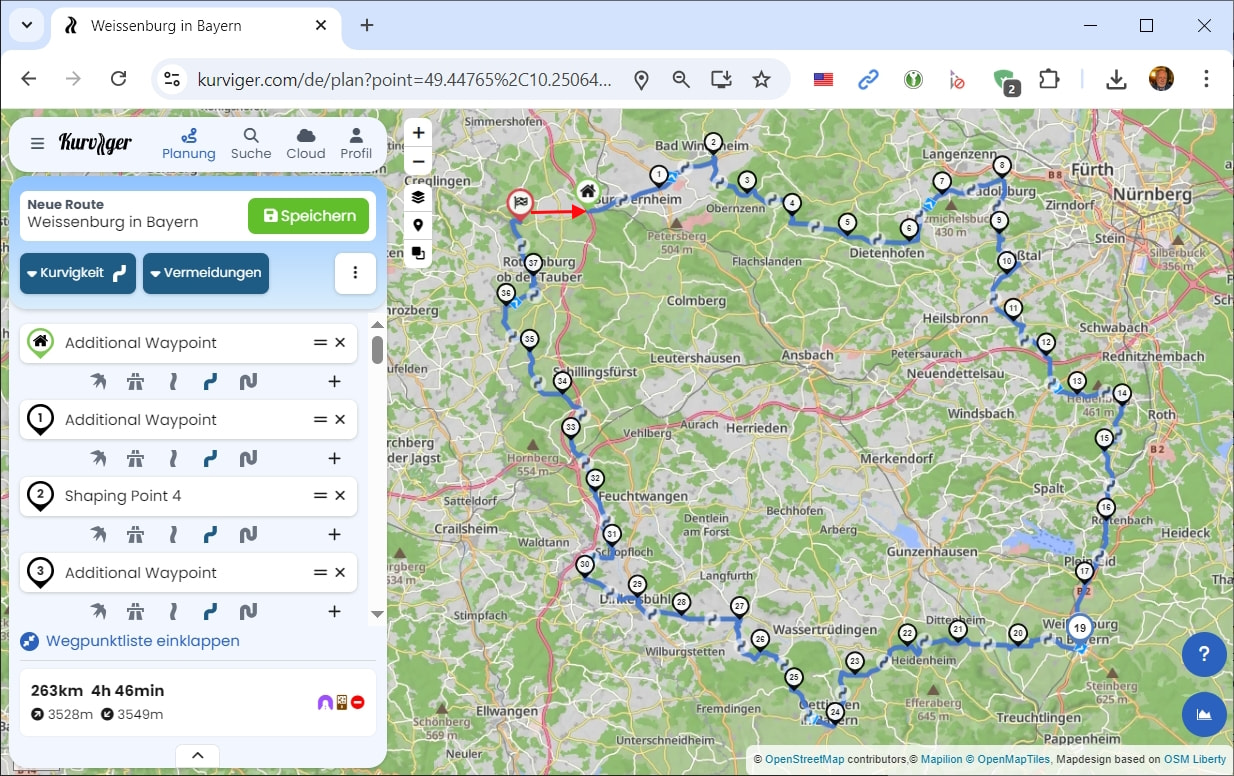
Then all waypoints are renumbered and the last becomes the new destination:
Move the new destination to the former WP20 - that’s it!
Or right-click to set a waypoint very close to the new starting point and tap on “Extend route to”.
Hi Zaphod 42,
i, am making my routes on an ipad..maybe thats the problem. I don,t see the choice to make this wp as a start.
Will try it again on my windows computer. Thanks for explanation, indeed it looks quite easy
Arie