Ich bin als Anwender der Kurviger App neu hier und konnte zum Thema “Route umkehren nicht möglich” leider nichts finden. Nach dem Erstellen einer Rundtour lässt sich, anders als das im Menü suggeriert wird, die Route auf dem Handy von der Richtung her nicht umkehren. Woran kann das liegen oder soll das nur am Pc möglich sein? Ich habe diese App, wie auch die vorherige, schon einige Male ausprobiert und bin noch nicht überzeugt. Wer kann mir einen Tipp geben?
Route umdrehen geht bei mir:
-
Nach “Route umdrehen” geht es jetzt
gegen den Uhrzeigersinn
Du kannst aber nicht erwarten dass die umgedrehte Route 1:1 der ursprünglichen entspricht.
Das ist aus verschiedenen Gründen nicht möglich z.B. Einbahnstraßen, Abbiegebeschränkungen etc.
Hi zurück und danke für deine Antwort.
Schön, wenn´s bei dir geht. Wie beschrieben, funktioniert das bei mir nicht. Dass die Route beim Umdrehen etwas anders verlaufen kann, ist mir von anderen Navi(-App)s schon bekannt. Außerdem erwarte ich nicht viel, nur soviel, dass die einzelnen Optionen in der App funktionieren. Zum jetzigen Stand überzeugt mich die App jedenfalls noch nicht.
Rundtour umdrehen geht gerade nochmals probiert.
Erster Tipp: Sich mit der App vertraut machen. Z.B. Lesen der folgenden Doku:
DE: Erste Schritte mit der Kurviger App [Kurviger Knowledgebase]
EN: First steps with the Kurviger app [Kurviger Knowledgebase]
Hier ein Screenshot des zugehörigen Abschnitts mit Kennzeichnung der Bedienschritte:

(1) Antippen des 3-Punkte-Icons
(2) öffnet das zugehörige 3-Punkte-Menü
(3) Im Menü den Menü-Eintrag “Route umdrehen” antippen
Bei mir funktioniert das Umdrehen der Route. Wie bereits weiter oben beschrieben, kann die umgedrehte Route andere Streckenabschnitte berücksichtigen als die ursprüngliche Route. Wenn man mit Kurviger vertraut ist, kann man solche Abweichungen durchaus um einiges einschränken. Hierzu ein weiterer Tipp:
Zweiter Tipp: Wenn es bei der umgedrehten Route starke Abweichungen von der ursprünglichen Route gibt, kann man diese Abweichungen durch folgende Schritte reduzieren:
- Ursprüngliche Route wieder herstellen (z.B. durch Rückgängig machen, oder nochmaliges Route umdrehen).
- Auf der ursprünglichen Route an einem oder mehreren Streckenabschnitten zusätzlich an geschickt gewählter Stelle jeweils z.B. einen Shaping-Point setzen. (ACHTUNG: Bei getrennten Spuren oder Einbahnstraßen möglichst keine Shaping- oder Via-Points setzen, bzw. Fahrt-Richtung der Spur oder Straße beachten.)
- Funktion “Route umdrehen” ausführen
Bei Bedarf obige Schritte wiederholen.
Mit entsprechender Übung gelingt das ziemlich gut, ohne all zu viele Wiederholungen oder zusätzliche Shaping-Points setzen zu müssen.
Rundtouren umdrehen funktioniert.
Um die Sache hier zu vereinfachen, teile bitte Deine Route via Link, die nach Deinem Test nicht umzudrehen wäre.
Lade bitte keine gpx.Datei hoch, sondern teile den Link.
Still not working correctly. When reversing the route, a significantly different path is calculated, which cannot be explained by one-way streets, etc. (for example, a large city is bypassed, but after turning around, it goes right through the middle). In this state, the feature is not usable in a meaningful way. Please fix.
Hello @Wickinger,
I understand that this is a bit confusing and might seem like something isn’t working.
Warning, it’s about to get a little technical: Kurviger calculates a route from Start → X → Y → Z → Destination. If you now reverse the route, Kurviger calculates it from Destination(now Start) → Z → Y → X → Start(now Destination). The route between your waypoints is calculated based on your settings (e.g., “curvy” and “avoid ferries”). This can look significantly different in one direction than the other.
If you might only have Start → X → Destination, the algorithm has a lot of flexibility when reversing, and depending on the region, one direction will deviate more or less strongly from the other.
It’s best to use a few more Shaping Points (the black waypoints that shape your route) if you want to reverse your route and ensure it uses the same roads as much as possible.
Moin 
I recently had the same issue where a round trip couldn’t be reversed. It was a very simple, short tour with just one waypoint.
I tried to reproduce it, here is the result:
If there is only one waypoint in the route, reversing doesn’t work. If you add a second waypoint, it works.
Screen recording:
If it’s not a round trip, also with only one waypoint, reversing works.
Rotating a round trip with an additional point works exactly the same as with an open tour, as described by @Kira
Open tour: Home - Gas station - To the BBQ party
Reversed: BBQ party - Gas station - Home
For a round trip: Home - Gas station - Home
Reversed: Home - Gas station - Home.
The reversed round trip with an additional waypoint is simply the same.
The misconception is that route calculation does not reverse the direction of travel, but rather the order of the waypoints. The route is calculated between the waypoints, and only then does the direction emerge.
If another waypoint is added, it works because the tour and the reversed tour no longer yield the same result. And that creates a direction.
For a round trip: Home - Gas station - BBQ party - Home
Reversed: Home - BBQ party - Gas station - Home.
The explanation makes sense and is completely understandable from a technical standpoint. After all, I did confirm that it works with an additional waypoint.
However, I wouldn’t consider that a flawed train of thought.
For the average user, the function of the “Reverse route” button is simply to go clockwise or counterclockwise.
Before the user realizes after clicking it for the fifth time that something is wrong, a message pointing out that an additional waypoint is needed to reverse the route might be useful.
Or simply disable the button when there is only one waypoint.
You’re right, not a logical error. It’s more about where someone looks. One person looks at the arrows, the other at the sequence.
Yeah, I thought the same thing earlier while writing. The easiest way would be not to offer the option at all if the start and end points are very close (e.g., 50 m — within GPS accuracy?) and there is only one additional waypoint. Turns out it’s not that simple after all .. 
Hi Kira,
if I have to set shaping points, reversing makes no sense.
If it works the way you say, then the term “reverse route” is misleading, because you’d assume the direction of travel is reversed, rather than a completely new route in the opposite direction being calculated that only vaguely follows the old route.
The core problem is that I apparently cannot change the direction of travel of a route if, for example, I want to avoid a rain area. That really ought to be a basic feature. If changing the direction leads me straight through a nearby major city without any traffic-related reason to do so (in fact, quite the opposite is true here), then the feature is unusable. Who wants to ride twisties in the city? So the feature request: Add an option to change the direction of travel.
I naturally threw out the nonsensical routes and tinkered with it until I had something that fit.
But the two that I quickly had generated should serve as examples of extreme deviation (even if they don’t run through a city):
Original: Kurviger – Motorcycle Route Planner & Navigation
Fake: Kurviger – Motorcycle Route Planner & Navigation
Same route, just reversed, they have practically nothing to do with each other except that the starting point is the same.
You accidentally posted the same link.
With two shaping points added to it, the inversion works as desired, right?
The thing is—the router doesn’t know “direction” as a parameter. A start and destination are set, and then the route is calculated from A to B (or from B to A). On a round trip, A is the same as B, and you need at least two additional waypoints to specify the direction.
Here, the round trip has only one additional waypoint. Why the direction cannot be reversed — or more accurately: appears to be irreversible — has already been explained above.
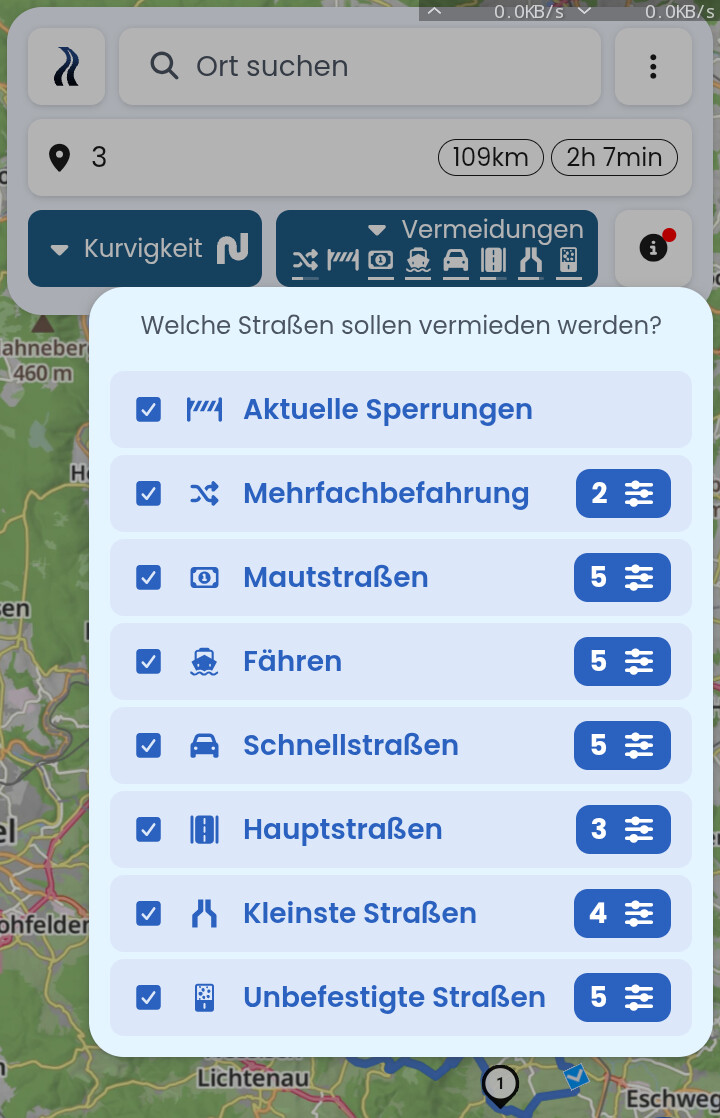
I think you are massively overdoing it with the avoidances. If you don’t want to ride on any roads, then only scrap is left, which can lead to surprising results.
Ask yourself with every avoidance why you need it. Use them consciously, and then it will work out.
True, it’s the same link
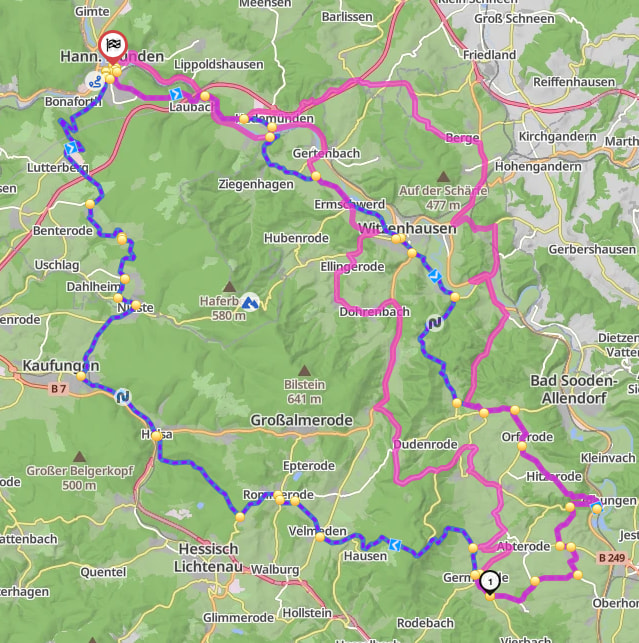
But the real one also shows the same route afterwards. Unfortunately, linking the different routes doesn’t seem to work. So here’s an image, because it gets distorted later on anyway.
I did a similar route again. The blue one is the original, just “route reversed”. You can clearly see that they are completely different routes.
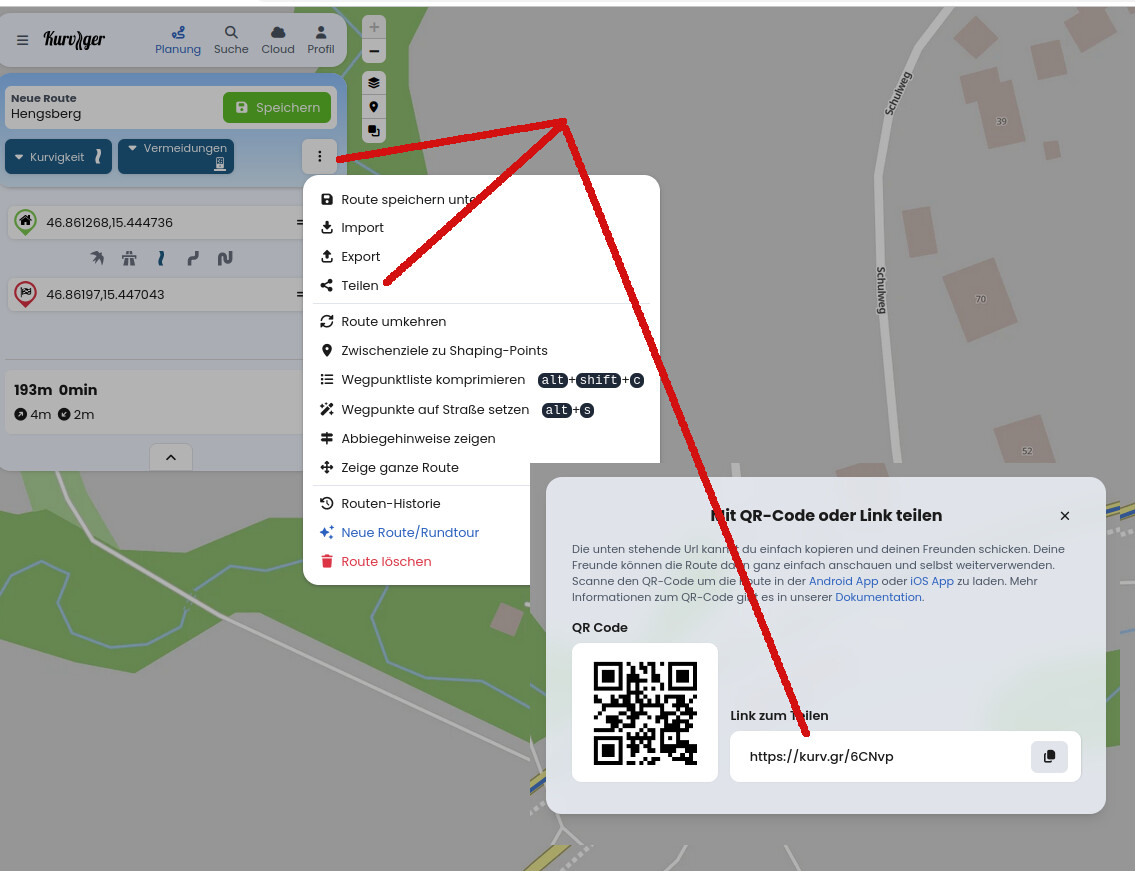
If you use the share function in the top right via the 3-dot menu, a new link is generated every time. That works. Please try it again.
In other words, we cannot reproduce your issue.
I don’t even understand how you managed to get the pink line. Is that an overlay? But those would be dashed lines.
As t00thl355 already said:
You need at least 3 different waypoints.
Since your start and destination coincide, there are effectively only 2 waypoints.
Solution:
Insert at least one more shaping point.