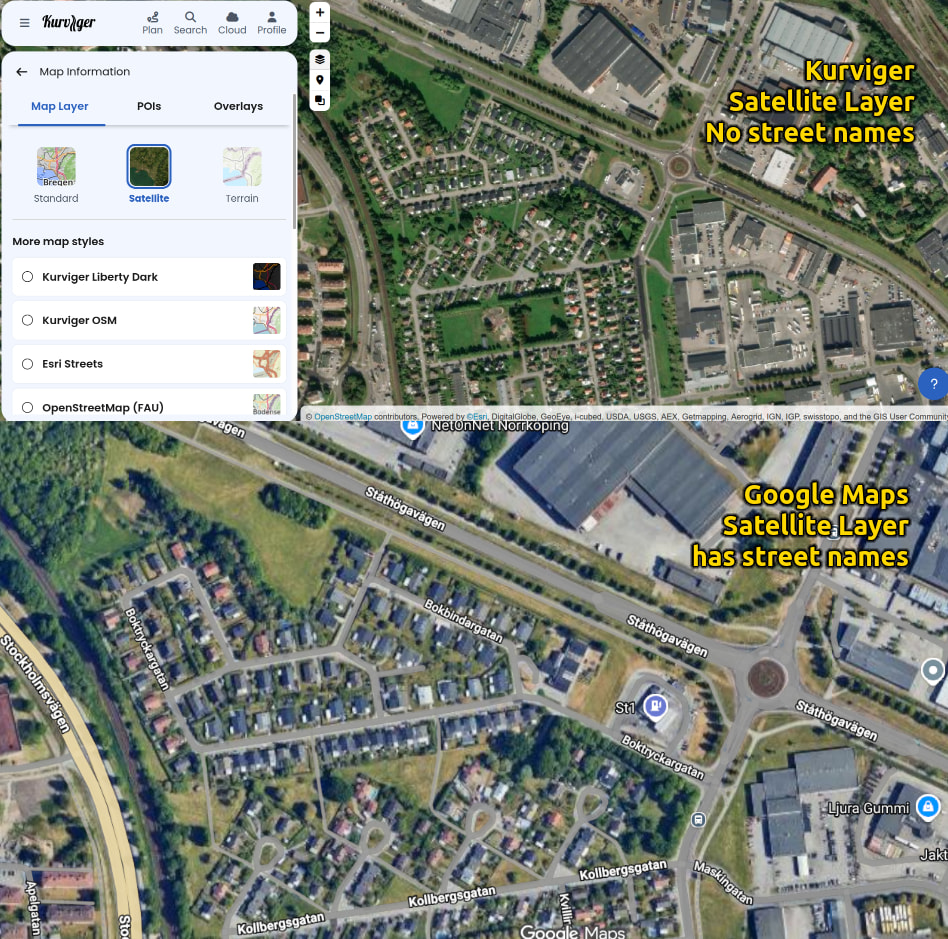
I love 99% of the features, but do miss one thing: street names, city names etc. when using the Satellite Map Layer in the web planner.
I see no street names in satellite view. They are present in all other layer options, eg. Standard, Carto Voyager etc.
I plan most of my trips and tours at home in the Web Planner, and I only use the the satelitte map for this.
My questing is:
Is this not implemented or did I accidentially hit something?
–
AI translated:
Neuer Nutzer, teste immer noch den Tourer±Plan.
Ich liebe 99 % der Funktionen, vermisse aber eine Sache: Straßen- und Stadtnamen bei der Nutzung der Satellitenkarten-Ebene im Web-Planer. In der Satellitenansicht sehe ich keine Straßennamen. Sie sind in allen anderen Ebenen-Optionen vorhanden, z. B. Standard, Carto Voyager usw.
Ich plane die meisten meiner Touren und Ausflüge zu Hause im Web-Planer und nutze dafür ausschließlich die Satellitenkarte.
Meine Frage ist: Ist das nicht implementiert oder habe ich aus Versehen etwas deaktiviert?
The satellite imagery would be much more helpful if it were a hybrid style so that road information was visible. Any chance that this might be possible as an addition?
It’s not specifically planned at the moment. But it’s always helpful for us when we understand the usecases. What is better about the satellite map for planning? Until now we just saw it as an addition - you can switch between the maps. And for detailed planning the Standard map gives a better overview than a satellite picture.
Thank you for the reply. I find it helpful to be able to see what the surrounding area looks like when making a route. The standard map is very helpful, but it lacks the ability to show useful information that I find especially helpful. For example, If I have the choice between a route that is heavily forested or a route that goes through the suburbs, I’ll choose the forested option every time. Without a satellite view, it’s not something that can be easily discerned.
I really like the convenience of having road type and road names visible at the same time.
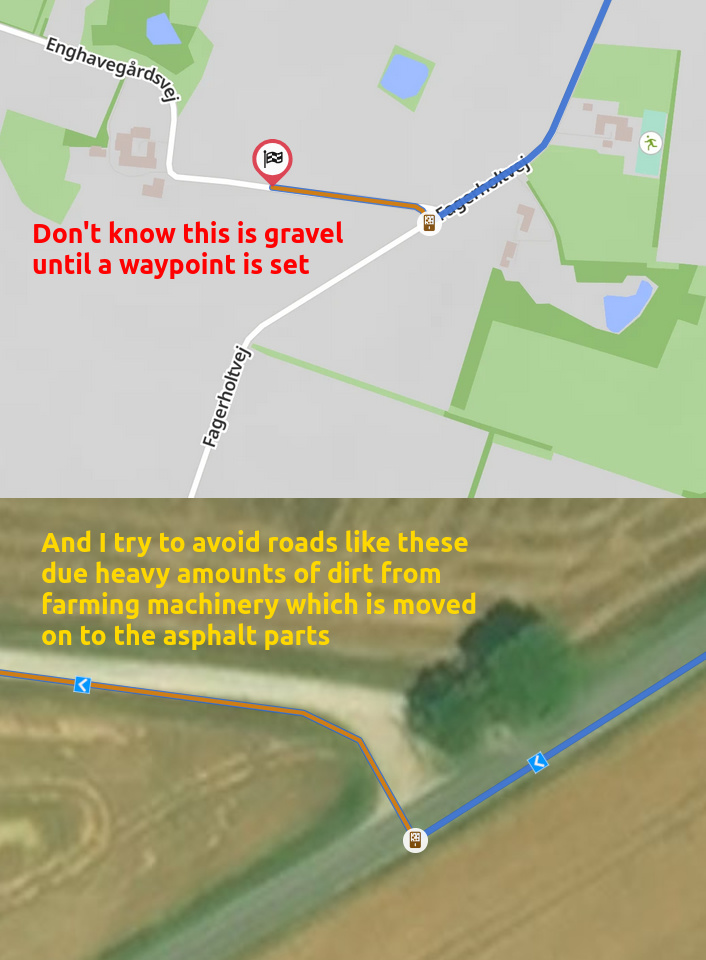
I can set my preferences to avoid unpaved, but that doesn’t stop me from planning a trip well into a rural area, where all asphalt is surrounded by gravel and dirt roads.
I like to find back roads and twisties on my own (as opposed to having the app generate me a route), and I spend a lot of time planning my routes.
When I’m planning a motorcycle tour and I spot an interesting bit of road in satellite view, I don’t know what the road is called, if it’s an extension of the previous road, or maybe somewhere I already been. I can’t quickly reference it.
The standard map has the road names, but then I lose the satellite context. I can’t see whether that road is tarmac or gravel, wide or single track, open or heavily forested, or if the see view is blocked by obstacles.
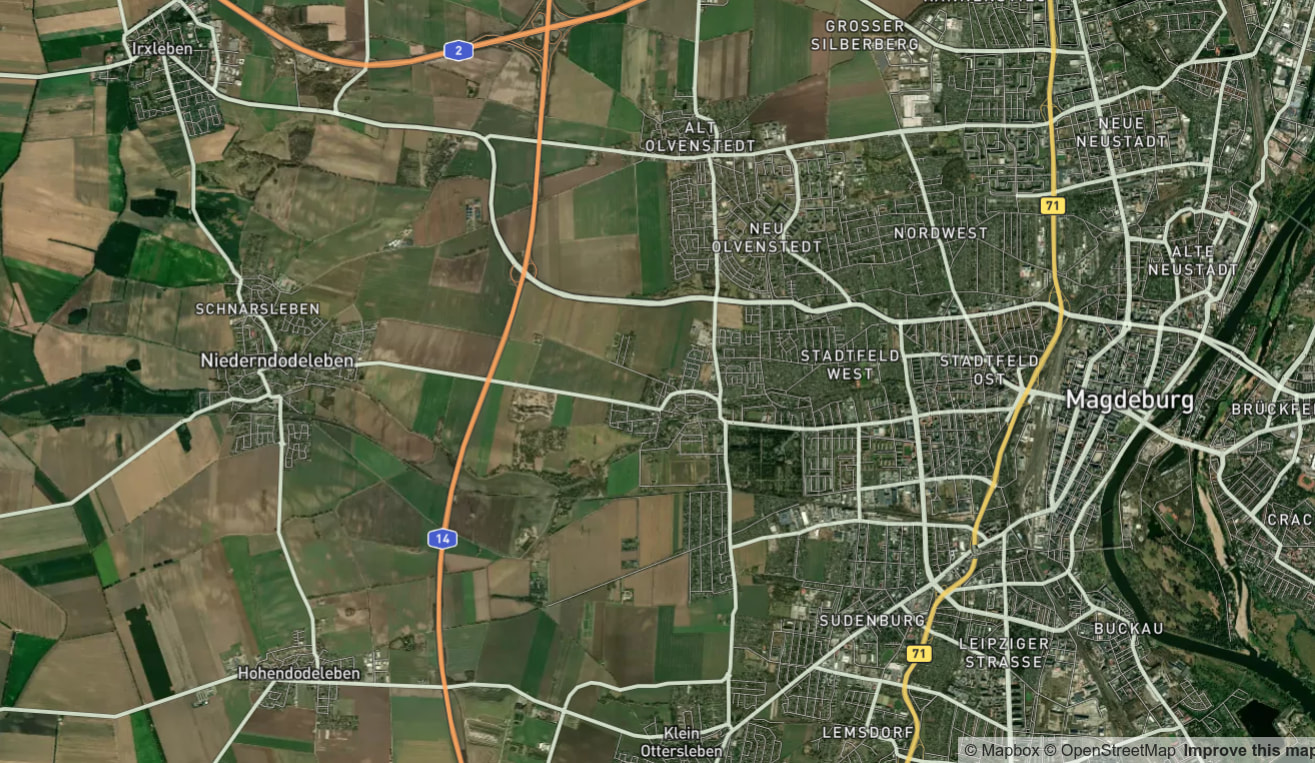
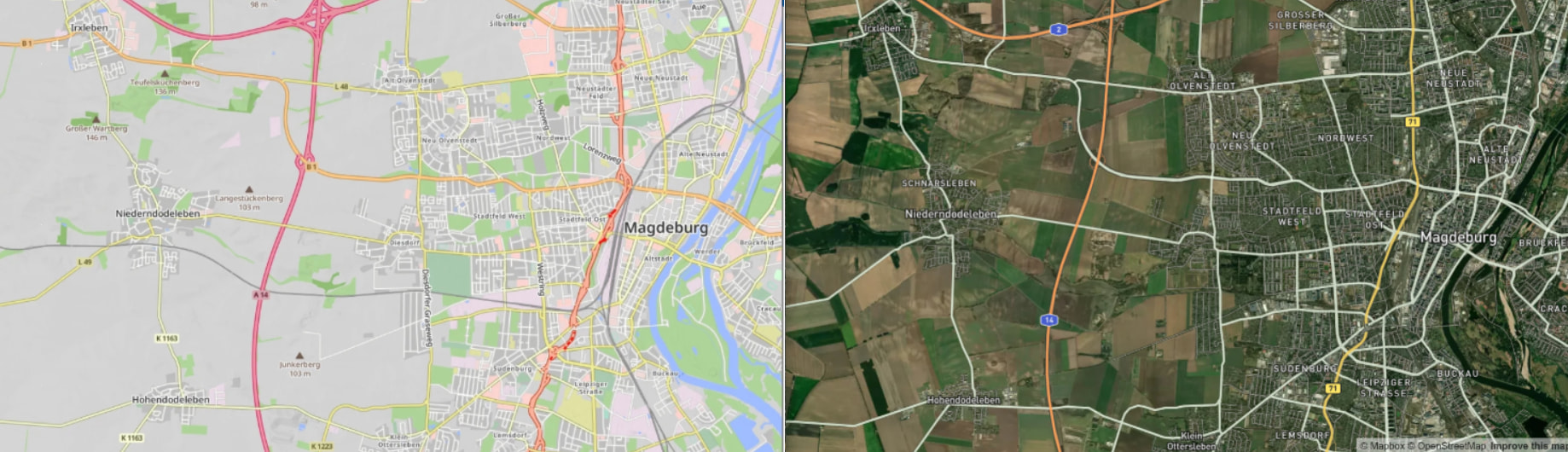
This is the satellite map layer from a competing MC navigation app’s webplanner. It shows both surface types, scenery, city names, road names, and it has all dribveable streets and roads highlighted (depending on zoom level).
It’s much easier and faster for me to plan a route in this planner, and then import the resulting gpx into Kurviger afterwards, but I would prefer to do everything in Kurviger
I use both name and satellite. The satellite images on kurviger are often obsolete to compare with Google satellite image… in some balkan countries as Albanies/kosovo - ( i just came from 4800km road trip) , satellite images provided by kurviger cannot be useg because are too old…
Thanks, not sure how Detecht does it, but their satellite layers has street names and highlighted streets.
My personal workaround is plan my routes on Detecht, export the gpx, import gpx into Kurviger Webplanner and enhance the route there (closed routes, custom chek point names etc.)