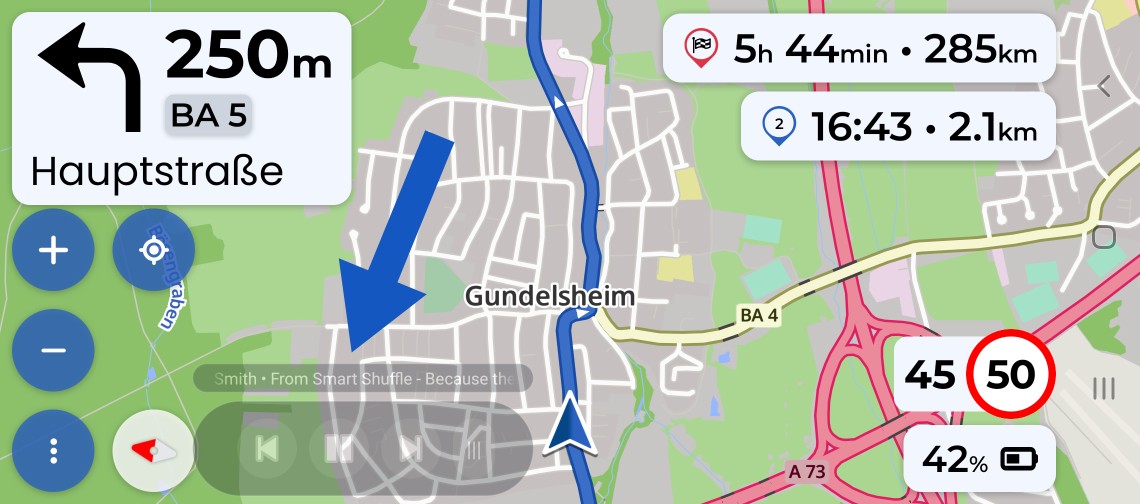
I wish there were play/pause, next, previous buttons at the bottom end of the kurviger screen, so that I can control music/podcasts while riding, similar to Google Maps. I am using Android native app (not AA). I am using Bluetooth headphones, thus I cannot control the music without extra hardware.
Bonus points if you find a way to turn the music up when going fast and turning it down when going slow.
Hello @blahwas,
Thanks for the suggestion. We don’t plan to add media controls to the native Android app. Kurviger’s focus is navigation, and we’d like to keep it that way rather than integrating features from other types of apps.
For controlling music or podcasts while navigating, Android Auto already provides this functionality and is the solution we’d recommend. If you use the Kurviger App on a smartphone you could also have a look at the split screen function for example.
Automatic volume adjustment is also rather a topic outside the scope of Kurviger and is typically handled by the audio hardware.
Thank you for the feedback. I have tried splitscreen, it is not feasible. Spotify needs at least 35% of the screen to display buttons. Google Maps does it just fine with less than 10% of the screen. Please keep in mind that Spotify has a 95% market share, so I guess this features would be popular.
I am also open to third party apps, with a floating buttons, if there are any suggestions.