The problem is, when I stop my bike, the “guiding arrow” is turning in the other way.
Is the arrow following the settings to show the map to North?
When I continue, everything is fine.
On intersections this issue is annoying.
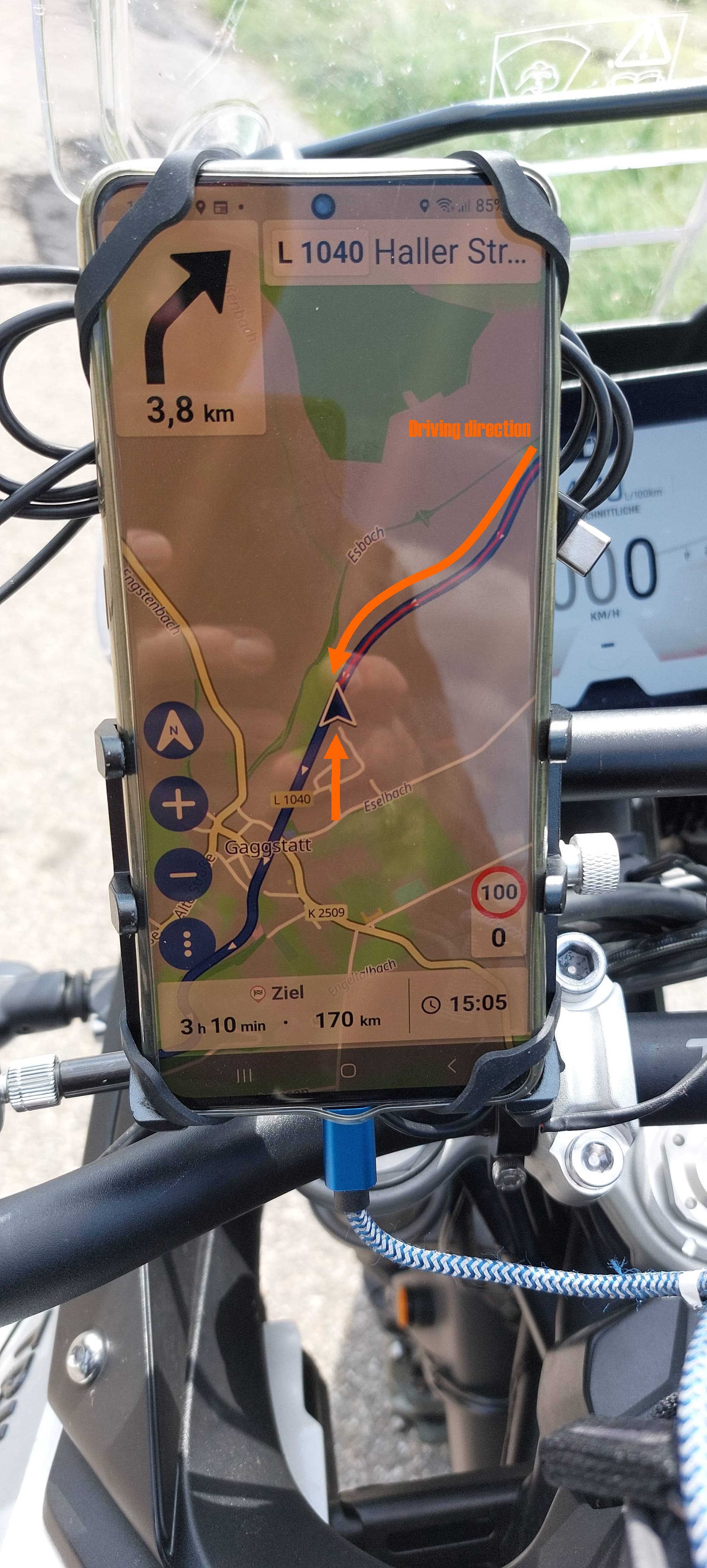
Does this happen every time you stop your bike on the road? Also at traffic lights? Or does it occur when you slightly move the bike after you stopped?
This is dependent on what you have chosen in settings menu
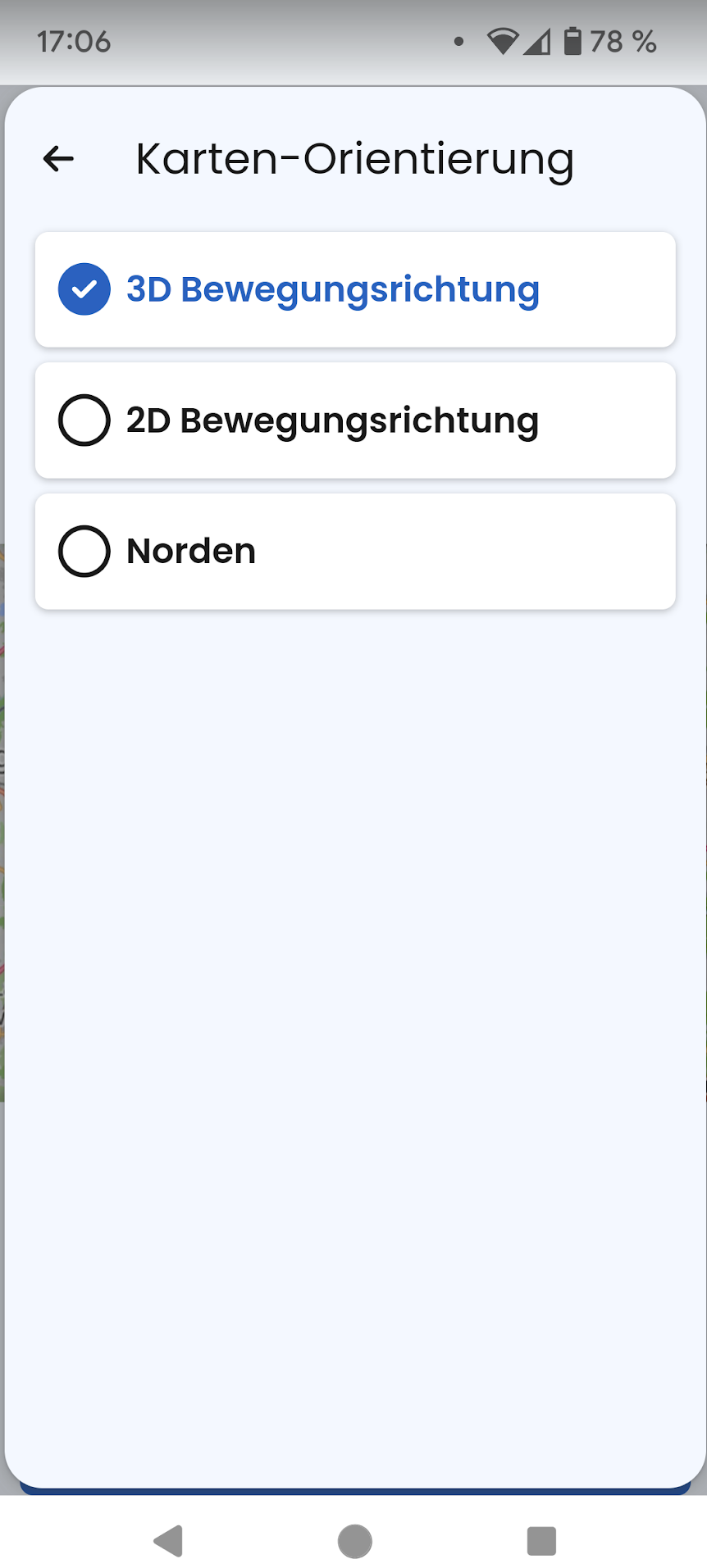
But you still see the turn instruction in the upper left section, so you should not get too puzzled. However, we will have a more detailed view on the issue.
What you can try in the meantime is to check if Kurviger has full access to your actual position and you may also play around with the location service (Google or Android).
Thx… I will take a nearer look on this. As you can see, it ist not my position. The “guiding arrow” always is on it’s actual position. Stop the “move”, the arrow turns in the opposite direction.
I will check it to the North, South, West and to East. I will take screenshots.
The upper left arrows still helping me out, but very often this issue is confusing.
Most of the time my map shows to North.
It occurs when I stopped.
Moin,
…can confirm this behavior.
I did a little test with all 3 map orientations in settings (3D, 2D and North), location service Android. I did it by foot just to see what the app does at my end (walked about 50 meters in all directions). At my end the app needed roundabout 10 meters to recognize a direction change, then the arrow turned into the direction I was walking. When I stopped there was no change or circling of the arrow direction.
Nevertheless, please try to reproduce the bug at your end and describe as detailed as possible what happens (screenshots are not necessary). I assume you have given the app full positioning access on your device?
Thanks for letting us know, unfortunately, this still hapens in some situations. I think this really depends on your smartphone and gps sensor/compass. We do have safeguards here already, but probably we need to add more to make sure it works better in most situations.
1 Like
Günther, I don’t know, what you ment with “Full Positioning Access”!
When in almost all situations the app is doing well, I guess, all location service settings are OK.
But what is “Full Positioning Access”… Share location is “ON” and that’s it… in my opinion.
What I could see is this behaviour:
When leave the route, then the arrow shows this strange behaviour.
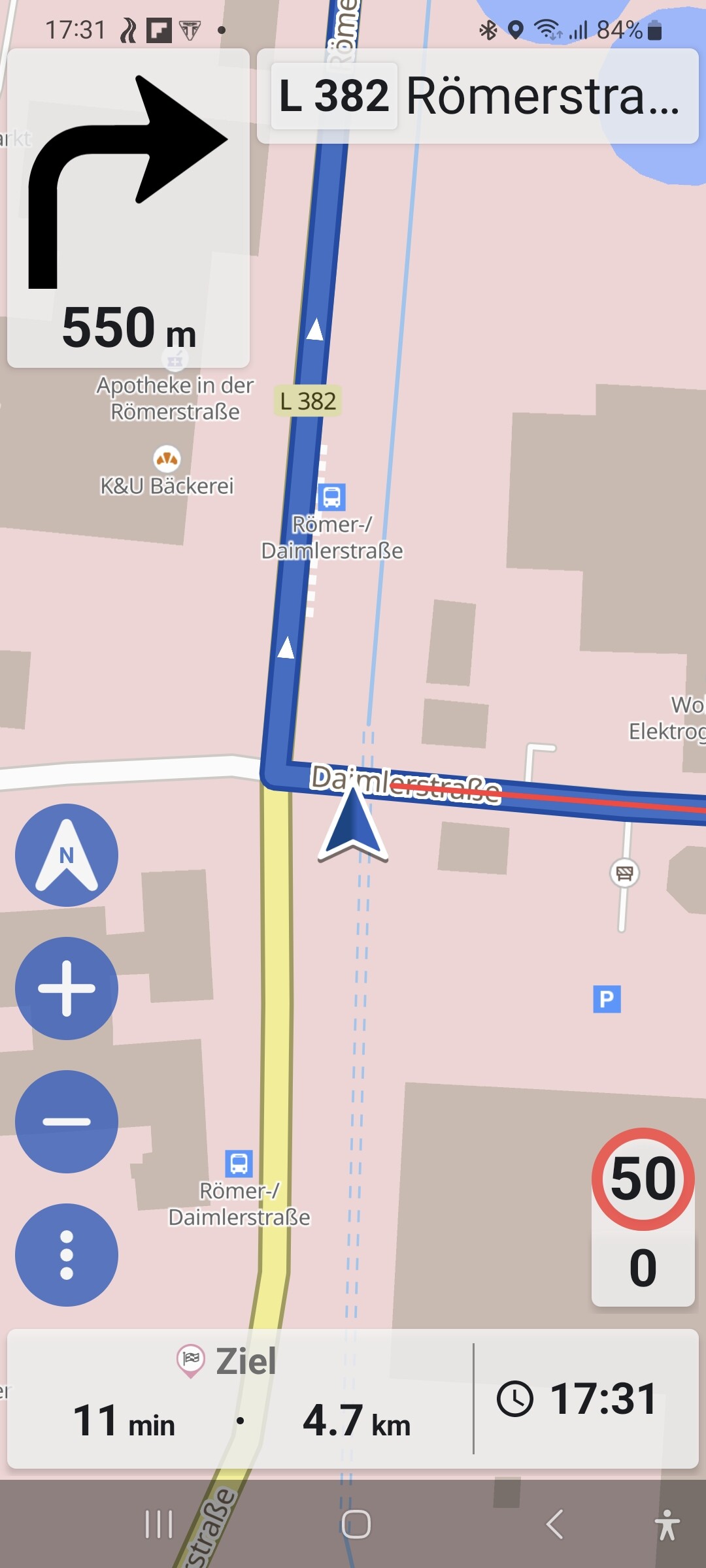
Here I show you, an image, which shows a moment of staying for red stoplight. The route was left for over 10 km already, because of the home route, I know very well.
My intention was to turn to LEFT, kurviger still wants to go back to the original route… which is OK…
I will keep it attended.
Hi Toni,
I meant to say that the positioning function of the app is not limited by your Android OS (e. g. only during use, always, never) or whatever you phone suggests. Unfortunately this access right varies according to the Android device you are using to run Kurviger. Indeed my wording is missleading, sorry for the confusion.