I understand that you can’t include offroad tracks due to legal issues as offroad tracks normally not really official. Or what the exact reason is in the end.
My suggestions as a compromise, several approaches:
a) you could give us the possibility when we import a GPX track, that the 100% original track would be kept instead of forcing Kurviger to change it to roads etc.
b) similar to above but make an additional option to show the original track as overlay. means, you import a GPX track, Kurviger says it had to change it to roads, but there’s an additional button to keep the original GPX as overlay.
c) let us import overlays without any change
I’m very fine with navigating according just with overlays or just see the overlay track and route with it without Kurvigers 100% navigation.
Hope you consider this and we could see it soon this season!
Once you accept c) as resolved, you can also consider b) complete, except you don’t have an overlay automatically generated.
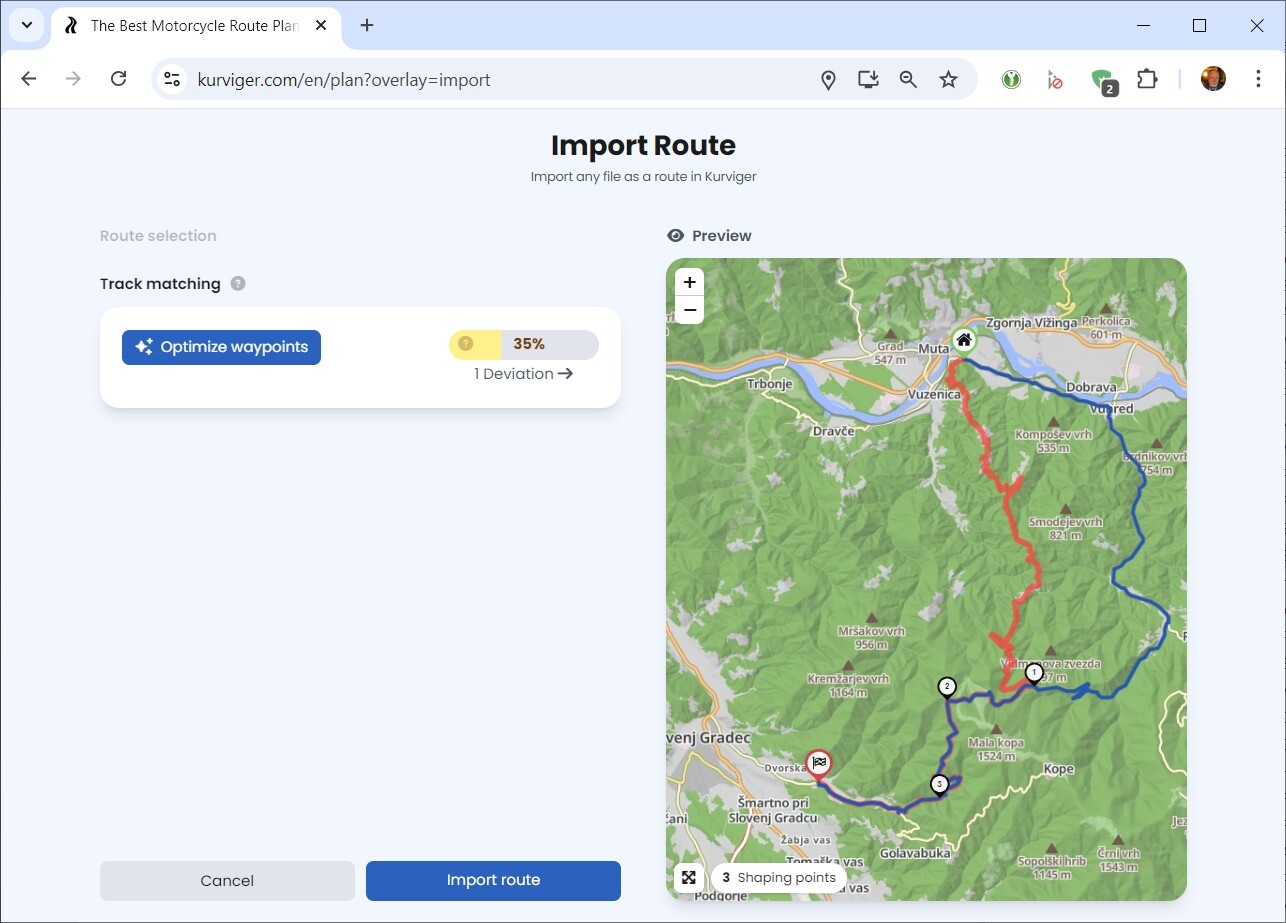
BTW: This “automatic” feature is already part of the import process, complete with options to edit the route. Try importing this section for Slovenia SL_3a.gpx (148,8 KB) and you’ll get:
After a few corrections, the best possible route is generated. You only need to mark just one part, not planned by Kurviger, with “beeline” (import the .gpx file separately as overlay). Result: https://kurv.gr/weTAJ
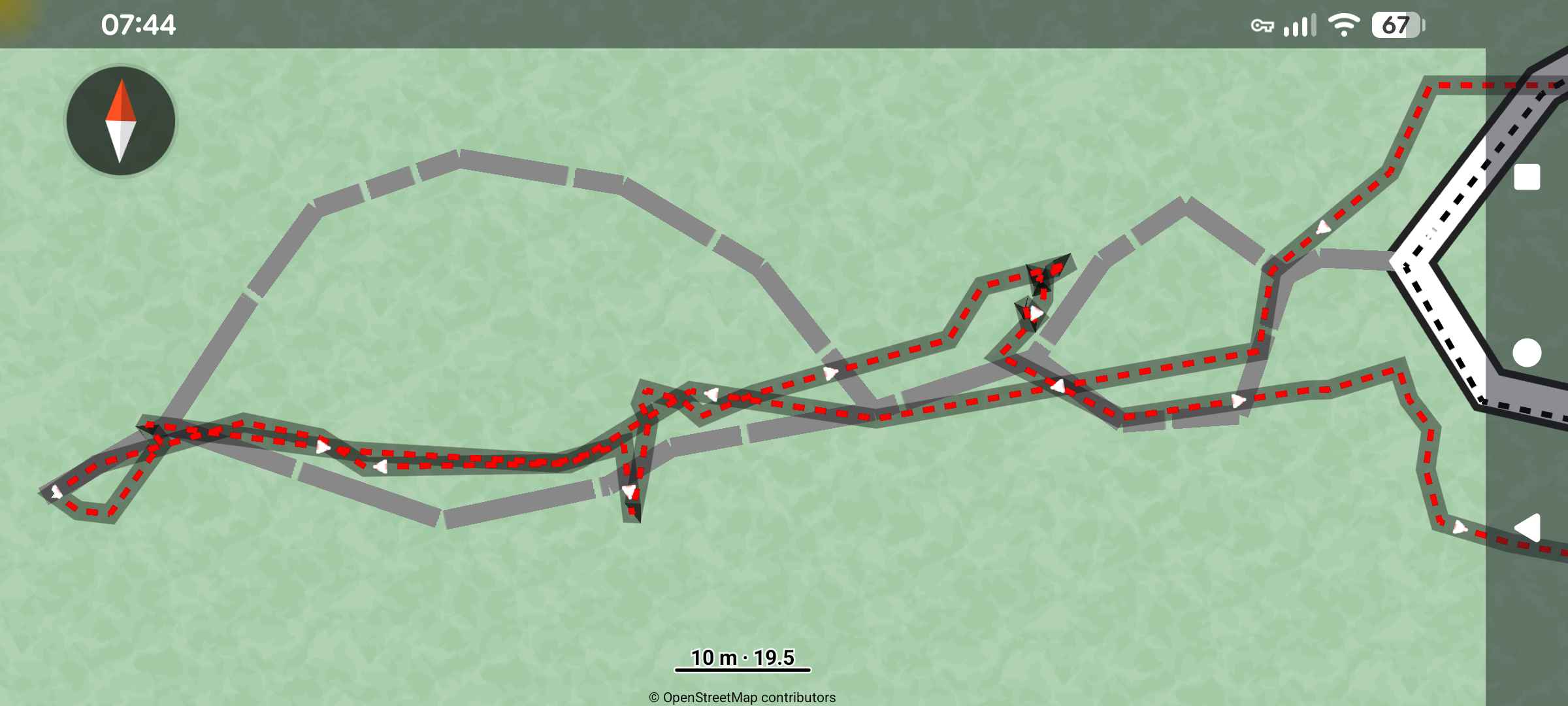
Due to the inaccuracy of track recording, your point a) becomes questionable, because would you want to drive along here (the beeline-part of the route) without any turn-by-turn instructions:
Correct me if you mean something else, but
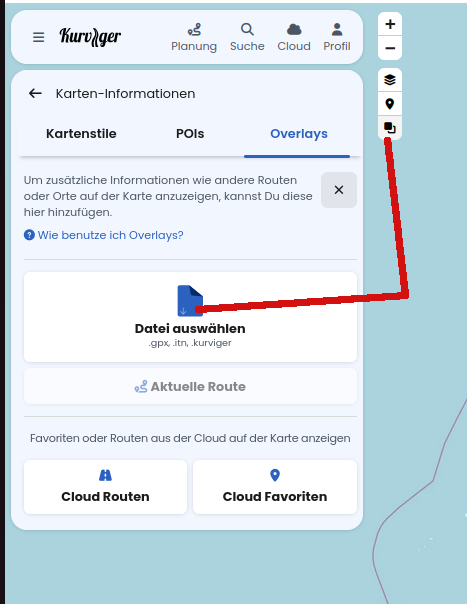
a) is possible by importing the Track as an Overlay - imports your track without changes c)
b)
We separated the import for Routes and Overlays on purpose, so the button is not directly in the route import menu. But you can indeed import your track as a route (probably slightly changed, if some of the offroad areas are not in OSM street data) and import the overlay (no changes made) and view both on the map ontop of each other.
Yes, and at this point I’d like to have the option, like an additional button which says sth like: “keep original track as overlay”)
May I ask why so?
As I said, until the user above told me about I was not able to find it, or better said I’ve overseen it.
It could be so simple during the import to have this as an additional option.
For example because importing a route as closely as possible from one system to another (e.g. a file created elsewhere into Kurviger) involves a number of decisions - Users often find this rather complicated. We have therefore kept the route import as simple as possible. Overlays aren’t routes, after all, so they belong elsewhere anyways.
I do agree with you, though, that the “Overlay Import” and “Route Import” menus might be better grouped together semantically so that users can easily find both. We’re constantly working to improve the software, so thank you for your feedback on this. We’ll have a look
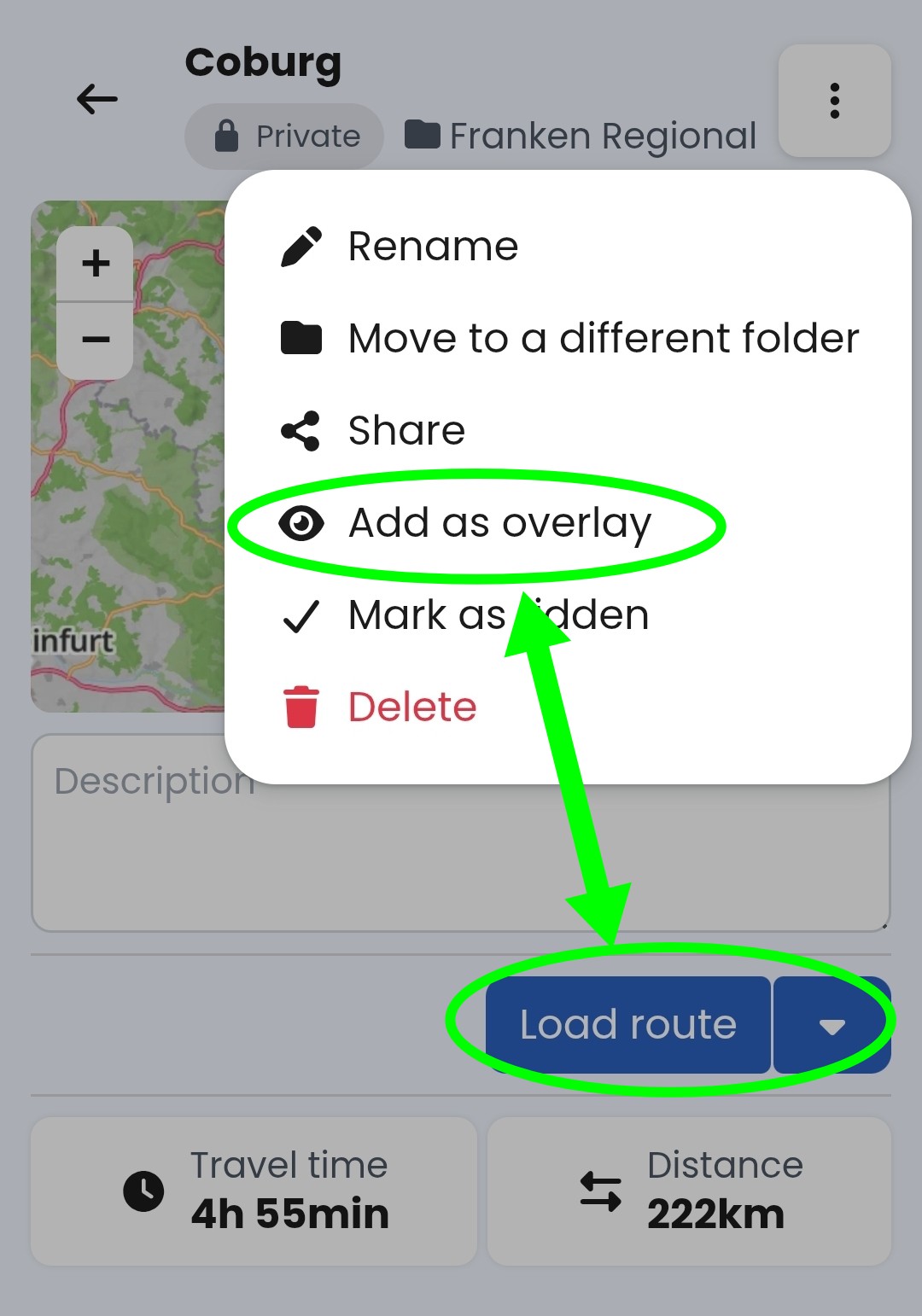
You offer adding overlay and loading route from the cloud basically in the same window. Users might be inclined to expect the same when loading (importing) the route from a gpx file:
If you want to keep it simple - why not add this option only if the optimizer and manual corrections within the import do not achieve 100% match? In this case, corrections after import might be needed and having an overlay already in place would save some time going through overlay menus and selecting same file.
Lastly, there is (for me) a rare use case, where you are extending an already loaded route with a gpx file. If the existing route uses avoidances or non-standard curviness, the optimizer may match the route 100%, but there could still be significant deviations when you close the import dialog. In this case an overlay would be helpful.