I had kurviger old app last year and recorded several tracks. But now i have a Kurviger+ Trial and now it doesnt work.
track recording does not work.
1a) no red line on the map
1b) no offer to save it
1c) no file saved in the clowd
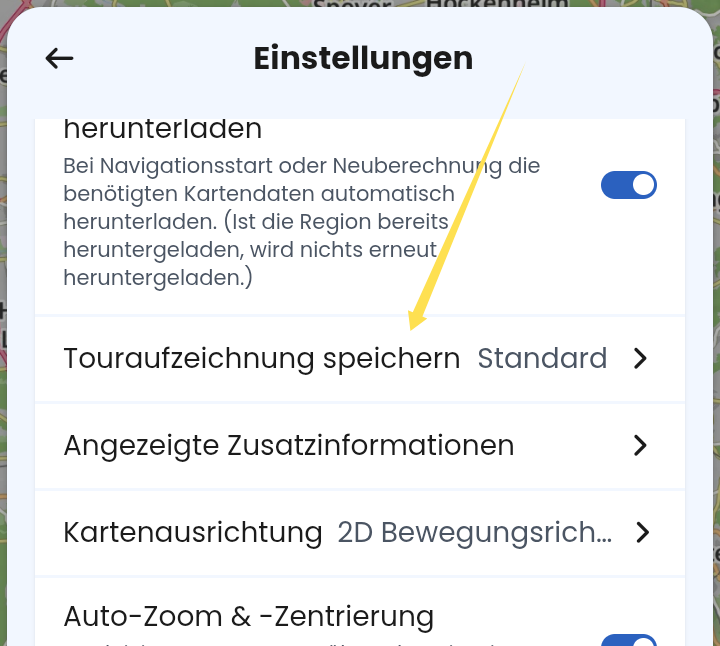
1d) I tried the two recording related settings (standard) and (immer)
When stopping or re-routing no ask for pause or stop tracking like usual. The Start moves to actual position and all the actual route is overwritten with new calculation.
Hardware and Software used:
3a) Kurviger Version newest (German)
3b) Tourer+ (trial)
3c) Iphone 13 ML9N3LL/A
3d) IOS 26.3
Is there a solution to this? Already a topic last year, but nothing helps. Tried everything. but this app is not valuable anymore when this not funcion.
Can you go at the bottom of the “settings” menu, tap on “debug information” to copy it to clipboard and post it here. This way the developers can get more accurate information about your actual version and device and can try to reproduce the error.
Yes, i did 2 tours with navigation wirh a coud tour. Everytime i stop it calculates new and sets the start new. Dont ask to pause or end navigation like in the past. At the end of the tour the displayed tour is only 1km from the last recalculating point to home. When i finish the navigation, no ask for saving. I set to save now to always, but no saved tour is in the tracked folder. There are only rhe ones from last year, as it has worked.
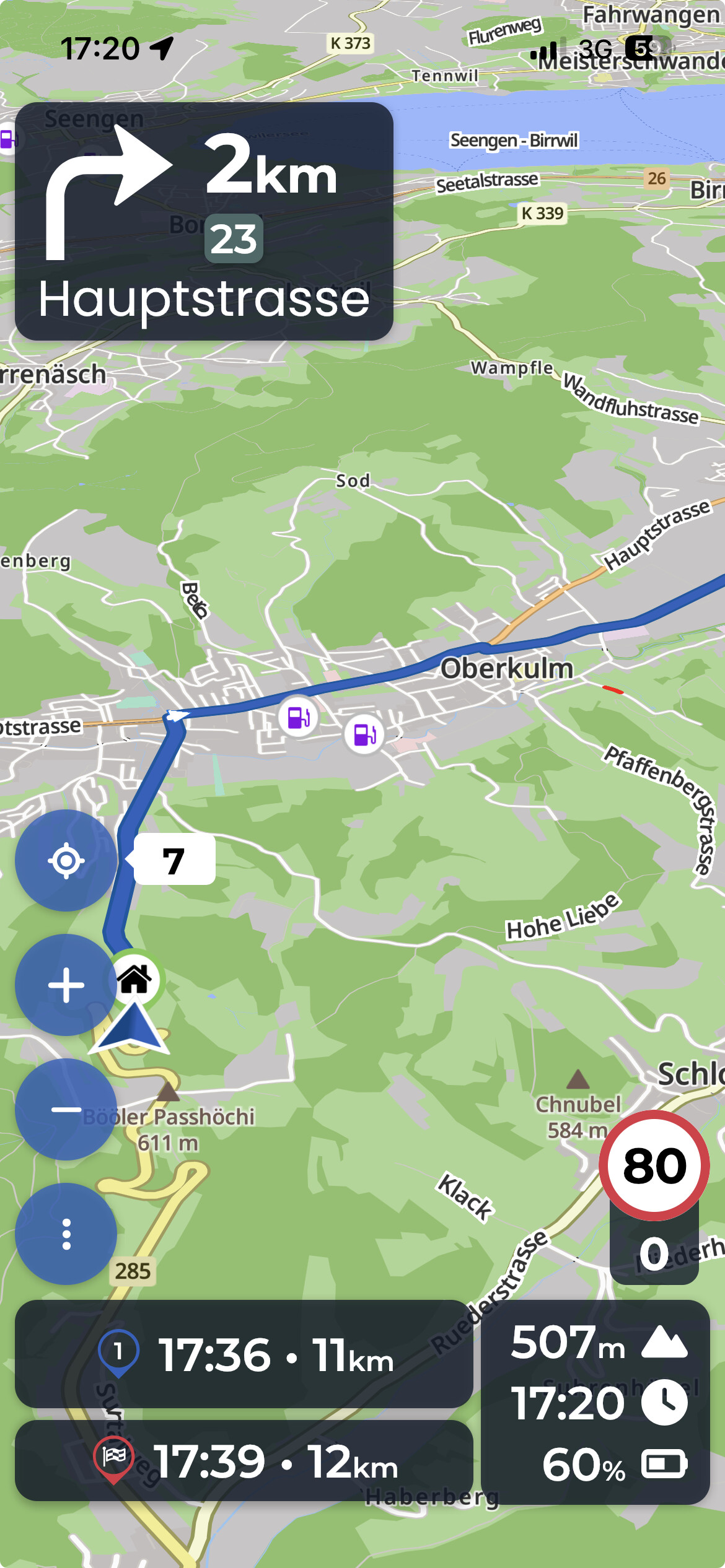
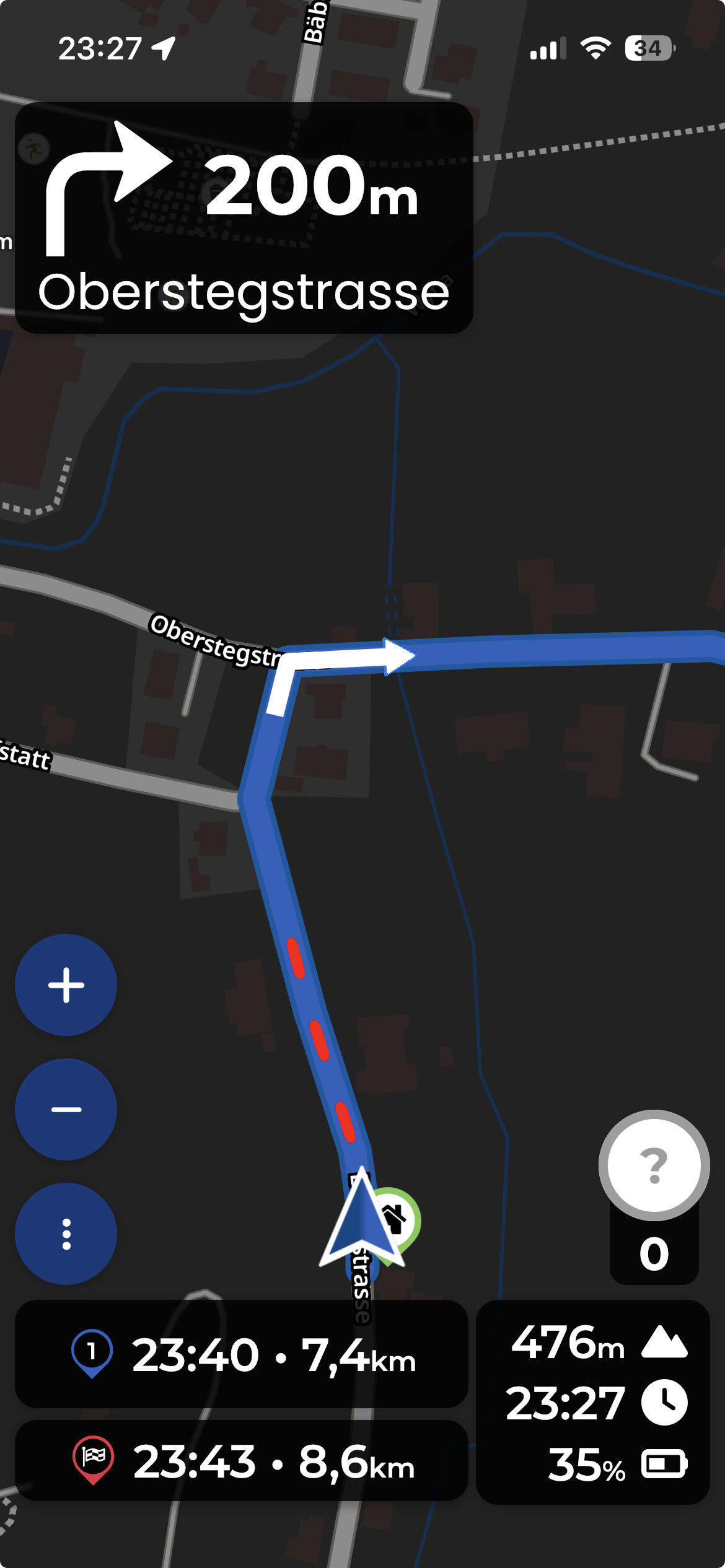
the red line during the navigation is not dotted, it is a full line. Can you make a screenshot of what you actually see?
I have just navigated some 25km with iPhone and encountered no issues with setting „standard“. The red line was displayed during navigation and the track was saved in „Recorded rides“ as expected.
My configuration is:
OSM date stamp: 2/28/2026
Version: 3.6.1
Device: Apple - iPhone12,8 - iOS: 26.3 - WebView: 26.3
App-Version: 3.6.1 - 9932
Screen: 375 x 667 px - 2dppx
The short red dotted line is where i started,(near the village Oberkulm, then disappear) then i rode to current position, no red line and startpoint is now the new position, first start you can not see because of no red line and still no saved route in the folder.
Your red line looks like an overlay line - can you check which overlays you have switched on? Can you see those lines in planning mode, when you stop the navigation, or they disappear?
Also, in your screenshot the line appears in front of you, not behind you. Did you ride this short section and then turned around or did the line appear in front of you before you actually moved?
The fact that reinstalling the app did not help is a bit worrying - I think you would need help from @boldrin to get you out of this problem.
Do you have the opportunity to log-in on another phone (partner, ride buddy…) with your account and check if it works there? Or navigate on your phone, using a different account? I am not an expert, but maybe something is broken with your cloud storage… it probably would not explain the missing red line, but maybe still worth a try.
Everything else in the app behaves normal? Saving/loading/deleting routes? Route history? Overlays from cloud? No strange error messages?
I tried everything out but nothing works. Phone restart. On my last ride I had always low GPS signal and a lot of audio guiding not working. I really got messed up in the track while riding. Its not working for me this way. Track recording is still not working.
Due to this i cancelled the subscription during the test period on 3.3 because i bought an TomTom. Why do you charge me today now for the useless subscription?
I am sorry to hear that. I can see that you signed up through Apple. Unfortuantely, we can’t do anything about Apple subscriptions, please contact Apple support, they can provide details and might be able to help you out.
It seems to me that you might have cancelled and then reactivated your subscription? That said, we have very limited information about this.
This sounds like you might not have given the app full location permissions? For a good navigation experience, we need the precise precision, ideally also the location in the background if you ride with your screen off.
Ok, well i hoped that my question would/could be answered simple that i had to change one setting or so because of an update but it seems a bit more complicated then that i suppose…
I dont use the app ( so far ) for planning routes but i just follow the group and want to save the routes for myself. But is does not do that.
yup that was one of the first things i could find on the web, so went to settings-apps and set location for kurviger to “always” But makes no difference.