Greetings to all! I am trying to import GPX file that contains offroad paths so the recommendation is to import it as TRACK, not ROUTE. However I do not see this option during the import process and the file is loaded as ROUTE. Do you have any recommendation regarding the matter, please? I would like to upload the .gpx file but as a new user I can’t do it.
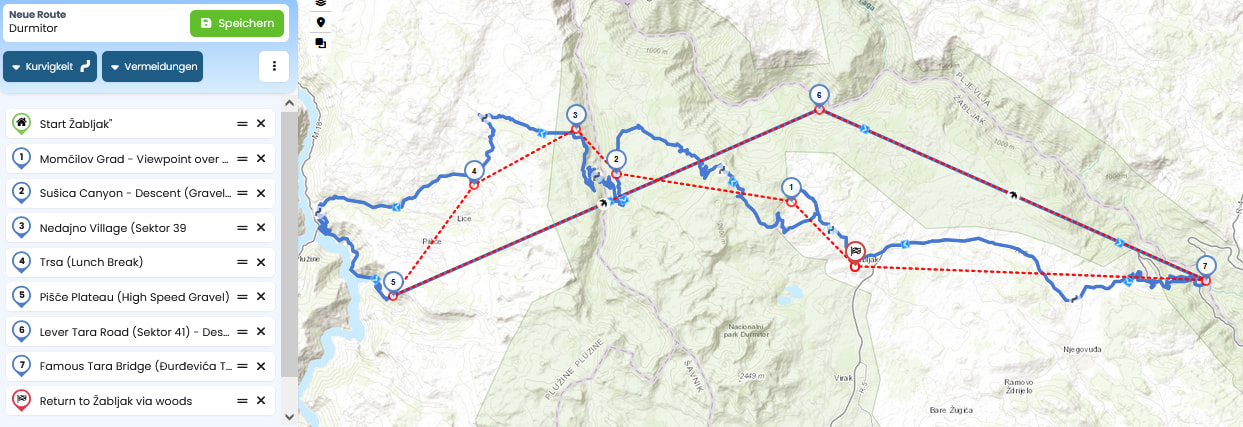
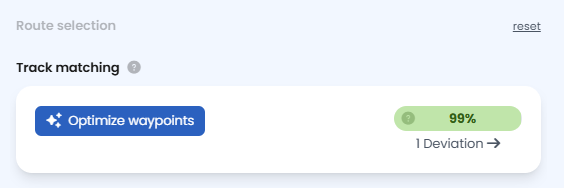
Hi, thank you for eplying. I do not see these options, what I get is the import menu with “Optimize Waypoints” button. Also, the issue is that the red line is not the curvy one but several straight lines that do not follow the roads. Unfortunately, I am not able to post picture. Here is the content of -gpx file:
<?xml version="1.0" encoding="UTF-8"?>
<name>Day 6: Durmitor Ring & Tara Canyon Adventure</name>
As the gpx snippet @Monte posted seems to be a broken(?) gpx, I prepared one in Notepad++. Perhaps this could be meant. Two beelines from 5 to 6 and 7, I can not see any roads.
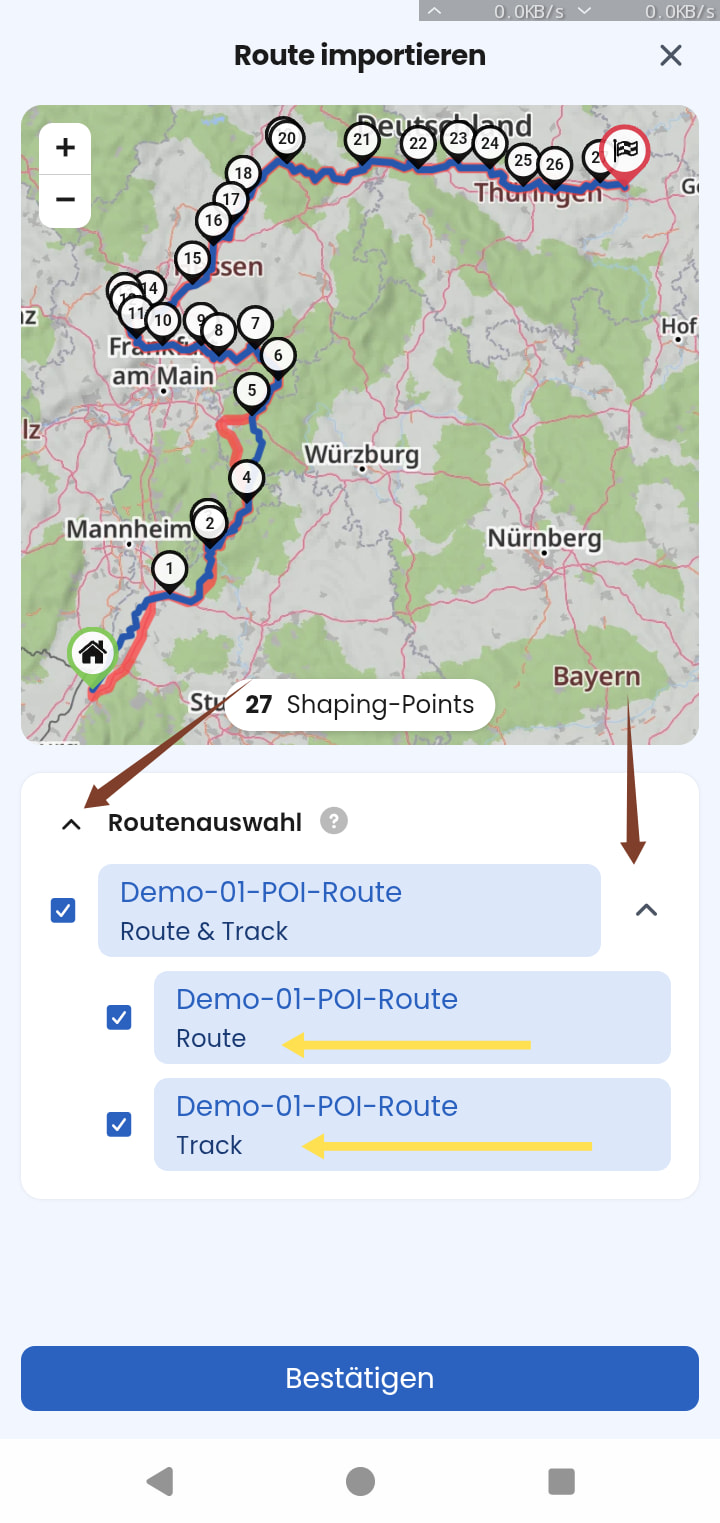
To switch between “route” or “track” of your file (if it entails both), you can click on “reset” on the top right corner of the import menu, left to the preview window (Website):
However, that is probably not solving your problem.
As already correctly mentioned the Kurviger Import imports routes. To put it simply: it helps to “translate” the route of another system into the language of Kurviger, to calculate a route here. But especially with offroad sections which may not be included in our maps, that will most likely not result in a very good “translation”.
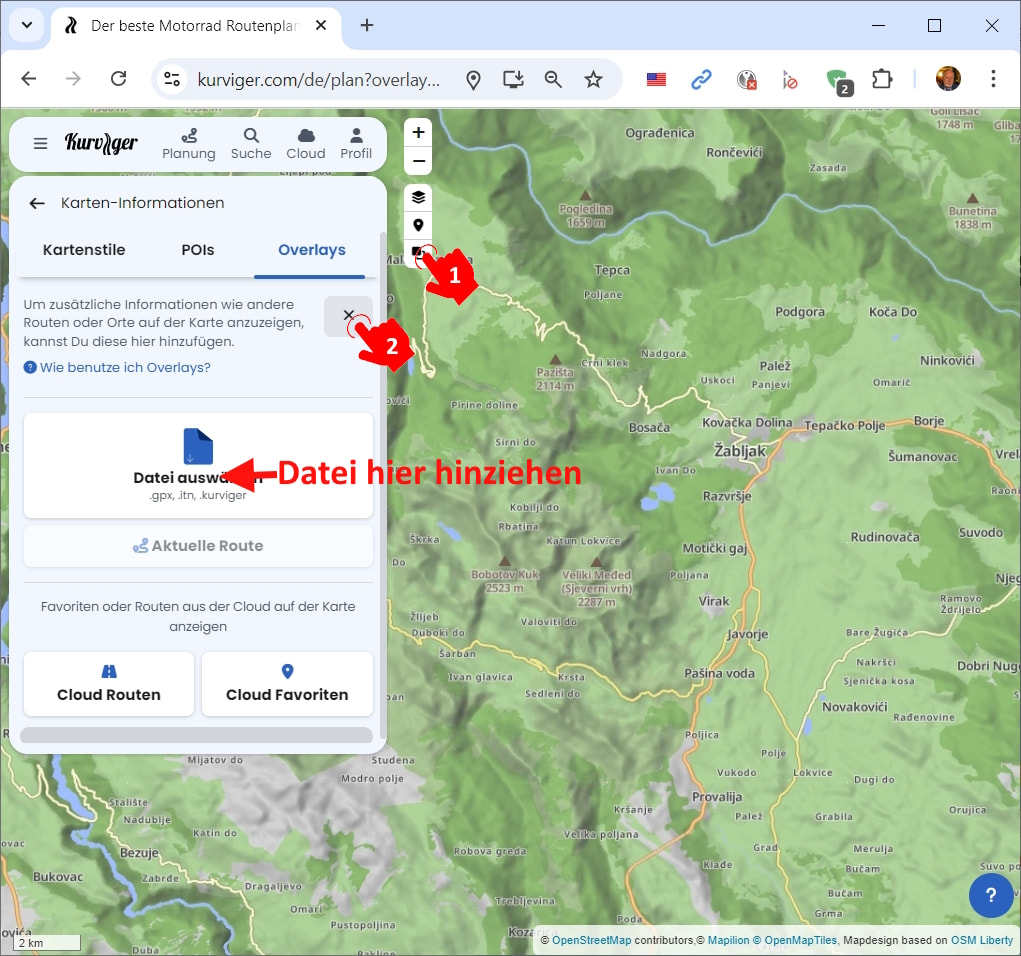
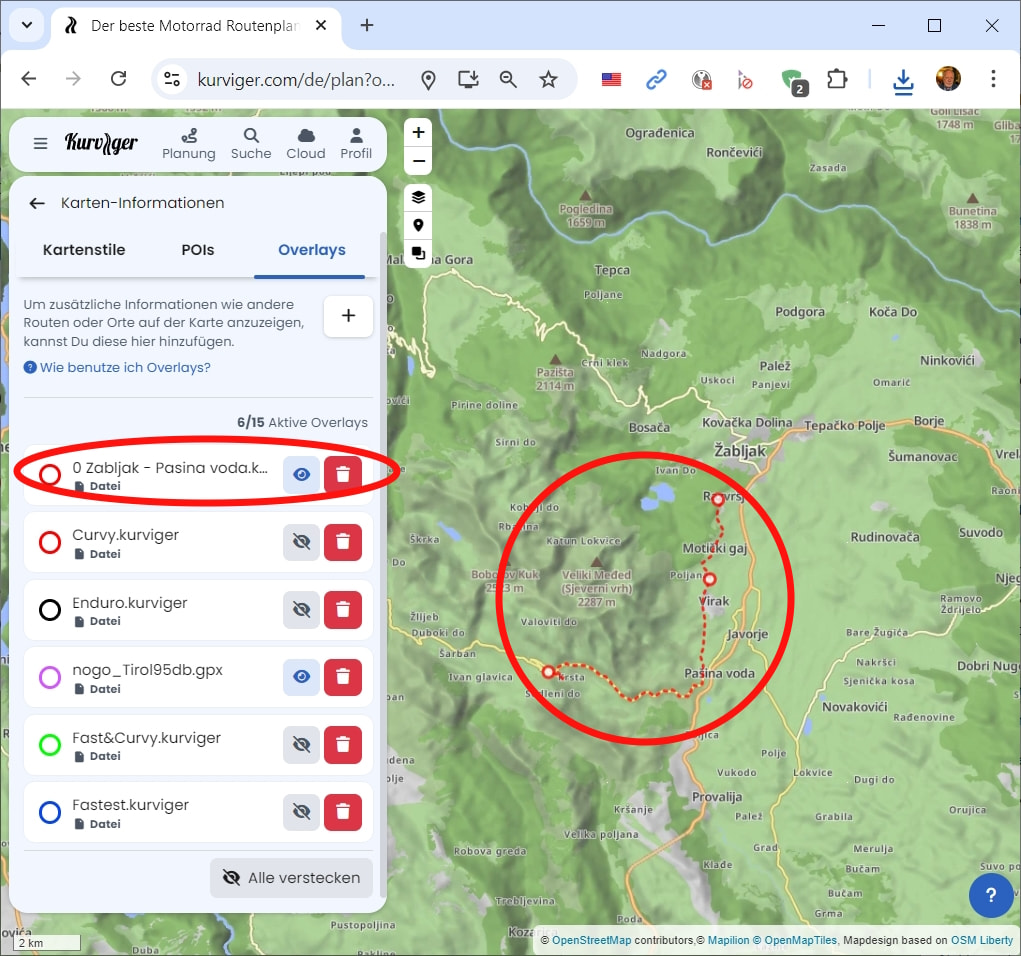
Option 1: If you want to import a “track” and especially one that entails offroad sections that might not be in our map data, you’re better off using map overlays. This way, you can see your track on the map exactly as it is and change its color to your liking.
The downside of map overlays is that while you can see it in the navigation, you don’t receive any turn instructions for it.
Option 2: Depending on how close you get to the original route with a Route Import, you could use the beeline function for offroad sections that our map data doesn’t entail.