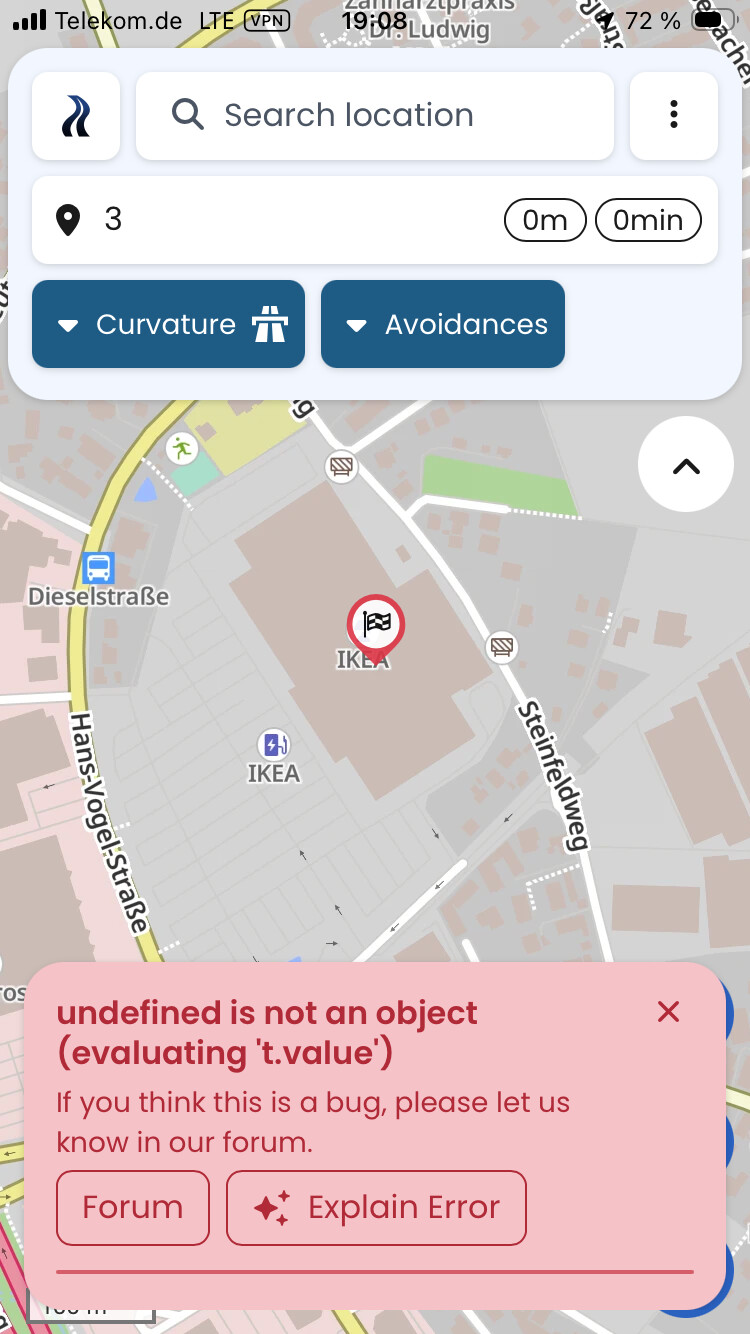
when I try to add a WP on iPhone I get this error message. The WP is added to the list, but no route is calculated. Restarting app helps, but it occured already 7-8 times in two days using IOS app.
(Debug information, this helps us helping you, you can remove this if you don’t want to share this data, it should not contain any personal or sensitive information)
Device: Apple - iPhone12,8 - iOS: 26.3 - WebView: 26.3
App-Version: 3.6.1 - 9932
Screen: 375 x 667 px - 2dppx
Error when adjusting the curve category of a section
undefined is not an object (evaluating ‘t.value’)
(Debug information, this helps us helping you, you can remove this if you don’t want to share this data, it should not contain any personal or sensitive information)
Device: Apple - iPhone14,3 - iOS: 26.3.1 - WebView: 26.3.1
App-Version: 3.6.1 - 9932
Screen: 428 x 926 px - 3dppx
Since when does that happen and does the problem persist even when you restart the app? You can also try to delete the local data in Kurviger. Kurviger menu → Setting → scroll down to the bottom.
(Debug information, this helps us helping you, you can remove this if you don’t want to share this data, it should not contain any personal or sensitive information)
Device: Apple - iPhone18,3 - iOS: 26.5.1 - WebView: 26.5.1
App-Version: 3.6.4 - 11235
Screen: 402 x 874 px - 3dppx
Thanks for reaching out. Please try and delete your local data (Settings → scroll down → delete local data) as that may already help.
Does the error occur all the time, or only on a specific route or in a specific situation?
(Debug information, this helps us helping you, you can remove this if you don’t want to share this data, it should not contain any personal or sensitive information)
Device: Apple - iPhone11,2 - iOS: 18.7.9 - WebView: 18.7.9
App-Version: 3.6.5 - 11571
Screen: 375 x 812 px - 3dppx
Please try and delete your local data (Settings → scroll down → delete local data) as that may already help.
Does the error occur only on a specific route or in a specific situation?
(Debug information, this helps us helping you, you can remove this if you don’t want to share this data, it should not contain any personal or sensitive information)
Device: Apple - iPhone17,1 - iOS: 26.5.2 - WebView: 26.5.2
App-Version: 3.6.5 - 11571
Screen: 402 x 874 px - 3dppx
Hi @carsten,
For tips, please see above. Maybe you can tell us when this error occurred? Was it just this one time? What were you doing when it happened?
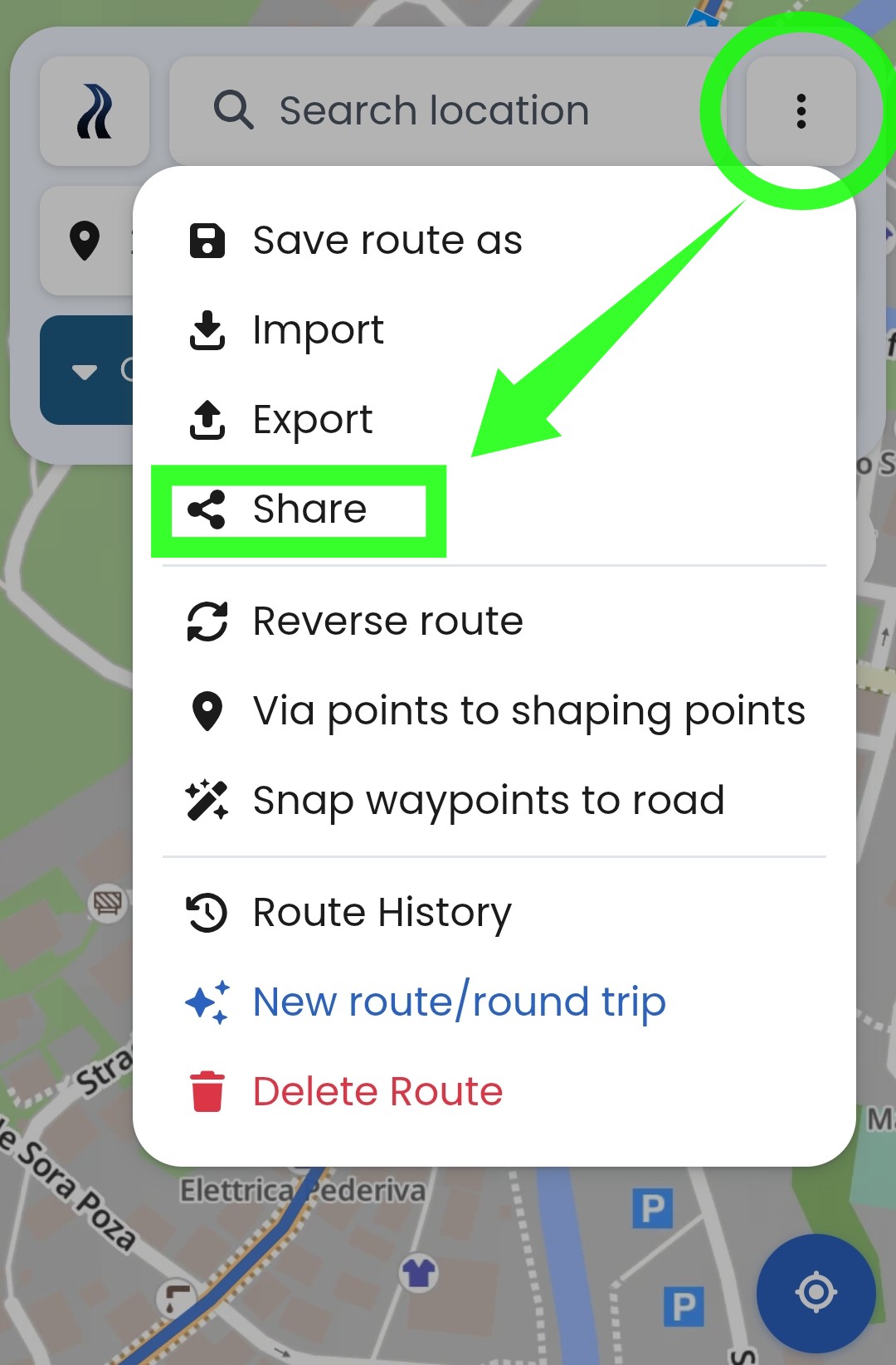
What you have tried, is to share your route on the cloud, but for this to work, you would need to to know the email adresses of the Kurviger Users that you want to share it with. This would also work, but on tha forum you typically do not know those email adresses. It is a bit confusing to have two similar functions with the same name, but the team has already been informed and will hopefully do something to reduce the confusion.
@kira - how about changing ONE of them to “Share loaded route” or “Share cloud content” in respective menus?
I have tried loading the app on iPhone and Android phone - worked without problems.
Have you tried closing tha app completely? To close an app on your iPhone, swipe up from the bottom of the screen and pause to open the App Switcher. Swipe left or right to find the app, then swipe up on its preview.
I had this issue again about 10 days ago, it was very persistent - whatever I did, the app brought the error. It was apparently initiated by sharing a place from Google Maps to Kurviger, but that is not the root cause. When I closed and reopened the app, the error was gone and I could not reproduce it. To me, it seems that the route somehow loses references to the waypoints and cannot recover.
As I already assumed, the error has nothing to do with the specific route. I cannot reproduce an error like you received. Please try and delete local data (Settings → scroll down → delete local data). If the problem persists, Please pay close attention to what you clicked and did right before that error occurred. We haven’t been able to pinpoint the cause of the error to reproduce it yet.
I completely agree with you on that the names have to be adapted.
I can confirm that cleaning the local data solves the problem. Thanks.
Maybe it is a good idea to develop some code to detect data corruption. This will avoid customer frustration and prevents false positive error reports.
Immer wenn ich Shaping Punkte bearbeite, bekomme ich die Nachricht undefined is not an Object, anschließend verschwindet die Route
undefined is not an object (evaluating ‘t.value’)
(Debug information, this helps us helping you, you can remove this if you don’t want to share this data, it should not contain any personal or sensitive information)
Device: Apple - iPhone14,6 - iOS: 26.5 - WebView: 26.5
App-Version: 3.6.6 - 11939
Screen: 375 x 667 px - 2dppx
 It’s just not reproducible.