Waypoints disappearing during navigation

Hello,
when I start navigation using multiple coordinates, after passing each waypoint, the previous one is replaced with a house icon, and earlier waypoints disappear from the route.

Is this behavior intentional?
I find it unpleasant to lose the full list of all my waypoints during the trip.

Thank you!

The green house icon appears when the route is recalculated. Can you share the route where this happened an let us know which waypoints were particularly affected? Apparently in your case, the automatic recalculation was triggered, but it would be interesting to understand why. You could avoid this by switching off automatic recalculation. Also, your waypoints are not lost, you can restore the effects of recalculation using “Undo” in planning mode.

So, this is related to the other issue I mentioned here:
:globe_showing_europe_africa: Lost waypoints when pause without 4G - #2 by t00thl355

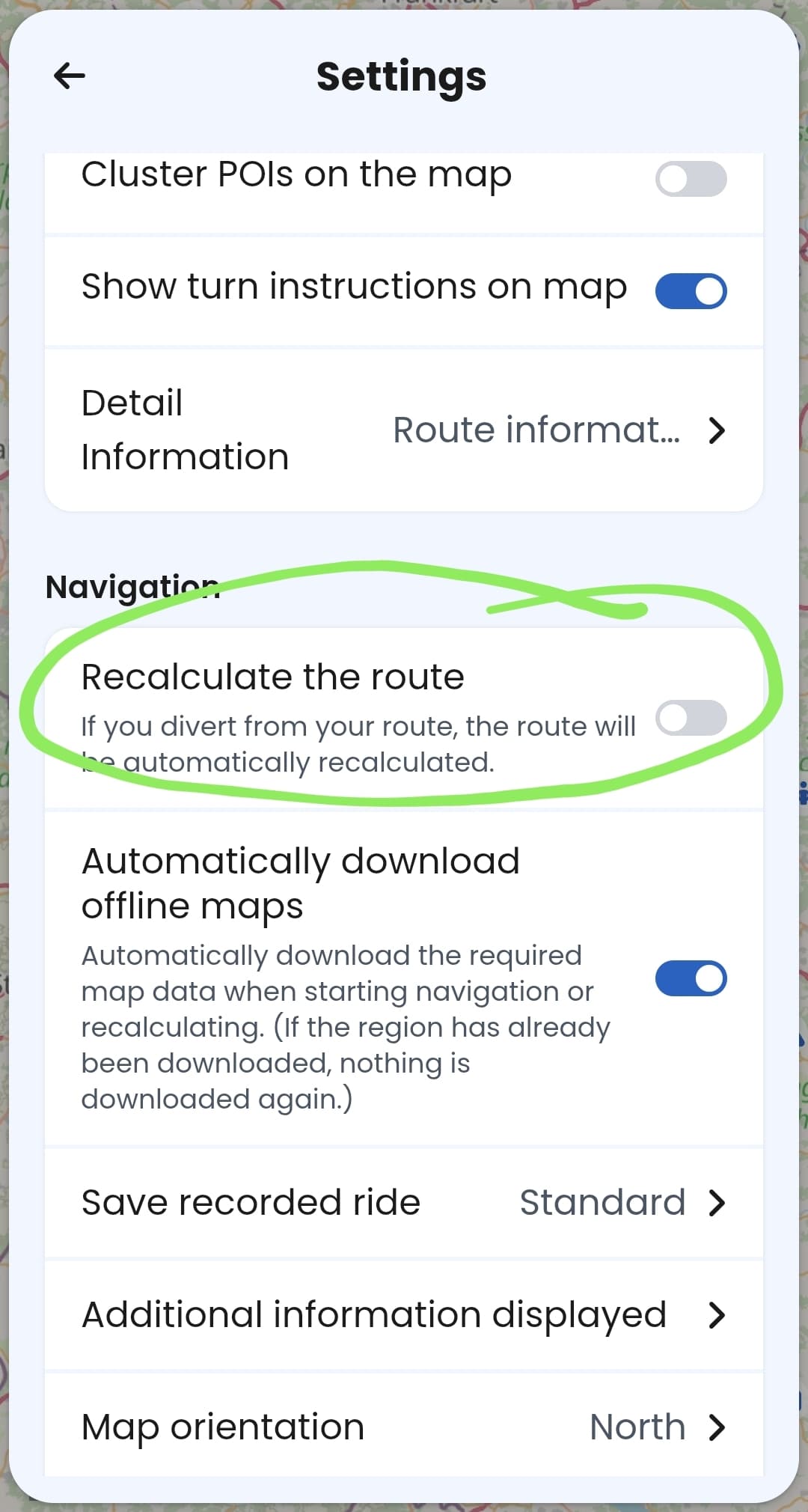
How can I disable automatic rerouting?

What happens if it’s disabled and I go off the calculated route?

In Settings:

Following will happen:

  • the app will inform you that you are off route,
  • the field where you normally see the next turn instruction (top left corner) will show an arrow pointing to the next waypoint on the route ,
  • you will be offered a “recalculate” button which would recalculate the route manually
  • If you return to the route, the navigation returns to the normal mode

I hope I did not forget anything essential.

2 Likes