I have discovered a bug in the website planning tool of Kurviger when on my windows 11 laptop.
For me, The bug exists in “chrome” but not “edge”.
This issue might be isolated to my specific kurviger account and use on my specific laptop.
I would appreciate if someone would try to reproduce the bug on their end.
At this point I do not know how to clear/resolve the issue.
Thank you in advance.
I am enclosing step by step documentation on what reproduces the bug on my end.
Enclosed is a URL to a google doc of the exact mouse clicks needed to reproduce the bug in chrome.
I have followed the steps exactely as described, but could not reproduce the behavior in Chrome on Win11, but I have Tourer+, not Tourer (not sure if it is relevant).
My configuration is:
OSM date stamp: 30.9.2025
User Agent: Mozilla/5.0 (Windows NT 10.0; Win64; x64) AppleWebKit/537.36 (KHTML, like Gecko) Chrome/140.0.0.0 Safari/537.36
Cookies Enabled: true
Screen: 1280 x 720 px - 1.5dppx
Unrelated: “Screen” information is not correct - correct is 1920x1080.
Hello @OracleDba,
I wasn’t able to reproduce this either (Chrome, Win11). Has the issue you described occurred frequently, or also with other routes in the past? When it happens, does a restart or reload resolve the problem?
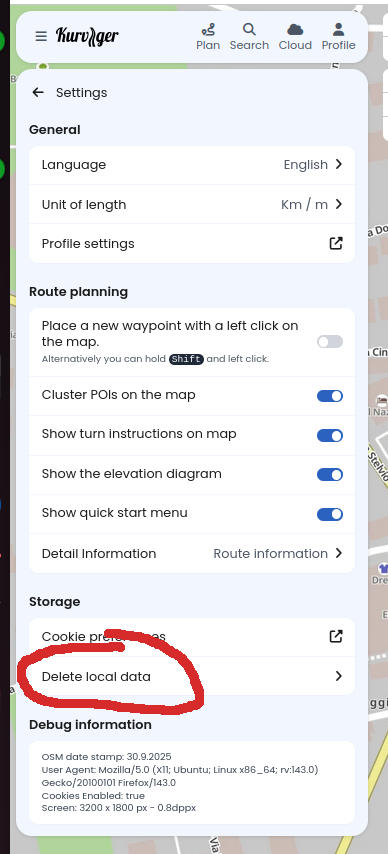
You might also want to try deleting your local data (via the Kurviger menu under Settings).
since making the initial post I have discovered that issue does reproduce for any route regardless of being a brand new route I create on the upon login or a pre existing route I pull up from my cloud account or a route I pull up from a share-code.
since making the initial post.I have discovered that the bug continues to exist even AFTER all the following was done.
going into setting deleting all browser data for all time.
the going into windows settings and completely uninstalling chrome (with the check mark to delete all data set to true).
then re-installing chrome
then going to kurviger loggin into my account
after doing the above the bug continues to exist.
since making the initial post. Even after doing the above uninstall/reinstall the bug exists HOWEVER if I open up a chrome igcognetio window and then log into kurviger the bug is NOT present.
the above items seems to make the problem unique to me but given the steps taken above I am not sure now to remove the pollution which is causing the problem. does anyone have ideas on how to clear the problem?
Here is New information on the exact steps I took since making the last post
this new information might help figureout where the pollution causing the bug is comming from.
step 1) go into kurviger website hamberger icon / settings / delete local data
step 2) go into chrome delete all browing data for all time
step 3) go into chrome and “log out” of chrome
step 4) exit chrome and then relaunch chrome
step 5) go directly to kurviger.com do NOT log in simply click the button to go to planning.
step 6) Right-click any random spot of map set a start point
step 7) right-click any randome spot of map and “extend route”
step 8) repeate step7 about 4 times
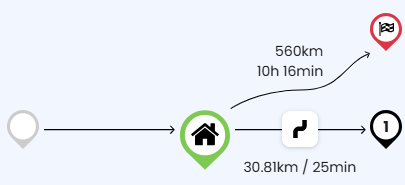
step 9) the list of waypoints is on the left of your screen click the “home” icon which will pull up a screen that has info such as this…
step 10) click the circle on the right three tiems in my image it is the “1”
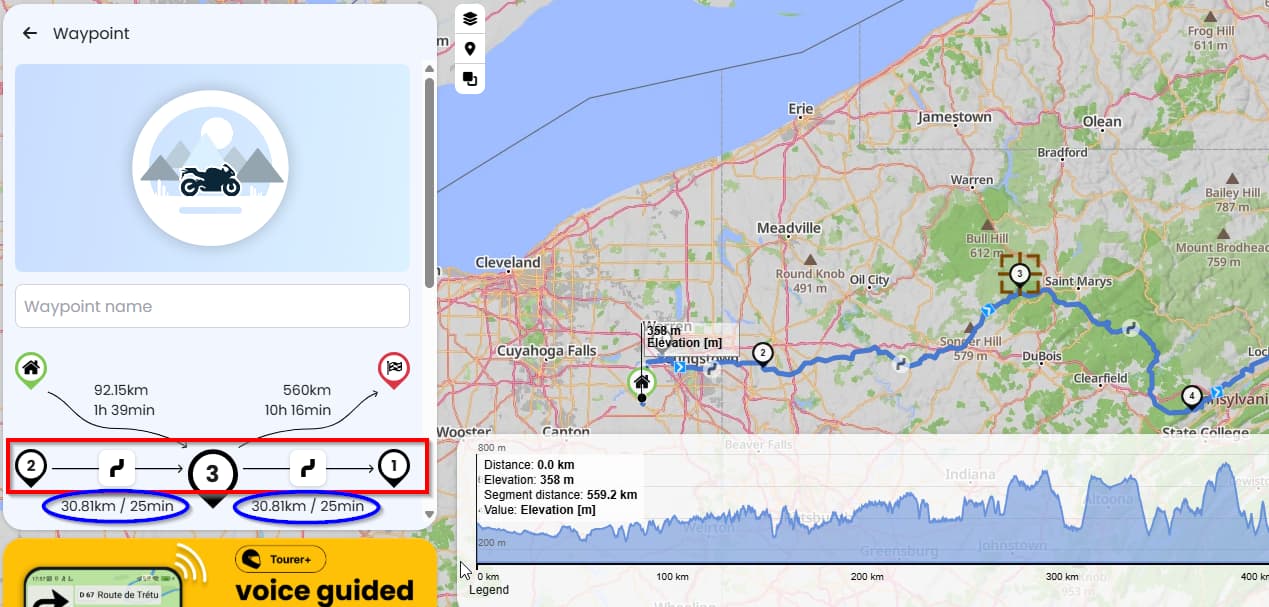
step 11) now look at the resultant window. the bug is the values in the rectangle do NOT make logical sense and the values in the ovals are repeated string that do not reflect reality.
now is is the odd thing repeate step 5 - 11 in an icognetio window.
the bug does NOT reproduce.
So my conclusion is some bit of pollution is persisting despite steps 1-4 occuring yet is not present if one opens up an igcogneto window. The trick I guess if for “someone” to figure out how to clear the pollution causing the problem. I am at a loss on what to do.
For the moment I have no choice but to use edge browser when using kurviger.
Looks like an issue with one or more chrome extensions.
In incognito mode only selected extensions are loaded. Navigate to chrome://extensions and verify which extensions are not loaded in incognito mode by clicking on Details for each of them. Those which are not enabled are candidates that might cause the issue.
I feel Steffen is onto something.but not in the way either of us expected.
Here is the new information…
The issue is not simply “extensions” as I have deleted every extension I have.
Thus far I have found only these two methods to allow the website to work as designed.
a) launch website in incognetio mode
or
b) have a totally virginal install of chrome withOUT being logged into chrome.
To achive the above virginal install I must do…
surf to kurviger and delete any route currently on screen if one is present
use website’s settings/delete-local data
go into google purge browsing data specifying “for all time”
sign off from chrome
uninstall chrome specifying the check box to delete browsing data.
reinstall chrome.but do NOT sign in during install.
with the above complete the kurviger website DOES behave as designed.
Specifically the test case of the threads initial post DOES work as expected both as a generic un-logged in user to the kurviger site and as me logged in with my tourer+ account.
HOWEVER, with the above option “b”, if I sign into chrome, then it automatically lets “sync” occur. This apparently is the issue.
Even though no extensions are installed because of sync Within seconds the kurviger website is now broken as described in the attachment of the initial post.
Once my chrome browser is “broken” the only two solutions thus far are options “a” or “b” above.
so I think I have proved that the “pollution” is comming from google’s sync
but I have no idea what element is the polution which means I do not know what to delete so sync does not propogate the incompatibility.
We never had this issue I think, so I am just guessing.
If extensions are really all deactivated (because it is almost always browser extensions…). Things that you could try are:
Double check stuff like 3rd party cookies and other privacy settings in Chrome. Most settings should work with Kurviger, but maybe there is a combination that breaks our site. My best bet would be a non compatible configuration.
Clear your browsing data, local storage etc. - I am not sure what parts of this is synced by Google Chrome, I guess most should be wiped by reinstalling?
What you could try if things don’t help is to send us a copy of your browser console, maybe there is a warning or error that can help to track down the issue. Here is an info on how to open the console: Finding your browser's developer console
If you want you can send the console output to me as a message if you don’t feel like sharing this info publicly.
From what I read, the problem is not your Kurviger app, and not even chrome. It is in your Google account settings. I have similar problems with my account for another app and gave up searching for solution.
I have 2 Google accounts and what works in my business account, doesn’t work in my personal account. Incognito mode doesn’t work in all cases, and i suspect that some cookies are still saved in that mode.
If you want to keep using Google chrome, try to reset all settings in your Google account first. If you change only in Chrome browser, the Syncing might restore the previous settings. And, by the way, Edge is based on Chrome.
Do not ask why, for last 3 years I was trying to understand how the settings that are resent get replaced by previous ones.
@boldtrn this message is posted publicly but some of the content is applies only to you.
Sorry for the the 1+ week haitus from this forum but
I have been on a 9 day motorcycle trip (2080 miles) wherein I used my kurviger phone app to navigate routes created in the weeks before.
The bug we are talking about is seen on my PC when using the kurviger website to create routes.
For reasons I can not explain I am in a slightly different state now than I was 10 days ago.
Things are now such that if I launch kurviger and do not let it pull up a prior web session
then any new route is bug free.
HOWEVER if in another chrome window if I pull up a route created when bug was present
then that session and new routes that window creates going forward will have the bug present.
Things APPEAR to be if I close the buggy chrome window while leaving the clean chrome window open if I then “exercise” the clean window and then close the window my next launch to kurviger.com comes up clean/bug free.
For obvious reasons I do not want to extensively test what I need to do not have a clean window.
Based on the above to remain bug free I need log into kurviger.com twice in two different chrome windows.
The first window will exist to be bug free. To get things setup in this window
I quickly create a random route of 6 points using the “extend to” function and then click on #4 and then click the “home” icon. I know things are bug free if I see a “1” to the right of center/home icon set.
I then create another window for the route creation/modification work I want to perform.
when I am done with my route creation/modification work I need to close every tab of this chrome window and eventually the chrome window itself.
Afterwards in the window proven to be bug free I re-confirm it is still bug free by extending the route and testing clicking #5 and the home icon.
now that I know this window is bug free I can close it.
I THINK if I do the above on a go-forward basis I will remain bug free.
I am not happy that one or more of my routes in the cloud contain a stink bomb to cause the bug but that seems to be the case.
But at least I have a work around.
I have a few dozen routes in my cloud account.
Over the course of the winter I think I will test each of them
to see which one cause the bug and in a bug free window, manually recreate that route bug free.
One of the routes saved within my cloud account that cause the bug is
the file “day_2-kayak tour_scenic_to_Maryville”
I am willing to share my kurviger login details you if you wish to try and recreate this stink on your end.
I will leave the above route/file with its stink bomb unmolested for a few weeks to give others a chance to debug what is occuring.