Motorola moto g53 5G Android 14
Webview 143.0.7499.193
3.6.0 6466
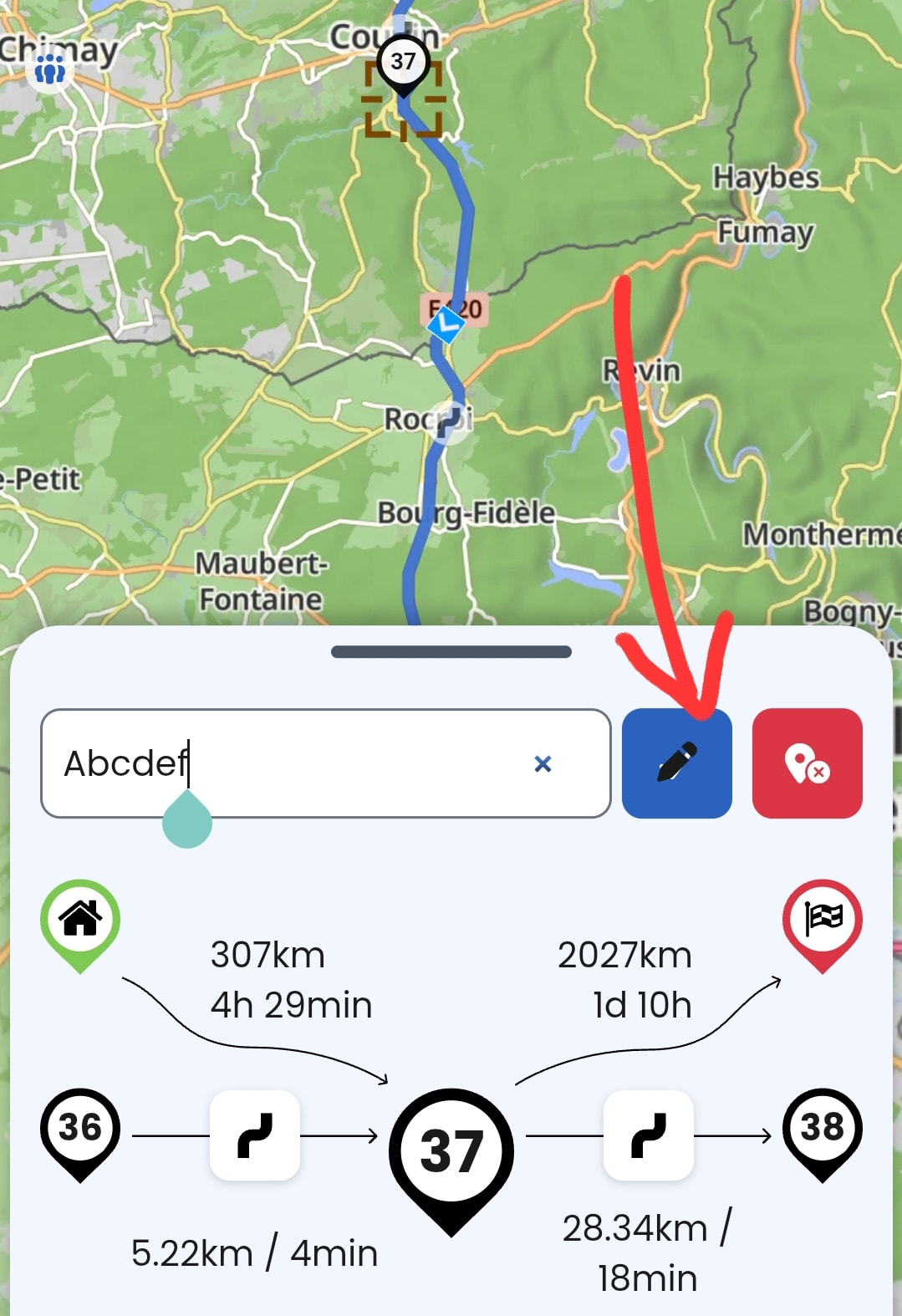
I have weird behaviour(s!) of naming waypoints. I can reproduce, not always in same order or all at the same testcase, but all issues occur. Best try with switching between two points (e.g. waypoint and destination).
I enter the name and press ok …
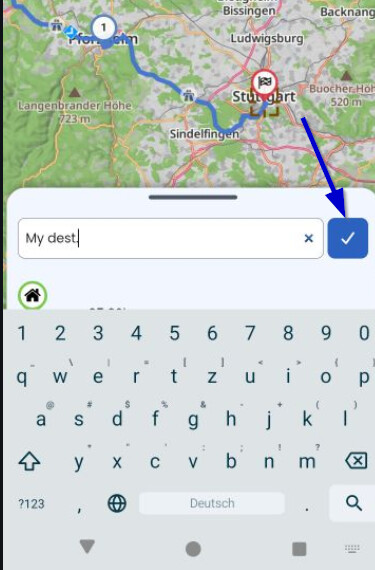
.. keyboard overlaps, slider lightly visible ..
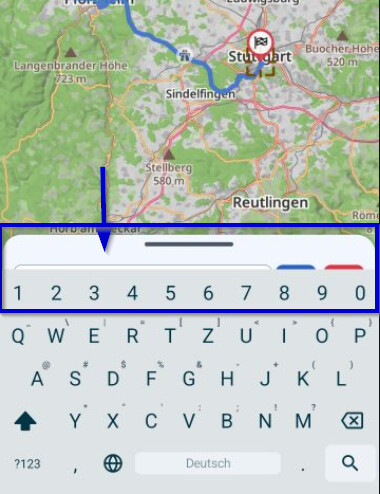
.. i push on the handle down and entry is lost (sometimes, sometimes not).
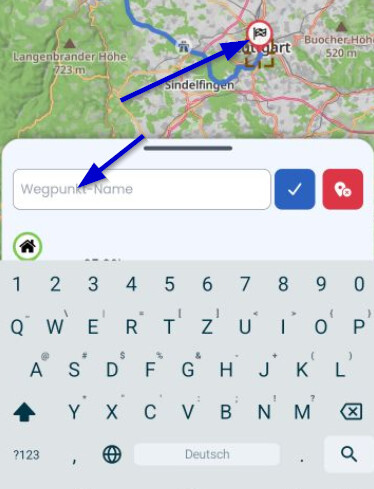
I try to change the name again and it seems that the icon for “Edit” and the icon for “ok” are mixed.
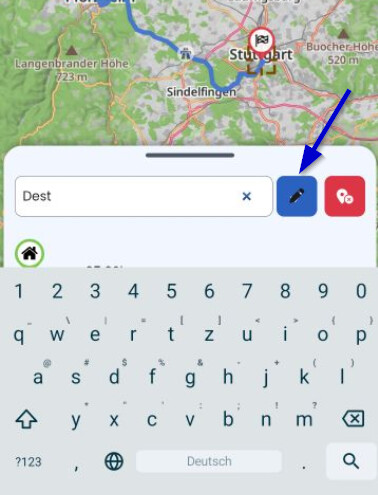
Sometimes I press the blue OK, but instead of function “ok” a point on the map is set, as if the button is "invisible”.
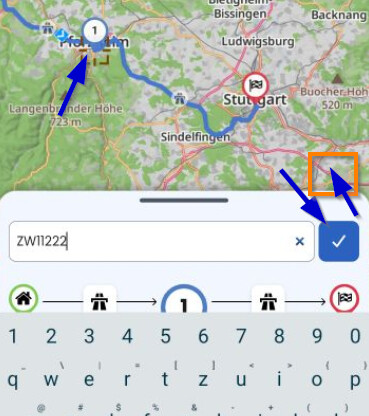
You may also play around with removing the waypoint name again and try to set a new one, some unexpected things are happening when using the “Ok” button.
Edit: Another issue .. iit even seems that ok button sometimes is mixed with delete the waypoint. In the last 20 minutes I deleted 5 times a waypoint (of this test route); it never happenend to me before, so must be the software. 
Proposal
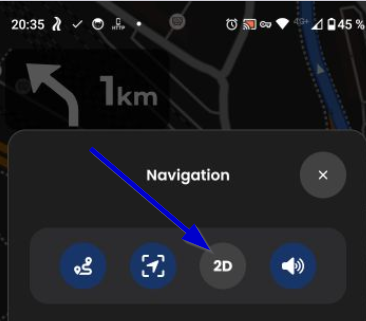
I would prefer to have the button *2D/3D/North" also in blue as here 2D is active as the other settings. As it is grey, my head thinks “press me to activate”. My head is awesome.
Idea
I think the button to close is hard to press, as the click area is small. Would it it be helpful to make a timer similar as for messages? I guess 10 seconds would be enough to press the relevant function. When I opened the popup unintentionally (e.g. I wanted to press the Zoom-Button), then the view “repairs” itself after 10 seconds.
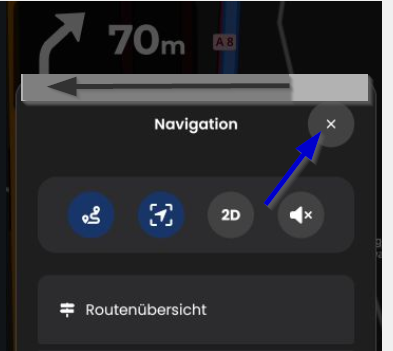
In case of an error message I can stop the timer by clicking the message. This could also be useful here. Just click anywhere on the popup to stop the timer.
Or: Button “back” (on Smartphone or with remote) would be nice (back already used to reset zoom and exit novigation!?)
Proposal Skip Waypoints
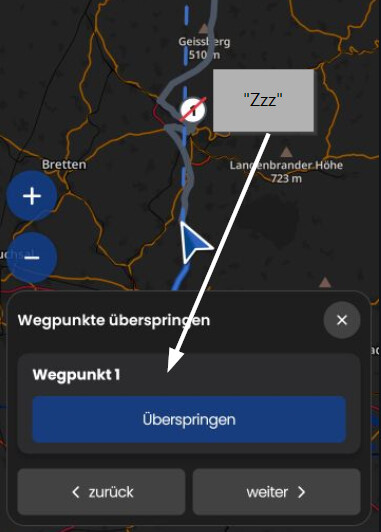
The popup asks to skip Wegpunkt 1. As the waypoint has a name, it would be nice to see it´s name here. For example *Wegpunkt 1 - <my waypoint> or just <my waypoint>
*Message for impossible Road Block"
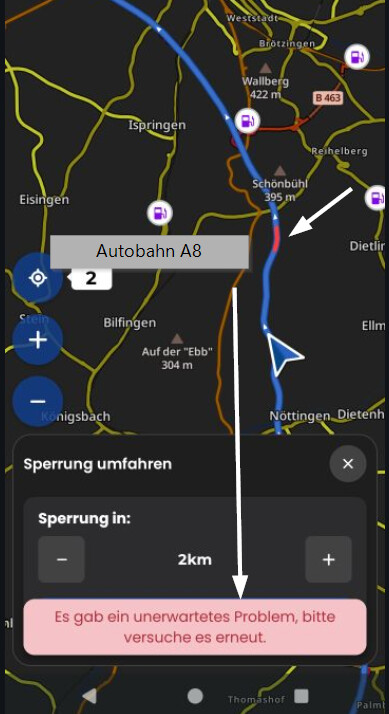
Message is “Unexpcted problem”. It would be nice the message of an impossible road block can be improved, as not really unexpected on the motorway. For example “No alternative found. Road block could not be set”.
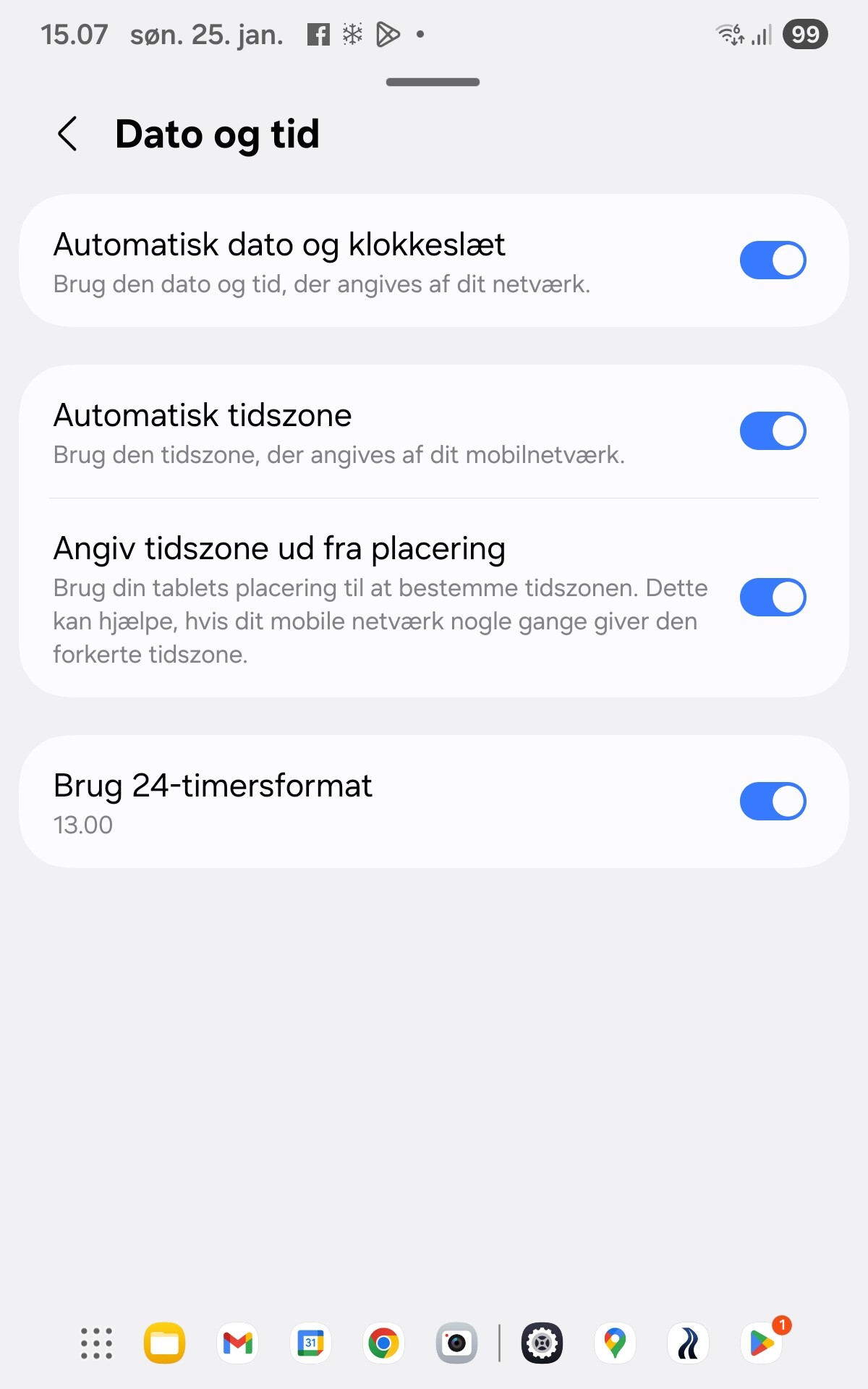
@Steen_Thomasberg just to make sure, you did try to toggle the 24 hour setting in the settings (meaning manually off and on again?) and you did try to restart your phone?
Ich hab das Thema schon aufgenommen gehabt - wir kümmern uns darum  .
.
Thanks, we will have a look!
True, if you have everything disabled, you will have the opposite issue . I guess there is no right and wrong here?
Like with most modals, you can tap the area outside of the modal to close this one. That’s why we accepted the somewhat smaller button.
My geuss would be that in most cases you open the menu intentionally. And when you open it intentionally, the timer would be rather negative, so I am not sure. What do others think about this? Would this be helpful for you?
Yeah, the back button could be used here, you are right 
We will have a look, we plan on improving the error messages here anyway
Noch eins ist mir aufgefallen, kein Bug, aber vorher war es anders:)
Es geht um Bildschirmausrichtung, bis 3.6.0 startete die Navigation in der zuletzt während der Navigation verwendeten Ausrichtung. Also in meinem Fall war es so, dass die Navigation immer in Landscape startete, die app verwende ich aber meistens nicht am Lenker, daher hochkant. War perfekt für mich.
Jetzt startet die Navigation mit der Ausrichtung des normales Betriebs, was für mich immer heißt: starten, einmal drehen und auf den blauen Ausrichtungsbutton tippen. Nervig:)
Eine Einstellungsoption mit “Navigation immer starten “automatisch/Hochkant/Quer“ Ausrichtung“ (so ähnlich) wäre die Lösung die allen passen würde. Aber bitte den blauen Ausrichtungsbutton da lassen, wie es jetzt ist:)
Danke:)
Sure, no right or wrong or really important. For consistency / from wording “The view 2D / 3D / North is active” would mean the button should show (always) active. IMHO.
Works only with the big popup “Navigation” to click outside to close. But not (yet?) with the small ones like “Skip waypoints”.
Btw.: in landscape, modal Navigation closes with one tap outside, in portrait, I need at least two clicks outside.
Edit: not true; there is a delay up to 3 seconds until popup closes, what seems that click does not work.
Ich hatte vor ca. 1 Stunde eine kleine Testroute erstellt mit ein paar SP+WP. Als ich Kurviger -app erneut öffne, sehe ich eine leere Wegpunktliste und die Route ohne die Punkte:
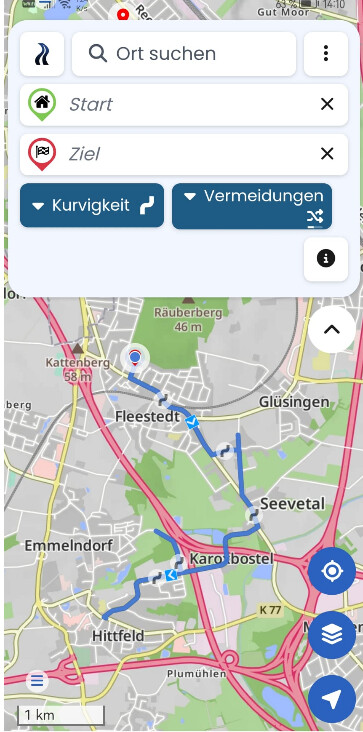
Nach dem dem Start der Navigation erscheint die Meldung “GPS deaktiviert” (Ist aber aktiv)
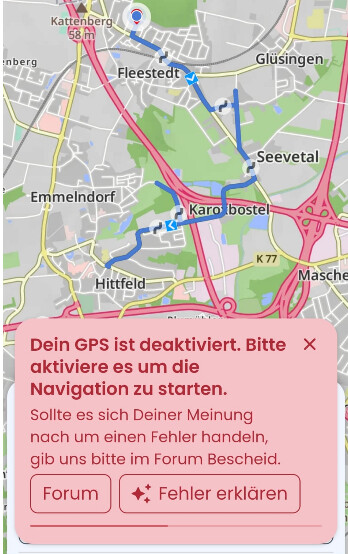
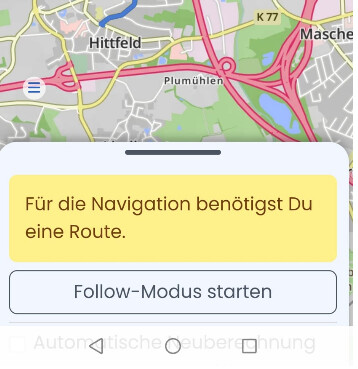
Nach dem Löschen der Meldung erscheint
Yes - disable, enable and reboot solved the problem
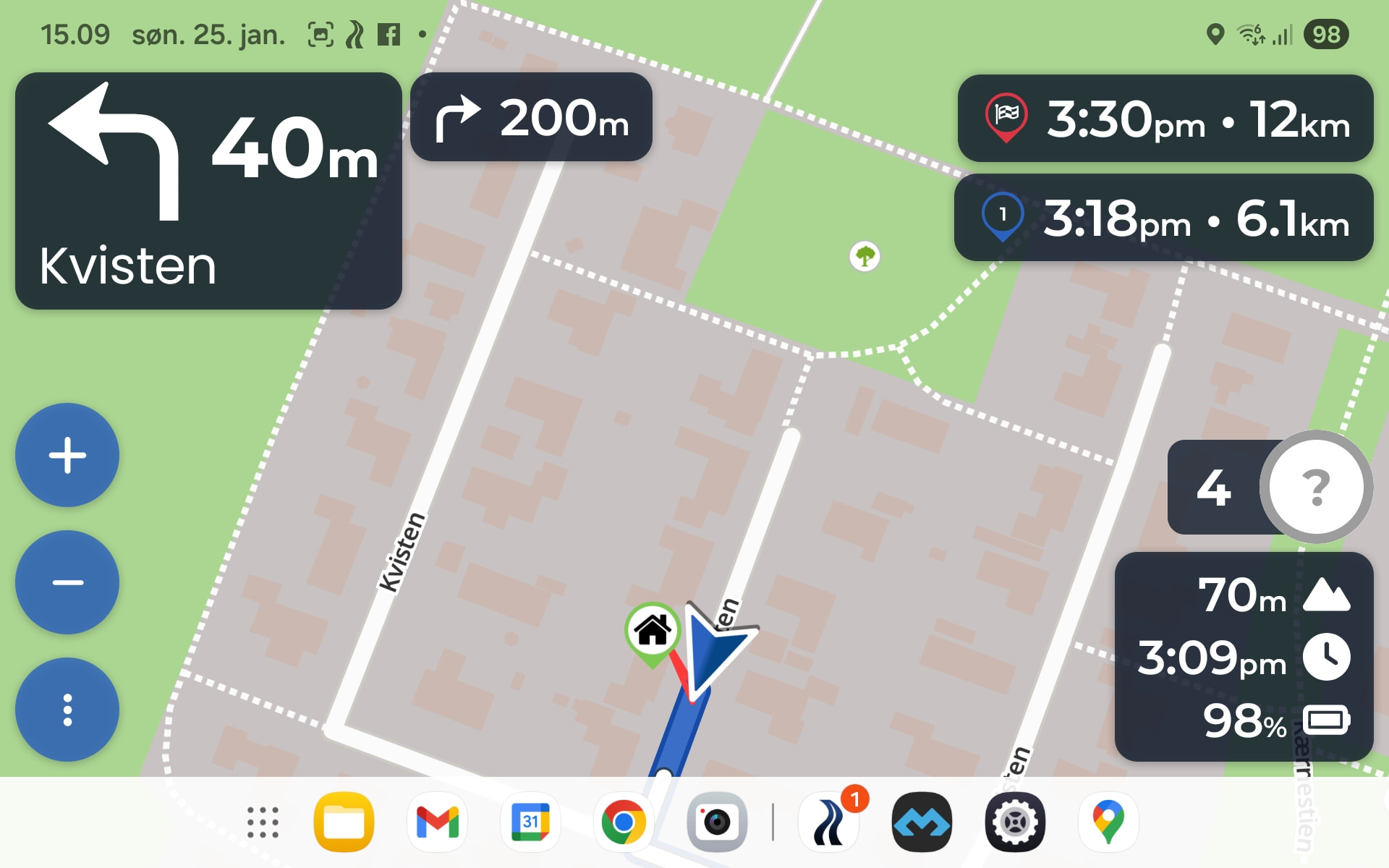
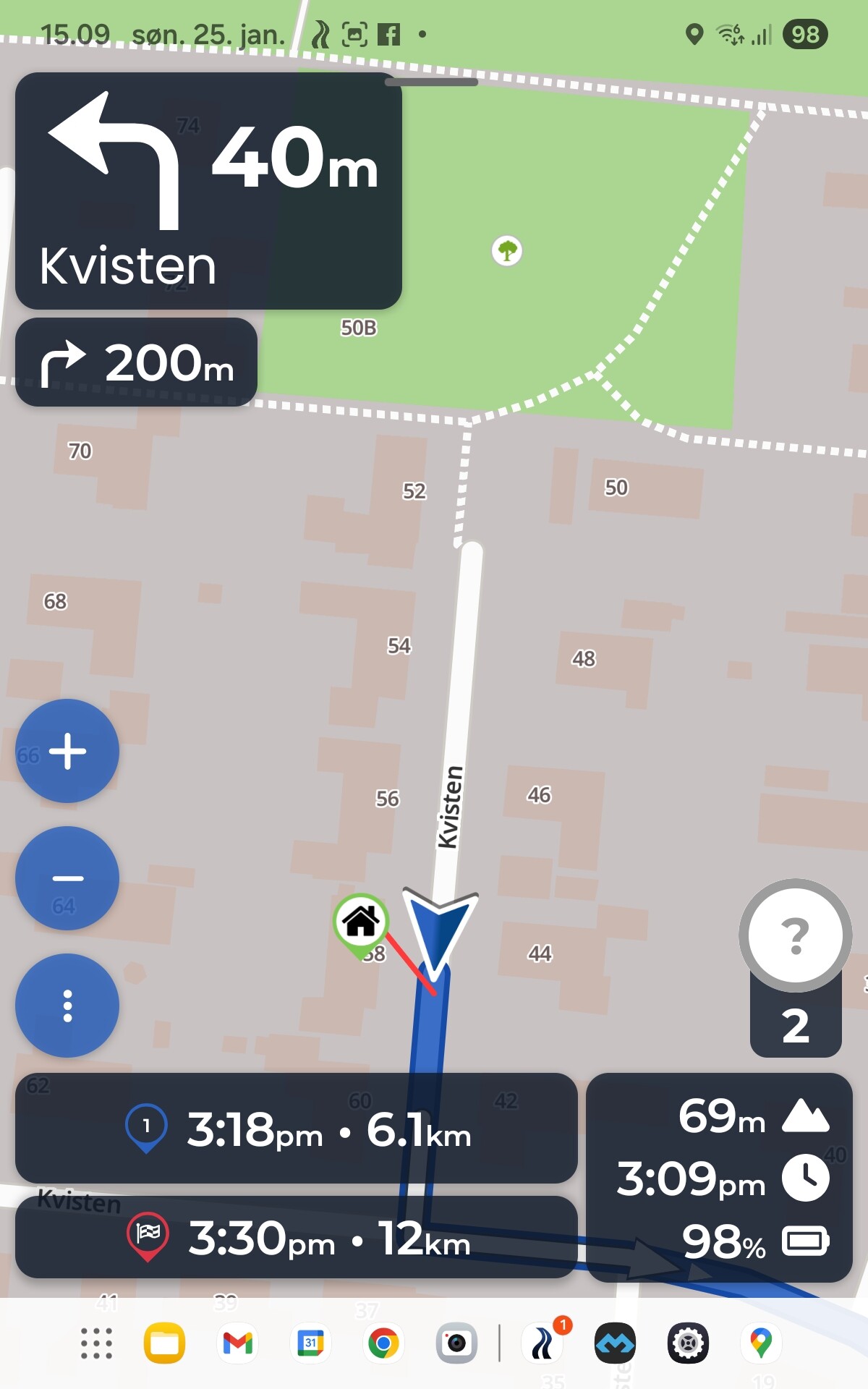
I stille don’t get why waypoint and destination is in different order in landscape and portrait mode.
Br Steen
Stimmt, schauen wir uns an
Correct, because you need to be able to use the map in these cases, including tapping on fuel stations, or on WPs to select them.
Komisch, hat sich das durch einen App-Neustart gefixt? Ich vermute, ist irgendwas komisches kaputt gegangen, konnte ich nicht reproduzieren.
Thanks for the update 
We could change the order in portrait, but that looks kinda wrong, so we decided that the current approach is the best way forward. For landscape it depends on the width of the box, and the destination box is always wider because the distances and times are greater.
Für eine FB ist der Zoom ja auch per Key erreichbar, dann braucht’s die Button nicht.
Und wenn ich schon “touche” habe ich die halbe Miete der Geste schon gezahlt, dann braucht’s die Buttons auch nicht
ich auch!
For me it’s ok that “blue” shows default and “grey” shows default disabled. After the second use I’ll know how it works.
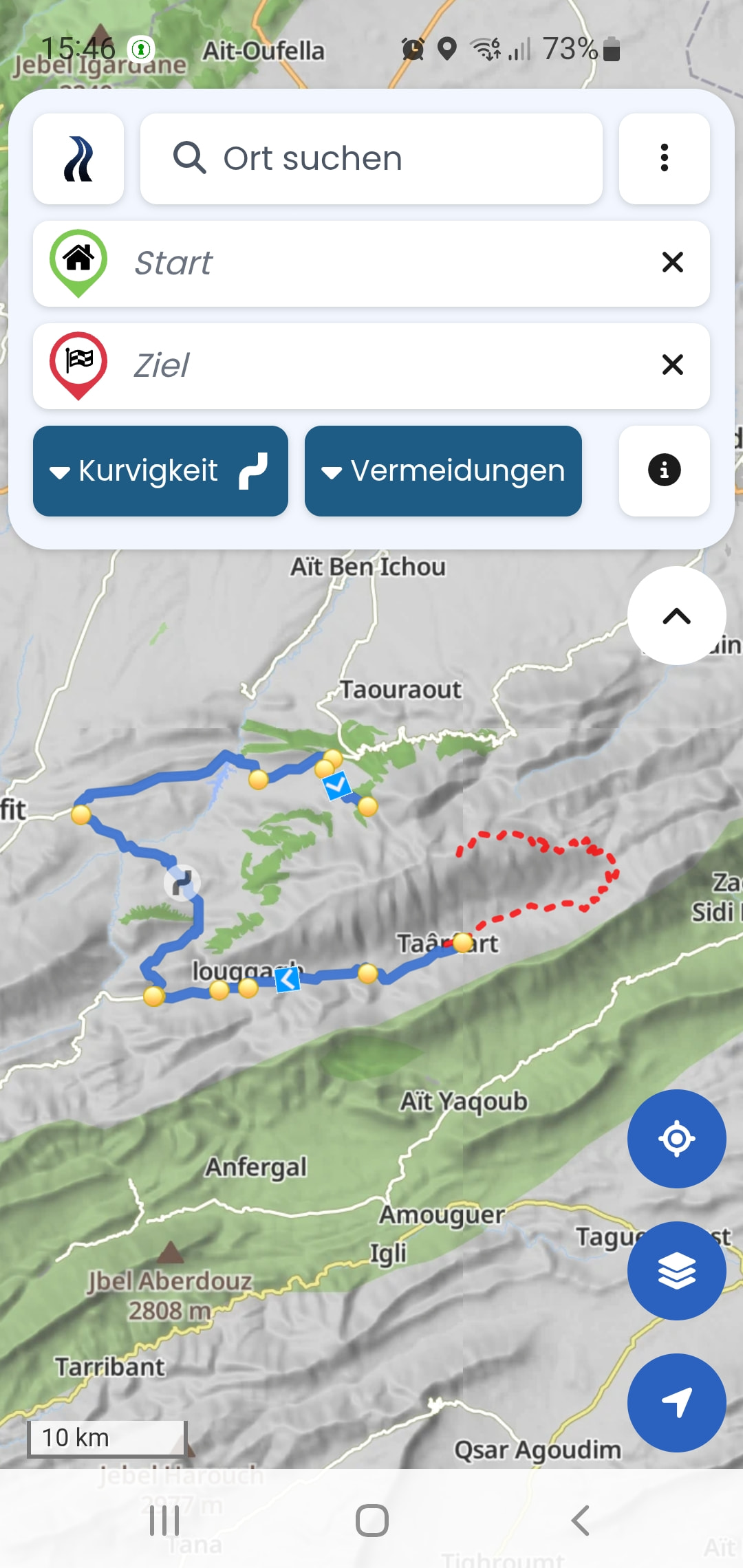
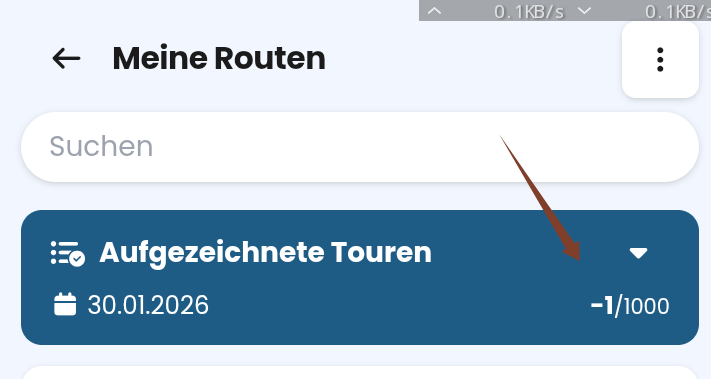
Anzahl aufgezeichnete Touren zeigt Anzahl minus 1.
Ordner zeigt “-1/1000” wenn leer ..
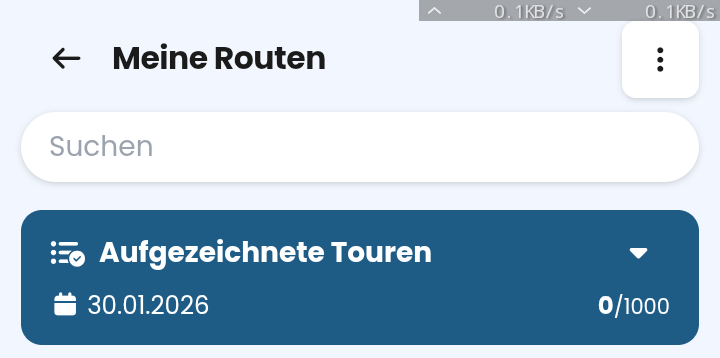
.. und “0/1000”, wenn eine Aufzeichnung vorhanden ist.
Kann das bitte jemand gegenprüfen? In der Simulation erfolgt bei mir keine Routenaufzeichnung. Keine rote Linie und keine Abfrage zum Speichern der Tour. Absicht?
Edit
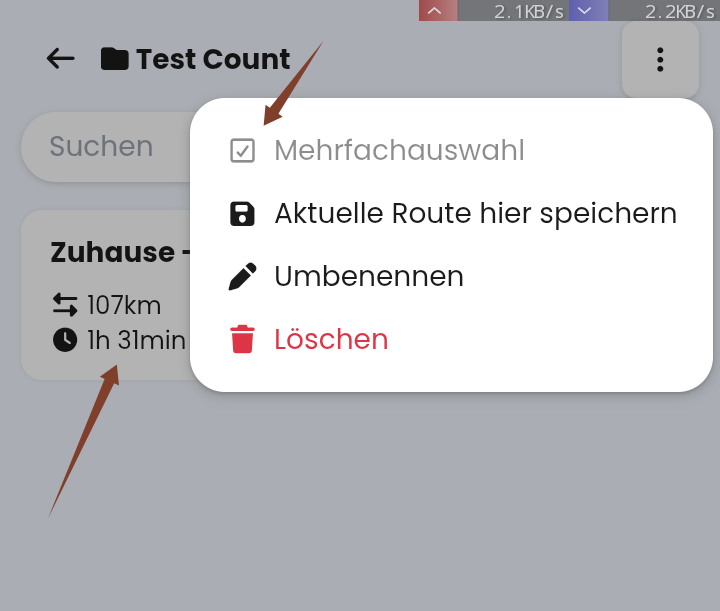
Wenn nur eine Route in Routenordner, dann ist Mehrfachauswahl nicht vorhanden (z.B. zum einfachen Verschieben im einen anderen Ordner).
Ok, wenn ich Route aufrufe, kann ich dort die Route auch verschieben, ist aber umständlicher. Schöner wär’s, wenn Mehrfachauswahl schon bei einem Eintrag aktiv wäre?
Ja, Absicht.
Simulation ist eher zum Testen da .
Passt, Danke.
Merkwürdig. Hast du den Cache einmal gelöscht? Soll aber natürlich gar nicht vorkommen.
Mehrfachauswahl ist dafür gedacht, wenn du dieselbe Aktion mit mehreren Routen ausführen willst. Mach mal einen long-press auf die Route und dann bekommst du unten am Rand die Auswahl “Aktion auswählen” und kannst deine Route so verschieben.
Ja. Cache gelöscht, weiterhin -1/1000. Ist auch nicht schlimm, dann kann ich 1001 Aufzeichnungen speichern. 
Kannte ich noch nicht. Danke.
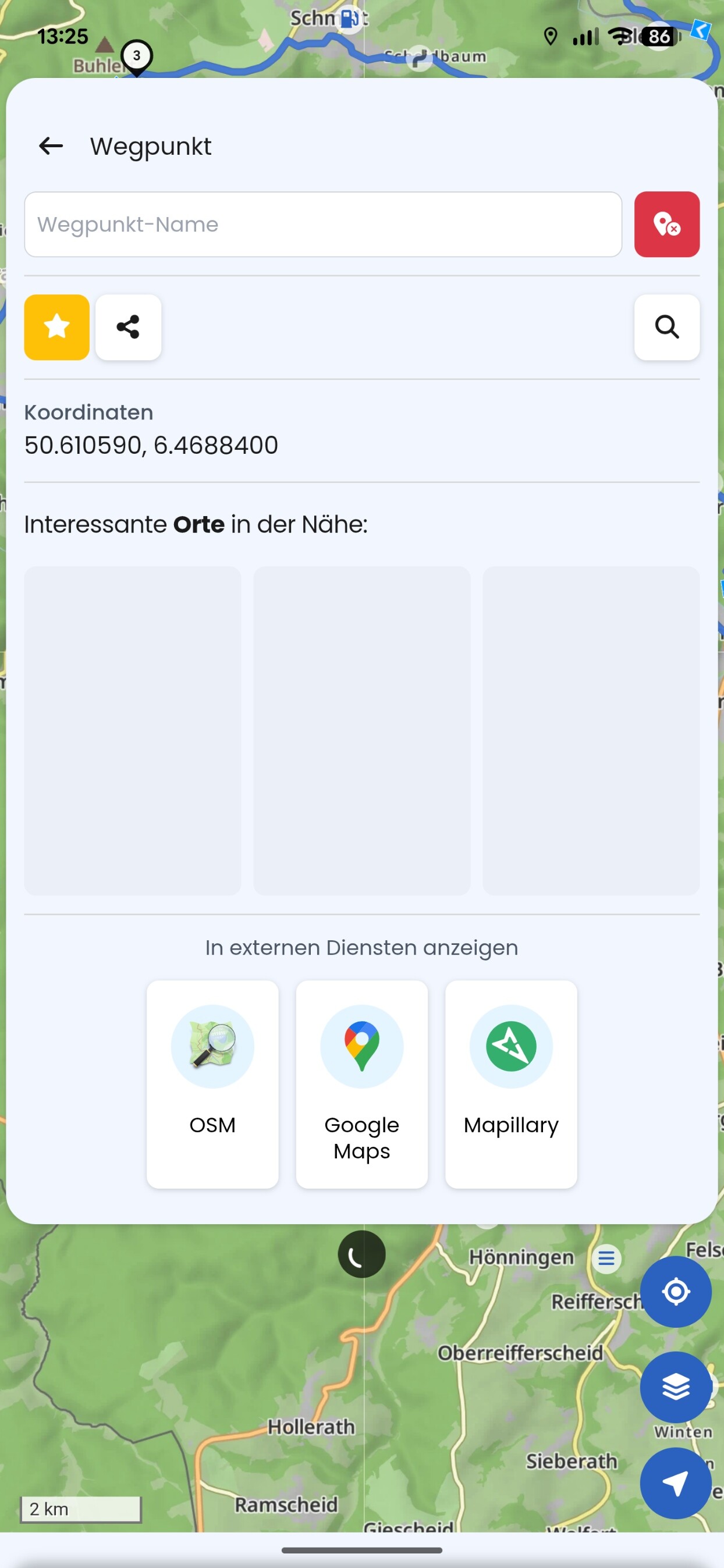
Hab gerade das hier bekommen:
App ausm Kurviger link gestartet. Klick auf der Karte macht diese Ansicht mit Ladeanimation auf.
Tapt man auf er Karte unterhalb, ist der “wegpunkt“ weg, bleibt nur leere karte, ohne knöpfe oder iwelchen panels. noch ein Tap auf karte bringt den “wegpunkt“ wieder zurück. Erst Neustart der App hat es behoben
Das hatte ich schon einige Male. Habe mir angewöhnt, ein Handy reboot nach einem Kurviger Update durchzuführen, zumindest, wenn irgendwas nicht passt. Anschließend waren immer solche oder andere komischen Phänomene behoben.
Nicht schön, ist aber so.