schau bitte mal weiter oben in diesem Beitrag nach.
Da gibt es einige Hilfestellungen zum Chigee, die das Problem lösen könnten.
Für die Kurviger-Programmierer nachfolgend etwas zur Anschauung (Android Auto).
Start mit TomTo Go (App im Tagmodus)
Umschaltung auf Kurviger (Nachtmodus)
Das gleiche Verhalten ist auch mit externen Displays.
Der Fehler tritt aber unabhängig von diesem Stick auf, ja?
Ja ich hatte nur dieses Video zur Verfügung, wo man es direkt sehen kann. Bekomme aber morgen eine neues Display (Ridernav) und da werde ich das auch testen. Beim Carabc war das Problem ja auch vorhanden.
Ist also kein Displaythema , sondern irgend ein undefinierter Zustand in AA ? oder passiert das mit AppleCarplay auch ?
Guten Tag Allerseits,
ich habe seit ca. 2 Wochen ein CP-Gerät von Linkifun (MA13-Pro 6,2). Navigation mit Kurviger funktioniert prima. Alles Andere ebenfalls. Einen Wermutstropfen gibt es mit dem Dark Mode. Er lässt sich einfach nicht ändern. Habe alle Tips und Vorgaben die in diesem Thread genannt wurden ausprobiert. Bin ab diesem Punkt nun ratlos.
Viele Grüße
Ralf
Hello Everyone,
I have for approx. 2 weeks a CP device from Linkifun (MA13-Pro 6,2). Navigation with Curvy works fine. Everything else as well. There is a downer with the dark mode. It just can’t be changed. I have tried all the tips and specifications mentioned in this thread. I am now at a loss from this point.
Best regards
Ralf
Abends ist Carplay Immer im “dark Mode”. Da kannst du machen was du willst - wird sich nicht ändern. Wenn du was ausprobierst - immer in einer hellen Umgebung. Bei mir reicht eine Bahnunterführung um CP kurz in Dunkelheit zu versetzen und da gibt es mehr licht als in manchen Garagen…
Ich habe es tagsüber versucht einzurichten. Keine Chance es zu ändern. Werde die Tage es unterwegs erneut versuchen. Nutze es ausschließlich auf dem Motorrad. Schaun mer mal….
Das Wichtigste ist wirklich die Einstellung in CarPlay, also nicht in der Kurviger App, hier musst du einstellen, dass die Karte nicht nur im Dark-Modus angezeigt wird. Einstellungen in CarPlay ändern - Apple Support (DE)
Kurviger reagiert eigentlich auf die Vorgabe des CP/AA Geräts. Diese haben meist entweder einen Helligkeitssensor, oder nutzen die Info des Fahrzeugs Licht an/aus.
Ich war heute auch wieder unterwegs.
TomTom Go alles ohne Probleme und Im Tunnel wird sauber auf Nachtmodus umgestellt und nach dem Tunnel wieder Tagmodus.
Starte ich Kurviger wird pauschal im Nachtmodus gestartet. Selbst schließen der App über Android oder Android Auto auf dem Display beenden brachte nichts und Kurviger bleibt im Nachtmodus. Erst Zündung aus bracht dann Kurviger wieder in den Tagmodus.
I’m using Kurviger 3.6.1. on my S22 Ultra on the phone it works fine. On my Andriod auto I keeps getting Dark theme and can’t used there for on my motor bike where I want to use it. On this same device I have also Waze that is showing on my Andriod auto light Theme fine but Kurviger is always dark on this Andriod screen why is that? All settings into Kurviger are on light theme is really stupped that it isn’t working.
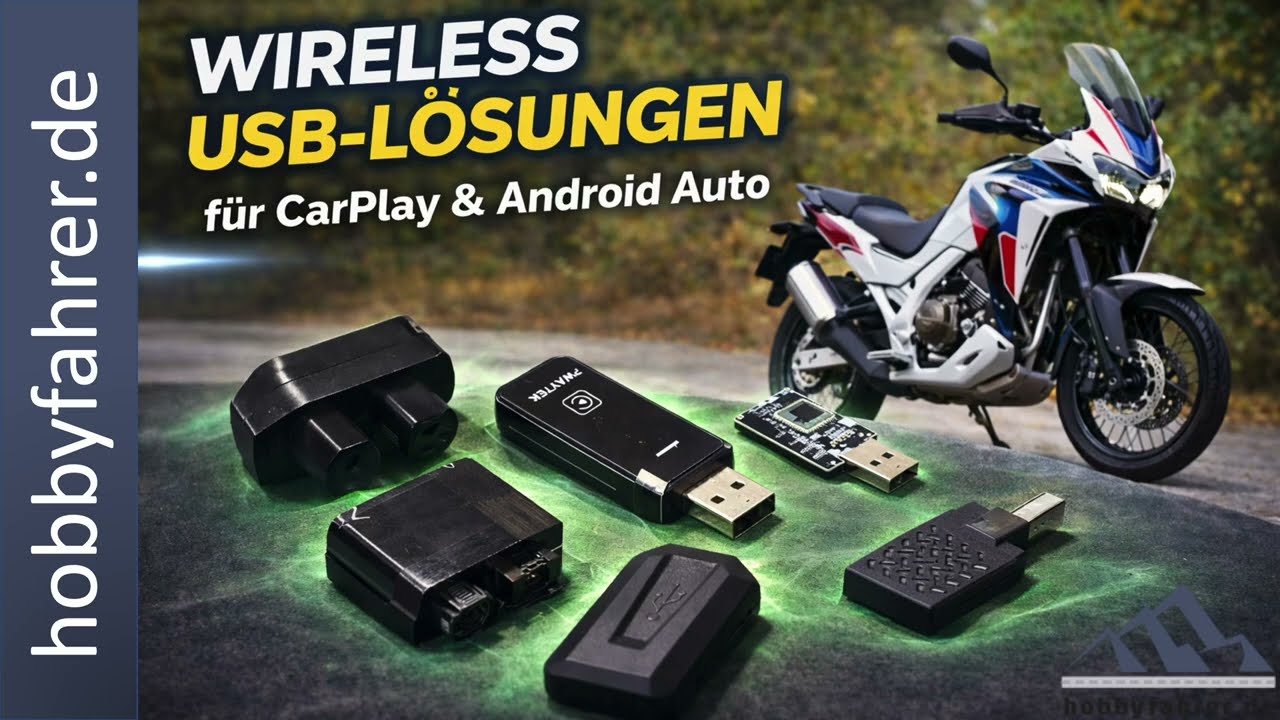
Just read this thread and this very important article by Hobbyfahrer.
These settings are not for AA, but only for the App on the phone, see answer above: Carplay/Android Auto - only dark mode - #50 by boldtrn
If the “dark theme” you mention is referring just to the boxes where the information about next turns, ETA and destinations appear - they are always black on AA - there are no options to customize them in Kurviger App and some of the boxes are mandated to be black by AA user interface. Do not try to compare to Waze and GMaps - they have privileges that 3rd party Apps cannot use.
If you are referring to the dark map color, then the settings in AA need to change - Kurviger follows those settings.
Which AA device are you using? Maybe someone with the same setup could help you out finding the right settings.
Dasselbe Problem am Elebest CarPlay Gerät. Elebest startet in “Hell”. Kurviger App gestartet, Elbest schaltet auf “Dunkel”. Settings am Iphone helfen nicht, da hier in den Einstellungen nur zwischen “automatisch” und “immer dunkel” gewählt werden kann, aber nicht “immer hell”. Andere Apps bleiben auf “hell”.
eine endlose Geschichte
Ich meinte das jetzt im Griff zu haben wann Hell und wann es Dunkel ist , gefehlt.
Gestern den 1 zu 1 Teste gemacht und zwischen GM / Waze / Kurviger hin und her gewechselt während der fahrt ( alles das "selbe Ziel ) die einzige Software die zuverlässig in Dunkel ging und heute früh wieder in Hell war Waze , Googel und kurviger wollten gestern nicht in dunkel Mode wechseln mit den einstellungen.
I had a bit more detailed look at Carpley today, here is what I would like to share:
- Any experiments with light/dark mode should be done during the day in well lit conditions. Some devices have light sensors which can change the dark/light appearance.
- If the device is coupled with the motorcycle, the headlight should be switched off, otherwise the maps may switch to dark mode. I just tested it in the car during the daytime - lights on → dark maps, lights off → light maps. Interesting question - are there bikes, where the headlight cannot be switched off and the maps are always dark if the CP screen gets this information?
- Carplay supports three modes:
- light map / light UI
- light map / dark UI
- dark map / dark UI
These modes can be set in this menu on Carplay screen:
Important: Kurviger (at least up to v3.6.2) has not yet implemented the “light map / dark UI” mode on Carplay - this is the case where Waze would show light map and dark UI (which goes unnoticed by many), but Kurviger will show dark map as well. Kurviger switches to dark maps as soon as “Always Dark” is selected apparently ignoring “Always show Dark Maps” setting. @boldtrn in my eyes this might be causing a confusion among the users.
- Also important: This menu (at least up to v3.6.2) has nothing to do with the appearance on Carplay display:
I find this also confusing for new users - maybe a textual hint in this menu, where to find CP/AA settings would be helpful. - Some of the Carplay devices have the ability to set the dark mode on the device itself independent of what you set in Carplay or on the phone. This setting may override Carplay settings. I remember having this issue on Africa Twin, when my display on the motorbike was set to dark mode it also influenced the behaviour of CP/AA.
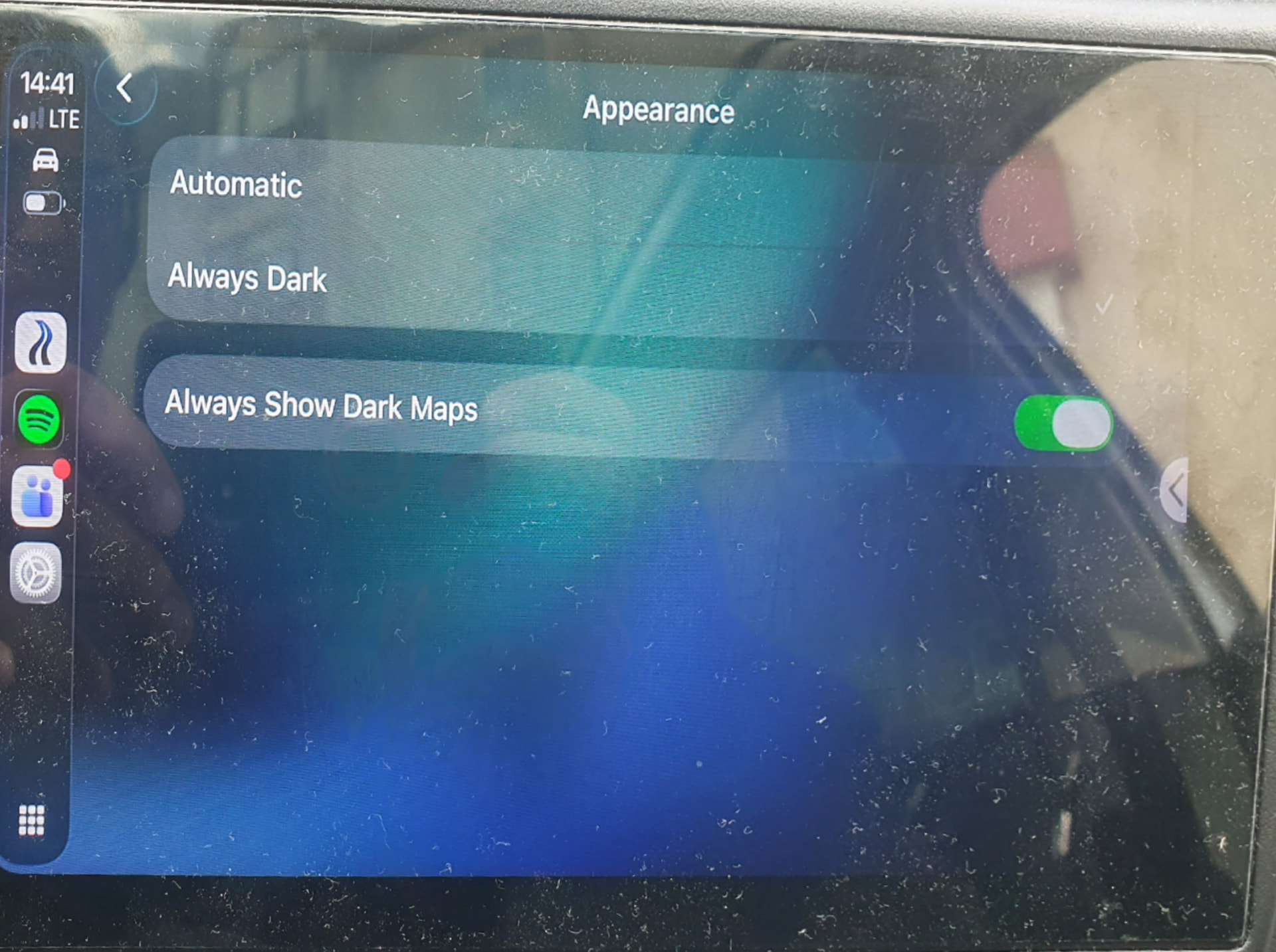
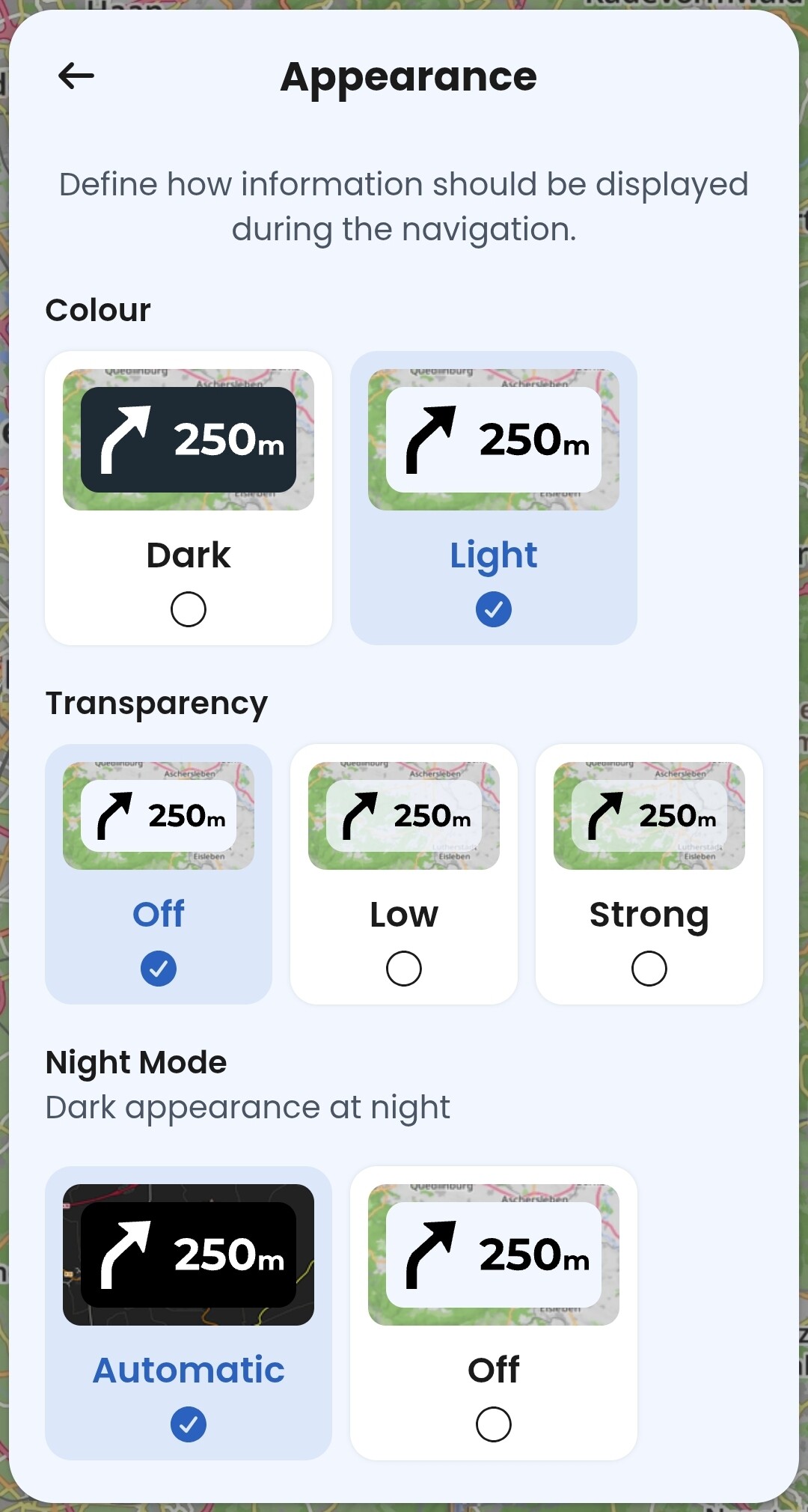
So, on this vehicle/CP device, everything behaved as expected, only the “light maps / dark UI” mode should be supported by Kurviger in the future.
Check the state of the above setting on your CP device and report if the problem persist under different settings.
Das was du beschreibst ist nur für sehr wenige Motorräder interessant, da es keine Verbindung zwischen dem AA/CP-Display und der Bordelektronik gibt, um das Signal für die Scheinwerfer auszuwerten.
Ich bin auch der Meinung, dass es im Automatik-Modus funktionieren muss, ohne etwas fest im Gerät einstellen zu müssen.
ich hab irgendwo in den Optionen weis nur nicht ob das im Handy oder in der Software war
Hell Dunkel nach Sonnen Auf Untergangs Zeit bzw konnte man feste Uhrzeiten eintragen
schau später noch mal.
My problem is solved, strange thing my Phone andriod auto was standing on Light, I changed to auto and reboot the Phone. Same result, then i changed Back to Light and reboot the Phone and now it’s working into Light mode.