Here are some of my observations regarding UI in the “find gas station” function. They are somewhat related to topics in this thread: Tankstelle während aktiver Navigation hinzufügen , but I did not want to disrupt the discussion flow about a specific topic there.
Incorrect auto-zoom
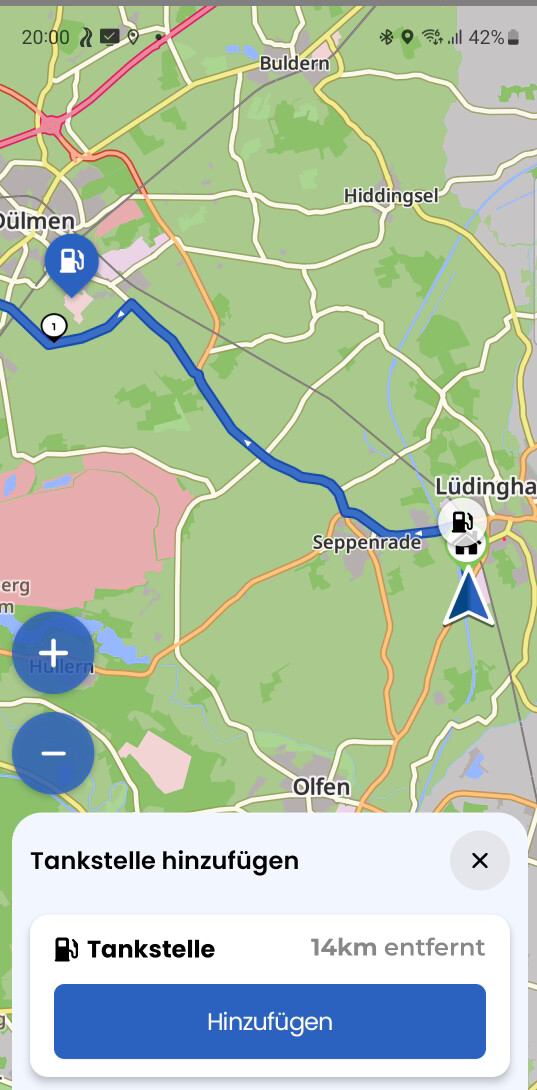
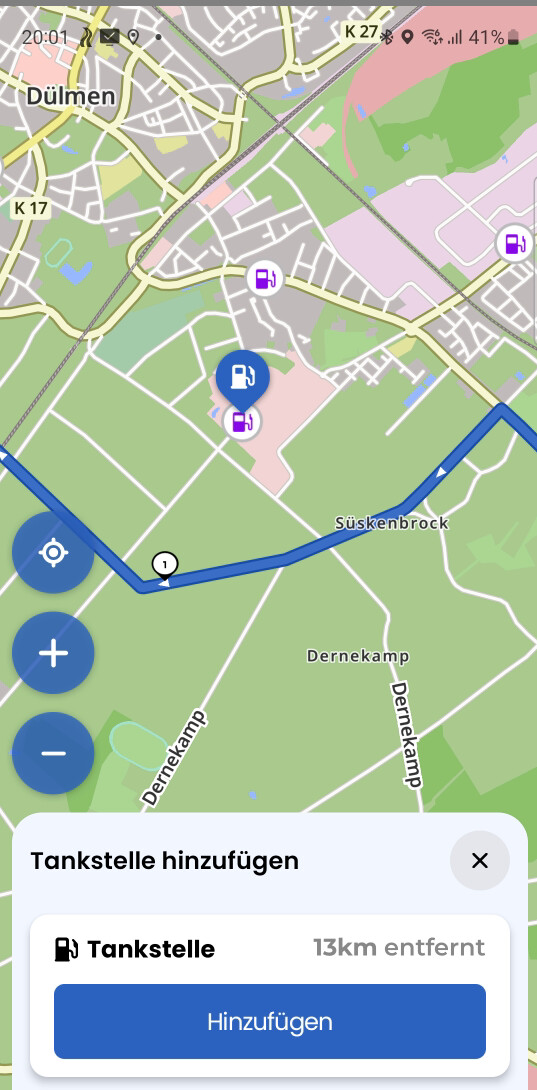
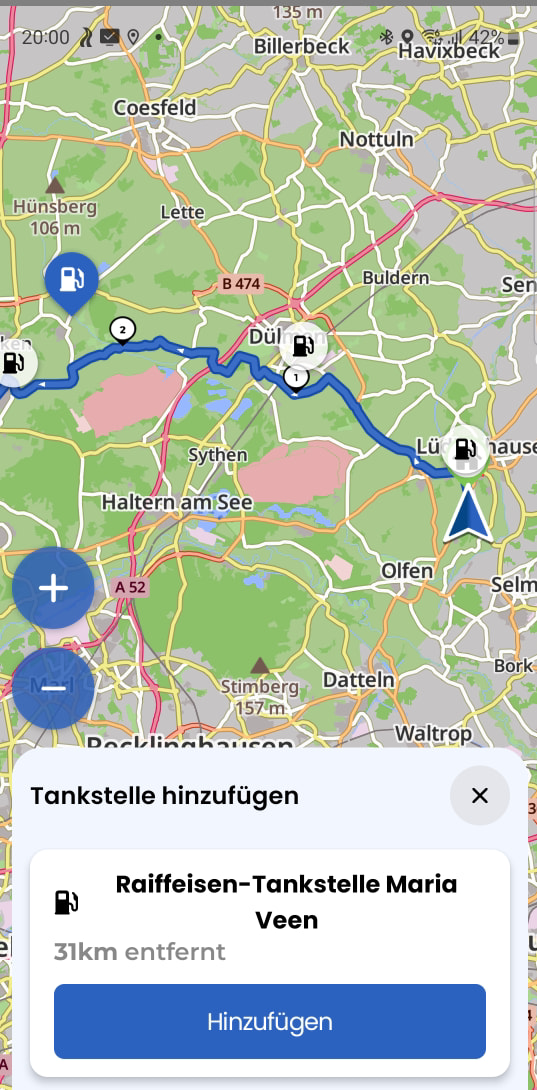
If I select the gas station using “next/previous” buttons, the map view is adjusted to show the route section between the current location and the selected gas station. If I select the gas station by tapping on it, the map view is adjusted to show the section up to previously selected gas station, not the current one (see example video)
Zoom to gas station instead of middle of the section
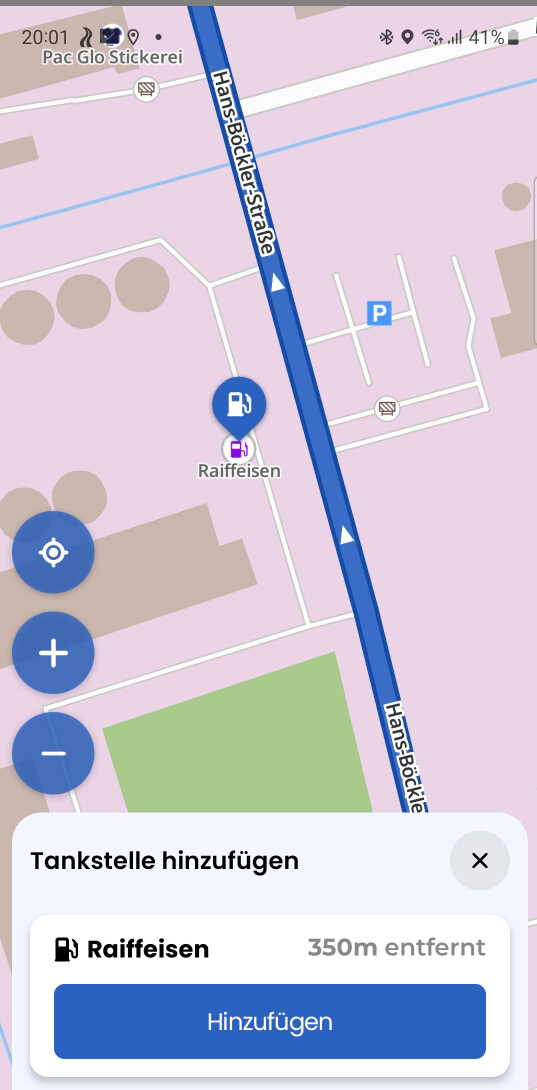
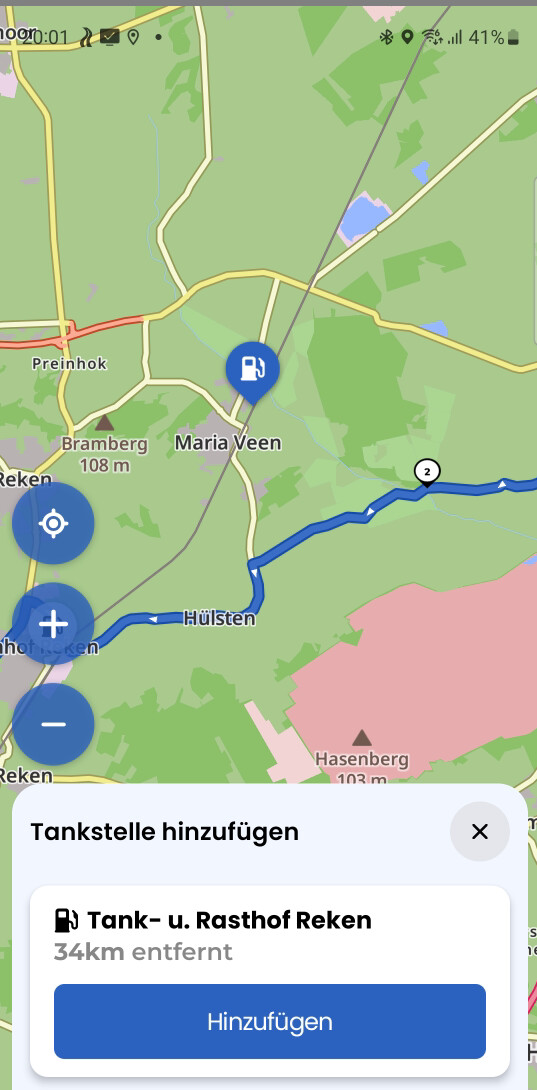
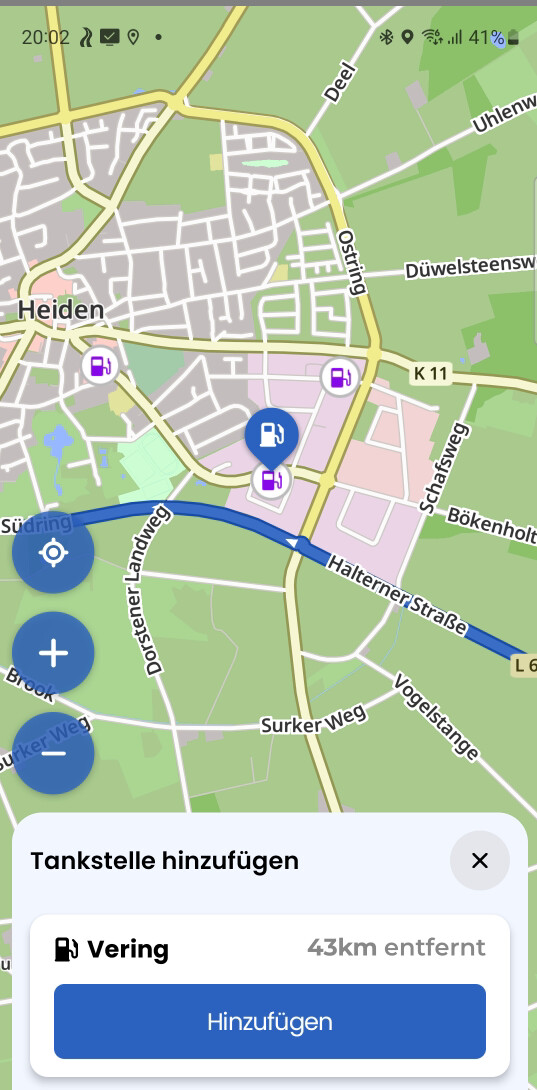
After selecting a gas station, the map view is adjusted to show the route section between the current location and the selected gas station. Zooming-in, the app enlarges the area in the middle of the displayed route section (see video). This is not a bug, however, zooming-in on this area is not vety useful - there is typically nothing of interest there for the current user action. It would be much more beneficial if the zoom focus would automatically move to the selected gas station and display the area around it - this way the user would better see how far is it from the route and if there are any alternatives (or other POIs) nearby. Of course, this can be achieved by panning the map, but showing the relevant area automatically without havung to swipe the map in gloves would be better.
Improve visibility of found/selected gas stations
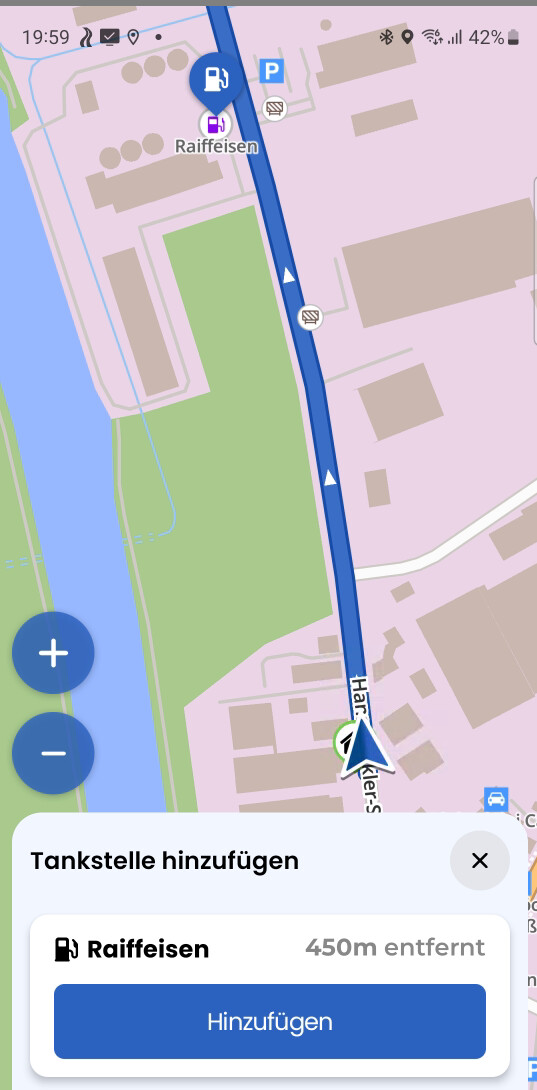
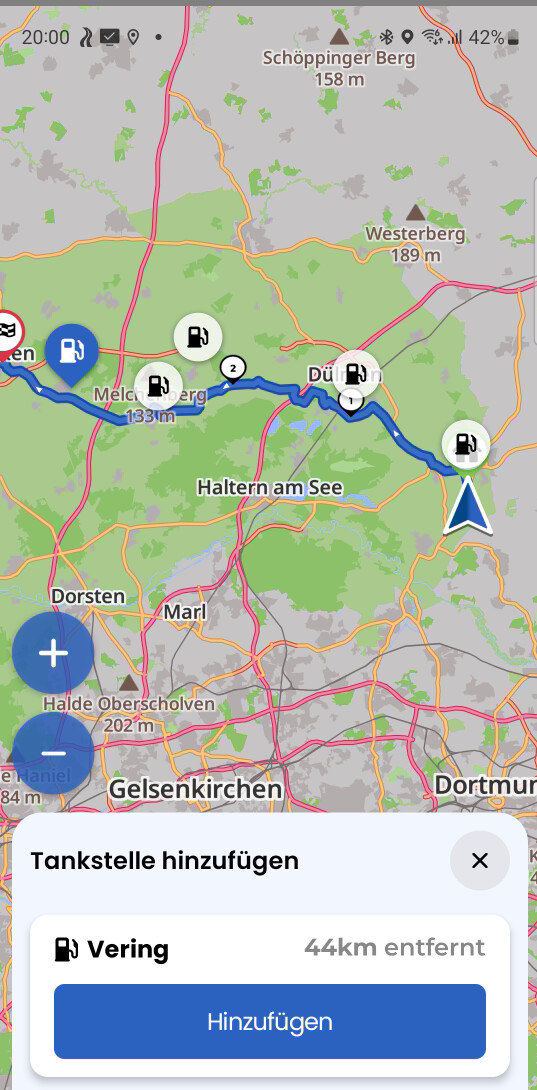
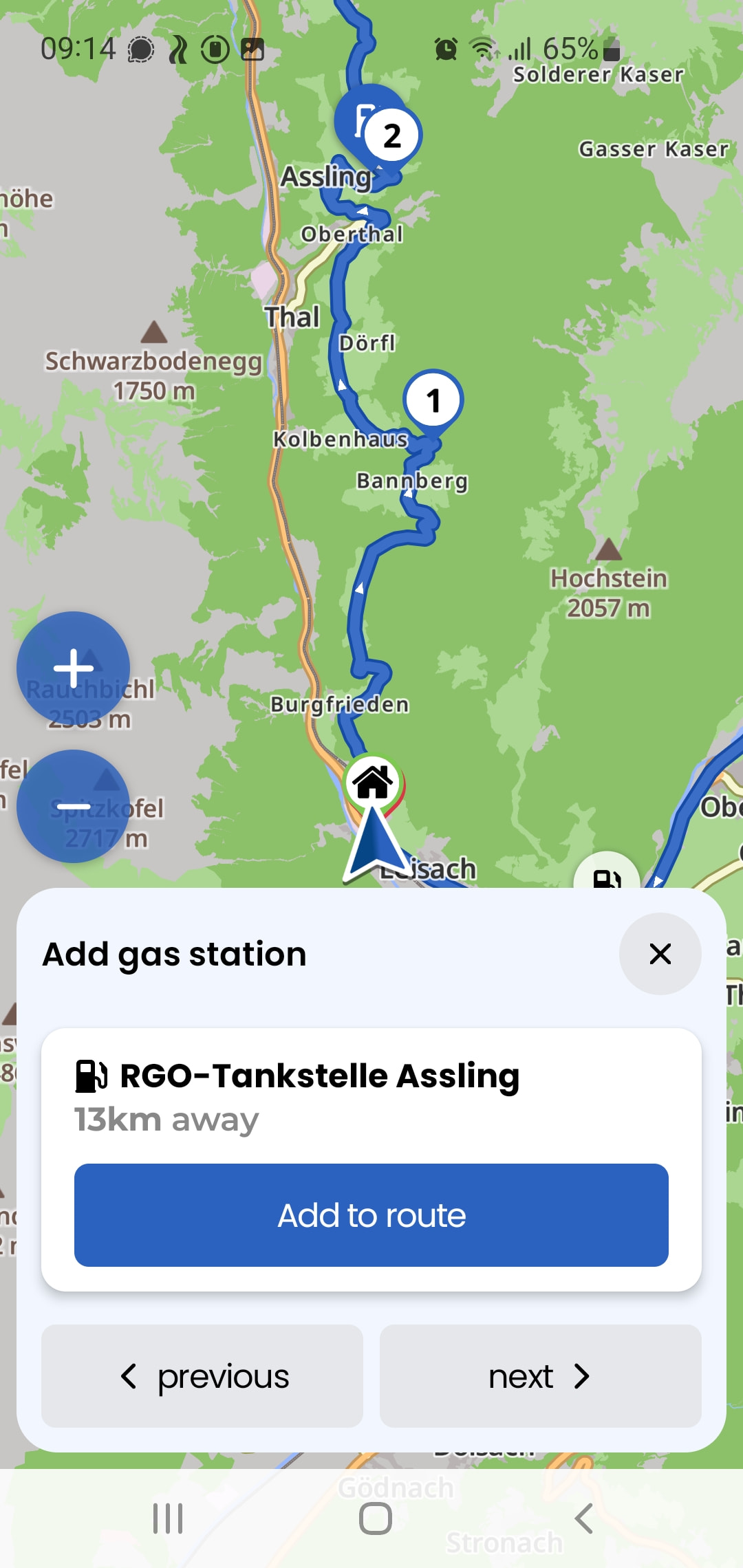
I would appreciate it if the found gas stations would be better visible on the map. Blue baloons on a blue route are sometimes difficult to spot, especially when hiding behind a Via-Point (see screenshot - not a made up example - it is actually what made me write this). Weren’t these baloons violet in the past?
Mir würde es eher zusagen wenn mit dem Select ( “zurück” / “weiter” ) direkt auf die Tankstelle gezoomt wird, sodass die Gegebenheiten um die Tankstelle direkt klar sind. Die Route als solches kenne ich ja schon, bietet mir wenig Mehrwert. Zudem ändert sich der Zoomlevel je weiter die nächste Tankstelle noch entfernt ist.
Alternativ sollte 1x (+) im Suchkontext die Tankstelle in einen passenden Zoomlevel bringen damit nicht verschieden häufige Zoombetätigungen notwendig sind.
That’s odd. We’ll have a look! Thanks for catching that
True. Let’s see how complex this is from the technical standpoint.
Yes, I noticed that before but it seems that it’s not that easy to solve.
Seh ich etwas anders… wenn ich “weiter”/”zurück” nutze, bin ich ja gerade dabei abzuwägen, welche Tankstelle ich mir aussuche und daher brauche ich die Referenz zur Route. Ein Reinzoomen währe an der Stelle daher eher unpassend.
Die Referenz zur Route ist doch der Abstand vom eigenen Standort zur Tankstelle in Kilometern, dieser wird ja unten angezeigt, und alle Tankstellen liegen “entlang” der Route. Wozu ist der Verlauf interessant?
Entfernung = schaffe ich das noch ?
Umfeld Tankstelle = ist das kompliziert vor Ort ?
Daher finde ich das eher passend als “sich ändernde Zoomlevel” je nach Entfernung.
Die Referenz zur Route ist absolut wichtig. Ich will wissen ob die Tanke auf oder neben der Route ist. Fährt man im Ausland auf der Autobahn will ich wegen zusätzlicher Maut-Bezahl-Möglichkeit eventuell nicht abfahren. Wo anders will ich unbedingt abfahren, wegen dem Preis. Soll aber nicht zu weit abseits der Route sein. Beim Routenbezug seh ich eventuell auch Tankstellen, die nicht vom Algorithmus ausgewählt wurden…..
Es gibt bei diesem Thema eine Menge von Bedürfnissen. Abfahren von der Route ja/nein, Zurück fahre oder nicht. Und in Frankreich, möglichst nur Supermarkt Tankstellen ( = 30ct günstiger). Bitte alles berücksichtigen
Ich spreche nicht davon die Route nicht mehr im Blick zu haben, das ist mir auch wichtig.
Da alle Tankstellen einer Suche in der Nähe der Route liegen, sollte das auch immer möglich sein.
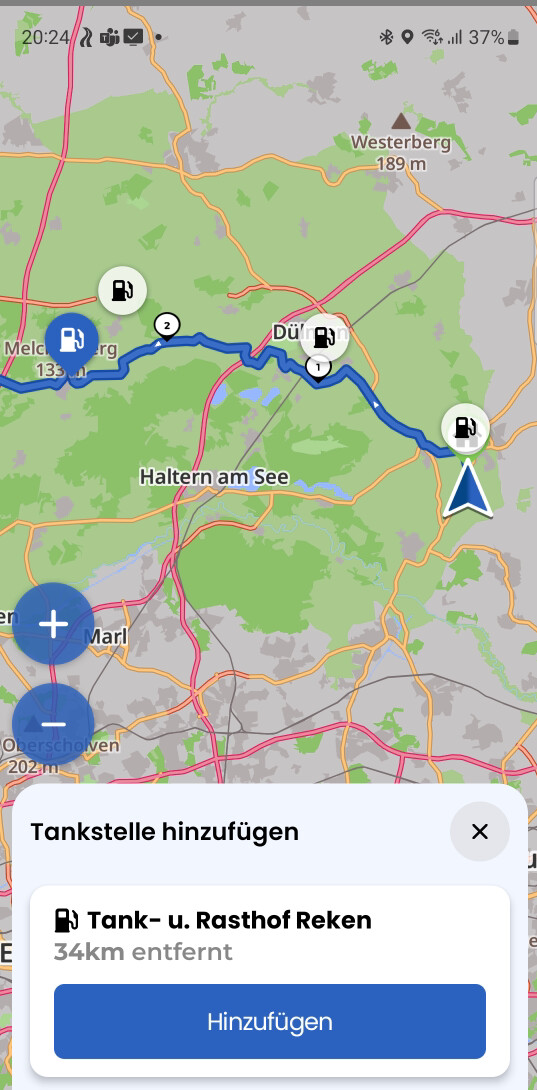
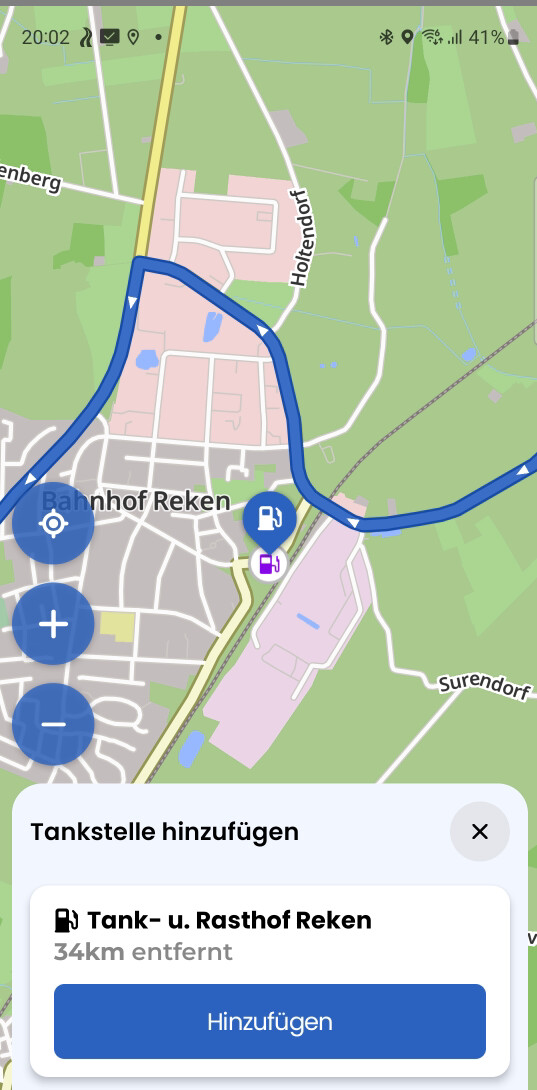
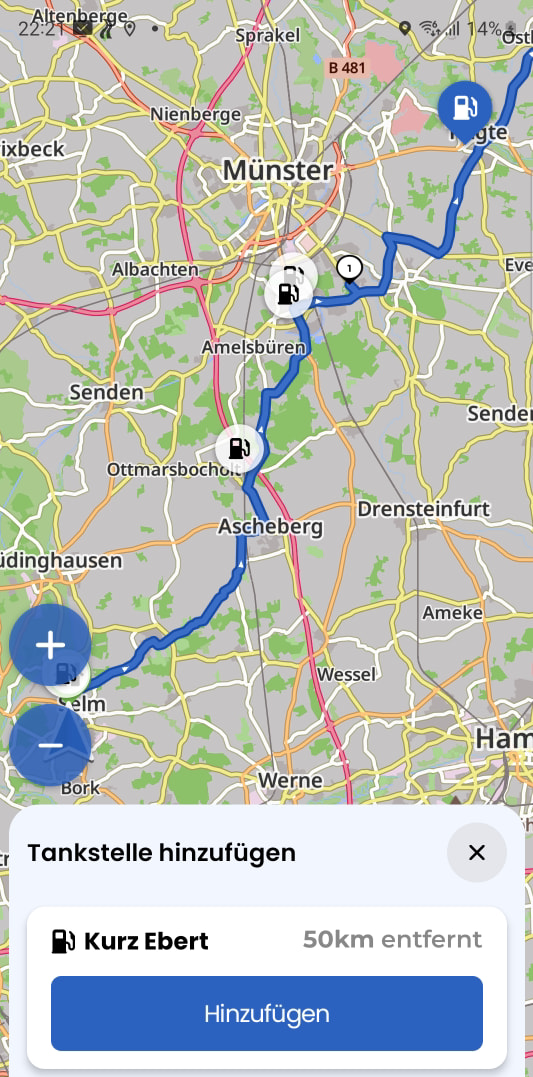
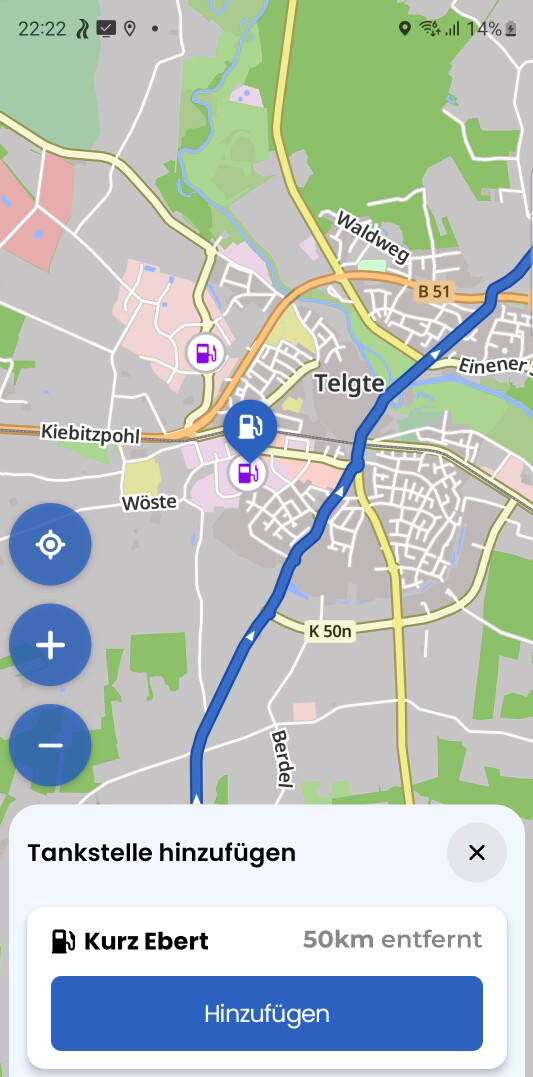
Jedoch: Welche Sicht ist hier “wertvoller”? Gleiche Tankstelle, 50 km entfernt, einmal mit meinem Standort, einmal ohne.
Welchen Nutzen hat das 50 km lange Streckensegment bis zur Tanke in der linken Darstellung? Die drei vorhergehende Tankstellen waren beim Skip schon in der Ansicht. Alle in jeweils einer eigenen Zoomstufe, immer kleiner werdend.
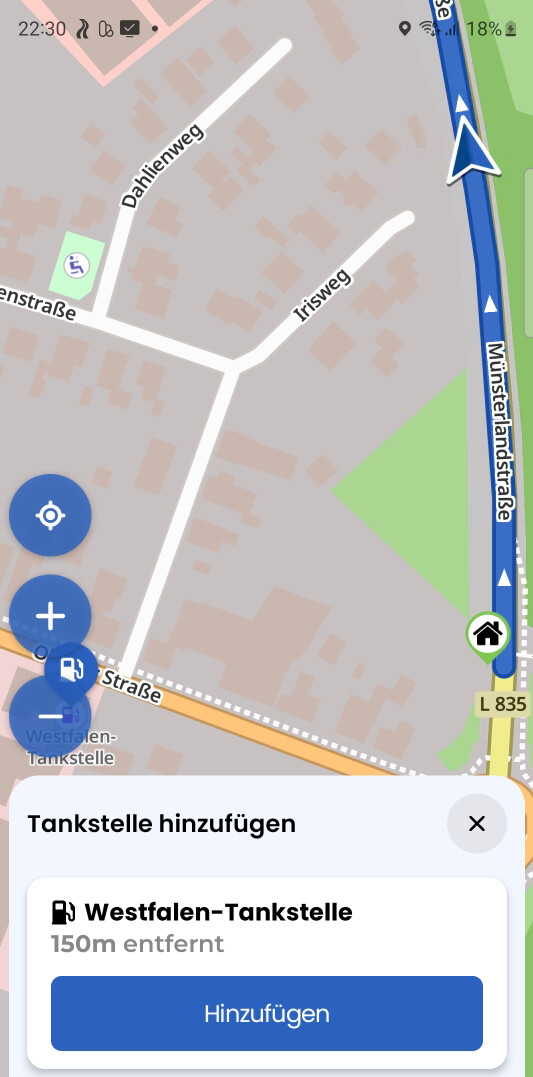
Die erste Tankstelle liegt übrigens hier nur 150m entfernt und ist m.E. viel zu nah rangezoomt.
( etwas versteckt unter den Buttons )
Ich finde die linke Darstellung besser. So seh ich auf einem Blick wo die nächsten möglichen sind und ich kann dann noch mal eins zurück, wenn mir das andere dann doch zu weit ist. Als Kompromiss eine Button zum reinzoomen in der Tankstellensuche? (Optional noch mit Preisinfos, aber das wird wahrscheinlich wegen Lizenzkosten zur Abfrage schwierig)
Mir visuell rückzumelden wo sich die Tankstelle auf / bei meiner Route in Referenz zu meinem Standort befindet. Zahlen sind nicht alles, vor allem wenn es darum geht schnell zu verstehen und zu entscheiden.
Das ist so natürlich noch nicht optimal und haben wir schon auf dem Schirm, danke dir!
Ich verstehe aber: Dein Usecase ist da scheinbar ein bisschen anders. Du möchtest in dem Feature auch gleich noch Gegebenheiten an der Tankstelle checken und für dich bewerten. Das würde ich dann doch eher als nächsten Step sehen, wenn ich weiß welche Tankstellen für mich in Frage kommen? Dann kann ich doch Zoomen?
Da finde ich @t00thl355 Idee für den Zoom wirklich verständlich: Zoom=an die ausgewählte Tankstelle zoomen. Und Zoom Buttons haben wir ja schon. Das Feature soll ja auch nicht zu überladen werden
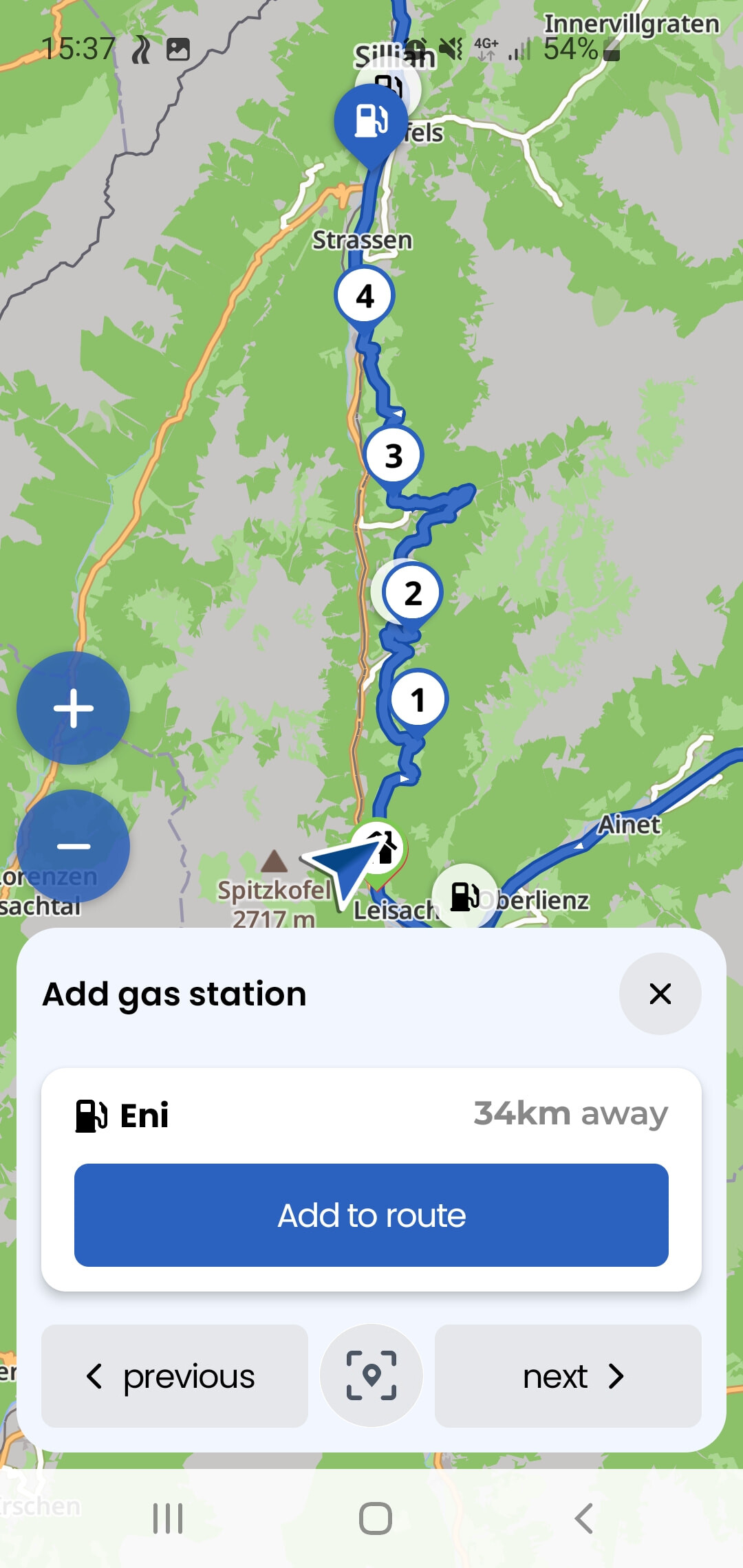
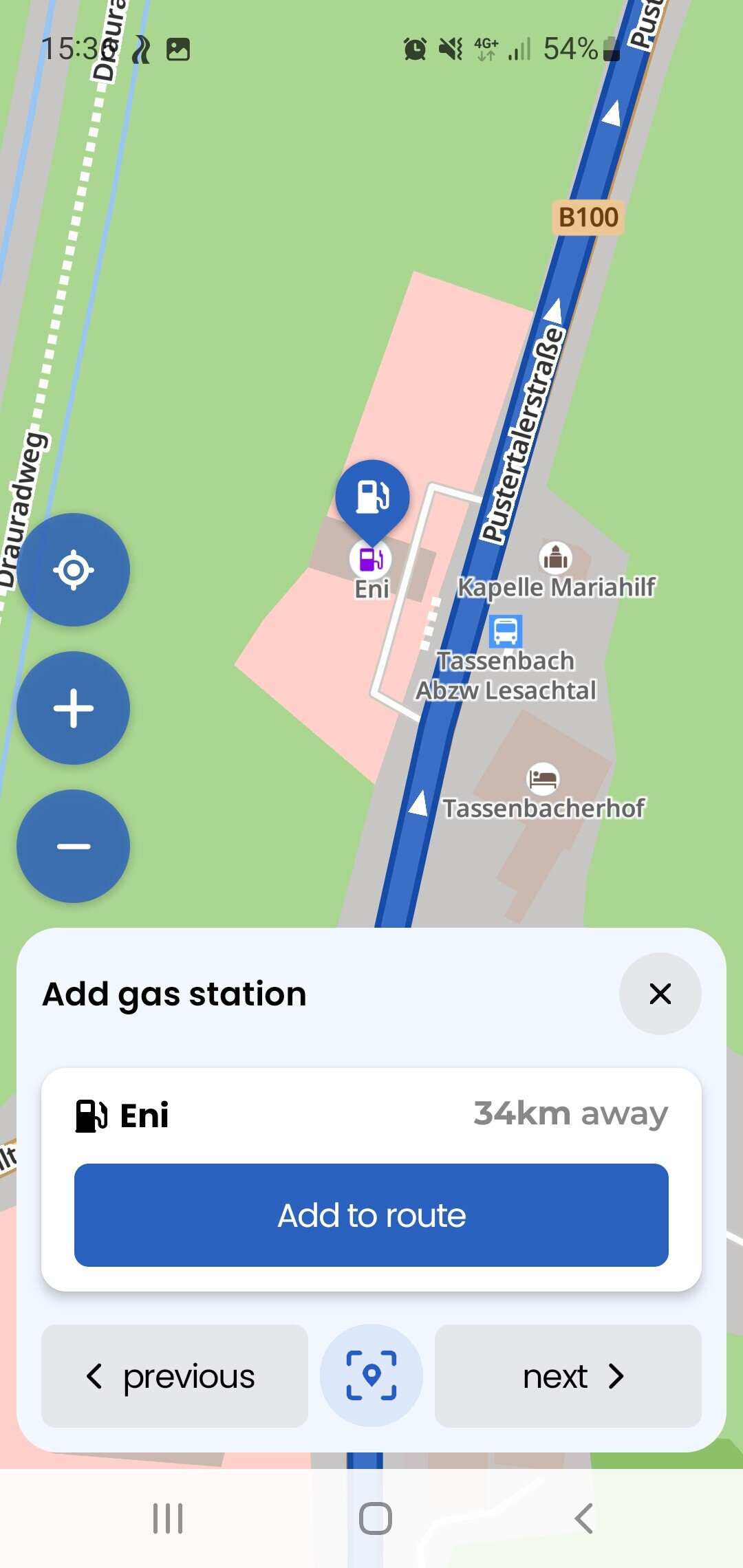
Linke Seite 1:1 wie es in der aktuellen Version angezeigt wird, rechte Seite wie ich es mir wünschen würde. Ich sehe links den Vorteil gegeüber rechts nicht.
Klar kann man das machen , ist nach jeden Step halt nur sehr mühselig, daher wird man das wohl nur 1x machen und dann nie wieder. Im Sattel sitzend mit Handschuhen noch mühseliger.
Warum es in den Entfernungen schwankt ( gleicher Standort / gleiche Tanke ) könnte am GPS liegen, wobei +/- 1 km schon eine Menge ist.
Je nachdem was man will - hier im Thread gibt es ja auch die andere Seite, die es eher als mühsam empfindet dann jedes mal wieder rauszuzoomen. Ich nehm das Feebdack mal mit, um das Thema im nächsten Testing ggf. nochmal gesondert anzuschauen
I think both views (presented by @Thoka) make sense, depending on a specific use case:
Overview - the map shows the route from the current position to the selected gas station (current solution)
Focus - the map is zoomed on the gas station (with an “appropriate zoom level” and shows a section of the route closest to it (current position is not visible in this case)
Proposal to satisfy both use cases:
(…with minimum user interaction)
add “Focus” Button - in pictures below, I have photoshopped it between “previous” and “next”, but there may be better places for it as well
“Focus” is deactivated (left picture) - previous/next behave like in the current solution - always in “Overview” mode
“Focus” is activated (right picture) - previous/next jump between gas stations, but the map is always zoomed on the gas station and small portion of the route
“Focus” keeps the last state - the button does not reset to any of the two states automatically even after navigation is ended and restarted - this way:
(1) the users that prefer to always see the overview will see the overview first without any interaction
(2) those that prefer to always have focus on gas station will have it their way without any interaction
(3) those that use both modes can quickly toggle between the two views by pressing the “Focus” button, without having to press zoom several times and pan the map
Side note: The same effect could be achieved by slightly altering the functionality of the “Zoom-In” and “Recenter” buttons, but this may be confusing for the users, as the buttons would behave differently compared to the normal use
Thanks for the suggestion. That could definitely be an option if we find it becomes a broader user concern (though it would add some complexity and slightly impact glove-friendliness). As this hasn’t been a concern for the wider audience so far, we’ll keep it in mind as we continue to refine the feature for now.
This should not be the case - there are several different solutions:
make it wider in the same spot (prefered for toggling, as your finger will typically be in the same region
put it beside “x” in the window (ugly)
put it beside “Add to route” (logically questionable)
multiplex it with “Recenter” button:
– if the map is in overview mode - show “Focus” button (currently only zoom buttons are shown, “Recenter” button is not shown)
– if the map is off-center - show “Recenter” button (which brings you back to overview mode, like it does now)
– if the gas station is in focus (special case, but still similar to “off-center”) - also show “Recenter” button
Bonus: if solution 4 is adopted, the “Focus” button could be also used during the normal navigation (e.g., to zoom on the next waypoint), “Avoid road block” and “Skip waypoints”
Also mir gefällt die Linke Seite besser.
Ich will das abschätzen können. IM Detail zoom geht das nicht.
Vielleicht past das dann ganz gut zum gedachten Mittagsstop, den ich grob im Kopf hab.
Auch wird der Weg dhin klarer. Fahtre ich die nächsten 50 km über drei kleine Pässe oder quasi Verbindungsetappe mit weniger Spritverbrauch.

 Incorrect auto-zoom
 If I select the gas station using “next/previous” buttons, the map view is adjusted to show the route section between the current location and the selected gas station.
 If I select the gas station by tapping on it, the map view is adjusted to show the section up to previously selected gas station, not the current one (see example video)
 Zoom to gas station instead of middle of the section



 , ist nach jeden Step halt nur sehr mühselig, daher wird man das wohl nur 1x machen und dann nie wieder. Im Sattel sitzend mit Handschuhen noch mühseliger.