Versatile Support for Remote Controllers

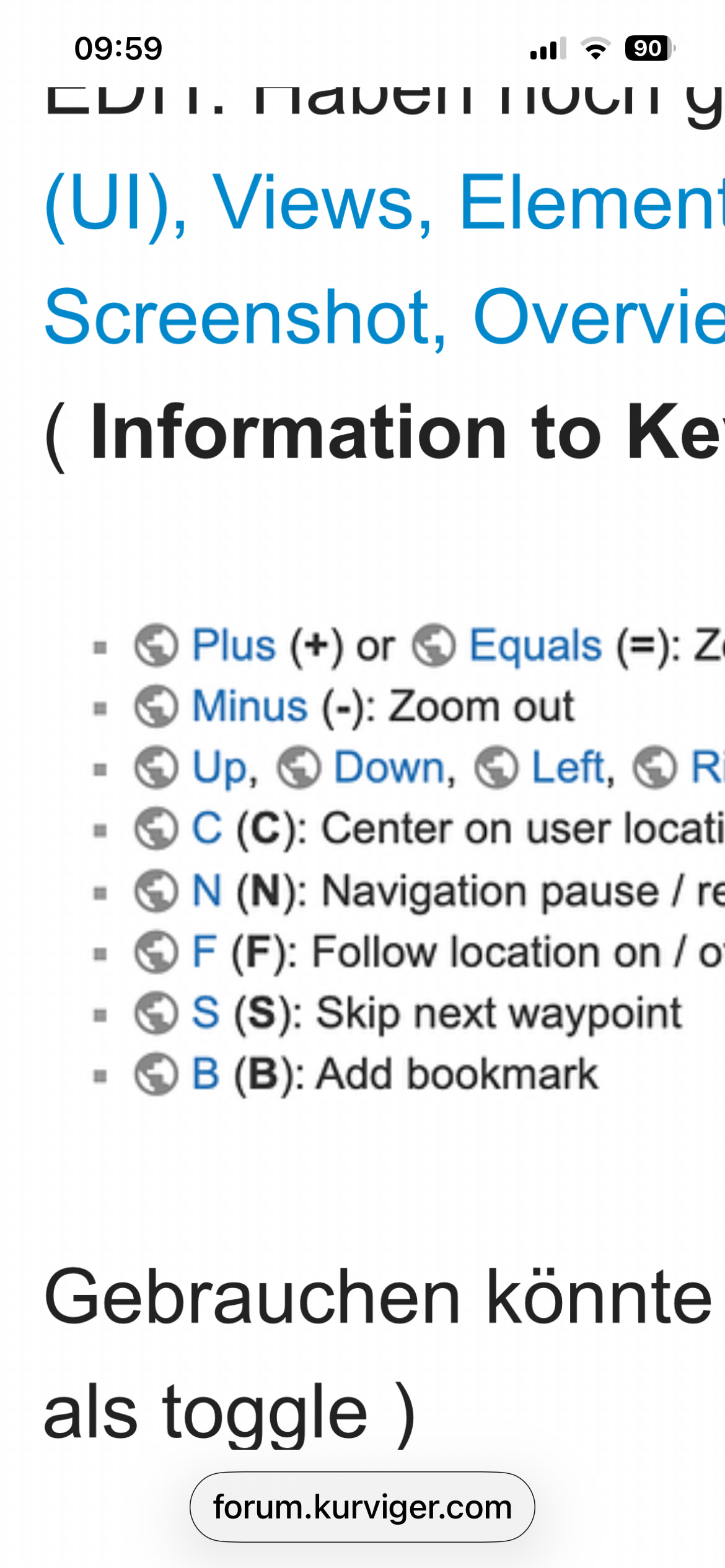
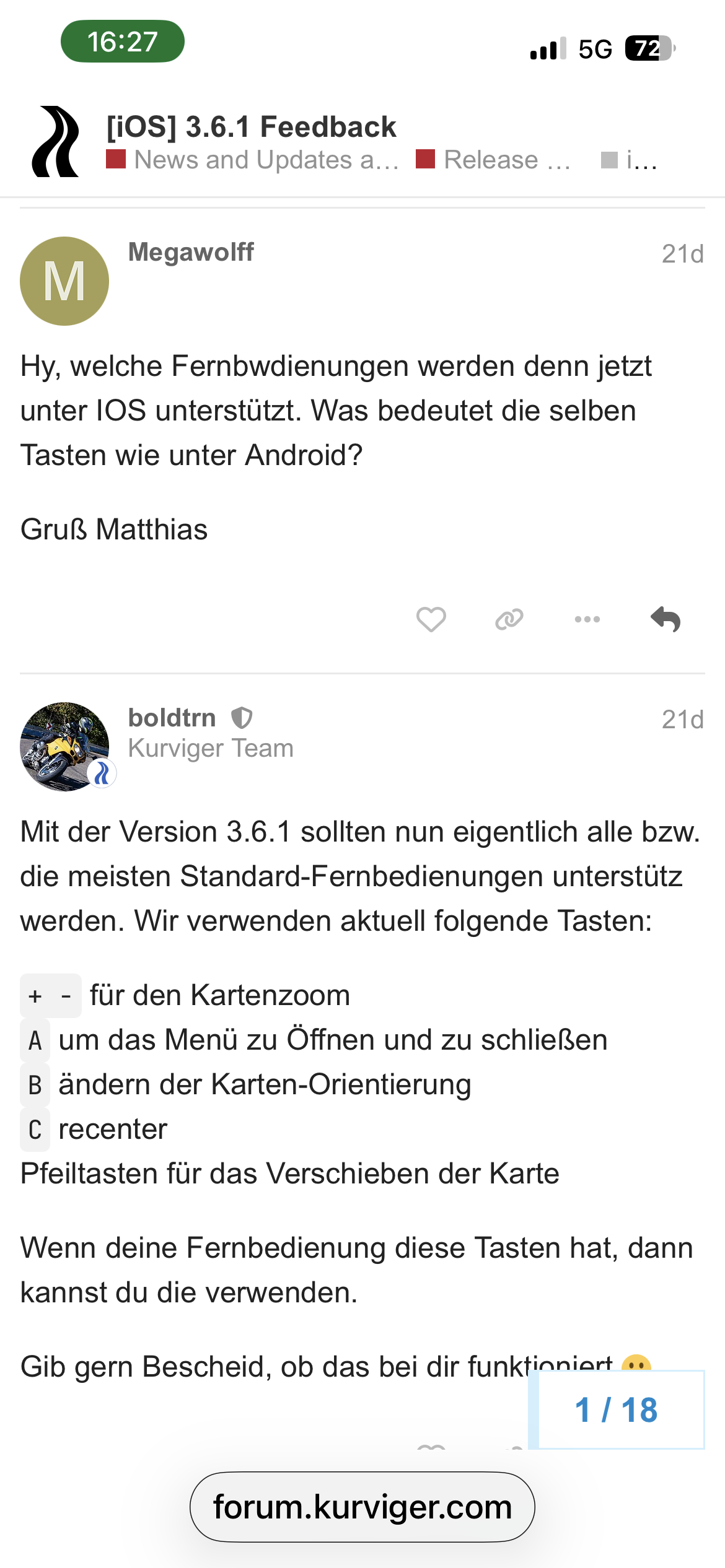
Nein, rauf - runter geht mit Keys einer Tastatur nicht. Links rechts mag den Nutzern der Modi 2D/3D vielleicht noch nützlich sein, für “Nord”-Fahrer macht das keinen Sinn :frowning:

Wäre mal interessant zu wissen welcher der oben gelisteten FB alle vier Richtungen können.

Sehr interessant! Generell könnte Android sowas ( Swipes ) ja auch anbieten.

Mit Tasker geht das natürlich auch ( eigentlich sogar alles was man sich wünscht ), manchmal starten die Swipes aber auch in der “WarnApp”, dann funntioniert’s wiederum nicht. Overlayfenster sollten also im Randbereich liegen :grinning:

Macht Carpe Iter das Verschieben auch mit simulierten Swipes? Weil über Tasten würde dies nicht gehen, wie Thoka hier schreibt:

Keine Ahnung ich drücke einfach die Tasten.

Danke für die Hinweise. Schau ich mir auf jeden Fall an.
Solche Sachen wie selber Skripte schreiben usw. entfallen definitiv, bin weder ein IT-Freak noch ein lötender Bastler.
Danke & Gruss
juschka

The thread went a bit silent here, so let’s stir it up…

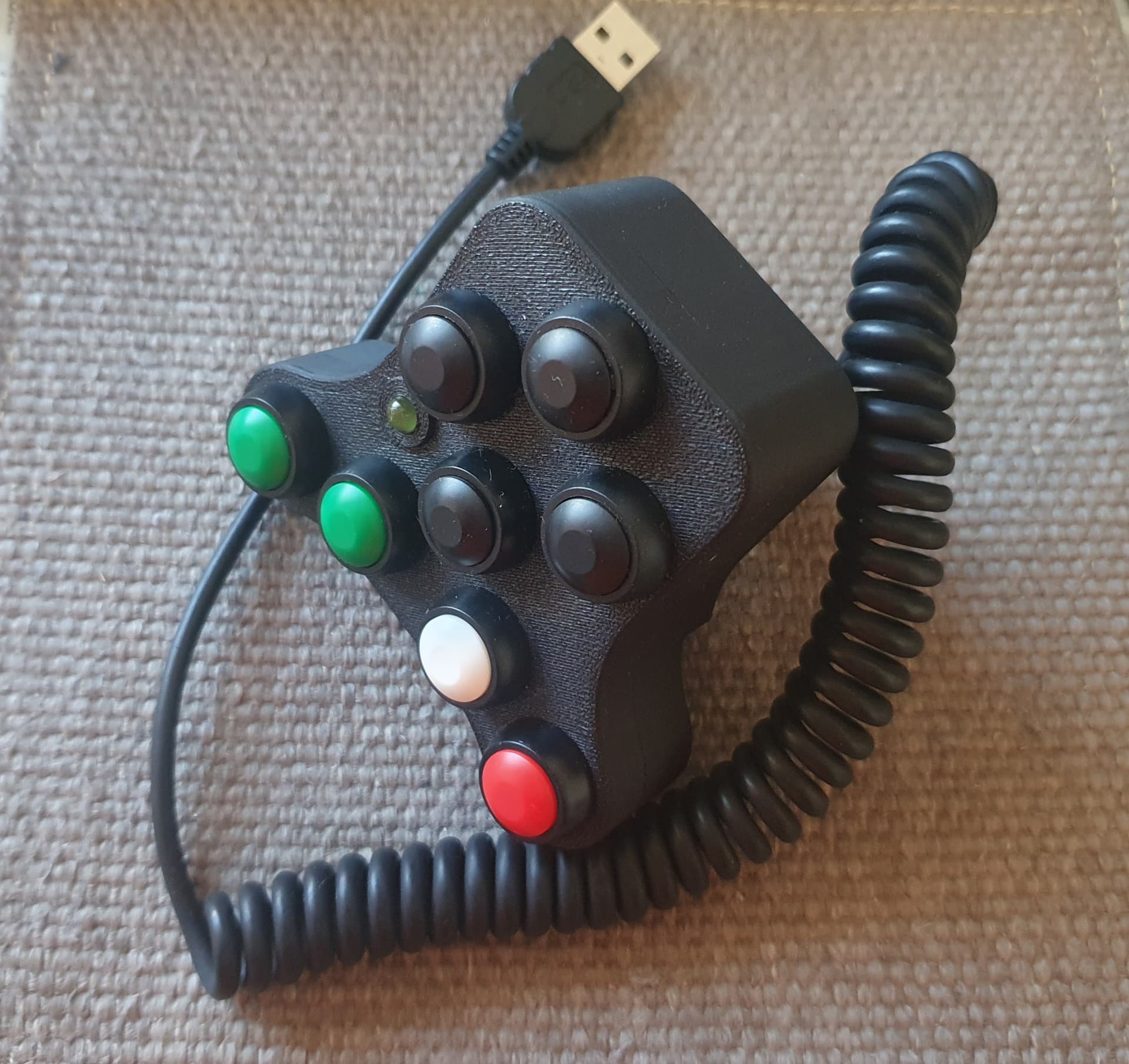
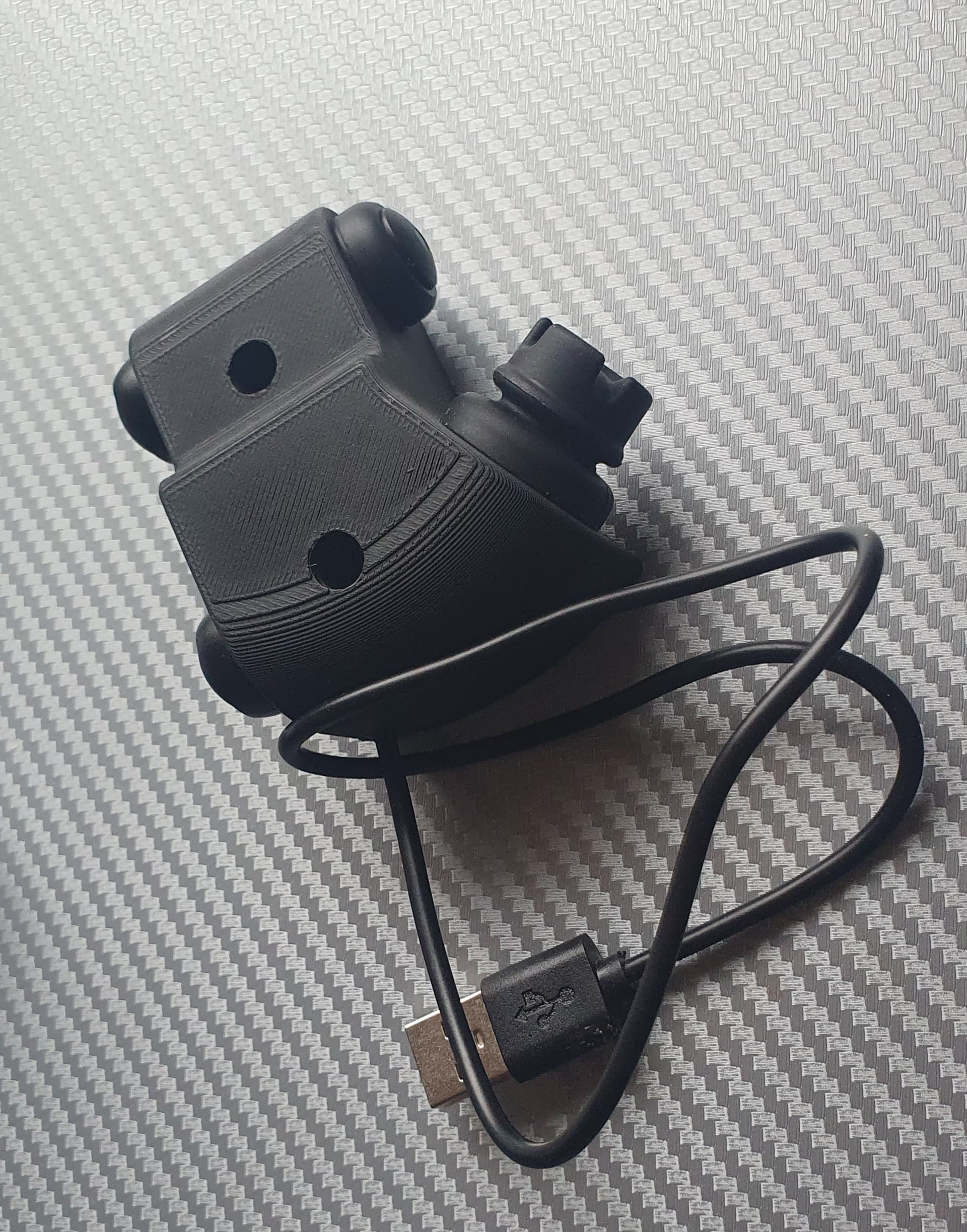
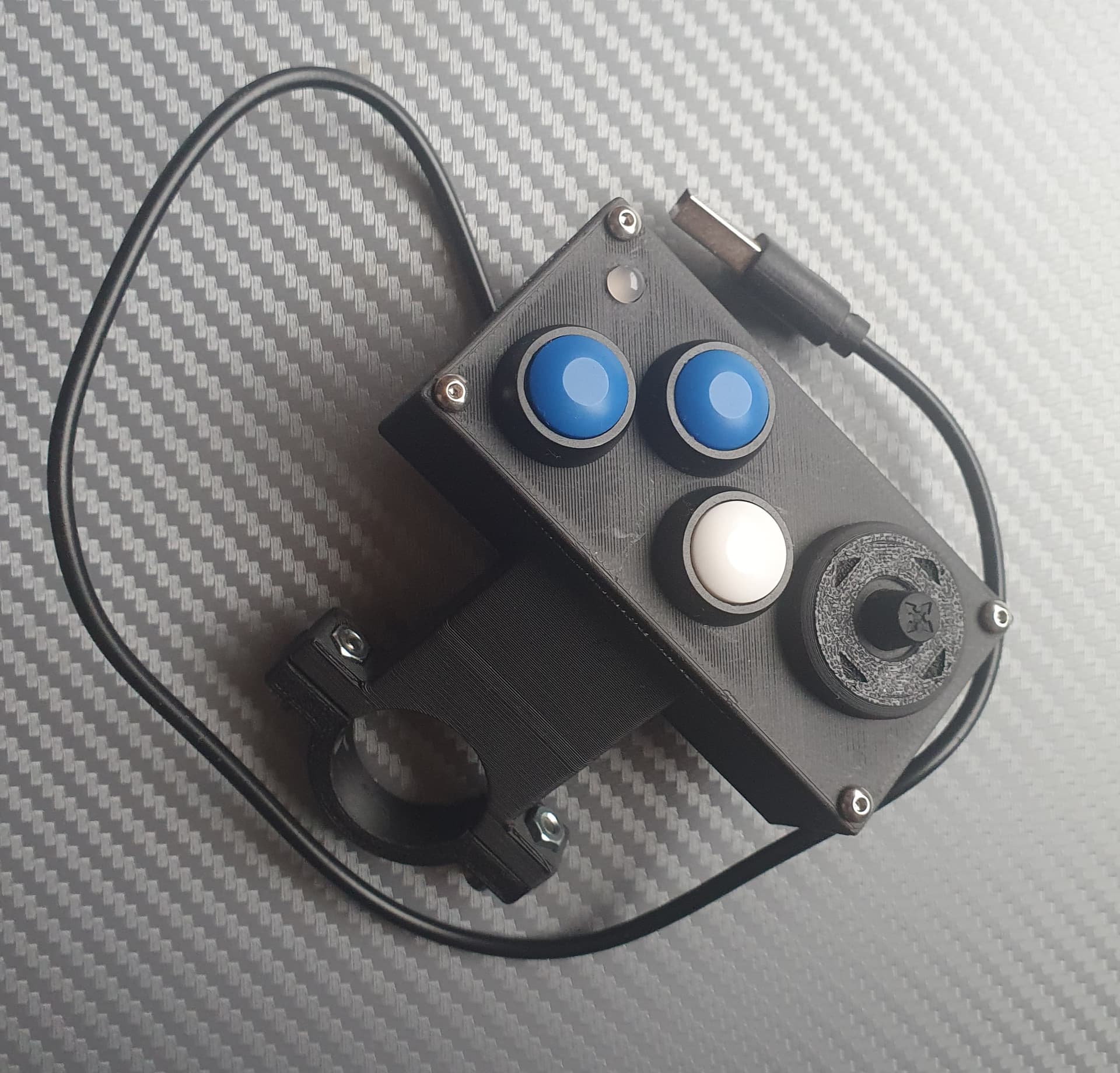
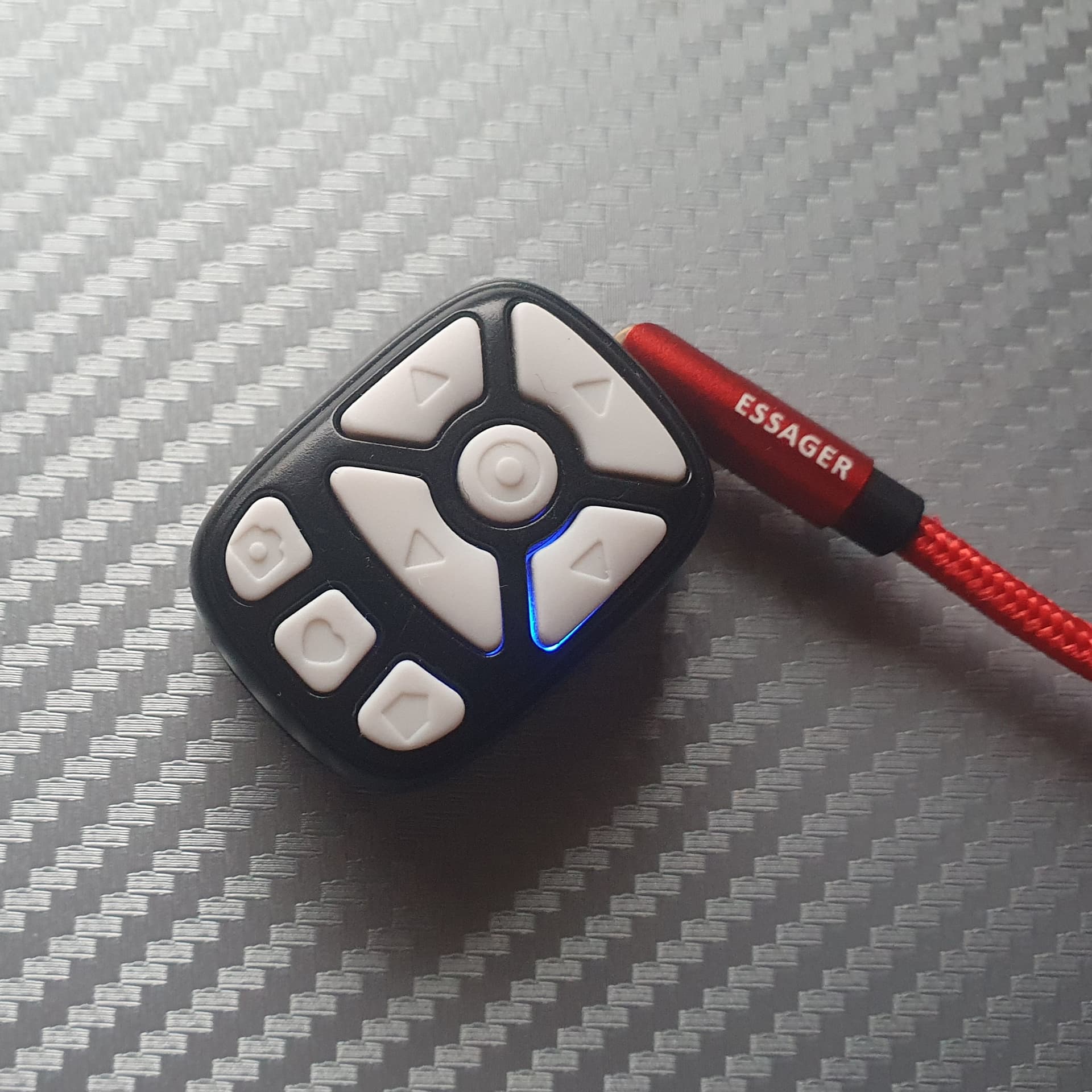
In the past couple of weeks I was busy building a couple of DIY remote controllers and gathering some experience in the process. None of those has really a dedicated support for Kurviger app (yet), but some functionality is available nevertheless. The detailed user manuals are available on the linked websites and you can read them there - here I will just add some of my personal impressions from the build process.

1. BarButtons
Link with instructions: How to build the BarButtons - JaxeADV


This is the bulkiest controller of those I have built, but IMHO also the one with the most advanced functionality. Unfortunately, the SW is not compatible with the compact size joystick used by the BarButtons UC (2) and MotoButtons2 (3) due to a 3x3 matrix wiring of the buttons. In general you could use the smaller Arduino PCB and smaller buttons and fit it in the smaller housing, but you would have to design it yourself.

2. BarButtons UC
Link with instructions: How to build the BarButtons (UC) - JaxeADV


This looks like the “next generation” of the BarButtons by the same author. At the time of writing this post, the SW is not yet at the level of the “classic” BarButtons above, but given that it is the same author, I guess it will at some point in time offer the same functionality. The controller itself is intended to be mounted below the steering bar and uses the HS1 joystick instead of separate buttons which saves space. The joystick itself is quite ok in all 4 directions, but I find the center button difficult to press in gloves. Another downside of this Joystick is that it is quite expensive and for Europe you have to add shipping and import taxes on top, which more than double the price.

3. MotoButtons2
Link with instructions: MotoButtons2/ConstructionGuide at main · joncox123/MotoButtons2 · GitHub


Ok, the housing looks a bit like from the 80s, but you can also design your own, or fit it in the one of of the others shown in this post. MotoButtons2 also uses a joystick, but offers two housing variants - one for the HS-1 joystick (like BarButtons) or a much cheaper AdaFruit 5-Way Navigation Switch. I went for the solution “in-between” and designed a joystick that can be mounted the same way as HS-1, but is using the cheaper Ada-Fruit components. It is fully functional, but I have to gather some practical experience with it. MotoButtons features so called “Mouse Mode” which theoretically allows you to control any APP using a mouse cursor. Although this is probably not very practical (or might be even dangerous) while riding, you could still use it in standstill to avoid taking off the gloves. The full source code is available for download.

4. Miniaturization Study (20x25x35mm)


For this one, there are no build instructions as it was my attempt to miniaturize one of the above controllers and fit it in the “Ring Remote Controller” housing. I managed to package the MotoButtons2 (Arduino, 8 buttons and RGB LED) in the 20x25x35mm space and it works. I tested it with gloves on my bike and the buttons on the outer edge were quite ok, the three in the middle not so optimal. It would be also possible to package BarButtons and BarButtons UC in the same size - the “super mini” Arduino Board is just 2.5mm longer and there is some spare space inside.

If anyone is interested in building his own version of those controllers or would like to try one of them - feel free to write me a message.

@boldtrn once you start the work on this feature (I hope you will eventually :wink:) , I’d be happy to give any of the devices 1, 2 and 3 above to the team for testing purposes.

4 Likes

Ich halte die Idee hier erstmal fest, damit die nicht verloren geht, auch wenn nix versprochen wird… :wink:

1 Like

I use Carpe Iter Remote Buttons and BMW Wheel Integration Form CI. Both ist working perfect with Kurviger.

Could you shortly describe which Kurviger functions are accessable from CI (zoom, pan, recenter, menu options…?). A short video would be appreciated - on CI Youtube channel there is only a 3yr old video with the obsolete version of Kurviger.

From BMW Wheel:
Zoom in and out
Select and Back
With CI Buttons:
Left
right
Up
Down
ist predefined

But the Button Actions could be changed by menu
Nice i.e. ommit next WP would be nice If this function ist available on Kurviger

Are those used to move the map or to move through the menus? If it is moving the map - do you know how is this achieved? Is CI simulating swipes? I cannot move the map with normal cursor-keys as up/down is defined as zoom in Kurviger.

Also, can you open the navigation menu by pressing “Back” and select one of the menu options (e.g., Skip to WP)? And then actially select a WP and skip to it.
Those would be my expectations for “working perfect”…

Here are short Videos.
OK i m not a Camera Man and the Garage will be cleaned Up when i m retired :rofl:


1 Like

Thanks a lot! Can you activate the navigation menu? Maybe with a long press left on the Wonderwheel? This is the way it works on WLQ and on remote controllers that can send “Back” or “Escape” code.

I am still not sure how CI implemented to move the map, this did not work in past versions using cursor keys. I know this can also be achieved by simulating swipes, but maybe there is a third possibility.

Skip WP via Special Button is what i’m waiting for from Kurviger.

What you want should work with this Joystick
https://carpe-iter.eu/carpe-iter-adventure-control/

1 Like

Navigation start by Long Press on BMW Menu Button

1 Like

Hallo,
ich nutze seit 12 Monaten die Remotek One, eine Top Lösung auch und gerade für iOS Handy App Anwendungen.

Eine eindeutige Stimme für Remotek One

VG

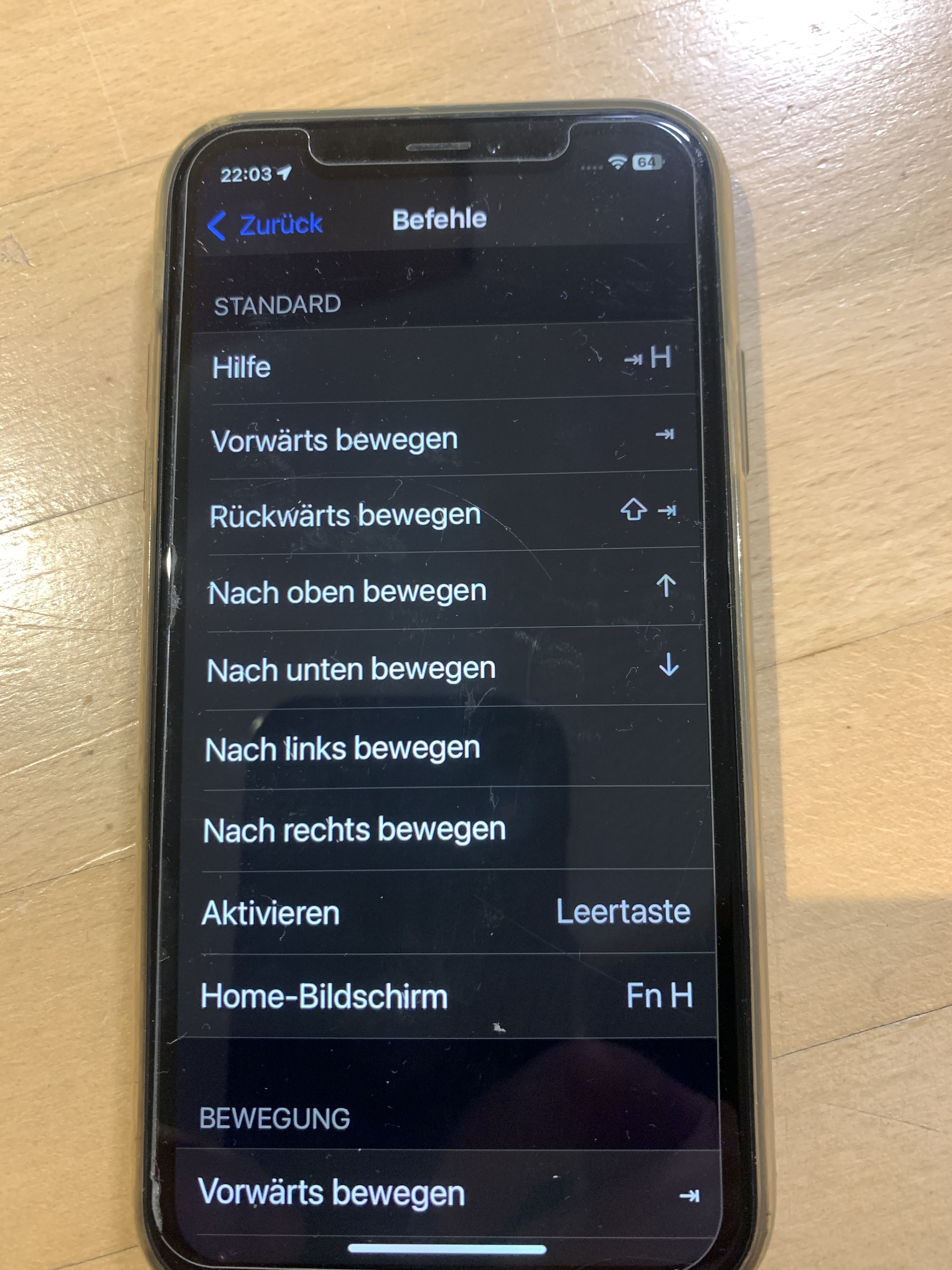
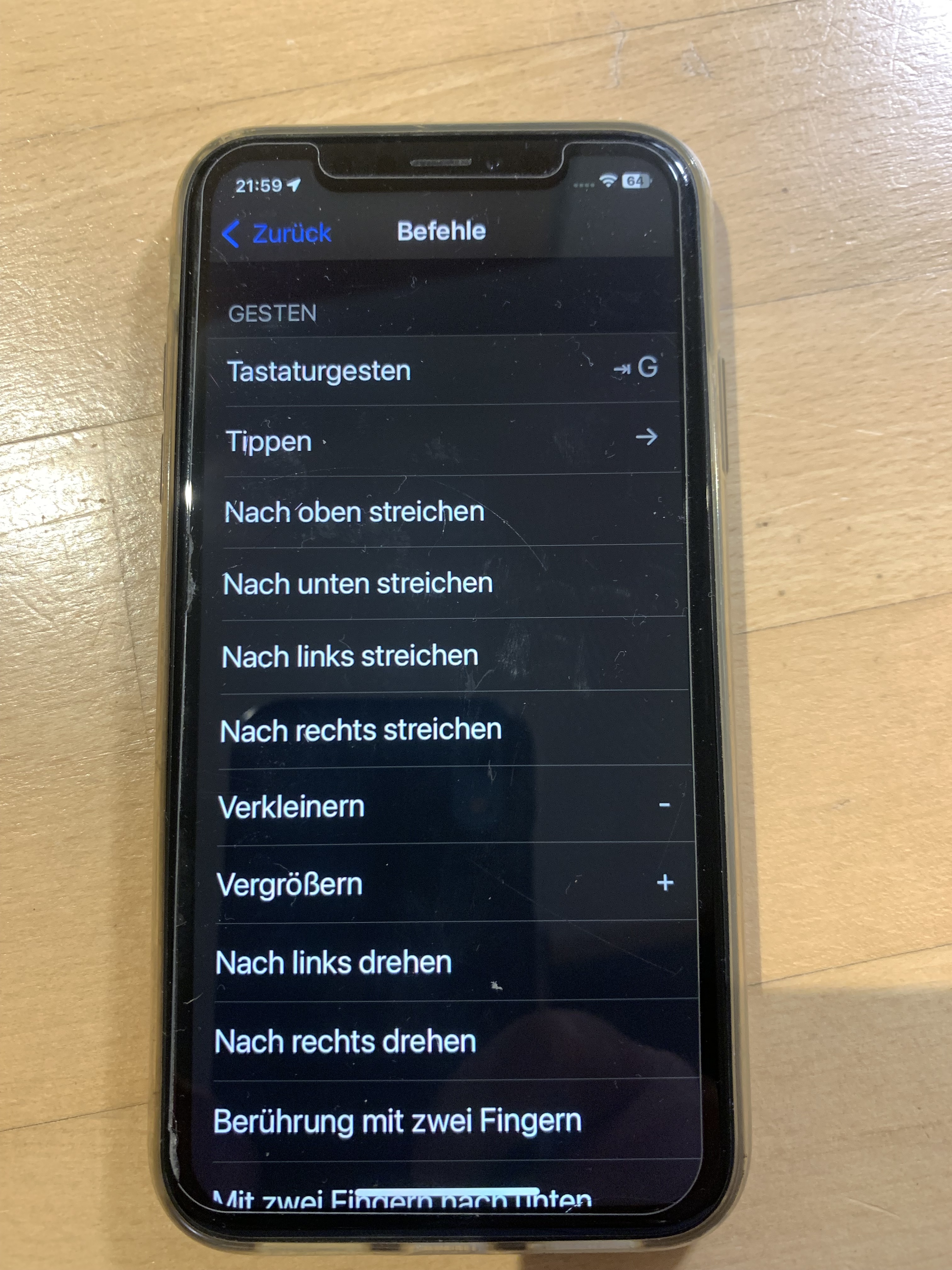
Remotek One mit iOS Einstellungen im iPhone Xr kann schon einiges ….

Zoomen + / -

Was geht sonst noch außer Zoomen?

Ich teste heute bei der Fahrt was alles vielleicht noch mehr geht, werde berichten :waving_hand:

Also folgendes geht schon:

Beim Navigieren:

  • dann rechts über die Menüpunkte gehen mit Pfeil nach oben / unten dabei dann …

Funktionen:

  • 2D / 3D / Nord / Auswahl dann mit Pfeil rechts als Tippen
  • Zoomen + / - / Auswahl dann mit Pfeil rechts als Tippen
  • Menü öffnen „…“
  • Taste + /- bedeutet so im Moment wie mit zwei Fingern wischen
    • = Vergrößern
    • = Verkleinern

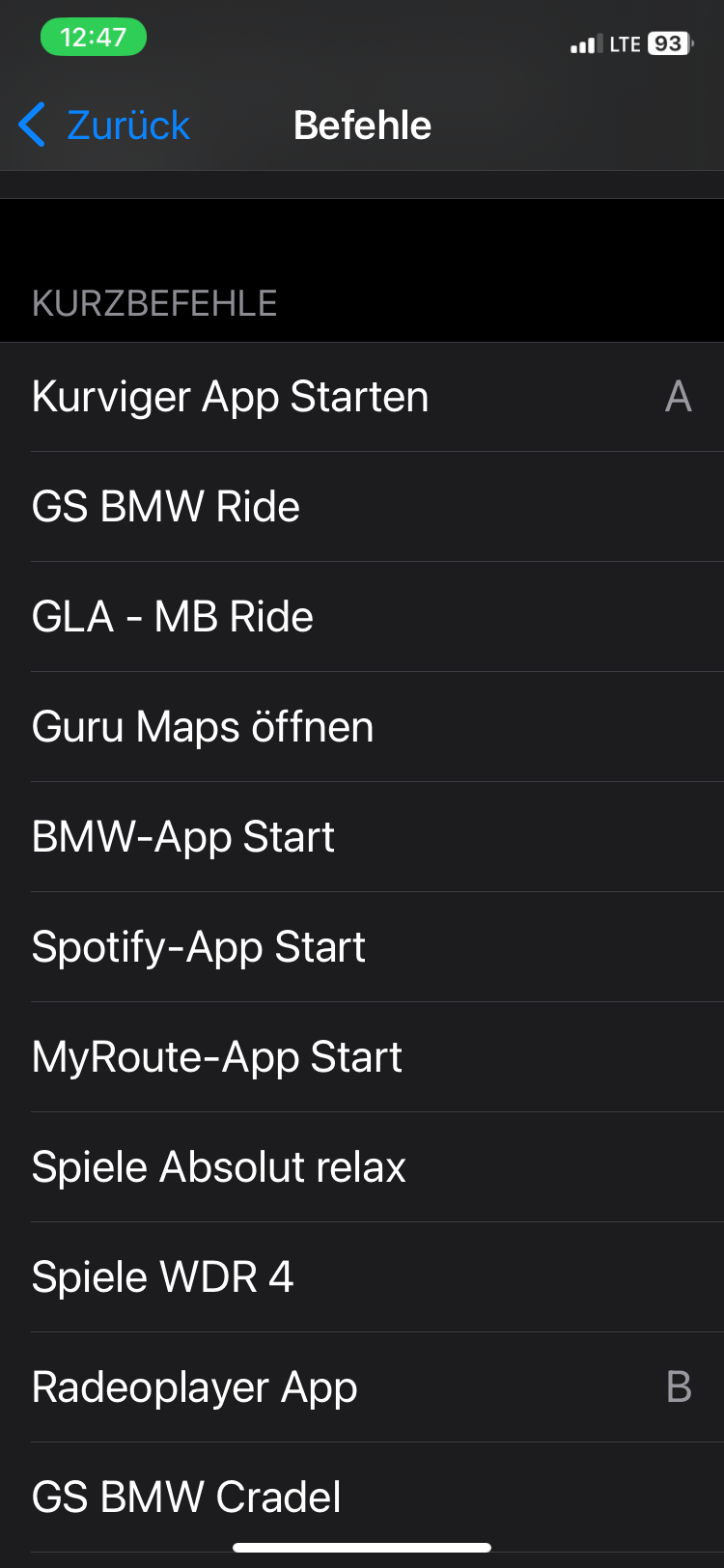
Remotek One Option: für zwei Apps

  • Taste Pfeil nach oben DCH :smiling_face_with_sunglasses:

  • DCH = Doppelklick halten wechsle zwischen zwei Apps bei mir A = Kurviger B =

  • DCH = erneut wechselt zwischen den Apps

  • die Tasten + / - bedeutet beim Radioplayer laut / leiser

Das ist zZ mit den gewählten Einstellungen ohne Probleme möglich.

Unter den Tastenbefehlen geht vielleicht auch noch mehr aber mir reicht das schon so.

1 Like