twk1
October 29, 2025, 2:31pm
1
Hi, it is a collection of questions.
Thank you for your helping.
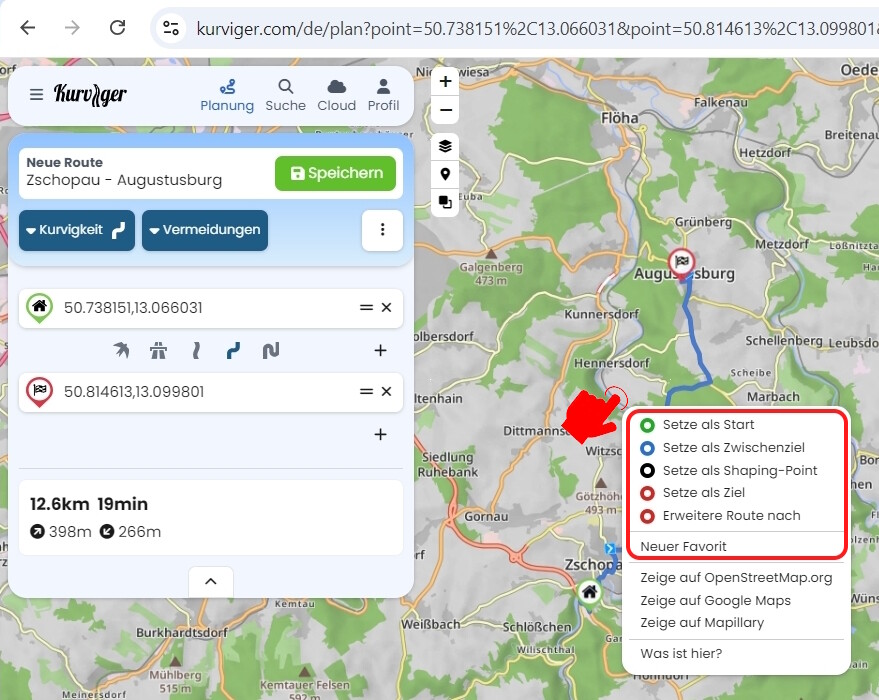
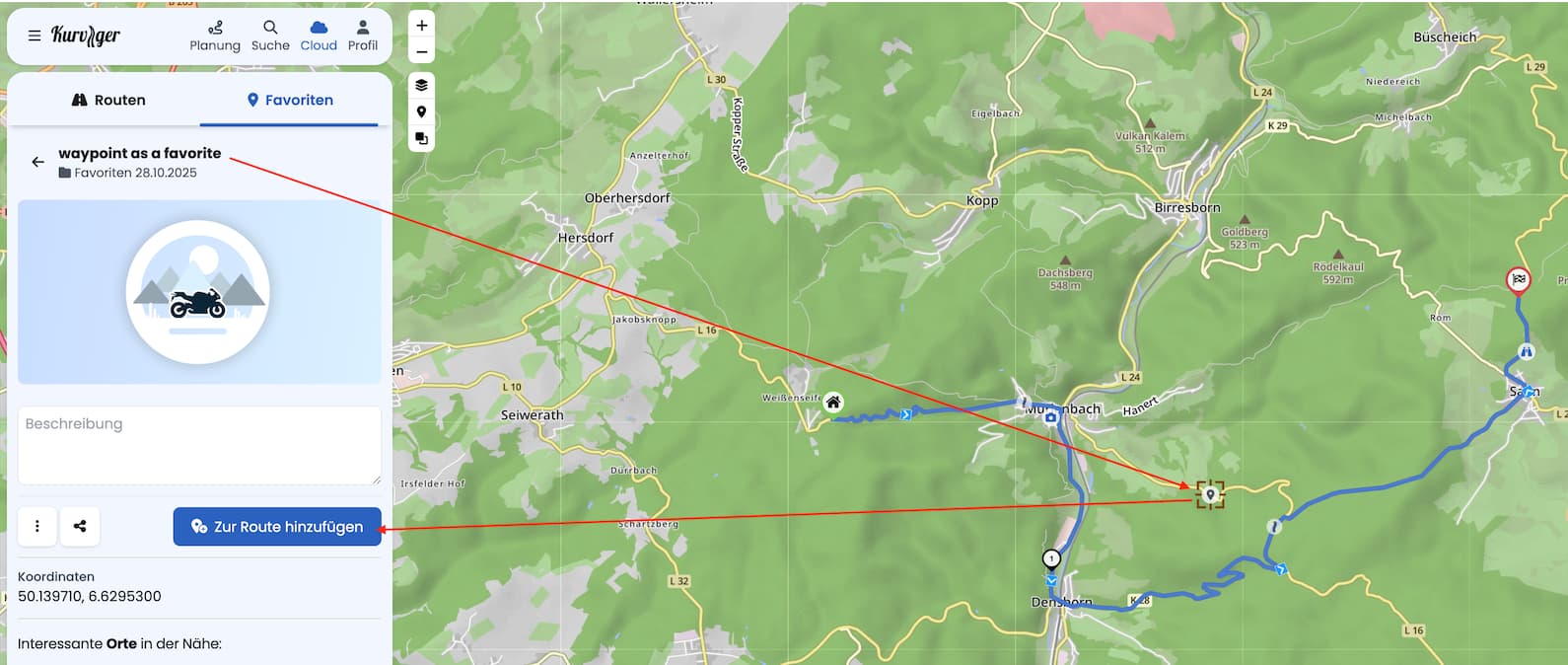
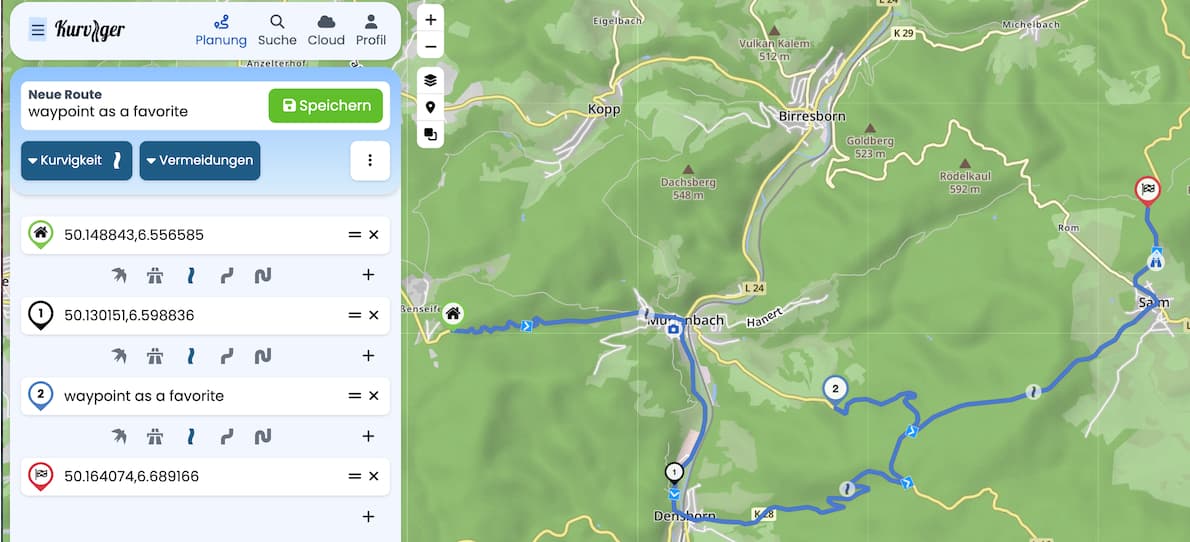
Moin und einfach auf die Karte mit der rechten Maustaste klicken und neuen Favorit erstellen. Ein Favorit kann dann auch als Wegpunkt in eine Route integriert werden Ein Export von Favoriten die nicht in der Route sind können nicht mit der Route exportiert werden.
Jeder Shapingpunkt oder Zwischenziel kann aber auch mit einem eigenen Namen versehen werden und diese werden dann auch mit einer Route exportiert.
Favoriten musst du extra exportieren.
Biker
October 29, 2025, 3:28pm
3
Das Thema „2.) 3.)“ wurde schon X man angefragt,
wenn es eine Antwort gibt dann „haben wir auf dem Schirm“
was immer das auch für ein Schirm ist.
Answers:
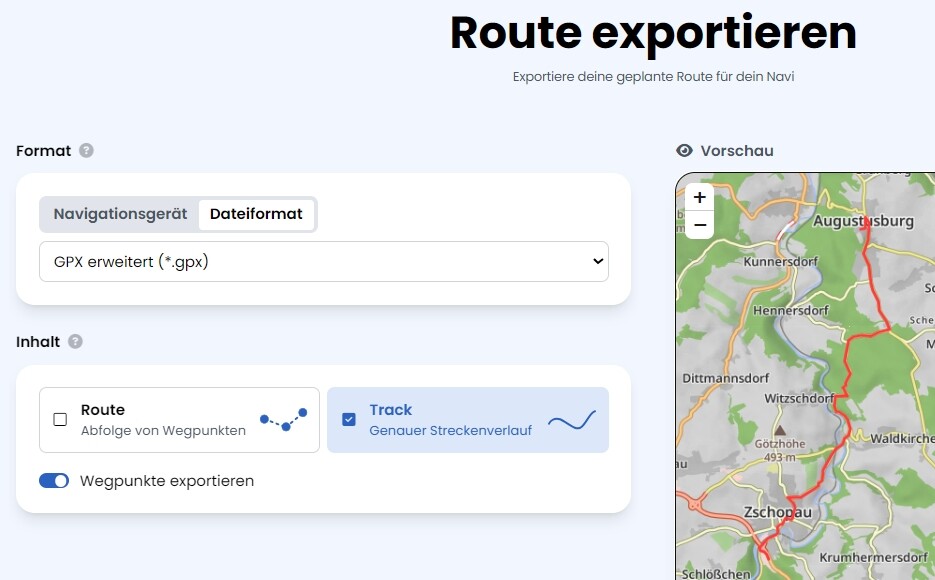
2.) an exported route contains all waypoints (with their names), an exported track does normally not contain any waypoint - but: in “extended gpx” you may request all waypoints w/o a route
3.) don’t know OsmAnd - but it should accept a normal gpx (route and track) I assume
Biker
October 29, 2025, 3:35pm
5
Für OsmAnd benötigt man keine GPX Route.
Das wurde hier im Forum schon mehrmals angefragt.
Das muss wohl ein größeres Problem sein das umzusetzen.
In einem Track gibt es keine Zwischenziele, diese sind entweder als WPT- oder RTE-Element vorhanden.
Biker
October 29, 2025, 4:43pm
7
Dass es in einem Track keine Zwischenziele gibt ist bekannt.
Aber ein Track kann mit Zwischenzielen in einer GPX Datei gespeichert werden.
Ein Track mit Zwischenzielen in einer GPX Datei ohne
0709
October 29, 2025, 6:17pm
8
Und wie ist die erwartete gpx datei dan aufgebaut?
SonWon
October 29, 2025, 7:20pm
10
Biker:
You don’t need a GPX route for OsmAnd.
This has already been asked several times here in the forum.
That must be a bigger problem to implement.
Depends, generally you will get better navigation instructions with a GPX Route. A GPX Track will often give turn instructions for road curves which is annoying. However it is better with snap to road but still not perfect in my experience.
If you need to follow a track exactly then you should probable use a GPX Track. However with enough waypoints you can force a GPX Route to follow an exact track. This is my experience with Osmand.
Biker
October 29, 2025, 7:32pm
11
Depends, generally you will get better navigation instructions with a GPX Route. A GPX Track will often give turn instructions for road curves which is annoying. However it is better with snap to road but still not perfect in my experience.
If you need to follow a track exactly then you should probable use a GPX Track. However with enough waypoints you can force a GPX Route to follow an exact track. This is my experience with Osmand.
OsmAnd navigiert einen Track mit Sprachansage der Abbiegehinweise, Ansage der Namen der Zwischenziele, mit Neuberechnung …
… aber ist nicht in der Lage shaping points zu ignorieren?
Biker
October 29, 2025, 8:01pm
13
… aber ist nicht in der Lage shaping points zu ignorieren?
Mit OsmAnd kann man den GPX-Track mit Wp auch bearbeiten.
Auch Shaping-Points löschen, Zwischenziele wenn nötig löschen …
Erwarte aber dass der Export einer Route mit dem Kurviger Planer
OsmAnd kann alles was andere Apps können und nicht können.
Möchte Routen vom Kurviger Planer als Track mit
twk1
October 30, 2025, 2:07am
14
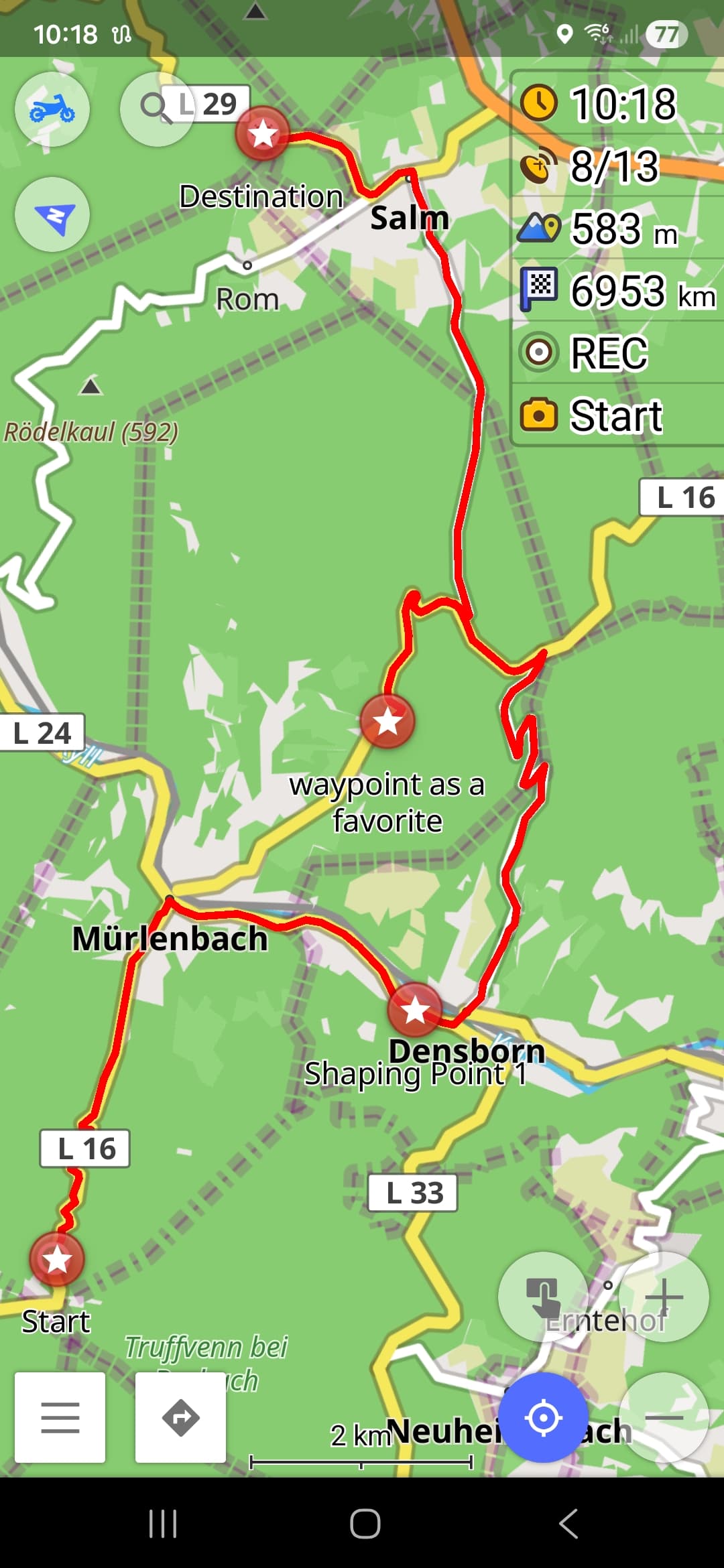
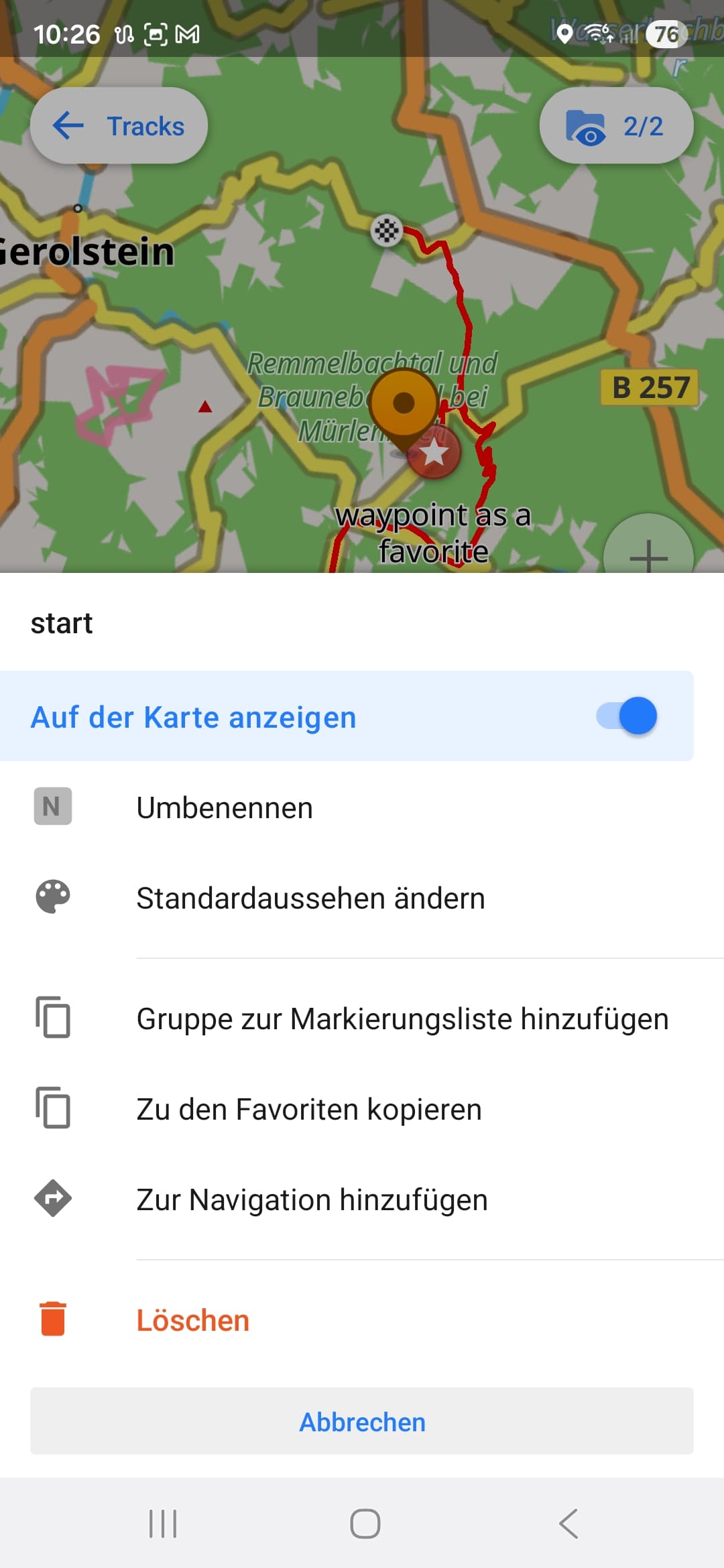
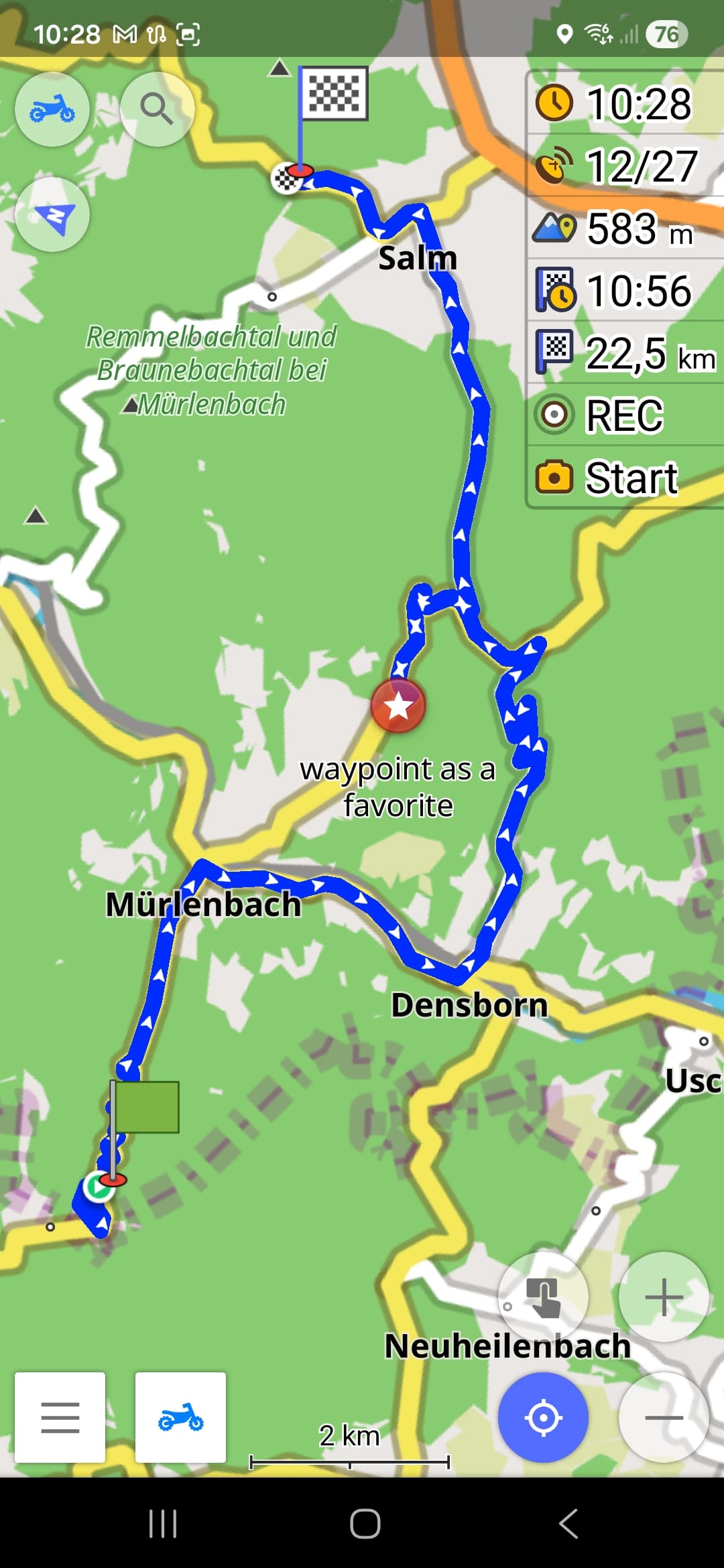
Thank you all for your answers. Unfortunately it doesnt work neither way. adding a waypoint as a favorite beside the track, in export gpx (normal or extrended) the favprite and its given name does not show up in route. so no custom waypoints which is very, very annoying.
Another point what makes me crazy are the shaping points. i know, when i press and hold “W” the Shaping points are gone from display, but as i release the key they are back. i want to hide them once and forever. Possible??
Biker
October 30, 2025, 10:34am
15
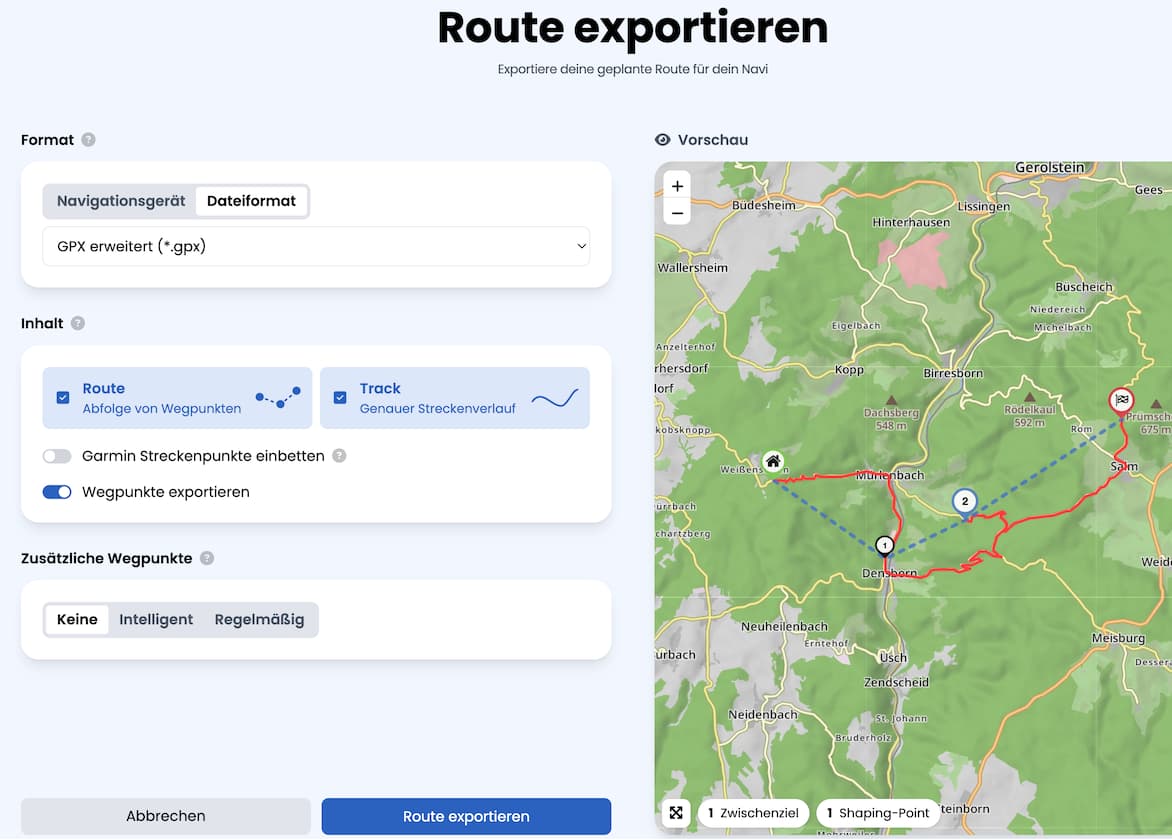
Kurviger Planer GPX Export
Biker
October 30, 2025, 10:37am
16
OsmAnd GPX Import
Shaping-Points … entfernen
twk1
October 30, 2025, 10:48am
17
Its very kind that you show me a solution, but sorry, this solution is so weird and a lot of work, first in kurviger and than in osmand. my solution now is: staying with alltrails to plan my route, setting my WP and export it and than import in osmand.
Biker
October 30, 2025, 11:06am
18
Vielleicht gibt es in Kurviger mal eine Lösung zu diesem Problem,
0709
October 30, 2025, 6:43pm
19
@Biker .
Der App, die alles kann?
opened 09:16PM - 30 Jun 25 UTC
Nice to Have
### Describe the idea
Worthless to say that OsmAnd is the Swiss Army Knive of G… PS tools but I think there is one (just one) basic feature that is still missing or only partly implentend. I have also seen that there have already been other feature requests adressing this topic, but unfortunately all (that I could find) ended in long (off-topic) discussions without any changes to the app (lots of them even closed). Therefor I want to start one more initiative and by providing more complete information I hope that we can finally make OsmAnd even better!
**Scope**
In general this topic affects 1) "favourites/points" 2) "tracks" and 3) "routes" that are stored within the app in the same way as the import/export of this data, especially from/to GPX files (that also support those types of data).
**Current situation**
Currently OsmAnd supports "favourites/points" and "tracks". Both types can be found in "My Places". From my point of view the third category "routes" is as important as the other ones, but unfortunately OsmAnd is not supporting it yet (or only in a limited way and only with workarounds that are too complicated to use).
**Definition and purpose of "routes"**
Please let me make a (my) definition of "routes" and explain their purpose, first, as this seems to have led to a fundamental misunderstanding in the former feature reuests. My definition of a "route" is a ordered colletion of waypoints, including the first waypoint (start), zero or multiple intermediate waypoint(s), and the last (destination) waypoint. The purpose is to navigate from one waypoint to the next in the order defined. The "route" does NOT include/define the exact route (way) between those waypoints - this is only done by the routing engine (of OsmAnd) every time a "route" is used for navigation. Therefore the same "route" can lead to different routes (ways) e.g. depending on which routing profile (car, bike, hiking, ...) is used.
**Why is this important**
I have plenty of situations when I miss this feature terribly. Just think about going hiking, but you do not only want to go the best way from A (start) to Z (destination) but visit intermediate points B, C, D, ... in between because those are (on) alternative tracks or nice places you want to pass by purpose. I think everyone agrees that there are plenty of other use cases where in general the same applies.
Of course you can already create such routes (with intermediate destinations in OsmAnd, but the issue is, that you cannot save/load or import/export them. Think about going on a hiking trip or bicýcle tour for 1 week. Usually you would prepare a route for each day and save it as separate routes on your device / in your app. Maybe you even want to import such a route from any other tool/platform. Unfortunately this is not possible with OsmAnd, yet. And let's be honest: creating the routes each day in the morning by putting in maybe plenty of intermediate points is possible but painful. Also think about loosing a route by mistake or because the app crashes - then you are already on your way and you have to recreate the route manually before you can go on.
### Expected behaviour
**Suggested changes**
- Add a third category "Routes" to "My Palces" that can store multiple routes as defined above.
- Allow open/load a "route" from "My Places" (start, intermediate destinations, final destination) with/to the navigation pane (maybe there should be a prompt if another navigation is already active).
- Allow to save a route from the navigation pane to "My Places" (maybe a modified route can also be updated, but I would consider this as optional / a future improvment).
- Allow to import routes from GPX files to "My Places".
- Allow to export routes from "My Places" to GPX files.
**Mapping OsmAnd <> GPX files**
The unclear mapping between OsmAnd objects (favourites/points, tracks, routes) and GPX files also seems to be a reason why former feature requests have not been successfull. But I think it's quite simple. Let me state out the corresponding GPX equivalents below (in a simplified way representing the relevant tags with selected attributes only):
- **favourites/points**
<gpx>
<wpt lat="52.516262540593743" lon="13.377424422651529" />
<wpt lat="52.514376109465957" lon="13.350498899817467" />
<wpt lat="52.518594386056066" lon="13.374974559992552" />
</gpx>
- **tracks**
<gpx>
<trk>
<name>Berlin (Track)</name>
<trkseg>
<trkpt lat="52.516262540593743" lon="13.377424422651529" />
<trkpt lat="52.516214847564697" lon="13.376820087432861" />
<trkpt lat="52.516150474548340" lon="13.376820087432861" />
<trkpt lat="52.516000270843506" lon="13.376326560974121" />
<trkpt lat="52.515957355499268" lon="13.376176357269287" />
...
</trkseg>
</trk>
</gpx>
- **routes**
<gpx>
<rte>
<name>Berlin (Route)</name>
<rtept lat="52.516262540593743" lon="13.377424422651529" />
<rtept lat="52.514376109465957" lon="13.350498899817467" />
<rtept lat="52.518594386056066" lon="13.374974559992552" />
</rte>
</gpx>
I assume that the efforts to implement this should be manageable as the basic features seem to already exist.
**I would be very happy to support with implementing this! Unfortunately I have absolutely no experience in (Android) app development, but please let me know if I can support this in any other way!**
### Alternatives you've considered
**Just and absolutely optional improvement**
I know other navigation apps that work with two types of intermediate waypoints: 1) "intermediate waypoints" and 2) "shaping points". Both are used in the same way to calculate a route (way) and navigate the user. The difference is, that the "shaping points" are only used to affect the route (way), while only the "intermediate waypoints" are used to calculate values like distance and time to as well as arrival at next intermediate waypoint. This allows e.g. the following scenario: you can have the next "intermediate waypoint" where you want to have lunch and see how long it will take you to reach this place but there there can also be additional shaping points before this intermediate waypoint that affect the route but not the values mentioned before (because I'm usually just interested in when I will get lunch but not when I reach any shaping point on my route ;-)).
### Context
**Related issues (for sure I could not find all of them)**
https://github.com/osmandapp/Osmand/issues/9493
https://github.com/osmandapp/OsmAnd/issues/18209
https://github.com/osmandapp/OsmAnd/issues/20100
https://github.com/osmandapp/OsmAnd/issues/20479
https://github.com/osmandapp/OsmAnd/issues/21795
**Related discussions**
https://github.com/osmandapp/OsmAnd/discussions/14122
https://github.com/osmandapp/OsmAnd/discussions/22849
@twk1 .
Biker
October 30, 2025, 11:03pm
20
@0709